Why CRM Programs Are the Foundation of Modern Business
A crm program is software that helps businesses manage, track, and store all interactions with current and potential customers in one centralized system. It turns scattered customer data into organized, actionable insights that help your teams sell more effectively, market smarter, and deliver better customer service.
What a CRM Program Manages:
- Contact information – Names, emails, phone numbers, and company details
- Sales activities – Leads, opportunities, deal stages, and pipeline tracking
- Customer interactions – Emails, calls, meetings, and support tickets
- Marketing campaigns – Segmentation, automation, and performance tracking
- Analytics and reporting – Sales forecasts, team performance, and customer insights
If you’ve ever lost a lead because of a missed follow-up, you understand the problem a CRM solves. Tracking customer data with spreadsheets and email leads to siloed information and slows down processes. This fragmented approach fails when customer expectations are higher than ever. Modern CRM programs have evolved far beyond contact databases, integrating artificial intelligence for predictive insights and automating routine tasks to create a single source of truth for your entire team.
I’m Rusty Rich, founder and President of Latitude Park, a digital advertising agency in St. Petersburg, Florida. Since 2009, I’ve helped businesses implement CRM solutions to align their marketing, sales, and service teams for measurable growth. This guide will walk you through everything you need to know about CRM programs.
What is a CRM Program and Why is it Essential?
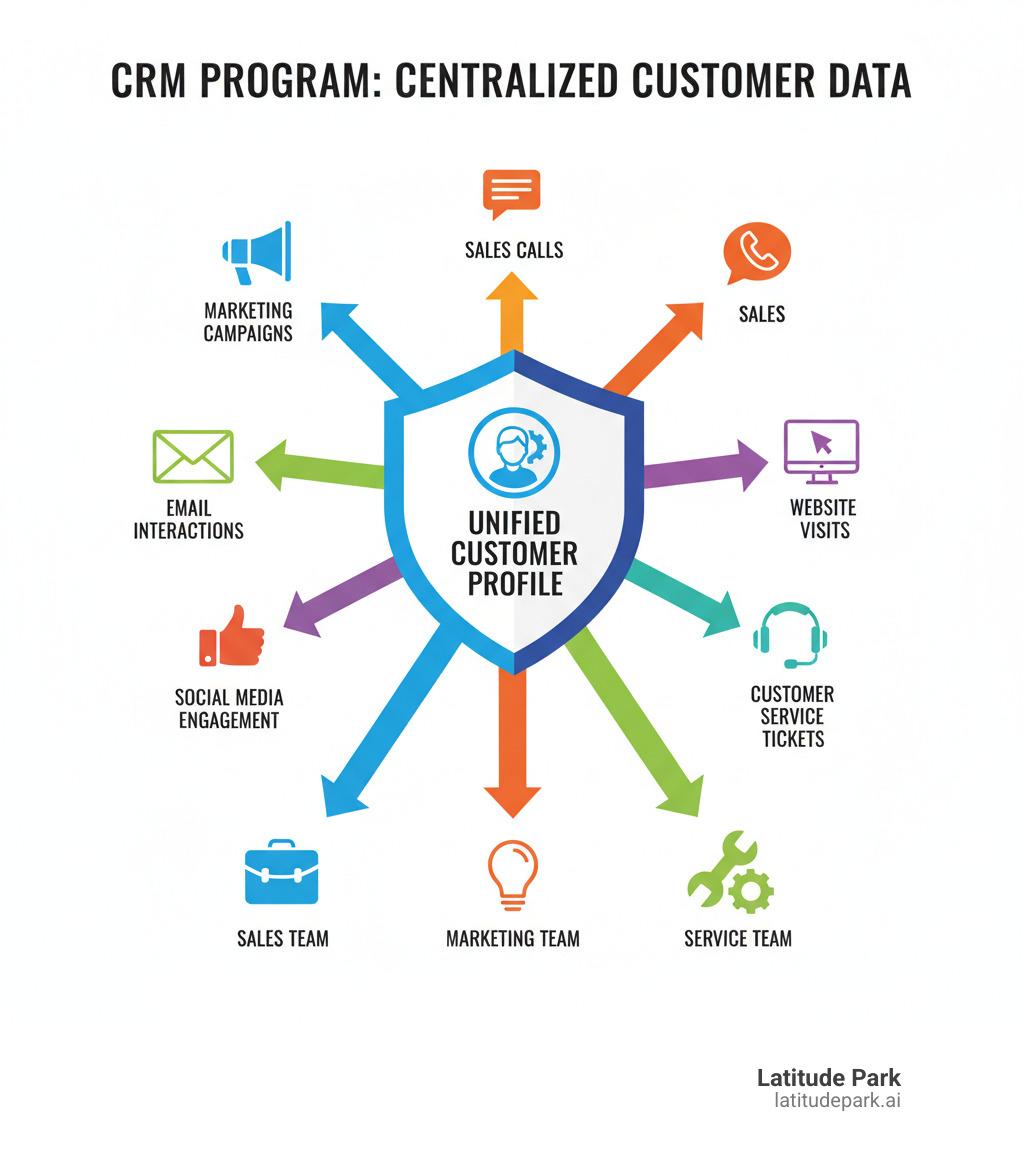
Think of a crm program as the brain of your customer relationships. It’s software that gathers everything you know about your customers—contact details, interaction history, and purchase patterns—into one organized, accessible place. Instead of digging through emails and spreadsheets, you have a complete customer picture at your fingertips.
This centralized data breaks down the walls between your departments. Your sales team knows which marketing campaign brought in a lead, and your service team can see a customer’s full purchase history before a call. Everyone works from the same up-to-date profile, creating a single source of truth. This alignment is critical, as research shows that 82% of service professionals say customer expectations are higher than ever. Customers expect you to know their history and respond quickly, which is impossible when information is scattered.
The Problem with Traditional Methods
Managing customer information with spreadsheets, email inboxes, and sticky notes is a recipe for chaos as you grow. These traditional methods create disconnected data that lives in isolation. Sales, marketing, and service teams all have their own records, so no one has the complete story.
This fragmentation leads to lost information and missed opportunities. A hot lead gets buried in an inbox, or a customer complaint never reaches the account manager. Workflows become inefficient as your team spends more time hunting for information than helping customers. These scalability issues multiply as your business expands, making growth unmanageable.
The Core Purpose of a CRM
A crm program solves these problems by helping you track every interaction, nurture leads through the sales process, and build customer loyalty. By providing a complete view of the customer journey, a CRM helps you make smarter decisions, know when to reach out, and understand what your customers need. This visibility directly drives sales growth.
It also automates routine tasks like logging calls and setting reminders, freeing your team to focus on building relationships. This is crucial for customer retention, which is more profitable than acquisition. A CRM helps you spot warning signs, like a drop in orders or an increase in support tickets, so you can intervene before a customer leaves. As we explore in The Role of CRM in Building Strong Customer Relationships, this understanding is built on the foundation of good data and smart systems.
Core Functionalities and Key Features of a CRM
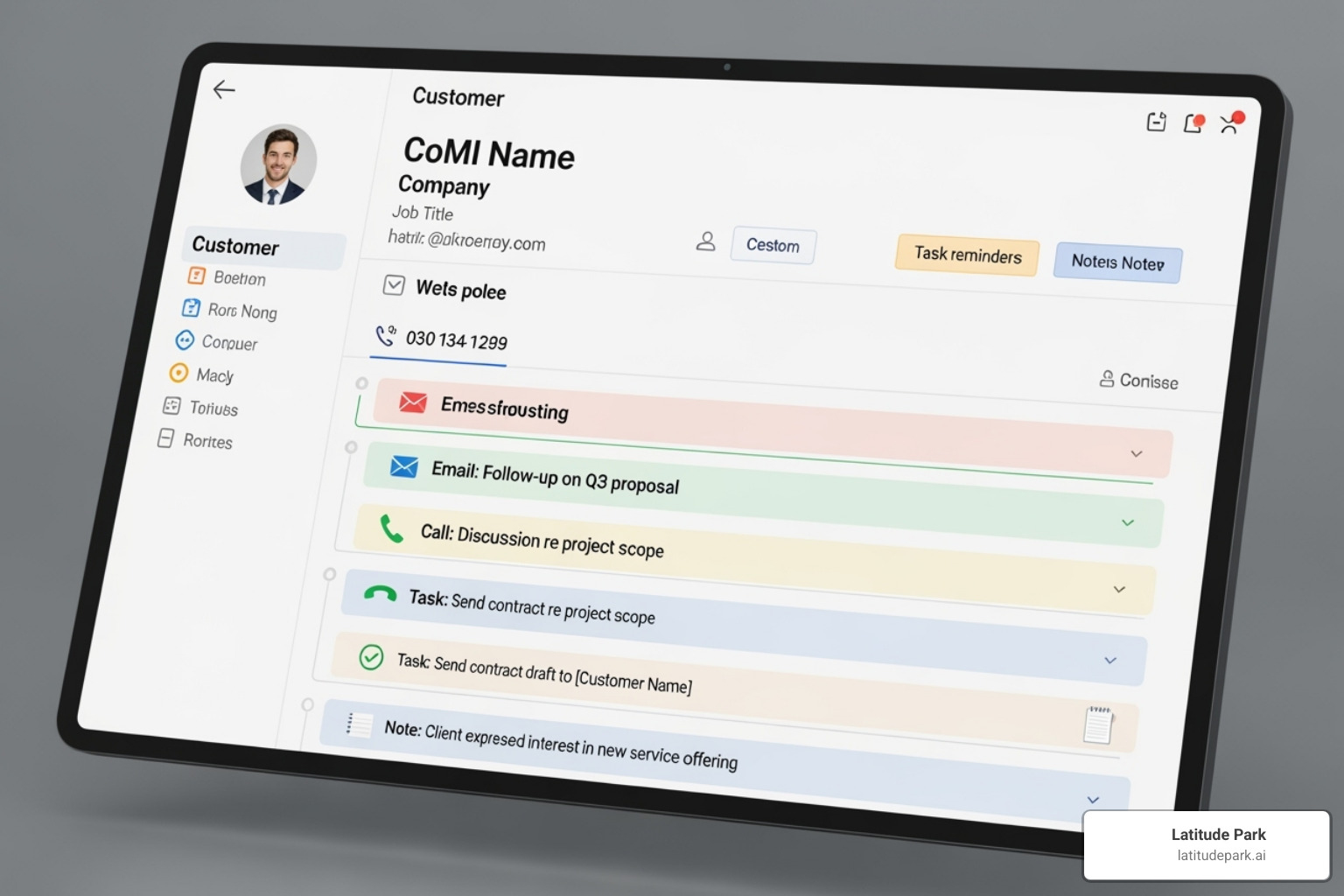
A modern CRM is built on three pillars: automation to handle repetitive tasks, analytics to turn data into actionable insights, and integration to connect all your business tools. When these work together, your CRM actively helps you grow.
Core features of a modern CRM platform
Every solid CRM includes these fundamental features:
- Contact management: A centralized database for all customer and prospect information, including contact details, interaction history, and notes.
- Lead and opportunity tracking: Follows a potential customer’s journey from initial interest to a closed deal, ensuring no lead is forgotten.
- Sales pipeline visualization: A bird’s-eye view of your sales process that helps you spot bottlenecks and forecast revenue with confidence.
- Task and activity management: A command center for scheduling follow-ups, setting reminders, and tracking team activities to ensure nothing slips through the cracks.
- Reporting and dashboards: Real-time data on sales trends, marketing campaign success, and team productivity, all in one place.
To learn more about this process, see our guide on CRM for Lead Management: From Prospect to Customer.
Advanced Capabilities
Beyond the basics, a CRM offers powerful tools for growth:
- Marketing automation: Run email campaigns, social media posts, and lead nurturing sequences, delivering personalized content based on customer behavior.
- Customer service ticketing: Equips your support team with a complete customer history, enabling faster issue resolution.
- Sales forecasting: Uses historical data and your current pipeline to predict future revenue with data-driven accuracy.
- Mobile access: Allows your team to access and update critical customer information from anywhere, on any device.
- Third-party integrations: Connects your CRM to other essential business tools like email, accounting, and project management. The average organization uses nearly 900 applications, but only 29% are integrated. A CRM that can connect with other business apps breaks down data silos and creates a unified view of your business.
The Evolution and Types of CRM Systems
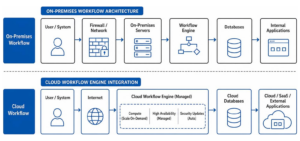
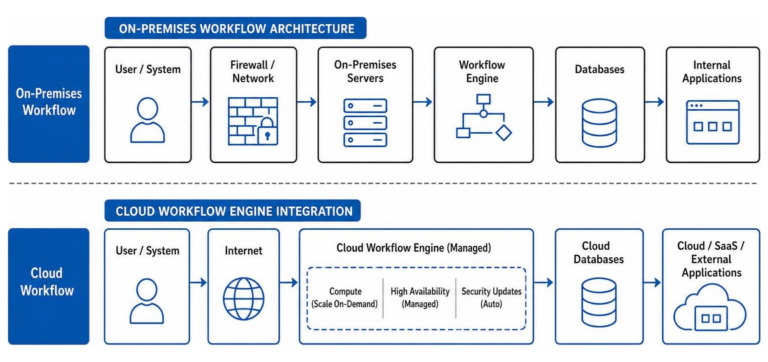
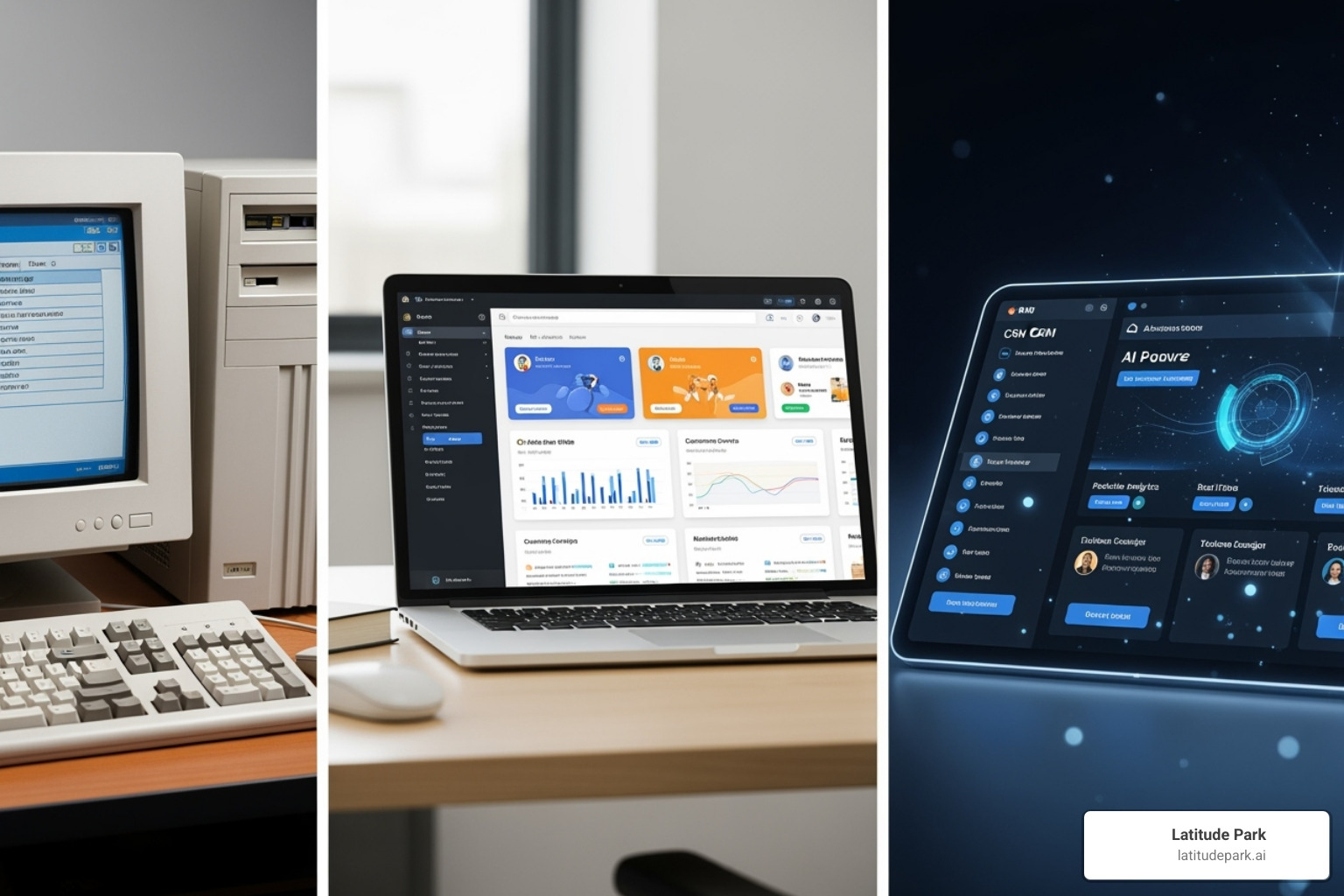
The CRM has evolved from simple digital contact lists into intelligent, cloud-powered platforms. The first major shift was the move from clunky, on-premise software to the software as a service (SaaS) model. Cloud-based CRMs became accessible from anywhere, eliminating the need for large upfront investments in hardware and IT staff. This made sophisticated customer management tools available to businesses of all sizes.
Today, the integration of AI and machine learning marks the next leap forward, turning CRMs from passive databases into predictive analytics powerhouses that help anticipate customer needs.
The Rise of AI-Powered CRM
Artificial intelligence is fundamentally changing what a CRM can do. AI works behind the scenes to automate tasks, surface key insights, and enable personalization at scale.
- Predictive lead scoring: AI analyzes data to identify which leads are most likely to convert, helping sales teams prioritize their efforts.
- Automated data entry: AI can parse emails and meeting notes to automatically update customer records, saving time and improving data accuracy.
- AI sales assistants: These tools suggest next steps, recommend optimal contact times, and can even draft personalized emails.
- Personalized recommendations: Machine learning suggests the right product or content for each customer based on their history and preferences.
- Generative AI for content creation: AI can draft personalized marketing messages, product descriptions, and customer service responses.
What makes AI-powered CRM truly powerful is that it transforms your system from a simple database into an intelligent partner that helps you make better, faster decisions.
The Main Types of CRM Systems
CRMs can be categorized by their primary focus, helping you choose the right CRM for your needs.
- Operational CRMs streamline day-to-day customer-facing processes like sales, marketing, and service automation. They are best for standardizing workflows and improving team efficiency.
- Analytical CRMs focus on data analysis, helping you understand customer behavior, identify trends, and make strategic decisions. They are ideal for businesses that need deep customer insights.
- Collaborative CRMs prioritize information sharing across departments, partners, and vendors. They are essential for organizations with complex sales cycles or service delivery involving multiple parties.
Other specialized systems include Strategic CRMs for long-term loyalty and Campaign Management CRMs for marketing.
CRM vs. ERP: Understanding the Difference
It’s crucial to distinguish between a CRM and an Enterprise Resource Planning (ERP) system. A CRM is an outward-facing system focused on managing customer relationships—sales, marketing, and service. It’s designed to help you win and retain customers.
In contrast, an ERP is an inward-facing system that manages core business processes like accounting, inventory, and human resources. It ensures your internal operations run efficiently. The two systems are complementary: a sale won in the CRM triggers processes like fulfillment and invoicing in the ERP. Together, they provide a complete view of your business.
How CRM Boosts Your Sales, Marketing, and Service Teams
When you implement a CRM, your entire organization begins working from the same playbook. With a 360-degree customer view, sales, marketing, and service teams can have more informed conversations and deliver a consistent experience that builds trust. This alignment dramatically increases productivity, with companies seeing up to a 30% increase in sales revenue by leveraging a CRM. For a deeper look, read How CRM Software Can Boost Your Sales and Customer Relationships.
For Your Sales Team
A CRM transforms selling into a strategic, data-driven process that closes more deals.

Pipeline management and deal tracking become intuitive with a visual sales pipeline. Reps can see every deal’s stage, prioritize opportunities, and spot bottlenecks instantly. Automated follow-ups handle reminder emails and task scheduling, freeing reps to focus on conversations. This consistency pays off, with companies reporting up to an 85% faster deal closure and an 87% increase in win rate.
Performance analytics give managers the data needed for effective coaching, allowing them to provide targeted support. The result is faster deal closure and better results, with some businesses seeing up to a 30% increase in sales revenue. To learn more, explore The Benefits of Integrating CRM with Your Sales Funnel.
For Your Marketing Team
A CRM gives marketers the power to run highly targeted campaigns. Customer segmentation becomes effortless, allowing you to group your audience by location, purchase history, or engagement level. This enables personalized campaigns and lead nurturing, where content is custom to a customer’s specific journey.
The CRM also provides clear campaign ROI tracking, proving marketing’s impact on the bottom line. For example, a franchise with multiple locations can use a CRM to segment customers by city and help each franchisee run targeted local Meta (Facebook) ad campaigns. The CRM provides the data for targeting, tracks local leads, and nurtures them with location-specific content, maximizing every marketing dollar. Learn more in Leveraging CRM Data for Targeted Marketing Campaigns and CRM and Marketing Automation: A Powerful Combination.
For Your Customer Service Team
A CRM equips your service team to deliver exceptional experiences. The key is a unified customer history. When a customer reaches out, the agent instantly sees their entire history—purchases, past support tickets, and sales conversations. This context eliminates customer frustration and enables faster issue resolution. Companies have seen up to a 32% improvement in first-interaction resolution.
Modern CRMs also support omnichannel support, capturing interactions from phone, email, chat, and social media in one continuous thread. This leads to increased customer satisfaction—up to 33% for some companies. With analytics, you can also provide proactive service, spotting potential issues before they escalate and turning customer service into a retention engine. Learn more in How CRM Improves Customer Service and Retention.
Choosing and Implementing the Right CRM Solution
Selecting and implementing a CRM is a strategic decision. It’s about finding a platform that aligns with your goals, scales with your business, and gets adopted by your team. With thoughtful planning, you can find a CRM that becomes an indispensable part of your operations. For a comprehensive guide, read our article on CRM Implementation: Best Practices for Success.
How to choose the right CRM program for your business
The best CRM isn’t the one with the most features—it’s the one that fits your business. Here’s what to consider:
- Assess your needs: Clearly define the problems you need to solve. Are you losing leads? Is data disorganized? Your specific challenges will guide your choice.
- Consider your budget: Look beyond the subscription price. Factor in costs for implementation, training, and potential customization. Use free trials to test a system’s fit before committing.
- Prioritize ease of use: A CRM only delivers value if your team uses it. Look for intuitive interfaces and simple workflows. If it’s too complex, adoption will fail.
- Check for essential integrations: Your CRM must connect with your existing tools, like email, calendars, and accounting software, to create a single source of truth.
- Evaluate vendor support: Look for vendors with responsive customer service and solid training resources. Good support is crucial for a smooth implementation.
For more tips, see our guide on Choosing the Right CRM for Your Small Business.
Key Steps for Successful Implementation
Choosing the software is only half the battle. A successful implementation requires a clear plan.
- Define your strategy: Set specific, measurable goals. Do you want to increase conversion rates by 20% or reduce customer response times by half? These objectives will guide your implementation.
- Prepare your data: This is critical. Before migrating, clean, de-duplicate, and organize your existing customer data. A 2024 study found that poor-quality data costs 31% of businesses at least 20% of their annual revenue. Don’t let that be you.
- Train your team: Provide comprehensive training that shows each team how the CRM makes their specific job easier. When people see the value for themselves, adoption soars.
- Start with the basics: Don’t try to do everything at once. Roll out core features first, like contact management and pipeline tracking. Introduce advanced capabilities gradually as your team gets comfortable.
- Measure, gather feedback, and optimize: Implementation is an ongoing process. Track your KPIs, monitor usage, and gather feedback from your team to continuously refine your workflows.
Frequently Asked Questions about CRM Programs
When businesses start exploring CRM options, a few common questions always come up. Here are clear, honest answers to the most frequent concerns.
What are the main benefits of a CRM for a small business?
For a small business, a CRM is a powerful tool for organization and efficiency. It centralizes all customer information, preventing leads from falling through the cracks. Automation handles repetitive tasks like follow-ups, freeing up your limited time. Most importantly, it allows you to provide professional, personalized service that builds loyalty and creates a scalable foundation for growth.
How long does it take to implement a CRM system?
The timeline varies. A straightforward, cloud-based CRM for a small team can be up and running in a few days. A more complex implementation for a larger organization—involving significant data migration, customization, and integrations—can take several months. The key factors are your company’s size, the complexity of your processes, and the quality of your data.
Can a CRM integrate with social media?
Yes, and it’s a crucial feature for modern businesses. Many CRM platforms integrate with platforms like Facebook, X (formerly Twitter), and LinkedIn. This allows you to monitor brand mentions, track conversations, and respond to customer inquiries directly from your CRM. Every social interaction is logged in the customer’s profile, contributing to a complete 360-degree view.
Conclusion
If there’s one takeaway, it’s this: a crm program is not just another piece of software. It’s the heart of a modern, customer-centric business. It brings together every customer interaction into a single, coherent story that your entire team can use to build meaningful connections.
A CRM helps you shift from being reactive to proactive. Automation frees your team to focus on building relationships, while AI-powered insights help you anticipate customer needs. This is the foundation of a business that thrives on loyalty and growth.
The numbers show dramatic improvements in revenue and satisfaction, but the real change is more fundamental. When you truly understand your customers and empower your teams to serve them well, your business becomes a place people want to return to again and again.
At Latitude Park, we’ve seen how the right systems transform businesses, especially franchises managing multiple locations. If you’re ready to take your customer relationships to the next level, we’re here to help. Explore our small business automation tools and let’s discuss how we can build a foundation for your lasting growth.