Why CRM Software for Small Businesses Is No Longer Optional
CRM software for small businesses is a centralized platform that helps you manage customer relationships, track sales opportunities, and automate marketing tasks—all in one place. Here are the top options for 2025:
Best CRM Software for Small Businesses:
- HubSpot CRM – Best free option (supports 2 users, 1,000 contacts)
- Less Annoying CRM – Best for simplicity and beginners ($15/user/month)
- Monday CRM – Best for visual sales pipelines (unlimited pipelines)
- Zoho CRM – Best value with robust features (free for 3 users, 5,000 records)
- Pipedrive – Best for sales-focused teams with AI insights ($25/user/month)
Remember when sticky notes and spreadsheets were enough? Those days are gone. As one small business founder put it: “Did you last talk to Dara in sales or Desi in compliance? Did your team receive the contract you need to move forward?”
The data backs up the urgency. Companies that implement a CRM see a 300% increase in conversion rates and earn $8.71 for every dollar spent. Customer retention jumps by 47% when you have a system that tracks every interaction.
The challenge isn’t whether you need a CRM—it’s choosing the right one. With options ranging from completely free to enterprise-level, the market can feel overwhelming. Some focus on simplicity. Others pack in automation and AI. A few specialize in specific industries.
What matters most? Your CRM should match your actual workflow, not force you to change how you work. It should grow with you. And it should make your team’s life easier, not harder.
The good news: today’s CRMs are built for small businesses. They’re affordable, cloud-based, and require zero IT expertise. Many offer free trials or free-forever plans that let you test drive before committing.
I’m Rusty Rich, founder and President of Latitude Park, where I’ve spent over 15 years helping small businesses and franchises implement CRM software for small businesses alongside comprehensive digital marketing strategies. Through hundreds of client implementations, I’ve seen which systems deliver real results and which create more headaches than they solve.
Similar topics to crm software for small businesses:
Why Your Small Business Needs a CRM System
If you’re still relying on a patchwork of spreadsheets, email inboxes, and maybe a few scattered sticky notes to manage your customer interactions, we understand. It’s how many small businesses start. But as you grow, this unorganized approach quickly leads to chaos. We’ve all been there: leads get lost, customer details are forgotten, and your team struggles to provide consistent, personalized service. This isn’t just inefficient; it’s actively hindering your growth.
A CRM software for small businesses is your central nervous system for customer data. It’s where every interaction, every preference, and every sales opportunity lives. The benefits are profound: improved customer relationships, a streamlined sales process, and the ability to execute targeted marketing campaigns that actually resonate. In fact, businesses that use a CRM report a 47% higher customer retention rate. Think about that – nearly half of your customers are more likely to stick around simply because you have a system in place to understand and serve them better.
For example, a specialty chemical manufacturer with global clients found success by unifying its sales processes with a connected, cloud-based CRM strategy. They replaced manual workflows and siloed systems, leading to better order management and forecasting. This kind of change isn’t just for large enterprises; it’s a proven path for small businesses too. You can read more about how they achieved this in this case study on unifying sales processes.
6 Signs It’s Time for a CRM
How do you know if you’ve truly outgrown your current methods? Here are six clear indicators that your small business is ready for a CRM software for small businesses:
- You can’t find customer data quickly: If your team spends more time searching for information than engaging with customers, you have a problem. Disconnected data across various platforms means lost time and missed opportunities.
- Deals are falling through the cracks: Are leads going cold because follow-ups are inconsistent? Are opportunities being missed because no one knows who last spoke to a client or what their specific needs were? A CRM ensures no deal is left behind.
- Your teams have multiple customer contact points: When customers interact with sales, marketing, and support, and each department has its own record-keeping system, the customer experience becomes disjointed. A CRM provides a 360-degree view, so everyone is on the same page.
- You have a long or complex sales cycle: For businesses with intricate sales processes, tracking every stage, every interaction, and every decision-maker manually is a nightmare. A CRM brings clarity and structure to even the most convoluted sales journeys.
- You need better business data for decisions: Are you making strategic decisions based on gut feelings rather than hard data? A CRM collects valuable insights into customer behavior, sales trends, and marketing effectiveness, empowering data-driven choices.
- Your main priority is growth: If you’re ambitious and looking to scale, you simply cannot do it efficiently without a centralized system. A CRM automates tasks, streamlines operations, and frees up your team to focus on what truly matters: building relationships and closing deals.
The Core Benefits of CRM for Small Businesses
The decision to implement CRM software for small businesses is an investment that pays dividends. Here’s a closer look at the core benefits we see our clients experience:
- Centralized Customer Data: Imagine having every customer’s contact information, communication history, purchase records, and preferences in one easily accessible location. This eliminates data silos and ensures everyone in your organization has the most up-to-date information.
- Improved Communication: With a clear, shared view of every customer, your team can communicate more effectively, both internally and externally. No more asking customers to repeat themselves or digging through old emails for context.
- Automation of Repetitive Tasks: CRMs excel at taking the mundane off your plate. From sending automated follow-up emails and scheduling tasks to updating lead statuses, automation frees up valuable time for your team to focus on higher-value activities.
- Improved Customer Service: When your support team has instant access to a customer’s entire history, they can provide faster, more personalized, and more effective service. This leads to happier customers and stronger loyalty.
- Data-Driven Insights: A CRM isn’t just a database; it’s an analytics powerhouse. It provides reports and dashboards that offer deep insights into your sales performance, marketing effectiveness, and customer behavior, helping you identify trends and make informed decisions.
- Increased Sales and Profitability: By streamlining processes, nurturing leads more effectively, and providing superior customer service, a CRM directly contributes to closing more deals and increasing your bottom line. We’ve seen companies achieve an impressive $8.71 ROI for every dollar spent on CRM. That’s a return you can’t ignore!
Key Features to Look for in CRM Software for Small Businesses
Choosing the right CRM software for small businesses can feel like picking out a new car – there are so many models, features, and price points. But for a small business, the focus should always be on core functionalities that offer immediate value, while also ensuring the system is scalable and easy to use. You don’t need every bell and whistle; you need the right tools to solve your specific problems.
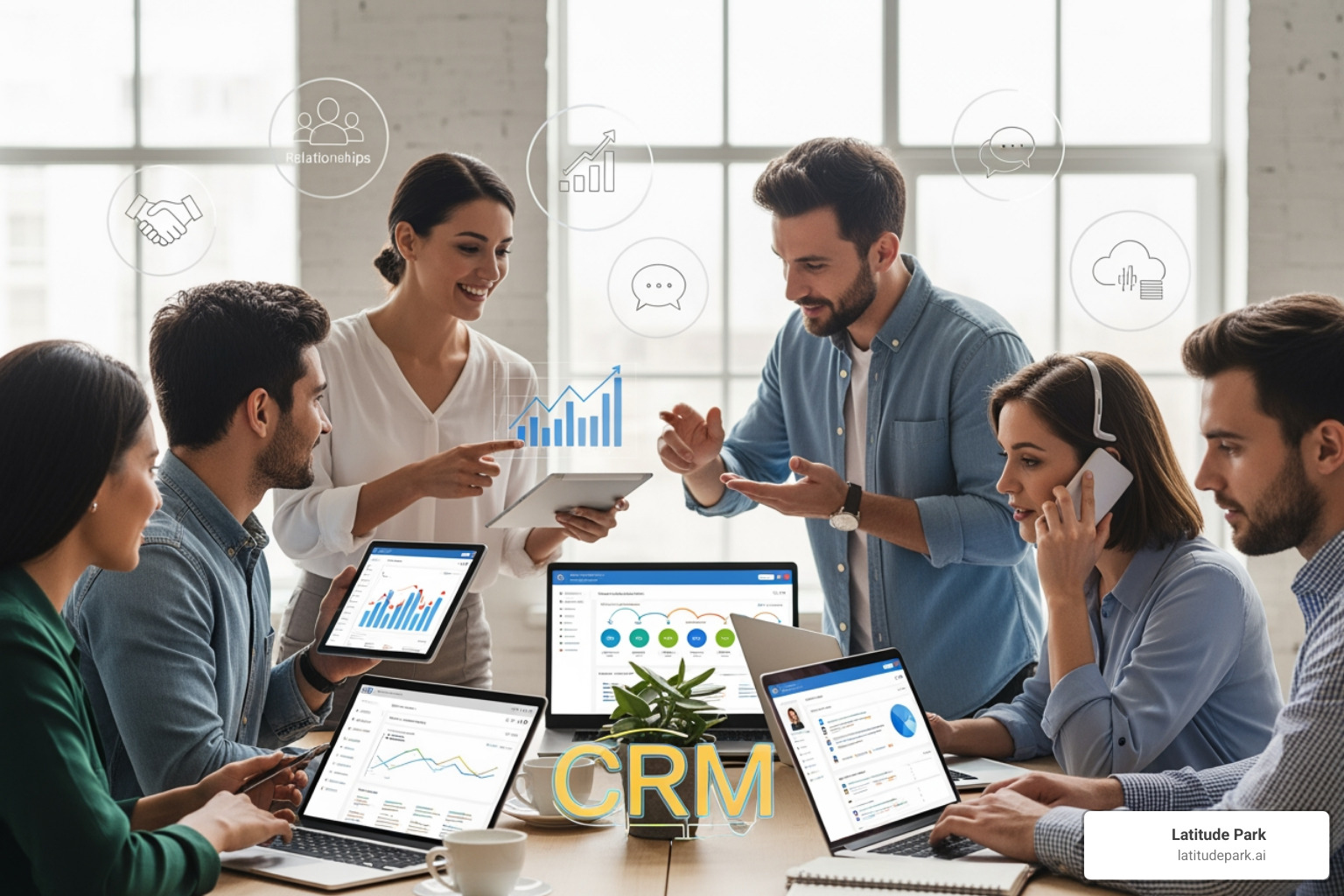
When we advise our clients, we emphasize that the best CRM is one that integrates seamlessly into their existing workflow and can grow with them. Look for solutions that are intuitive, offer robust support, and don’t require an IT degree to manage.
Essential CRM Features
These are the non-negotiables, the features that form the backbone of any effective CRM software for small businesses:
- Contact Management: At its heart, a CRM helps you organize customer and prospect information. This includes names, contact details, company affiliations, and a complete history of interactions. It’s your digital rolodex, but boostd.
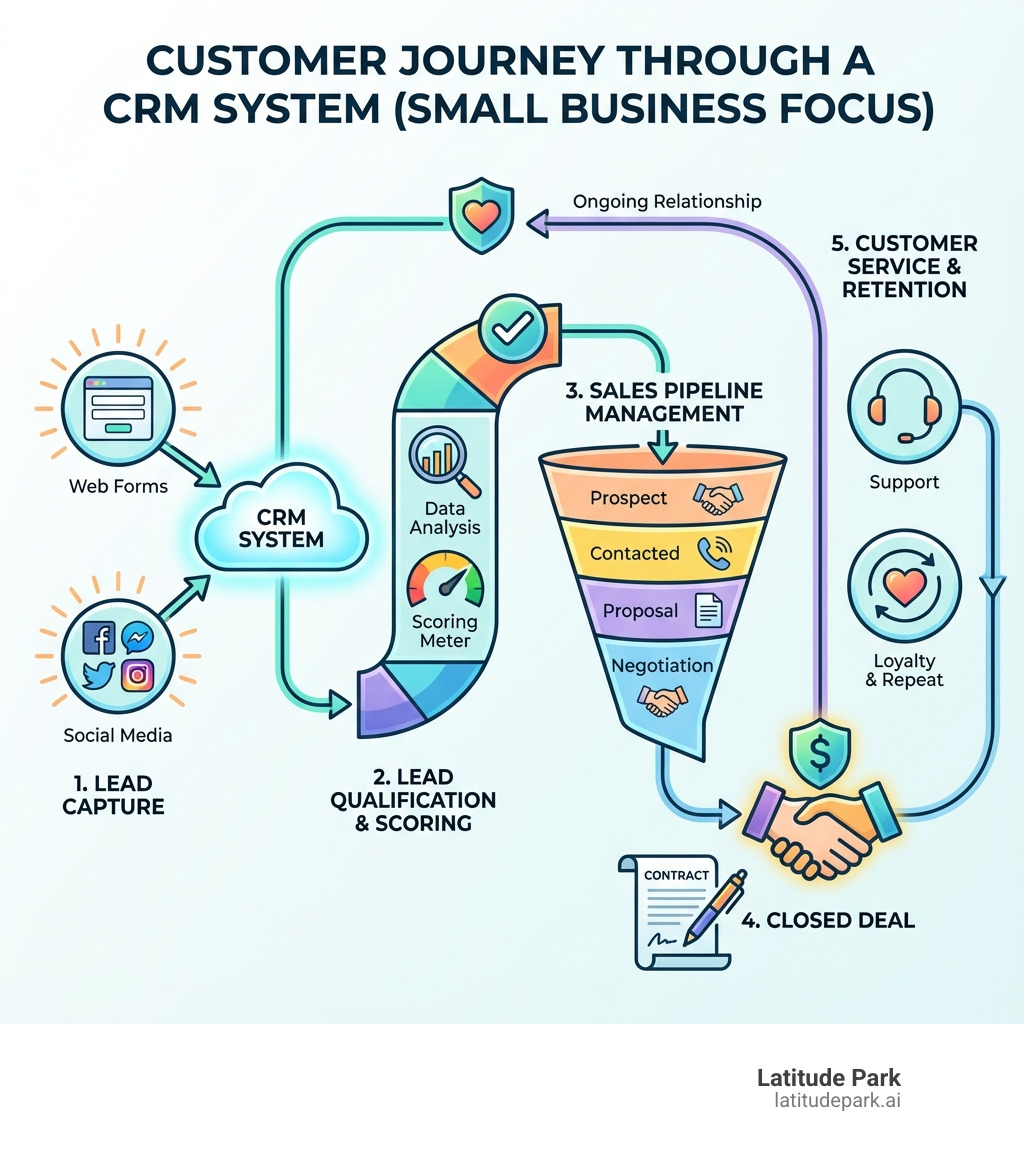
- Lead & Opportunity Tracking: From initial inquiry to closed deal, a good CRM allows you to track the progress of every lead and sales opportunity. This means you know exactly where every potential customer stands in your sales funnel.
- Sales Pipeline Visualization: Visualizing your sales pipeline is crucial. It helps you see where deals are progressing, where they might be stuck, and what actions need to be taken next. Many CRMs offer drag-and-drop interfaces for easy pipeline management.
- Task and Activity Management: A CRM helps your team stay organized by assigning tasks, setting reminders, and tracking activities related to specific contacts or deals. This ensures consistent follow-up and prevents important actions from being missed.
- Reporting and Analytics: To make smart business decisions, you need data. Essential CRM reports include sales forecasts, lead conversion rates, customer retention metrics, and team performance. Customizable dashboards are a bonus for quick insights.
- Email Integration: Seamless integration with your email client (like Gmail or Outlook) is vital. This allows you to log emails automatically, send personalized messages directly from the CRM, and track engagement.
Advanced Features for Growth
As your small business evolves, you’ll find certain advanced features become increasingly valuable. These aren’t just luxuries; they’re tools that can drive significant growth and efficiency:
- Automation Workflows: Beyond simple task reminders, advanced automation can streamline entire processes. This includes automated lead assignment, drip campaigns for nurturing prospects, and even triggers that update a deal stage based on customer actions. For more on this, check out our guide on sales automation software.
- Mobile Access: In today’s on-the-go world, your CRM needs to be accessible from anywhere. A robust mobile app allows your sales team to update records, access customer information, and manage tasks from their smartphones or tablets, ensuring they’re always connected. The research shows that 99% of IT leaders believe businesses must be mobile-enabled to survive in the future.
- App Integrations: Your CRM shouldn’t be an island. It needs to connect with other tools you use, such as accounting software, marketing platforms, customer service desks, and project management tools. Look for CRMs with extensive marketplaces or robust API capabilities.
- AI-Powered Insights: Artificial intelligence is no longer just for big businesses. Modern CRMs leverage AI for predictive lead scoring, identifying sales trends, suggesting next best actions, and even generating personalized email content. This helps your team work smarter, not just harder.
- Document Storage: The ability to attach and store relevant documents directly within customer records—like contracts, proposals, or meeting notes—keeps all essential information consolidated and easily retrievable.
The Best CRM Software for Small Businesses: 2025 Roundup
Navigating the multitude of CRM options can be daunting. To help you make an informed decision, we’ve curated a list of top-performing CRM software for small businesses for 2025, focusing on solutions that offer a strong balance of features, affordability, and ease of use.
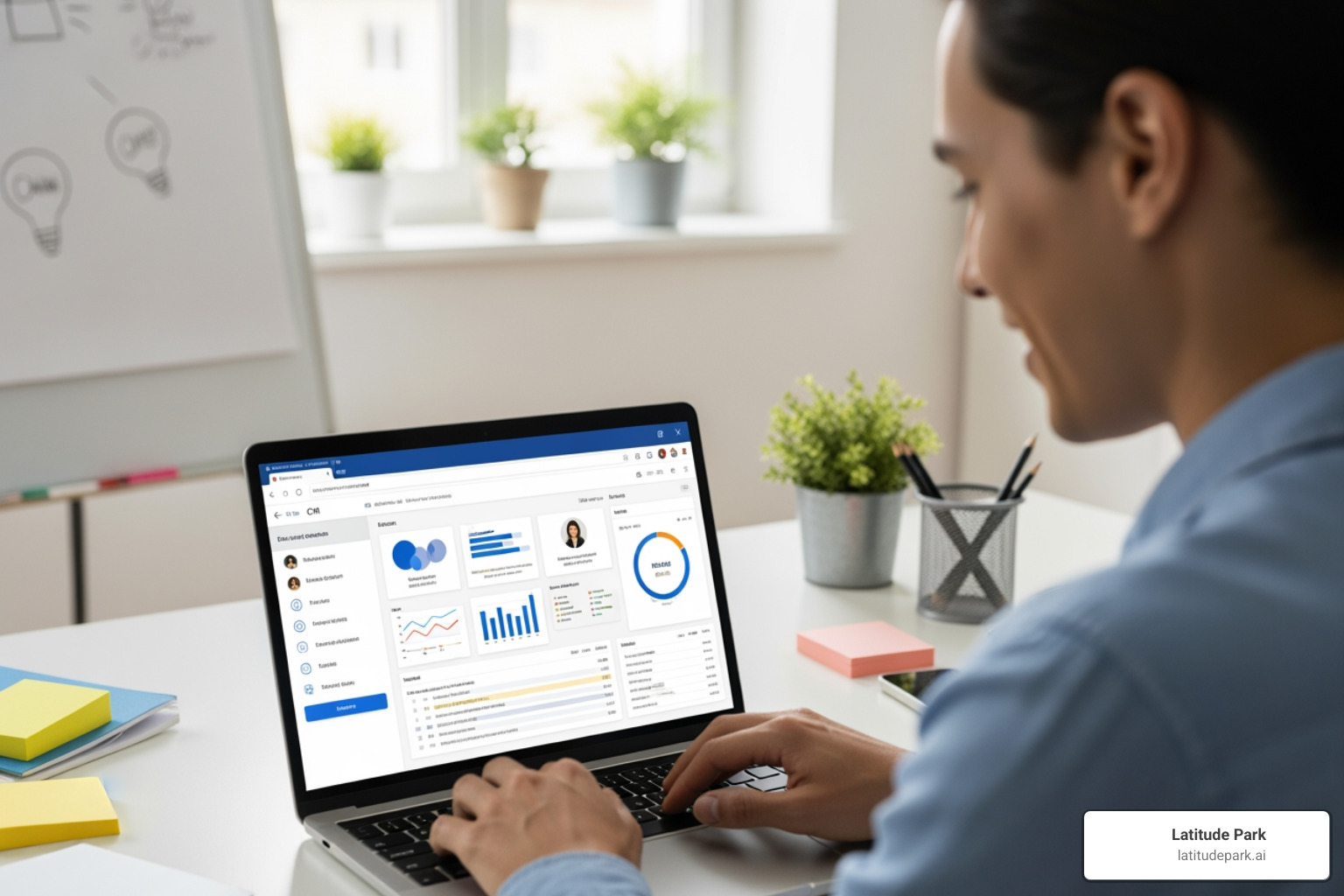
When evaluating these options, consider your specific needs: are you a solopreneur needing basic contact management, a growing sales team requiring robust pipeline tools, or a business looking for comprehensive marketing automation? We’ve highlighted options that cater to different requirements, including free tiers for startups and budget-friendly choices for established small businesses.
Best Free CRM Software for Small Businesses
Starting small doesn’t mean sacrificing capability. Several providers offer incredibly generous free plans, perfect for startups or businesses with limited budgets.
- HubSpot CRM: Often hailed as one of the best free CRMs, HubSpot offers a robust suite of tools without the price tag. Its free plan supports up to two users and 1,000 contacts, providing essential features like contact management, deal tracking, email templates, and scheduling tools. It even includes an AI writer to streamline outreach and customizable reporting dashboards. HubSpot’s free offering is ideal for startups and small teams looking to manage their customer relationships and sales processes without an initial investment. You can explore HubSpot’s free CRM here.
- Zoho CRM: Zoho offers a powerful free edition for teams of up to three users, supporting 5,000 records. This version includes one sales pipeline, task tracking, and deal management. For solopreneurs or very small businesses, their companion product, Bigin by Zoho, offers a simpler free version for up to 500 records. Zoho’s free CRM is a fantastic option for those who need more extensive record keeping and basic sales process management. Find out more about Zoho CRM’s free edition.
Best for Simplicity and Ease of Use
Sometimes, less is more. For small businesses that prioritize a straightforward, no-frills experience, these CRMs cut through the complexity.
- Less Annoying CRM: True to its name, Less Annoying CRM is designed for simplicity. It boasts a quick setup process and a minimal learning curve, making it perfect for beginners who might be intimidated by more complex systems. It offers a flat-rate, low-cost pricing model and works seamlessly across mobile and desktop browsers. You can track individual contacts and companies with unlimited, customizable fields, focusing on what matters without the distraction of unnecessary features.
Best for Visual Sales Pipelines
For sales teams who thrive on visual organization and a clear overview of their deals, these CRMs offer intuitive, drag-and-drop interfaces that make managing your pipeline a breeze.
- Monday CRM: Known for its highly visual interface, Monday CRM offers customizable templates for unlimited sales pipelines and boards. Its drag-and-drop tools and no-code workflow automation empower sales teams to focus on building customer relationships rather than wrestling with software. It’s an excellent choice for small businesses with three or more users who appreciate a clear, colorful, and customizable view of their sales process.
- Pipedrive: This CRM is built around the sales pipeline, helping small to mid-sized businesses (SMBs) close deals faster. Pipedrive provides visual tools, custom reports, and AI assistance to streamline sales activities. With an emphasis on activity-based selling, it guides reps through each stage of a deal, making it ideal for teams that want to optimize their sales process and leverage intelligent insights.
How to Choose and Implement the Right CRM
Choosing the right CRM software for small businesses isn’t just about picking a product; it’s about making a strategic decision that will impact your customer relationships, sales efficiency, and overall growth. We often see businesses jump into a CRM without proper planning, only to find it doesn’t fit their unique needs. To avoid this, a structured approach is key, from initial assessment to ongoing integration.
A Step-by-Step Guide to Choosing Your CRM
Here’s our practical, step-by-step guide to finding and implementing the perfect CRM for your small business:
- Assess your business needs: Before looking at any software, sit down with your team and identify your biggest pain points. Are you losing leads? Is customer service inconsistent? Do you lack visibility into your sales pipeline? Your answers will guide your feature requirements.
- Define your budget and understand pricing models: CRMs come in various pricing structures: per-user, tiered, or freemium. Be clear about what you can afford, but also consider the long-term value. Remember the impressive ROI of $8.71 for every dollar spent!
- Compare features against your needs: Armed with your needs assessment, start evaluating CRMs based on the essential and advanced features we discussed earlier. Don’t pay for features you won’t use, but also ensure it has room to grow with you.
- Request demos and free trials: This is crucial. Get hands-on with the software. See how intuitive it feels, how easy it is to steer, and whether it genuinely addresses your pain points. Involve key team members in this process.
- Check for integration capabilities with existing tools: Your CRM should play nicely with your current ecosystem. Does it integrate with your email provider, accounting software, or marketing automation platforms? Seamless integration prevents data silos and streamlines workflows.
- Plan for future growth and scalability: Think ahead. Will the CRM accommodate more users as your team expands? Can it handle increased contact volumes? Does it offer higher-tier plans with advanced features you might need down the road? A good CRM is a long-term partner.
For those looking to optimize their customer journey further, understanding how CRM ties into broader strategies is essential. You can learn lead nurturing best practices to complement your CRM implementation.
The Role of AI and Automation in Modern CRMs
The landscape of CRM software for small businesses is rapidly evolving, with Artificial Intelligence (AI) and automation leading the charge. These aren’t just buzzwords; they’re powerful tools that can transform how your small business operates. We’ve seen how they can empower teams to achieve more with less. In fact, 64% of small and mid-size business owners and leaders rate automation capabilities as extremely important.
Here’s how AI and automation are making a difference:
- AI for lead scoring: Imagine knowing which leads are most likely to convert before your sales team even makes a call. AI analyzes various data points to score leads, allowing your team to prioritize their efforts on the hottest prospects, significantly boosting efficiency.
- Predictive analytics: AI can forecast future trends based on historical data, helping you anticipate customer needs, identify potential churn, and make proactive decisions about sales and marketing strategies.
- AI-generated emails and chatbots: Say goodbye to writer’s block for routine communications. AI can draft personalized email content, freeing up your team’s time. Chatbots, powered by AI, can handle initial customer inquiries 24/7, providing instant support and qualifying leads even outside business hours.
- Automating data entry: This is one of the biggest time-savers. AI can automatically log calls, update contact information, and even transcribe meetings, ensuring your CRM records are always up-to-date without manual effort.
- Task reminders and workflow automation: Beyond simple notifications, modern CRMs can automate entire workflows. For instance, if a lead interacts with a specific marketing campaign, the CRM can automatically assign it to a sales rep, create a follow-up task, and send a personalized email, all without human intervention.
By leveraging these capabilities, your small business can operate with the efficiency of a larger enterprise, providing personalized customer experiences at scale and freeing up your valuable human talent for strategic, relationship-building activities.
Frequently Asked Questions about Small Business CRMs
We understand that adopting new technology can come with questions. Here, we address some of the most common inquiries we receive about CRM software for small businesses.
What is the main purpose of a CRM for a small business?
The main purpose of CRM software for small businesses is to centralize customer information, streamline sales and marketing processes, and ultimately improve customer relationships. It helps small businesses manage every interaction with prospects and existing customers, track leads through the sales funnel, and analyze data to foster growth and customer loyalty. Essentially, it helps you move beyond manual, disjointed methods like spreadsheets and sticky notes to a cohesive, data-driven approach to customer management. It provides a 360-degree view of your customer, ensuring that everyone on your team has the context they need to deliver exceptional service and make informed decisions.
How much should a small business expect to pay for a CRM?
The cost of CRM software for small businesses can vary widely, but there are options to fit nearly every budget. Many excellent CRMs, including HubSpot and Zoho, offer free plans with basic features, which are perfect for individuals or very small teams (typically 1-3 users) and limited contacts. These free tiers allow you to get started without any financial commitment.
For more advanced features, higher user counts, or increased contact limits, paid plans typically start around $15 to $25 per user per month. This price can increase based on the level of functionality, such as advanced automation, AI capabilities, in-depth reporting, and premium support. Many providers offer tiered pricing, allowing you to scale your investment as your business grows. It’s crucial to evaluate your specific needs and budget, and always take advantage of free trials to ensure the value aligns with the cost.
Can a CRM integrate with other software I already use?
Absolutely! One of the most significant advantages of modern CRM software for small businesses is its ability to integrate seamlessly with a wide range of other business tools you already use. This ensures that your customer data is consistent and accessible across all your platforms, eliminating data silos and manual data entry.
Common integrations include:
- Email Clients: Syncing with popular email services like Gmail, Outlook, or Microsoft 365 allows for automatic logging of communications, sending emails directly from the CRM, and tracking email opens and clicks.
- Marketing Automation Platforms: Connecting your CRM to marketing tools enables personalized campaigns, lead nurturing, and a unified view of customer interactions across sales and marketing.
- Accounting Software: Integration with platforms like QuickBooks or Xero can streamline invoicing, payment tracking, and financial reporting.
- Communication Tools: Linking with tools like Slack or Microsoft Teams can facilitate internal collaboration around customer issues and opportunities.
- Customer Service Software: Integrating with helpdesk solutions ensures that customer service interactions are logged and visible within the CRM.
Many CRM providers offer extensive app marketplaces, such as the Salesforce AppExchange, where you can find hundreds of pre-built integrations. If a specific integration isn’t available, many CRMs also offer robust APIs (Application Programming Interfaces) that allow for custom connections, though this might require some technical expertise. Always check a CRM’s integration capabilities before committing to ensure it fits your existing tech stack.
Conclusion: Turn Your Customer Data into Your Biggest Asset
In today’s competitive landscape, CRM software for small businesses is no longer a luxury; it’s a fundamental requirement for sustainable growth. We’ve seen how it transforms chaotic customer data into your biggest asset, empowering you to build stronger relationships, streamline operations, and ultimately drive more sales. From increasing conversion rates by 300% to boosting customer retention by 47%, the statistics speak for themselves.
The right CRM is more than just a piece of software; it’s a growth engine that empowers your team to work smarter, not harder. It allows you to move past the tedious manual tasks and focus on what truly matters: engaging with your customers, understanding their needs, and delivering exceptional experiences. Whether you opt for a free solution to get started or invest in a feature-rich platform, the goal remains the same: to turn every customer interaction into an opportunity for loyalty and growth.
At Latitude Park, we help franchises grow by leveraging powerful tools and strategies, including effective Meta (Facebook) advertising strategies. We understand the complex needs of multi-location businesses and tailor campaign structures to address them. Just as we help our clients streamline their marketing, we encourage all small businesses to take the next step in streamlining their operations with a powerful CRM.
Don’t let your customer data remain scattered and underused. Take control, gain insights, and watch your small business thrive. Explore our complete guide to small business automation tools to further optimize your operations and accept the future of business efficiency.