Why Google Ads Data Analysis Matters More Than Ever
Google Ads data analysis is the process of examining campaign metrics to identify what is working, what is wasting budget, and where to scale for better results. Effective analysis involves tracking core metrics, segmenting data, analyzing search terms, measuring attribution, and optimizing continuously.
Recent statistics reveal a sobering reality: many companies waste a large portion of their digital advertising budgets. For franchise marketing managers juggling multiple locations, this inefficiency can multiply fast. Poor analytics does not just waste money; it also requires more investment just to maintain past performance.
The good news is that your Google Ads account contains a wealth of data that can be transformed into actionable insights. Every click and conversion tells a story about what resonates with your audience. The challenge is not getting data, but knowing which numbers matter and how to use them.
For franchise operations, this is even more critical. You need to understand how each location performs, which audiences convert best, and how to scale successful strategies across the network without diluting what makes each market unique.
I am Rusty Rich, President and founder of Latitude Park. I have spent over a decade helping franchises build performance-focused marketing solutions through strategic Google Ads data analysis. The difference between wasted spend and profitable growth usually comes down to knowing which metrics to watch and how to act on them.
Foundations for Effective Analysis
The bedrock of successful Google Ads data analysis is a well-structured account and accurate data collection. Without these, any analysis is built on shaky ground. Think of your account as an organized library, where every campaign, ad group, and keyword has its place, making performance data easy to find.
Setting Up Conversion Tracking Correctly
Accurate conversion tracking is critical for effective Google Ads data analysis. A conversion is any valuable customer action prompted by your ad, such as a purchase, phone call, or form submission. Without tracking these actions, you’re flying blind.
Google Ads offers several ways to track conversions:
- Website Conversions: Tracks actions on your website, like purchases or sign-ups. Find out how to set up conversion tracking for your website.
- App Conversions: Tracks app installs or in-app actions. Find out more about setting up mobile app conversion tracking.
- Phone Call Conversions: Tracks calls from ads or your website, essential for local businesses. Find out more about tracking phone conversions.
- Offline Conversion Import: Imports data for offline actions, like in-store purchases, to get a complete picture.
Common conversion types include purchases, form submissions, phone calls, and quote requests. Setting up a distinct conversion action for each type provides granular data to evaluate what drives business growth.
Using Campaign Structure and Segmentation for Analysis
A well-organized account structure is the backbone of your analysis, allowing you to segment data and understand performance drivers. Use Ad Groups to organize ads by a common theme, such as different services.
Key segments to scrutinize include:
- Geography: Evaluate performance by region to tailor local strategies using Google Ads’ geographic performance reports.
- Audience Types: Compare different audience segments, like remarketing vs. in-market audiences.
- Devices: Analyze performance across mobile, desktop, and tablets to adjust bid modifiers.
- Product Categories: Segmenting by product or service helps identify top performers.
- Time: Analyze performance by day or hour to identify peak times and schedule ads effectively.
- Click Type: Understand which ad components (headline, site link, etc.) drive the most value.
By breaking down performance across these segments, you can pinpoint where your budget is most effective and where adjustments are needed.
The Core of Google Ads Data Analysis: Metrics and Reports
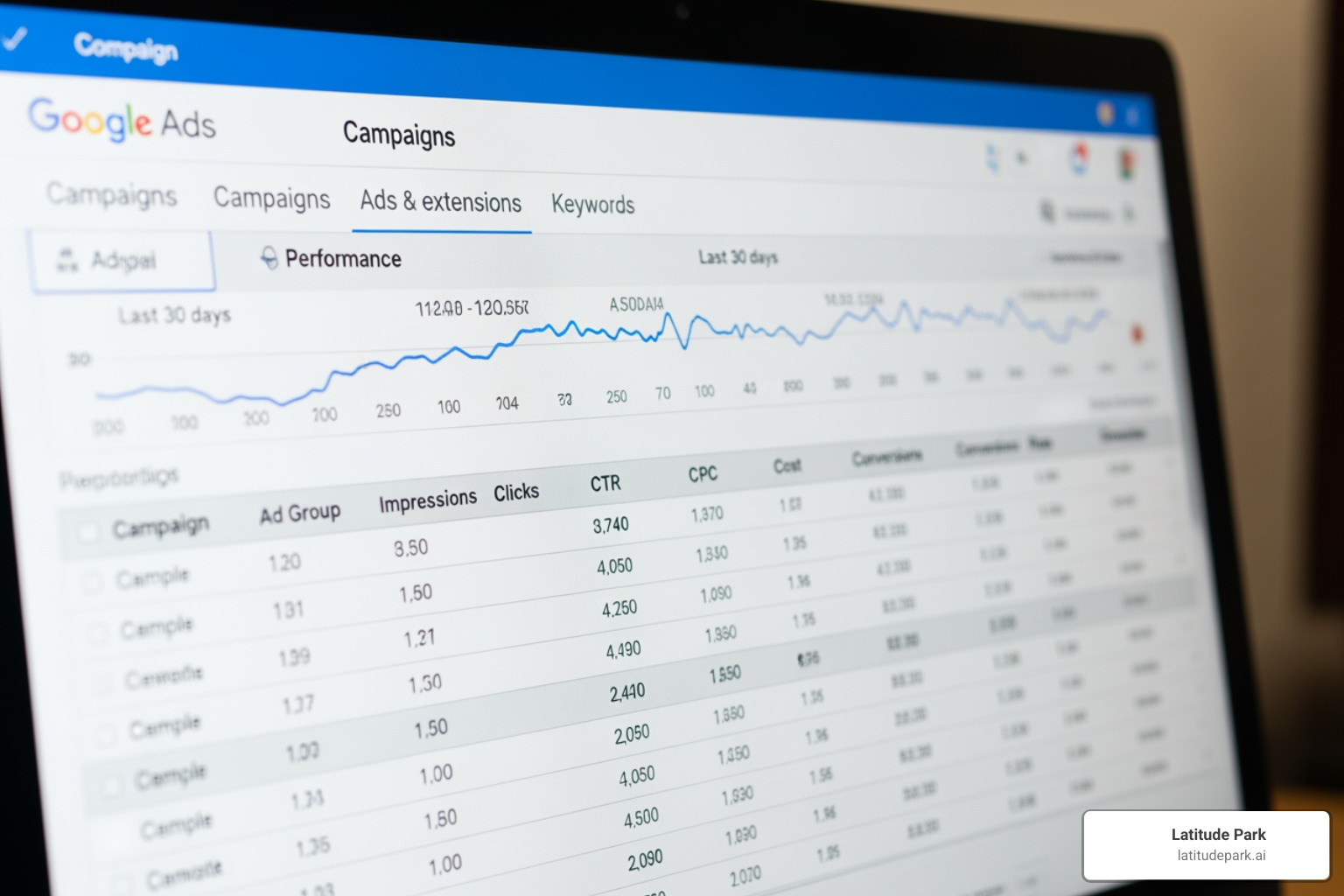
Once your foundations are solid, it’s time to dive into the numbers. The Google Ads interface is a rich environment for Google Ads data analysis, offering metrics and reports that reveal powerful insights into campaign efficiency and profitability.
Decoding Essential Google Ads Metrics
To analyze your campaigns effectively, prioritize these essential metrics:
- Impressions: How often your ad is shown; a key metric for brand awareness.
- Clicks: The number of times someone clicks your ad, measuring user engagement.
- Click-Through Rate (CTR): Clicks divided by impressions. A high CTR suggests strong ad relevance and often leads to cheaper clicks.
- Cost: The total amount spent on your ads.
- Average Cost-Per-Click (Avg. CPC): The average cost for one ad click (Total Cost / Total Clicks).
- Cost per Conversion (CPA): How much you pay, on average, for each conversion.
- Return on Investment (ROI): The profit made from ads compared to the cost. Learn more about calculating Return on Investment.
Breaking Down Key Conversion Metrics
Beyond tracking total conversions, these specific metrics provide deeper insights for your Google Ads data analysis:
- Conversion Rate: The percentage of clicks that result in a conversion. A low rate may indicate landing page issues.
- Conversion Volume: The total number of conversions. High volume with an efficient CPA signals scaling opportunities.
- Conversion Value: The monetary or relative weight assigned to each conversion, helping differentiate high-value actions.
- Return on Ad Spend (ROAS): The revenue generated for every dollar spent on ads (Conversion Value / Cost). This is critical for revenue-focused campaigns.
You can find a full rundown of conversion tracking data here to customize your reporting.
Optimizing with the Search Terms Report
The Search Terms Report is an invaluable tool that shows the actual search queries that triggered your ads. This is critical for understanding user intent and refining your strategy. Understanding different search terms is fundamental.
Use this report to:
- Identify New Keywords: Add high-performing search terms to your keyword list.
- Find Negative Keywords: Add irrelevant or low-performing terms as negative keywords to stop wasting budget.
- Refine Match Types: Adjust keyword match types (broad, phrase, exact) based on performance.
- Improve Ad Copy: Use the exact language your audience uses to make ads more compelling.
Regularly analyzing the search terms report keeps campaigns efficient and targeted.
The Role of Quality Score in Performance
Quality Score is Google’s estimate of your ad, keyword, and landing page relevance. It’s a crucial part of Google Ads data analysis because a higher Quality Score leads to lower costs and better ad positions.
It is composed of three factors:
- Expected Click-Through Rate (CTR): Google’s prediction of how likely your ad is to be clicked.
- Ad Relevance: How closely your ad matches the user’s search intent.
- Landing Page Experience: How relevant and user-friendly your landing page is.
A high Quality Score improves your Ad Rank and lowers your CPC. To improve it, refine your keyword selection, create highly relevant ads, and optimize your landing pages for speed and user experience.
Advanced Strategies for Scaling and Optimization
Once you’ve mastered the core metrics, advanced strategies can open up scaling opportunities and provide a more holistic view of performance. This means looking at competitive landscapes, user journeys, and automated bidding.
Using Impression Share for Competitive Analysis
Impression Share (IS) is a critical metric for competitive Google Ads data analysis. It shows the percentage of impressions your ads received compared to the total they were eligible for. This helps assess your competitive position and identify growth opportunities.
Key IS metrics include:
- Search Impression Share: Your share of total eligible impressions on the Search Network.
- Search Top IS / Search Absolute Top IS: Your share of impressions at the top or very first position above organic results.
- Impression Share Lost (Budget): Impressions missed due to an insufficient budget, indicating a clear scaling opportunity if campaigns are profitable.
- Impression Share Lost (Rank): Impressions missed due to poor Ad Rank (low bid or Quality Score).
For branded campaigns, aim for 90-100% IS. If it drops below 80%, competitors may be outranking you. The Auction insights report helps compare your performance directly with other advertisers, informing strategic decisions on bids and budgets.
Understanding True Impact with Attribution Modeling
A customer may interact with multiple ads before converting. Attribution modeling assigns credit to different touchpoints along that path, providing a truer understanding of campaign impact. Learn more about Attribution models.
Traditional “last-click” attribution undervalues early-funnel campaigns. Multi-touch models are crucial for a complete Google Ads data analysis.
- Assisted Conversions: These are interactions that contributed to a conversion but weren’t the final click. A high number indicates a campaign is successfully nurturing leads.
Here’s a comparison of common attribution models:
| Model | Description | Best Used For |
|---|---|---|
| Last Click | Gives 100% credit to the final click. | Simple analysis, but often undervalues upper-funnel efforts. |
| First Click | Gives 100% credit to the first click. | Understanding which campaigns initiate the customer journey. |
| Linear | Distributes credit equally across all clicks. | Campaigns where all touchpoints are considered equally important. |
| Time Decay | Gives more credit to clicks closer to the conversion. | Campaigns with shorter sales cycles. |
| Position-Based | Gives 40% to the first and last clicks, and 20% to the middle clicks. | Valuing both the first touchpoint and the final conversion. |
Choosing the right model is vital for smart budget allocation. For example, a high number of assisted conversions might justify more spend on an awareness campaign, even if its last-click conversions are low.
Evaluating Google Ads Automated Strategies
Automated strategies like Target ROAS and Maximize Conversions use machine learning to optimize performance. While powerful, they require careful evaluation as part of your Google Ads data analysis.
- Learning Phase: Automated strategies need an initial learning period (often two weeks) and sufficient data (typically 30-50 conversions/month) to perform consistently. Expect fluctuations during this time.
- Conversion Volume: If a campaign struggles to get enough conversions, the algorithm may not optimize effectively. Consider consolidating campaigns to pool data.
- When to use manual bidding: If performance remains erratic or conversion volume is too low, switching back to manual bidding allows for more direct control.
Automated tools are not set-it-and-forget-it solutions. They require continuous monitoring to ensure optimal results. For insights on the latest strategies, explore resources like Achieve your advertising goals today!.
Leveraging Advanced Reporting and Integrations
To master Google Ads data analysis, go beyond the default views by creating custom reports and integrating data with other platforms for a comprehensive performance view.
Customizing Reports with the Dimensions Tab and Segments
The Google Ads interface offers powerful customization options. The Dimensions tab and segmentation features are invaluable for drilling down into specific performance aspects. Finding actionable insights through Google Ads reporting is key.
The Dimensions tab lets you view data by categories like:
- Time: Analyze performance by hour, day, or month to adjust ad scheduling for peak conversion times.
- Geography: Evaluate performance across regions to allocate budget more effectively, which is crucial for franchises.
- Landing Page: Analyze performance by landing page to ensure destination URLs are relevant and converting well.
Segments split your data further by criteria like:
- Device: Compare performance across mobile, desktop, and tablets to adjust bid modifiers.
- Click Type: See which ad components (headline, site links) users are clicking.
- Top vs. Other: See where your ads appeared on the results page.
Combining these options turns raw data into actionable stories. You can also add Google Analytics columns to your reports by navigating to the Campaigns, Ad groups, Ads, or Search keywords tabs and modifying your columns.
For advanced needs, the Google Ads API Reporting offers flexible, programmatic data retrieval. You can also watch this video on reporting from a 2019 workshop.
Integrating Google Ads with Google Analytics for Deeper Insights
Integrating Google Ads with Google Analytics provides a complete view of user behavior after the click, which is essential for holistic Google Ads data analysis. First, link your Google Ads and Analytics accounts and enable auto-tagging in Google Ads. This allows Analytics to attribute website activity back to specific campaigns and keywords.
Once linked, you can access Google Ads reports in Analytics to see post-click metrics like:
- Bounce Rate: The percentage of single-page visits. A high bounce rate can indicate a mismatch between your ad and landing page.
- Pages per Session: The average number of pages viewed, indicating engagement.
- Average Session Duration: How long users spend on your site.
This integration helps you understand the true impact of your campaigns. For example, Analytics can show if users who clicked a local ad are exploring the menu or leaving immediately. When handling sensitive data, consider using Guest mode for privacy.
Frequently Asked Questions about Google Ads Analysis
How often should I analyze my Google Ads data?
The frequency of Google Ads data analysis depends on account volume and budget. High-spend accounts may require daily checks to catch fluctuations, while smaller accounts can be analyzed weekly or bi-weekly. The key is to focus on trends over time, as short-term data can be misleading. Ensure you have enough data to make statistically significant decisions.
What is a good CTR for Google Ads?
A “good” CTR varies by industry, keyword, and campaign type. Branded keywords (e.g., “Latitude Park services”) have much higher CTRs than general keywords. While 2-5% is a common benchmark for Search campaigns, it’s better to focus on improving your own baseline CTR rather than chasing an arbitrary industry average.
Why are my Google Ads conversions not matching my internal sales data?
Discrepancies between Google Ads conversions and internal sales data are common in Google Ads data analysis. Several factors can cause this:
- Tracking Errors: The most common issue, such as an incorrectly implemented conversion tag.
- Different Attribution Models: Google Ads and your CRM may use different models to assign credit for a sale.
- Canceled Orders or Returns: Google Ads tracks the initial conversion, not subsequent returns.
- Cross-Device Conversions: A user might click on mobile but convert on a desktop, complicating tracking.
- Time Lag and Data Freshness: Delays can exist between the click, the conversion, and the reporting.
- Offline Conversions: Sales that happen in-store or over the phone may not be tracked without offline conversion imports.
Resolving these issues requires a meticulous tracking setup and a holistic view of data from multiple sources.
Conclusion
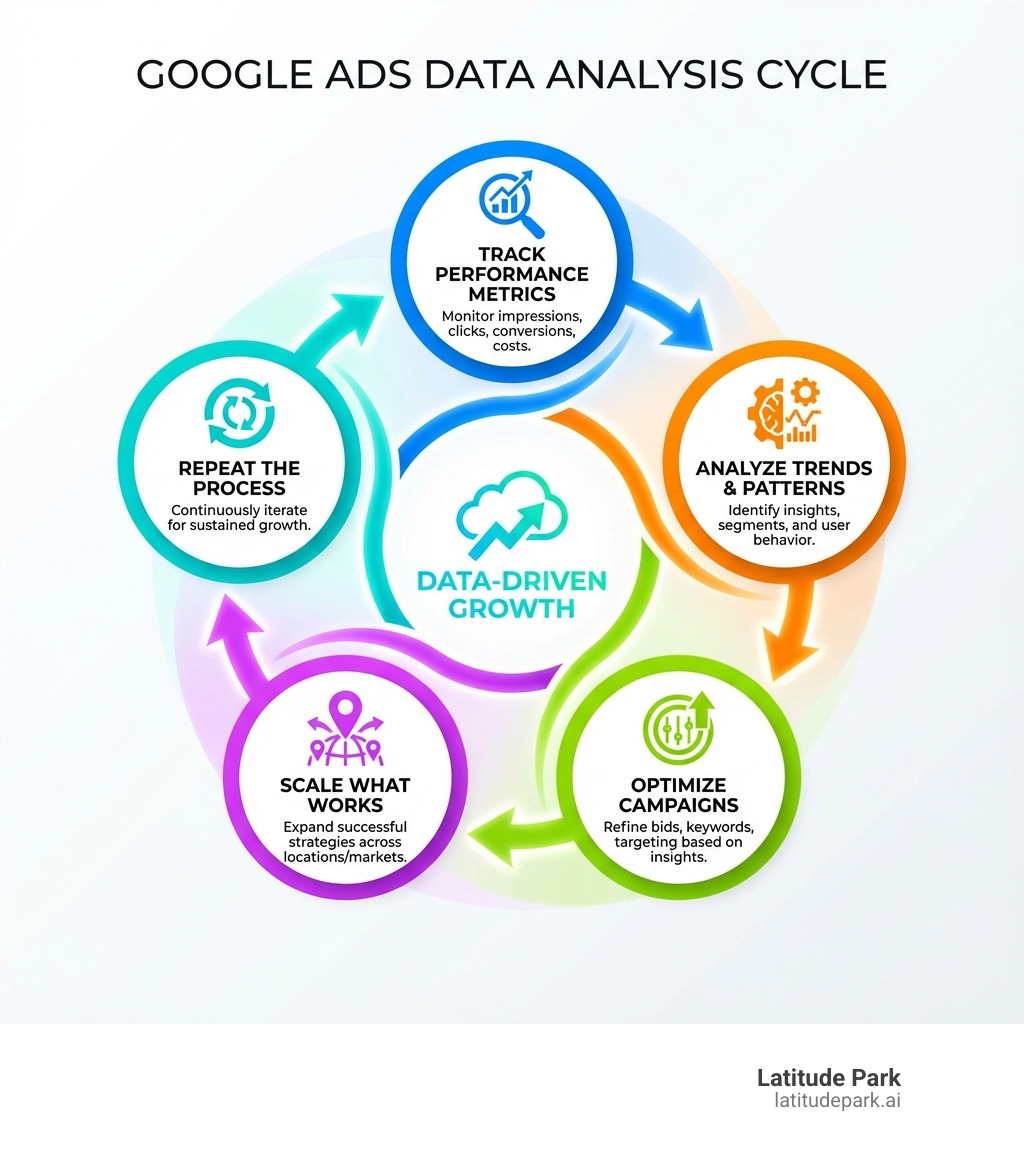
Effective Google Ads data analysis is an ongoing, iterative process. From setting up robust campaign structures and precise conversion tracking to decoding metrics and leveraging advanced strategies, each step contributes to a deeper understanding of your advertising performance.
For franchise businesses, mastering this data is the first step toward scalable growth. By carefully tracking, analyzing, and optimizing, you can transform raw numbers into strategic wins and ensure every ad dollar works harder.
At Latitude Park, we specialize in helping franchises steer these complexities, providing custom strategies and expert analysis to drive growth across multiple locations. With the right approach to data, your Google Ads campaigns can become a powerful engine for success.