Why Small Business Automation Is No Longer Optional
Automation tools for small businesses aren’t just nice-to-have anymore—they’re essential for staying competitive. These tools help you eliminate repetitive tasks, reduce costs, improve accuracy, and scale your operations without proportionally increasing headcount.
Top Automation Tools for Small Business by Category:
- Workflow Automation – Connect apps and automate multi-step processes (e.g., Zapier, Make)
- Sales & Marketing – Nurture leads, schedule social posts, send email campaigns
- Finance & Accounting – Automate invoicing, expense tracking, and payroll
- Customer Support – Route tickets, deploy chatbots, send satisfaction surveys
- HR & Operations – Streamline onboarding, time-off requests, and task management
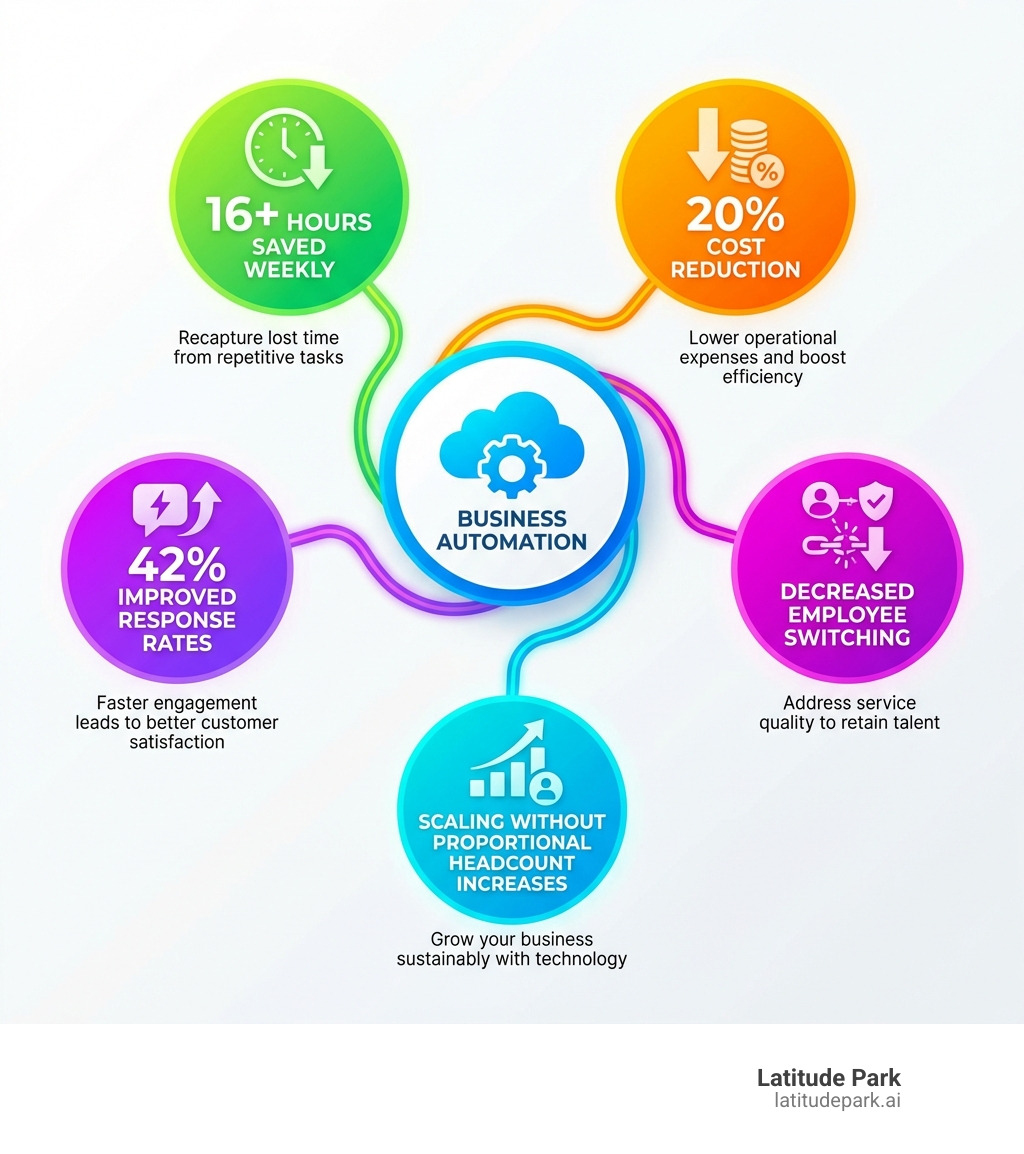
The numbers tell the story. Research shows the average entrepreneur dedicates up to 16 hours weekly to repetitive processes. Meanwhile, companies implementing automation see an average cost reduction of 20%, and customers are 42% more likely to engage when they receive instant, automated responses.
But here’s what many small business owners miss: automation isn’t just about cutting costs. It’s about freeing your team from busywork so they can focus on growth, creativity, and customer relationships. Six in 10 consumers abandon purchases due to poor customer service, and nearly 60% will switch companies after just two or three negative experiences. Automation helps you respond faster, serve better, and scale sustainably.
The reality is that more than 81% of predictable physical work, 69% of data processing, and 64% of data-collection activities could feasibly be automated today. Yet 47% of businesses still feel their teams are being held back by technology rather than empowered by it.
I’m Rusty Rich, founder of Latitude Park, and over the past 15 years, I’ve helped hundreds of small businesses and franchises implement automation tools for small businesses that drive measurable growth and operational efficiency. In this guide, I’ll walk you through the essential automation categories every business owner should consider—beyond just CRM—and show you how to choose and implement the right tools for your specific needs.
Why Every Small Business Needs Automation (And What to Expect)
Small business automation is the use of technology to perform routine, repetitive tasks with minimal human intervention. It’s about implementing software and systems that take care of predictable processes automatically, changing tedious manual work into background operations that run seamlessly while you focus on core activities.
Why is this so important for small businesses? Let’s face it: as a small business owner, your time is your most valuable asset. Every minute spent on mundane tasks is a minute not spent growing your business, innovating, or connecting with customers. A research study found that the average entrepreneur dedicates up to 16 hours weekly to repetitive processes—that’s two full workdays! Imagine reclaiming that time.
The benefits of implementing automation tools for small businesses are clear:
- Increased Efficiency and Time Savings: Automation excels at handling repetitive tasks faster and more accurately than humans. This frees up your team to focus on higher-value activities that require creativity, problem-solving, and human connection.
- Improved Accuracy and Consistency: Automated systems execute processes the same way every time, drastically reducing human error and ensuring consistent quality across your operations. This means fewer mistakes, less rework, and more reliable outcomes.
- Improved Customer Experience: Automation allows you to respond to customer inquiries immediately, personalize communications, and manage follow-ups without missing a beat. Six in 10 consumers have decided against an intended purchase due to poor customer service, and nearly 60% will switch companies after a second or third negative experience. Automation helps you deliver the consistent, timely service customers expect.
- Cost Reduction: By streamlining operations and reducing manual effort, automation can lead to significant cost savings. Bain & Company’s research shows an average cost reduction of 20% for companies employing automation. This can come from reduced labor costs, fewer errors, and optimized resource allocation.
- Supports Scalability: A challenge for small businesses is scaling operations without proportionally increasing staff. Automation allows your business to handle growing volumes of work, more customers, and expanding processes without becoming overwhelmed. It builds a robust foundation for sustainable growth.
Despite these clear advantages, there are some common misconceptions about automation tools for small businesses. Many owners believe it’s only for large corporations with massive budgets or that it requires complex coding. This couldn’t be further from the truth! Today, countless no-code solutions make automation accessible to everyone. The cost considerations are also often overestimated; while some advanced platforms can be pricey, many basic automation tools start at just $10-20 per month, and the return on investment (ROI) from time saved and errors reduced often far outweighs the initial expense. We’ll dig deeper into these aspects later.
The Ultimate List of Automation Tools for Small Businesses by Category

This section will explore the best types of automation tools for small businesses, categorized by function, to help you streamline operations and drive growth. Whether you’re looking to connect disparate apps or manage specific departmental tasks, there’s an automation solution waiting to make your life easier.
Workflow and Process Automation Platforms
These are the unsung heroes that connect your various software applications, allowing them to “talk” to each other and automate multi-step processes. Think of them as the glue that holds your digital ecosystem together.
How they work: Workflow automation platforms typically use “if this, then that” (trigger-action) logic. For example, “If a new lead is added to my CRM, then automatically send a welcome email and create a task for my sales team.” Many offer no-code builders, allowing you to create sophisticated workflows without any programming knowledge.
Key Features to Look For:
- Visual Editors: Drag-and-drop interfaces make it easy to design complex workflows.
- Conditional Logic: Allows workflows to adapt based on specific data or events.
- Integrations: The more apps a platform connects with, the more versatile it is.
- Multi-step Zaps/Workflows: The ability to string together multiple actions from a single trigger.
Pros: High flexibility, significant time savings across departments, reduces manual data entry and errors.
Cons: Can have a learning curve for complex workflows, usage-based pricing can increase with high volume, requires careful planning to avoid “automation chaos.”
Recommended Tools:
- Zapier: A widely popular platform supporting integrations with over 7,000 apps. It’s excellent for creating custom workflows (called “Zaps”) that automate tasks between different web services.
- Make (formerly Integromat): A direct alternative to Zapier, often praised for its visual builder and more affordable pricing structure, supporting over 1,000 integrations.
- Microsoft Power Automate: Ideal for businesses already heavily invested in the Microsoft ecosystem, offering seamless integration with tools like Office 365, SharePoint, and Dynamics 365.
- Kissflow: Focuses on business process management (BPM) and workflow automation, allowing businesses to design and automate various processes from HR to finance.
- Creatio: Known for its strong emphasis on automating CRM workflows and providing a platform for designing, automating, and analyzing business processes.
For a deeper dive into how these systems can transform your operations, explore our Business Automation Workflow Knowledge Center.
Sales and Marketing Automation Tools for Small Businesses
For businesses looking to attract, nurture, and convert leads more effectively, sales and marketing automation is a game-changer. These tools help you engage with potential and existing customers at scale, ensuring no lead falls through the cracks.
How they work: These tools automate repetitive tasks in your sales and marketing funnels, such as sending follow-up emails, scheduling social media posts, segmenting customer lists, and even scoring leads based on their engagement. Automation allows you to treat clients as you would if you had more time, ensuring immediate responses and personalized outreach. In fact, instant, automated responses make customers 42% more likely to engage!
Key Features to Look For:
- Email Marketing Automation: Automated sequences, drip campaigns, segmentation, and personalization.
- Lead Scoring & Nurturing: Automatically qualify leads and send targeted content based on their behavior.
- Social Media Scheduling: Plan and publish content across multiple platforms in advance.
- CRM Integration: Seamlessly connect with your customer relationship management system to track interactions.
- Reporting & Analytics: Track the performance of your automated campaigns.
Pros: Saves enormous amounts of time for marketing and sales teams, improves lead conversion rates, improves customer engagement, ensures consistent brand messaging.
Cons: Can be complex to set up initially, requires continuous monitoring and optimization, over-automation can feel impersonal if not done carefully.
Recommended Tools:
- HubSpot CRM: Offers a robust free plan with CRM capabilities, marketing automation features like email sequences, and sales tools to manage your pipeline.
- Mailchimp: A popular choice for email marketing automation, allowing you to send welcome emails, abandoned cart reminders, and segmented campaigns.
- Freshsales: Helps sales teams manage outreach with automated outbound campaigns, supporting various touchpoints like calls, emails, and texts. Its AI assistant, Freddy, can even offer deal insights.
- Zoho CRM: A comprehensive solution for managing customer relationships, sales, and marketing activities. It boasts strong automation capabilities and integration with the wider Zoho ecosystem.
- Drip: Specifically designed for e-commerce businesses, Drip integrates with platforms like Shopify and WooCommerce to build customer profiles and automate personalized campaigns like abandoned cart reminders.
- Buffer / Hootsuite: Excellent for social media management, allowing you to schedule posts, manage multiple accounts, and analyze performance. Hootsuite’s Autoschedule feature can even pick the best time to publish.
To learn more about optimizing your sales processes, check out our Sales Automation Software guide.
Finance and Accounting Automation
Accounting and bookkeeping often involve highly repetitive, detail-oriented tasks that are perfect candidates for automation. These tools reduce manual effort, minimize errors, and give you a clearer, real-time view of your financial health.
How they work: Financial automation tools can automatically reconcile bank statements, process invoices, send payment reminders, manage payroll, and generate reports. This frees you from tedious data entry and ensures accuracy. A Gartner survey showed that 30% of a full-time accounting employee’s work could be saved if automation were used. No wonder an American Express survey found 68% of small business owners want to spend less time managing their business’ cash flow!
Key Features to Look For:
- Automated Invoicing: Create, send, and track invoices, often with recurring options.
- Expense Tracking: Automatically categorize expenses, scan receipts, and integrate with bank accounts.
- Payroll Processing: Automate wage calculations, tax filings, and direct deposits.
- Bank Reconciliation: Automatically match transactions from your bank to your books.
- Reporting: Generate financial statements, profit & loss reports, and cash flow analyses.
Pros: Reduces human error, saves significant time, improves cash flow management, provides real-time financial insights, simplifies tax preparation.
Cons: Initial setup can be time-consuming, requires careful configuration to ensure accuracy, potential integration challenges with other systems.
Recommended Tools:
- QuickBooks Online: A popular choice for small business accounting, offering automated invoicing, expense tracking, and payroll integration.
- Xero: Known for its user-friendly interface and strong bank reconciliation features, automating bank transactions and payment reminders.
- Zoho Books: Provides comprehensive accounting features, including invoicing, expense management, and automated payment reminders, with good integration across the Zoho suite.
- Gusto: Specifically designed for payroll, Gusto automates wage calculations, tax remittances, and direct deposits, syncing payroll with holiday pay and PTO.
Customer Support and CRM Automation
Exceptional customer service is a cornerstone of small business success. Automation in this area ensures your customers feel heard and valued, even when you’re busy. Poor service can be a deal-breaker; nearly 60% of consumers will switch companies after a second or third negative experience.
How they work: These tools automate responses to common queries, route support tickets to the right agent, manage customer interactions, and collect feedback. They allow you to provide instant support through chatbots and ensure consistent, timely follow-ups. Automated CRM systems also track customer interactions, manage contact information, and help personalize communication.
Key Features to Look For:
- Ticket Management: Automatically create, assign, and track support tickets.
- Chatbots: Provide instant answers to FAQs, route inquiries, and offer 24/7 support.
- Canned Responses/Templates: Quickly respond to common questions.
- Satisfaction Surveys: Automatically send surveys after interactions to gather feedback.
- CRM Integration: A good CRM system should offer customer service automation features like chatbots that suggest knowledge base articles or intelligently assign support tickets to relevant team members.
Pros: Faster response times, improved customer satisfaction and retention, reduced workload for support staff, consistent service quality.
Cons: Over-reliance on automation can lead to impersonal interactions, initial setup of chatbots and knowledge bases can be time-consuming, requires ongoing maintenance to keep information current.
Recommended Tools:
- Freshdesk: Leverages AI-powered automations to auto-assign tickets, manage dependencies, and update customers.
- Zendesk: Offers robust ticket management, allowing up to 500 active automations to alert agents about unassigned or unresolved tickets.
- Zoho Desk: Helps manage customer support effectively with features for ticket routing, automation, and customer self-service portals.
- Intercom: Known for its live chat, chatbot capabilities, and customer messaging platform, allowing businesses to engage with customers proactively.
- HubSpot CRM: While already mentioned for sales and marketing, HubSpot’s free CRM also includes features for ticketing and customer service automation.
HR and Operations Automation
Managing human resources and day-to-day operations can be incredibly time-consuming for small businesses. Automation in these areas streamlines administrative tasks, improves employee experience, and ensures compliance. Did you know that 51% of IT teams spend significant time on employee onboarding and offboarding alone?
How they work: HR automation tools can streamline hiring, onboarding, payroll, time-off requests, and performance management. Operations automation covers tasks like project updates, task assignment, and document management. These systems reduce paperwork, ensure data accuracy, and free up valuable time for strategic HR initiatives and efficient project execution.
Key Features to Look For:
- Onboarding Workflows: Automate welcome emails, document signing, software provisioning, and access management.
- Payroll & Benefits Administration: Integrate with payroll systems for automated calculations, deductions, and tax filings.
- Time & Attendance: Track employee hours, manage time-off requests, and automate scheduling.
- Task & Project Management: Assign tasks, set deadlines, send reminders, and track project progress automatically.
- Compliance Management: Automate monitoring of regulatory requirements and assign necessary training.
Pros: Reduces administrative burden, improves employee experience, ensures compliance, increases efficiency in project execution, reduces errors in HR processes.
Cons: Requires careful integration with existing HR policies, potential data privacy concerns, some tools can be expensive for very small teams.
Recommended Tools:
- Rippling: An all-in-one platform that automates HR, IT, and finance, handling everything from onboarding and payroll to app provisioning and device management.
- BambooHR: Specializes in HR automation, allowing you to create PTO, compensation, and expense approval workflows, as well as automating hiring and onboarding.
- Gusto: (Already mentioned for finance) Also a strong contender for payroll automation, ensuring compliance and timely payments.
- Monday.com: An excellent workflow and project management tool that can initiate calendar events, emails, or follow-up tasks, with no-code automations for various operational processes.
- Trello: Streamlines workflows with automated approval processes, Slack posts, or help desk ticket creation, offering no-code automation for project management.
- Asana / ClickUp / Smartsheet: Other robust project management tools with strong automation capabilities for task assignment, deadline reminders, and status updates.
How to Choose and Implement the Right Automation Tools
Choosing the right automation tools for small businesses can feel overwhelming, but with a strategic approach, you can select solutions that truly empower your team and drive growth.

Here’s our step-by-step guide to help you make the best choices:
- Identify Bottlenecks and Repetitive Tasks: Start by observing your daily operations. What tasks consume the most time? What processes are prone to human error? Where do delays frequently occur? These are your prime candidates for automation. Average entrepreneur spending 16 hours weekly on busywork.
- Document Current Processes: Before you automate, you need to understand the current manual process inside out. Map out each step, who is involved, what tools are used, and what the desired outcome is. This clarity is crucial for successful automation.
- Start Small and Prioritize High-Impact Areas: Don’t try to automate everything at once. Pick one or two painful, repetitive tasks that, if automated, would free up significant time or solve a major problem. This allows for quick wins and helps your team adapt.
- Choose User-Friendly and Scalable Tools: Look for tools with intuitive interfaces (preferably no-code or low-code) that your team can easily learn and use. Ensure the tools can grow with your business, offering different pricing tiers or advanced features as your needs evolve.
- Involve Your Team in the Selection Process: Your employees are the ones doing the work, so their input is invaluable. They can identify the most frustrating tasks and provide insights into what features would be most helpful. Involving them also fosters buy-in and makes change management smoother.
- Set Clear Goals and Measure Results: Define what success looks like for each automated process. Are you aiming to save time, reduce errors, improve customer satisfaction, or increase sales? Regularly track key metrics to ensure your automation efforts are delivering the expected ROI.
By following these best practices, you can effectively integrate automation tools for small businesses into your operations, changing how you work and paving the way for sustainable growth. For more detailed guidance, refer to our Small Business Automation Tools Complete Guide.
Frequently Asked Questions about Small Business Automation
How much do automation tools for small businesses cost?
The cost of automation tools for small businesses varies widely depending on the type of tool, the features offered, and the scale of your usage. Many basic tools, especially for workflow automation (like Zapier’s free tier) or email marketing (like HubSpot CRM’s free plan), offer free plans with limited functionality, perfect for getting started. Paid plans often range from $10-20 per month for basic individual tools to hundreds of dollars for comprehensive, enterprise-level platforms or those with per-user pricing models (like Rippling).
The key is not just the sticker price, but the return on investment (ROI). Consider the time saved, errors reduced, and increased efficiency and revenue generated. For example, if an automation tool costs $50 a month but saves you 10 hours of manual work, and your time is valued at $25 an hour, you’re already saving $200 in labor costs alone, not to mention the benefits of improved accuracy and customer satisfaction.
Can automation replace my employees?
This is a common concern, but the reality is that automation augments, rather than replaces, your team. The goal of implementing automation tools for small businesses is to free your employees from tedious, repetitive, and low-value work. This allows them to focus on creative, strategic, and customer-facing activities that truly drive growth and require human intelligence and empathy.
For example, instead of manually inputting data, your team can analyze trends. Instead of scheduling social media posts one by one, they can craft engaging campaigns. The McKinsey Global Institute estimates that while a significant portion of predictable physical work, data processing, and data collection activities could be automated, these are generally the tasks that employees find least engaging. By automating these, you empower your team to do more meaningful work, leading to higher job satisfaction and better business outcomes.
How do I get started with business automation?
Getting started with automation tools for small businesses is simpler than you might think! We recommend a “start small, think big” approach:
- Identify One Simple, Repetitive Task: Look for a task that you (or your team) do frequently, that is rule-based, and that consumes a noticeable amount of time. A classic example is copying data from one app to another (e.g., new form submission to a spreadsheet, or new lead in a CRM to an email list).
- Document the Steps: Write down every single step of this manual process. This helps you understand the logic and identify the “trigger” and “action(s)” for your automation.
- Choose a User-Friendly Workflow Automation Tool: Platforms like Zapier or Make are excellent starting points because they connect thousands of apps and have intuitive, no-code interfaces. Many offer free trials or limited free plans.
- Build Your First Automated Process: Follow the tool’s instructions to create your first “Zap” or workflow. Test it thoroughly to ensure it works as expected.
- Expand Gradually: Once you’ve successfully automated one task, you’ll gain confidence and start seeing other opportunities. Gradually add more automations, focusing on areas that will provide the most significant impact.
The goal is to make your business run smoother, not to create more complexity. Take it one step at a time, and you’ll soon open up the power of automation!
Conclusion
We’ve covered a lot of ground today, exploring how automation tools for small businesses are changing the landscape for entrepreneurs everywhere. From saving countless hours each week and drastically reducing operational costs to enhancing customer satisfaction and enabling scalable growth, the benefits are undeniable. We’ve seen how dedicated tools for workflow, sales and marketing, finance, customer support, and HR can each play a crucial role in streamlining your operations.
Automation is no longer a luxury for big corporations; it’s an accessible and powerful strategy for growth that every small business owner can leverage. At Latitude Park, we believe in leveraging smart tools to help businesses scale effectively. By automating the right processes, you can free up valuable resources to focus on what truly matters—growing your business, fostering innovation, and building stronger relationships with your customers. The future of your small business is automated, and it’s looking brighter than ever!