Why Facebook Ads Performance Matters for Multi-Location Success
Facebook ads performance determines if your budget drives growth or drains resources. For multi-location franchise marketers, improving performance metrics is the key to scalable success.
Quick Answer: Measuring Facebook Ads Performance
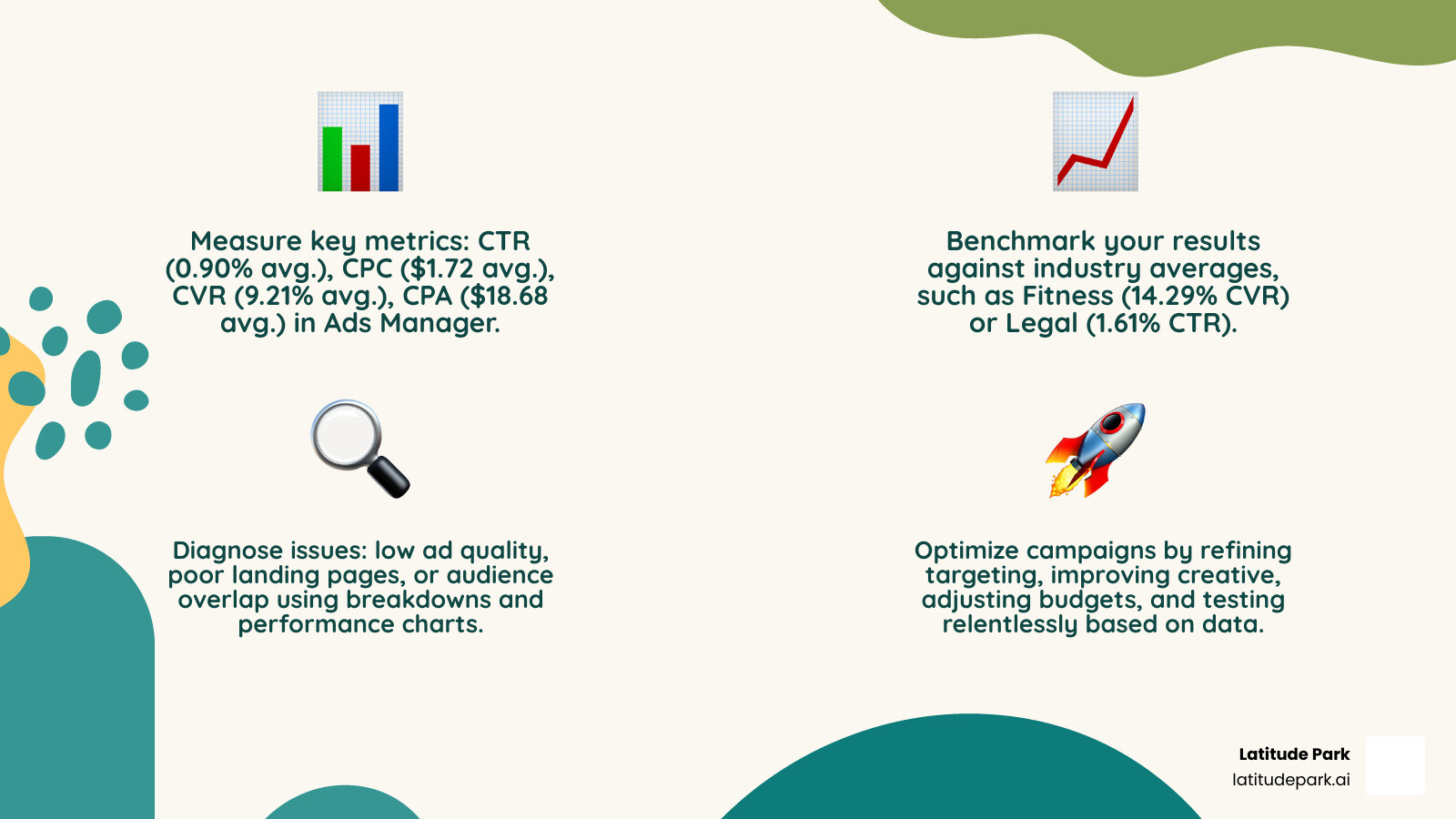
To improve your Facebook ads performance, focus on these four key steps:
- Measure – Track CTR (0.90% average), CPC ($1.72 average), CVR (9.21% average), and CPA ($18.68 average) in Ads Manager.
- Benchmark – Compare your metrics against industry averages (e.g., Fitness: 14.29% CVR, Legal: 1.61% CTR).
- Diagnose – Identify issues like low ad quality, poor landing pages, or audience overlap using breakdowns and performance charts.
- Optimize – Refine targeting, improve creative, adjust budgets, and test relentlessly based on data insights.
The stakes are high. With the number of Facebook advertisers more than doubling in recent years, competition is fierce. Meta’s ad quality algorithm monitors user feedback, like ad hiding or reporting. Repeated policy violations can flag your account as “lower quality,” making your ads less competitive, costing more, and delivering fewer results.
For franchise marketers, this challenge is multiplied across dozens or hundreds of locations. A single underperforming ad set can waste thousands. However, by understanding the right metrics and optimization levers, you can build a system that scales profitably.
I’m Rusty Rich, founder of Latitude Park. With over 15 years of experience, I’ve helped multi-location franchises drive growth through strategic digital advertising, focusing on Facebook ads performance. Let’s explore how to troubleshoot your campaigns, interpret data, and turn underperforming ads into growth engines.
Mastering Your Dashboard: How to Track and Analyze Ad Performance
To improve your Facebook ads performance, the Meta Ads Manager is your command center. It’s a powerful analytics hub where you can track, analyze, and gain insights into every aspect of your advertising efforts.

Key Metrics for Measuring Facebook Ads Performance
These are the core numbers that define your Facebook ads performance and tell you if your ads are hitting the mark.
- Reach: The number of unique people who saw your ad.
- Impressions: The total number of times your ad was displayed. One person can have multiple impressions.
- Amount Spent: The total cost for your campaign, ad set, or ad.
- Click-Through Rate (CTR): The percentage of people who saw your ad and clicked it (Clicks / Impressions). A higher CTR suggests your creative and targeting resonate with your audience. The average is 0.90%.
- Cost Per Click (CPC): The average cost for each click (Cost / Clicks). A lower CPC means you’re getting more clicks for your budget. The average is $1.72.
- Conversion Rate (CVR): The percentage of people who clicked and completed a desired action, like a purchase or sign-up (Conversions / Clicks). This measures your ad’s effectiveness in driving business outcomes. The average is 9.21%.
- Cost Per Action (CPA): The average cost for each conversion (Cost / Conversions). This tells you how much it costs to acquire a lead or sale. The average is $18.68.
- Return on Ad Spend (ROAS): The revenue generated for every dollar spent on advertising. For our franchise partners, this is often the north star metric.
Monitoring these metrics allows us to gauge what’s working and what needs adjustment.
Navigating Ads Manager Like a Pro
Now that we know what to look for, let’s explore where to find it. Ads Manager is structured into three main tabs:
- Campaigns: The highest level, where you set your overall objective (e.g., lead generation, sales). You’ll see aggregated data here.
- Ad Sets: Where you define your audience, budget, schedule, and placements. This level helps you understand which segments perform best.
- Ads: The creative level, containing your images, videos, and copy. Here, you can see how specific creatives resonate with your audience.
To see your metrics, select a tab and view the data table. For a visual overview, click “View charts” to open the insights pane, which includes:
- Performance Chart: Shows trends over time for key metrics like clicks, reach, and cost.
- Demographics Chart: Breaks down performance by age and gender, revealing who is engaging with your ads.
- Platform Chart: Shows performance across Facebook, Instagram, mobile, and desktop.
- Delivery Chart: (For reach and frequency campaigns) Shows predicted vs. delivered reach, impressions, and spend.
You can customize the columns in your main table to focus on the metrics you care about most. While performance data has a short delay, Ads Manager provides a comprehensive picture. For more details, the Meta Business Help Center offers guidance on Use Meta Ads Manager reporting tools to understand your ads performance. You can also go directly to Ads Manager.
Using Breakdowns for Deeper Audience Insights
For multi-location franchises, granular data is essential. The breakdowns feature in Ads Manager lets you slice your data to reveal hidden patterns.
Click the “Breakdown” icon in your Campaigns, Ad Sets, or Ads tab. You can break down data by:
- By Time: View performance by day, week, or month to identify trends.
- By Delivery: Analyze performance by Age, Gender, Country, Impression device, Platform (Facebook, Instagram), and Placement (Feed, Stories, Reels). This is where the best audience insights are found.
- By Action: Analyze performance based on specific user actions relevant to your goals.
For offsite conversions, supported delivery breakdowns include Age, Gender, Country, Impression device, Platform, and Placement. For example, if a breakdown shows women aged 25-34 on Instagram Stories are converting at a high rate for a specific franchise, we can reallocate budget to target that segment more aggressively. This detail is invaluable for optimizing Facebook ads performance across a franchise network. Learn more in the Meta Business Help Center.
Are Your Ads Normal? Benchmarking Against Industry Averages
It’s one thing to track your metrics, but how do you know if your Facebook ads performance is actually good? That’s where industry benchmarks come in. Comparing your numbers against averages helps you understand if you’re a superstar, struggling, or just average.
Understanding the Numbers: What Do Benchmarks Mean for You?
The statistics below are from a large-scale analysis of US-based accounts. While these numbers provide a solid baseline for comparison, the digital landscape evolves, and your specific niche can influence results.
Here are some average Facebook ads performance benchmarks across various industries:
| Industry | Average CTR | Average CPC | Average CVR | Average CPA |
|---|---|---|---|---|
| Across All Industries | 0.90% | $1.72 | 9.21% | $18.68 |
| Apparel | 1.24% | $0.45 | 4.11% | $18.34 |
| Auto | 0.89% | $2.27 | 5.16% | $43.84 |
| B2B | 0.78% | $2.52 | 10.63% | $23.77 |
| Beauty | 1.16% | $1.81 | 6.27% | $17.55 |
| Consumer Services | 0.62% | $3.08 | 6.64% | $21.90 |
| Education | 0.73% | $1.61 | 13.58% | $7.85 |
| Employment & Job Training | 0.47% | $2.72 | 11.73% | $12.38 |
| Finance & Insurance | 0.54% | $3.77 | 1.09% | $40.50 |
| Fitness | 1.01% | $1.80 | 14.29% | $13.29 |
| Healthcare | 0.83% | $2.15 | 11.00% | $16.43 |
| Home Improvement | 0.70% | $2.93 | 5.70% | $44.66 |
| Industrial Services | 0.71% | $2.14 | 5.86% | $29.62 |
| Legal | 1.61% | $2.19 | 5.60% | $27.91 |
| Real Estate | 0.99% | $1.66 | 10.68% | $16.92 |
| Retail | 1.59% | $0.70 | 3.26% | $21.47 |
| Technology | 1.04% | $1.25 | 2.31% | $55.21 |
| Travel & Hospitality | 0.69% | $0.63 | 2.82% | $37.07 |
(Data Source: Industry analysis of US-based accounts, 2016-2017)
What does this tell us?
- Legal advertisers see the highest CTR (1.61%), suggesting their high-stakes offers capture attention.
- Finance & Insurance advertisers face the highest CPC ($3.77), likely due to high customer lifetime values.
- Fitness advertisers boast the highest conversion rates (14.29%), showing Facebook is an excellent platform for this sector.
- Auto advertisers have a high average CPA ($43.84), reflecting the significant investment of a vehicle purchase.
For our franchise partners, these benchmarks are a compass, not a rigid target. If your fitness franchise has a CVR far below 14.29%, it signals room for improvement in your creative, landing page, or targeting. We use these numbers to set realistic goals and identify opportunities.
Beyond the Averages: Factors That Influence Your Costs
Benchmarks don’t tell the whole story. Several factors impact your actual Facebook ads performance and costs:
- Audience Targeting: Specific, relevant targeting performs better than broad targeting.
- Ad Creative Quality: High-quality visuals and compelling copy lead to higher CTRs and lower CPCs.
- Seasonality: Performance can fluctuate with holidays or industry-specific events.
- Ad Placement: Where your ad appears (e.g., Feed, Stories) impacts its effectiveness and cost.
- Campaign Objective: Your chosen objective (e.g., traffic, conversions) influences how Meta optimizes delivery.
- Competition: More advertisers targeting the same audience can drive up costs.
Understanding these variables helps us craft strategies that aim to exceed averages.
Diagnosing Poor Facebook Ads Performance
You’ve measured and benchmarked, but your Facebook ads performance is still underperforming. It’s time to diagnose the root cause, which often relates to ad quality and user experience.
Why Meta Flags Ads: Understanding Ad Quality and Rejection
Meta prioritizes ad quality to maintain a positive user experience. The platform analyzes ads for violations of its low-quality or disruptive content policy. Repeated violations can flag your Page, domain, or ad account as “lower-quality,” making your ads less competitive in auctions and increasing costs.
Meta assesses ad quality by monitoring user actions like hiding or reporting your ad, which are strong indicators of low quality. They also review landing page metrics like bounce rate.
Attributes of low-quality ad content that can lead to flagging include:
- Withholding Information: Intentionally omitting key details to entice clicks (clickbait).
- Sensationalized Language: Using exaggerated claims that create a misleading experience on the landing page.
- Engagement Bait: Asking for inauthentic engagement like shares or tags in exchange for a reward.
All ads must follow Meta’s Community Standards and Advertising Standards. We encourage our franchise partners to review these guidelines in Meta’s Transparency Center to ensure campaigns run smoothly.
The Post-Click Problem: Is Your Landing Page Killing Your Conversions?
A brilliant ad can’t save a bad landing page. The post-click experience is critical to your Facebook ads performance. Meta scrutinizes landing pages, and a poor experience can lower your ad quality score.
Attributes of a low-quality ad landing page experience include:
- Lack of Original Content: The page offers little value or is a thinly veiled sales pitch.
- Disproportionate Ad Volume: The landing page is cluttered with more ads than content.
- Disruptive Pop-ups: Excessive or hard-to-close pop-ups that frustrate users.
- Unexpected Content: The landing page doesn’t deliver on the ad’s promise.
- Misleading Information: Misrepresentation of products, services, or shipping times.
- Poor Mobile Optimization: A slow or non-responsive mobile page is a conversion killer.
For our franchise clients, we ensure “ad scent”—consistency from the ad to the landing page. The message and offer should be immediately reflected, building trust and guiding users toward conversion.
The Role of Statistical Modeling in Your Reports
Increasing data privacy and tracking restrictions can make measuring Facebook ads performance tricky. Meta uses statistical modeling to provide a more complete measurement when conversion data is missing or partial.
For example, breakdown reports for offsite conversions may use modeling to infer conversions that couldn’t be directly attributed. This provides a more holistic view of a campaign’s impact, helping us make informed decisions despite data gaps.
The Optimization Playbook: Turning Insights into Action
You’ve measured, benchmarked, and diagnosed. Now it’s time to optimize your campaigns and boost your Facebook ads performance. This is where we turn data into tangible improvements that drive growth for our franchise partners.
Optimizing Your Campaigns Based on Facebook Ads Performance Data
Optimization is a continuous cycle of testing, learning, and refining. Here’s our approach:
- Budget Reallocation: Shift budget from underperforming ad sets to the top performers to maximize your spend.
- Pausing Underperforming Ads: Don’t hesitate to pause ads with a consistently low CTR or high CPA. Redirect that budget to more promising creatives.
- Scaling Winning Ad Sets: When an ad set performs well, responsibly scale it by incrementally increasing the budget or expanding the audience.
- Refining Audience Targeting: Use demographic and platform breakdowns to fine-tune your audience. Create specific ad sets for high-performing groups and exclude those who aren’t engaging.
- Adjusting Bids and Budgets: Depending on competition, you might need to adjust your bidding strategy. A slightly higher bid can sometimes secure better placements and lower your overall CPA.
- Understanding the Learning Phase: When you launch or edit an ad set, it enters a “learning phase” where performance can be unstable. Let a campaign exit this phase (usually after ~50 optimization events in 7 days) before making major changes. Editing too early resets the learning process, hindering optimal Facebook ads performance.
By systematically applying these strategies, we can significantly improve the efficiency of your campaigns.
Best Practices for High-Converting Ad Creative and Landing Pages
Great optimization starts with great assets. Here are our best practices for creating high-quality ads and landing pages that convert:
- Clear Value Proposition: Your ad should immediately communicate what you offer and why it matters.
- High-Quality Visuals: Use professional, visually appealing images or videos that stop the scroll.
- Strong Call-to-Action (CTA): Tell people exactly what to do next with clear, action-oriented language (e.g., “Shop Now,” “Sign Up”).
- Ad Scent (Consistency): Ensure a seamless transition from your ad to your landing page. The offer, messaging, and visuals should match.
- Fast Load Times: Optimize your landing pages for speed to reduce bounce rates, especially on mobile.
- Simple Forms: For lead generation, keep forms short and ask only for essential information.
- Mobile Optimization: Your landing page must be fully responsive and easy to steer on any device.
Focusing on these best practices helps create ads that not only capture attention but also drive measurable conversions.
Frequently Asked Questions about Facebook Ad Performance
We get a lot of questions about Facebook ads performance. Here are some of the most common ones, with our expert answers.
What are the most important metrics to track?
The most critical metrics depend on your campaign objective:
- For brand awareness, focus on Reach and Impressions.
- For traffic, prioritize Click-Through Rate (CTR) and Cost Per Click (CPC).
- For conversions (leads or sales), the most important are Conversion Rate (CVR), Cost Per Action (CPA), and Return on Ad Spend (ROAS).
Always track metrics that align directly with your business goals. For our franchise clients, this usually means focusing on CPA and ROAS.
Why is my conversion rate higher than my click-through rate?
This is common and often a good sign for your Facebook ads performance. It can mean your ad is extremely persuasive to the specific audience that does click. Even if the ad doesn’t appeal to everyone (resulting in a lower CTR), those who click are highly qualified and motivated to convert.
Think of it as your ad acting as an effective filter, attracting only the most interested prospects who are then likely to convert on your landing page. This efficiency is often better than a high CTR from a less qualified audience.
How long should I wait before making changes to my campaign?
Patience is key. Avoid tweaking your campaigns too frequently, especially during the “Learning Phase.”
When you launch or significantly edit an ad set, Meta’s system needs time to learn how to best deliver your ads. During this phase, performance can fluctuate. We recommend letting your campaign exit the Learning Phase before making major changes. This typically requires about 50 optimization events (e.g., leads, purchases) within a 7-day period. Editing too soon resets the learning process and can delay optimal performance.
Of course, if you see critical issues like ad rejections or zero results, immediate action is needed. For general optimization, however, give your campaigns time to learn.
Conclusion
Improving Facebook ads performance is a continuous cycle of measuring, diagnosing, and optimizing. By diligently tracking key metrics, benchmarking against industry averages, and understanding Meta’s ad quality standards, you can transform your campaigns from underperformers to powerhouses.
Remember these key takeaways:
- Measure Everything: Use Meta Ads Manager to track CTR, CPC, CVR, CPA, and other vital metrics.
- Benchmark Wisely: Compare your results to industry averages to identify areas for improvement.
- Prioritize Ad Quality: Adhere to Meta’s policies for ad creative and landing pages to ensure optimal delivery.
- Optimize Relentlessly: Reallocate budgets, refine targeting, and test new creatives based on data.
- Be Patient: Allow campaigns to exit the Learning Phase before making drastic changes.
For franchise businesses navigating multi-location marketing, mastering Facebook ads performance is crucial for scalable growth. That’s where Latitude Park shines. We provide custom Meta advertising strategies for franchise systems, ensuring every ad dollar works harder to drive local success.
Ready to take your franchise’s Meta advertising to the next level? Learn more about our franchise digital marketing services and find how we can help you turn insights into action.