Automation Is Already Everywhere — Here’s Who’s Leading the Charge
Companies using RPA tools are saving millions of hours, cutting operating costs by up to 40%, and redeploying entire teams toward higher-value work — and the list of adopters is growing fast.
Here’s a quick snapshot of who’s using RPA and where:
| Industry | Common RPA Use Cases |
|---|---|
| Finance & Banking | Invoice processing, KYC checks, reconciliations |
| Healthcare | Medical billing, claims processing, patient data entry |
| Retail & E-commerce | Supplier invoices, order management, inventory updates |
| Insurance | Policy admin, claims validation, fraud detection |
| Telecom | Service activation, recruitment workflows, call routing |
| Manufacturing | Supply chain updates, quality reporting, ERP automation |
| HR & IT Operations | Employee onboarding, ticket routing, user provisioning |
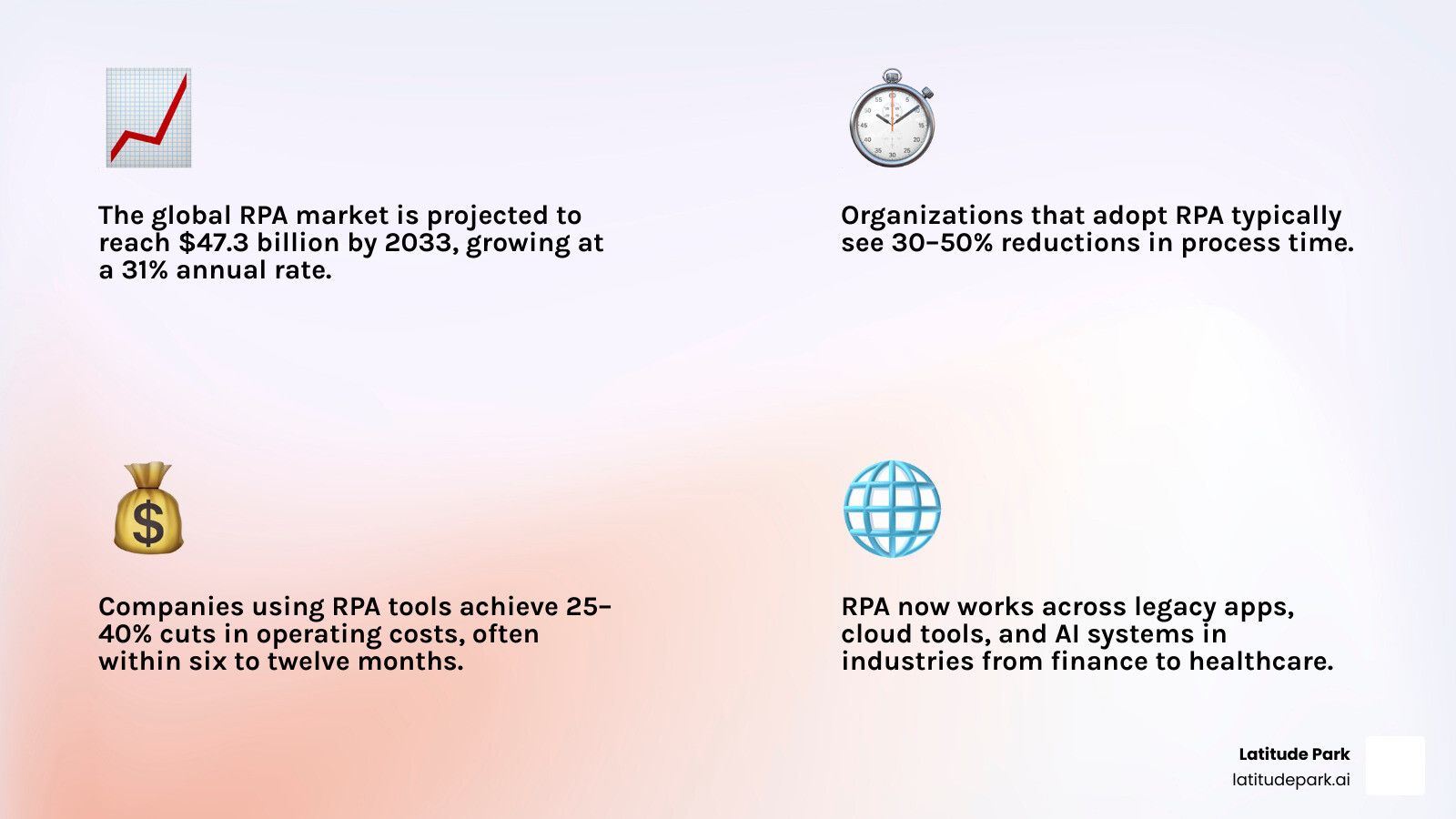
The numbers behind this shift are hard to ignore. The global RPA market is projected to hit $47.3 billion by 2033, growing at a 31% annual rate. Organizations that adopt RPA typically see 30–50% reductions in process time and 25–40% cuts in operating costs — often recouping their investment within six to twelve months.
And this isn’t just a big-enterprise story anymore. Cloud-based, low-code platforms have made RPA accessible to businesses of nearly every size.
I’m Rusty Rich, President of Latitude Park — a digital marketing agency where I’ve spent years helping businesses identify and leverage the right technology tools to scale efficiently, including tracking how companies using RPA tools are reshaping their operations and competitive positioning. I’ll walk you through who’s doing it, how they’re doing it, and what you can learn from their results.
Companies using rpa tools word guide:
- business automation tools
- automation services for growing businesses
- digital process automation services
What RPA Is and Why Companies Using RPA Tools Keep Expanding
RPA stands for robotic process automation. Despite the name, there are no metal arms rolling through the office stealing lunch from the break room fridge. RPA uses software bots to mimic the clicks, typing, copying, pasting, reading, and rule-following that people normally do across business systems.
In simple terms, RPA is best for repetitive, structured, rule-based work such as:
- Moving data between systems
- Logging into applications
- Filling forms
- Processing invoices
- Updating customer records
- Generating reports
- Routing tickets or approvals
Modern RPA platforms usually include:
- Low-code or no-code workflow builders
- Task recording
- Attended bots for employee-assisted automation
- Unattended bots for background automation
- Central orchestration and scheduling
- Monitoring, governance, and audit logs
- UI and API integrations
- AI add-ons for documents and unstructured data
This is one reason companies using RPA tools keep multiplying. Businesses do not need to rip out old systems to automate useful work. Bots can often work at the presentation layer, meaning they interact with software the same way a human does.
RPA vs traditional automation vs AI-driven automation
These three categories overlap, but they are not the same thing.
Traditional automation usually depends on predefined back-end integrations, scripts, or APIs. It works well when systems are stable, connected, and predictable.
RPA is process-driven. It is ideal when work happens across multiple systems, especially legacy applications that may not have modern APIs. Bots can click through interfaces, scrape screens, and follow explicit steps.
AI-driven automation is data-driven. It uses machine learning, language models, or other AI methods to classify, predict, summarize, understand documents, or make recommendations.
A simple way to think about it:
| Type | Best For | Limitation |
|---|---|---|
| Traditional automation | System-to-system workflows with clean integrations | Less flexible when humans rely on UI-based work |
| RPA | Repetitive tasks across apps, especially legacy systems | Needs rules, guardrails, and exception handling |
| AI-driven automation | Unstructured data, reasoning, language, prediction | Can be less deterministic without oversight |
The most effective automation programs in 2026 combine all three. AI handles interpretation. RPA handles execution. Traditional integrations handle the plumbing.
How RPA evolved from task bots to intelligent and agentic automation
RPA has changed a lot since the early bot-building days.
A helpful way to frame the evolution is in three phases:
Task automation
- Basic bots automate repetitive, rules-based tasks
- Great for data entry, reporting, and reconciliation
Intelligent automation
- RPA combines with OCR, document understanding, and AI models
- Useful for invoices, claims, emails, and semi-structured workflows
Agentic automation
- AI agents help reason, plan, and decide next steps
- RPA acts as the execution layer that carries out tasks across systems
- Humans stay in the loop for approvals, exceptions, and governance
That last point matters. AI may decide what should happen next, but RPA often does the actual clicking, updating, and transaction handling. That is why RPA is still highly relevant in 2026.
15 Types of Companies Using RPA Tools Right Now
When people search for companies using RPA tools, they often expect a list of brand names. That helps, but the more useful answer is this: RPA adoption is strongest wherever work is high-volume, repetitive, compliance-sensitive, and spread across too many systems.
Here are 15 major categories of adopters:
- Banks
- Accounting teams
- Shared services centers
- Healthcare providers
- Insurance carriers
- Public sector organizations
- Retailers
- E-commerce operations
- Telecom companies
- Manufacturers
- Logistics and supply chain teams
- HR departments
- IT operations teams
- Customer service organizations
- Professional services firms

Companies using RPA tools in finance, accounting, and shared services
Finance remains one of the biggest RPA hotspots. Research shows that 36% of RPA use cases sit in finance and accounting, and more than one in three bots are deployed in financial services.
Why finance first? Because the work is often:
- Rules-based
- High-volume
- Repetitive
- Time-sensitive
- Audit-heavy
Common finance and accounting use cases include:
- Accounts payable
- Invoice matching
- Reconciliations
- Expense processing
- Financial close support
- KYC and AML checks
- Compliance reporting
- Master data updates
Shared services teams also love RPA because it standardizes work across regions and departments. If ten people are manually keying the same data into the same ERP every day, that is practically a written invitation for a bot.
Companies using RPA tools in healthcare, insurance, and public-facing operations
Healthcare and insurance are ideal environments for automation because they combine administrative complexity with strict compliance needs.
Common healthcare use cases include:
- Medical billing
- Insurance claims processing
- Patient record updates
- Appointment scheduling
- Prescription administration
- Payment cycle support
Common insurance use cases include:
- Policy administration
- Claims validation
- Underwriting support
- Regulatory reporting
- Fraud-review preparation
These sectors also need strong controls, including audit trails, role-based access, and support for requirements such as HIPAA, PCI DSS, and other regulated data practices.
Companies using RPA tools in retail, telecom, and supply chain environments
Retail, telecom, and supply chain teams often work across a messy mix of portals, ERPs, spreadsheets, PDFs, and partner systems. That makes them perfect candidates for RPA.
Typical retail and supply chain use cases:
- Supplier invoice handling
- Order management
- Inventory updates
- Returns processing
- Vendor onboarding
- Multilingual document handling
Typical telecom use cases:
- Service activation
- Customer onboarding
- Account updates
- Recruitment workflows
- Call routing support
These are environments where bots can save serious time because every minute of delay tends to multiply across many locations, suppliers, or customers.
Real Examples of Companies Using RPA Tools and the Results They Achieved
The best way to understand RPA is to look at what actual organizations have achieved with it.

Global professional services firms scaling automation enterprise-wide
Large professional services firms have become a strong example of how automation can move from a pilot to a true enterprise capability.
One widely cited case study involves this large-scale automation rollout by a global professional services organization. The organization expanded from a small proof of concept to a large automation footprint, eventually deploying more than 150,000 attended automations. It also scaled from 5 to 500 bots in 18 months and reported millions in cost savings across deployed countries.
The more important lesson is not just the number of bots. It is how the program scaled:
- A center of excellence helped create governance
- Cross-functional workshops prioritized processes
- A pipeline of automation ideas kept delivery moving
- A control-room model supported monitoring and maintenance
- SAP workflows were standardized and improved through attended automation
That is a pattern we see often: successful RPA programs treat automation like an operating capability, not a side project.
Telecom and retail examples showing end-to-end automation impact
Telecom provides another strong example of what happens when automation grows beyond isolated workflows.
In this SoftBank case study, the company combined RPA with generative AI and broader employee participation. Reported outcomes included:
- 4,500 FTE-equivalents saved annually
- 85% reduction in recruitment hours
- 50% faster mobile service registration
This is especially important because it shows how RPA is evolving. It is no longer just about automating one small task. It is increasingly part of end-to-end process redesign.
Retail and accounts payable tell a similar story. In this AP automation example, a large retailer used AI document processing plus RPA to feed invoice data into SAP. The reported results included:
- 90% reduction in invoice indexing time
- Average indexing time cut from 5 minutes to 25 seconds
- 60% touchless invoices
- 14 FTEs moved to higher-value work
That is the sweet spot for intelligent automation: AI reads the document, RPA handles the system execution, and people only step in where judgment is actually needed.
Media and digital-native companies using hybrid automation models
Digital-native companies are also using RPA, but often with a more blended model that combines central IT governance with business-led automation.
A good example is Spotify’s automation journey. The company moved from an earlier code-heavy approach to a more scalable platform strategy and built a hybrid model with both centralized development and citizen developers. Reported outcomes included:
- 100+ bots in production
- 45,500+ hours saved
- 24,000 hours of capacity released
A few practical takeaways from this case:
- Citizen developers can speed adoption when guided properly
- Bot identity and authentication must be designed carefully
- Success metrics should go beyond hours saved
- Business value includes accuracy, availability, and employee satisfaction
That last point is worth repeating. Hours saved are useful, but the true ROI often comes from faster service, fewer errors, better compliance, and less operational friction.
How to Evaluate RPA Platforms in 2026
The RPA market is broader than it used to be. In 2026, major enterprise buyers usually compare platforms such as UiPath, Automation Anywhere, SS&C Blue Prism, Microsoft Power Automate, IBM RPA, and SAP Build Process Automation.
Each has strengths, but the right choice depends on your environment, security needs, scale, and use cases.
| Capability | Why It Matters | Best Fit Use Cases |
|---|---|---|
| Low-code builder | Faster automation development | Business teams and rapid pilots |
| Orchestration | Central scheduling and bot management | Enterprise-scale programs |
| Document processing | Handles invoices, forms, claims | AP, insurance, healthcare |
| AI integration | Adds classification, extraction, reasoning | Intelligent and agentic workflows |
| Governance and audit logs | Supports control and compliance | Regulated industries |
| Security and identity controls | Protects access and credentials | Large enterprises |
| Deployment flexibility | Cloud, on-prem, hybrid support | Complex IT environments |
In broad terms:
- UiPath is known for enterprise scale, broad platform depth, and strong traction among large organizations
- Automation Anywhere is often highlighted for cloud-first automation and AI-heavy enterprise use cases
- SS&C Blue Prism is known for governance-heavy enterprise automation and large customer reach
- Microsoft Power Automate is attractive for organizations already deep in the Microsoft ecosystem
- IBM RPA emphasizes enterprise integration, AI adjacency, and regulated-industry use cases
- SAP Build Process Automation is a natural fit for SAP-centered operations
Peer review sources in 2026 generally rate several of these platforms in the mid-to-high 4s out of 5, which tells us the category is maturing. The real differentiator is fit, not hype.
Must-have capabilities for companies using rpa tools at scale
If we were evaluating a platform today, we would want these capabilities at minimum:
- Task recording and workflow design
- Attended and unattended bot support
- Bot orchestration and scheduling
- Multiple runtime options
- Screen scraping and UI connectors
- API integration support
- Role-based access control
- Audit logs and activity tracking
- Credential management
- Process discovery or task mining
- Exception handling
- Monitoring dashboards
- Self-healing or recovery options where possible
The big idea: do not buy a bot builder only to discover later that governance, visibility, and maintenance are weak.
Integration, security, and compliance requirements to check before buying
RPA rarely lives alone. It usually has to connect with:
- ERP platforms
- CRM systems
- HR tools
- Email and collaboration tools
- Legacy desktop apps
- Databases
- Document repositories
- AI and OCR services
That means integration flexibility is essential. Good platforms can work through UI automation, APIs, connectors, or combinations of all three.
Security checks should include:
- Encryption
- Identity and access management
- Bot credential vaulting
- Segregation of duties
- Detailed audit trails
- Environment separation
- MFA compatibility
- Support for compliance needs such as GDPR, HIPAA, and PCI DSS
If a vendor demo looks smooth but skips bot identity, logging, and access control, we would keep asking questions.
Pricing, ROI, and payback benchmarks decision-makers should expect
RPA pricing varies a lot based on bot count, deployment model, support, and AI add-ons.
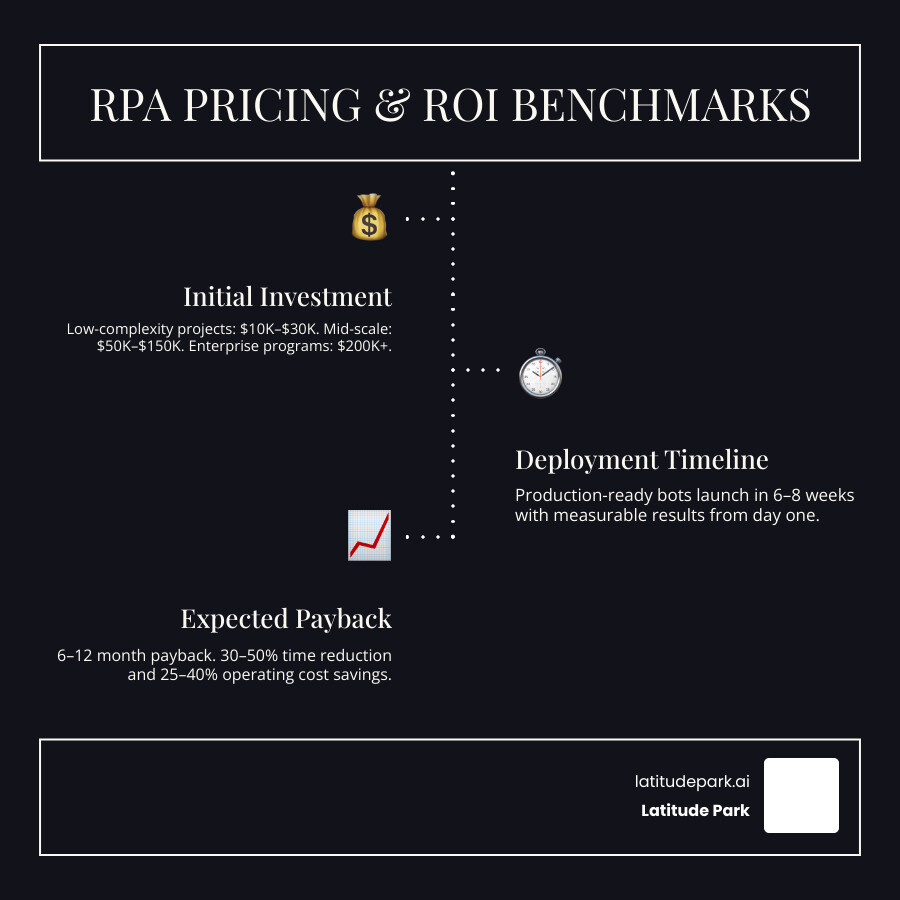
Research-backed benchmarks suggest:
- Low-complexity projects may start around $10,000 to $30,000
- Mid-scale efforts often run $50,000 to $150,000
- Large enterprise programs can exceed $200,000
- Production-ready bots can often launch in 6 to 8 weeks
- Payback typically lands in the 6 to 12 month range
Expected business outcomes often include:
- 30% to 50% process time reduction
- 25% to 40% operating cost savings
- 30% to 60% operational cost reduction in some environments
Best Practices for Successful RPA Deployment
Buying the platform is not the hard part. Scaling it well is.
How companies using RPA tools avoid common rollout mistakes
Some of the most common reasons RPA programs stall include:
- Choosing bad processes for automation
- Ignoring exceptions and edge cases
- Weak executive sponsorship
- Treating RPA as an IT toy instead of a business capability
- Allowing shadow automation without governance
- Failing to monitor bots after go-live
- Underinvesting in training and change management
One industry stat says 52% of customers struggle with scaling their RPA program. That sounds about right. Pilots are easy. Enterprise discipline is harder.
To avoid those traps, we recommend:
- Start with processes that are stable, repetitive, and measurable
- Map the current workflow before building anything
- Define exception paths early
- Build governance before scale
- Create access, security, and monitoring standards
- Train both builders and business users
- Roll out incrementally instead of trying to automate the whole universe by Tuesday
A practical rollout framework from pilot to enterprise scale
A practical rollout usually follows this sequence:
Process discovery
- Identify repetitive, high-volume tasks
- Estimate savings, risk reduction, and feasibility
Prioritize quick wins
- Start where ROI is visible and complexity is manageable
Build a roadmap
- Organize use cases by value, risk, and dependencies
Create governance
- Define ownership, security, QA, support, and change control
Launch a pilot
- Prove value with a contained but meaningful use case
Expand through a CoE model
- Standardize delivery, templates, and support
Enable citizen development carefully
- Let business users build low-risk automations under guardrails
Track KPIs
- Time saved, cost avoided, error reduction, SLA performance, compliance outcomes
If you want a broader view of how automation supports growth, our guides on automation services for growing businesses and digital process automation services go deeper into the operational side.
Frequently Asked Questions about Companies Using RPA Tools
Which business functions usually get the fastest ROI from RPA?
The fastest ROI usually comes from high-volume, repeatable, rules-based functions such as:
- Accounts payable
- Payroll support
- Employee onboarding
- Customer support triage
- Data entry and validation
- Routine reporting
- Reconciliations
These functions tend to have obvious before-and-after metrics, which makes payback easier to prove.
Can RPA work with old software and systems that do not have APIs?
Yes. That is one of RPA’s biggest advantages.
Because bots can work through the user interface, they can often automate tasks in older systems that do not offer modern APIs. This may involve screen scraping, desktop automation, form filling, and navigation through legacy applications.
That said, old systems can still be fragile, so bot design, error handling, and monitoring matter a lot.
Is RPA still relevant now that AI agents and copilots are growing?
Absolutely.
AI agents and copilots are great at interpretation, conversation, summarization, and decision support. But when something actually needs to be done inside business systems, RPA is often the execution engine.
In 2026, the strongest automation stacks are complementary:
- AI reasons
- RPA executes
- Humans govern
If you want to explore the bigger automation picture, these resources can help:
- From Mundane to Magical: How AI Tools Can Automate Your Business Tasks
- Stop Doing Manual Work with CRM Automation
- Sales Automation Software
- Beyond CRM: Essential Automation Tools for Every Small Business Owner
- Small Business Sales Automation Ultimate Guide
Conclusion
The short version is this: companies using RPA tools are no longer limited to giant enterprises with huge IT budgets. Banks, hospitals, retailers, telecom providers, shared services teams, and digital-native companies are all using software bots to reduce repetitive work, improve accuracy, and scale operations faster.
The best results happen when organizations:
- Pick the right processes
- Choose platforms with strong governance and integration support
- Combine RPA with AI where it adds value
- Roll out in stages with clear ownership and measurement
At Latitude Park, we spend a lot of time thinking about scalable systems, efficient growth, and the tools that help businesses do more with less friction. If you are building your automation strategy, these guides are a smart next step:
- Small Business Automation Tools Complete Guide
- Business Automation Tools Ultimate Guide
- small business automation tools
Because if your team is still copying data between tabs like it’s a competitive sport, it might be time to let the bots clock in.