Always set utm_source, utm_medium, and utm_campaign on every tagged link, enforce a single lowercase naming convention across your whole team, and maintain one mapping table that everyone pulls from. Skip any of that and GA4 starts filling your reports with “(not set)” rows and duplicate campaigns that look like five different initiatives instead of one. The checklist below breaks down exactly which parameters matter, how to name them, and how to keep the whole system from falling apart the moment someone on your team opens a spreadsheet and starts typing.
Table of Contents
- 1. Get the Core UTM Parameters Right Every Time
- 2. Naming Conventions and Formatting Rules That Stop Fragmentation
- 3. Manual UTMs vs. Google Ads Auto-Tagging: Which One Wins
- 4. Use Builders and a Mapping Table Instead of Typing Tags by Hand
- 5. Test Every Tag Before You Spend a Dollar on It
- 6. Build Governance That Survives More Than One Marketer Touching It
- 7. Copy-Paste Templates and a Launch Checklist
- 8. How We Build UTM Governance Into Client Campaigns
- Fixing Tagging Fast Without Ignoring the Long Game
- Let Us Handle Your UTM Governance and Campaign Measurement
- FAQ
- Sources
1. Get the Core UTM Parameters Right Every Time
Three parameters are non-negotiable on every campaign URL you build. Google’s own campaign URL builder guidance says to always set utm_source, utm_medium, and utm_campaign whenever you add tracking parameters, and for good reason: these three feed the traffic-source dimensions that GA4 uses to bucket every session. Leave one out and you don’t get a blank field, you get broken attribution.
Here’s what each one actually does and how to fill it in:
- utm_source: the platform or publisher sending the traffic, written as a single lowercase word (newsletter, facebook, partnersite).
- utm_medium: the delivery channel or marketing method, not the platform (email, cpc, social, referral).
- utm_campaign: the specific initiative name, short but descriptive (spring_sale_2026, product_launch_q1).
- utm_content: distinguishes similar ads or links within the same campaign (banner_300x250, text_link, carousel_ad).
- utm_term: historically used for paid search keywords, now mostly reserved for manual keyword tracking outside auto-tagged platforms.
- utm_id: links the URL back to a specific campaign ID in your ad platform or CRM, useful for cross-system reconciliation.
- utm_source_platform: identifies the platform that managed the campaign (for example, a specific ad tool), adding a layer Google’s own documentation calls out as useful for richer tracking.
Skipping utm_source, utm_medium, or utm_campaign is the single most common cause of the “(not set)” value showing up in your channel reports, according to Ohio University’s analytics training guide, which notes that missing core parameters limits your ability to attribute conversions to specific marketing activity. utm_content and utm_term are optional but earn their keep the moment you’re running more than one creative variant per campaign and need to know which banner actually pulled its weight. utm_id and utm_source_platform matter less for day-to-day reporting and more for reconciling data across ad platforms, CRMs, and your own mapping table when a stakeholder asks why the numbers in two systems don’t match.
2. Naming Conventions and Formatting Rules That Stop Fragmentation
GA4 treats “Newsletter” and “newsletter” as two different values. That single capitalization slip is enough to split one campaign into two rows in every report downstream, and it’s the single fastest way to make a perfectly good campaign look like it underperformed when the data was just scattered across two buckets.
The fix is a formatting standard your whole team follows without exception:
- Lowercase everything, always, no exceptions for brand names or acronyms.
- Use underscores inside a single value (spring_sale) and keep hyphens for word breaks only if your team prefers them, but pick one and never mix both.
- Cap campaign names at roughly 50 characters so they stay readable in reports and don’t get truncated in platform UIs.
- Map utm_medium values to a short approved list (cpc, email, social, referral, affiliate) so they align cleanly with GA4’s default channel groupings.
- Build campaign names from a fixed template: channel_initiative_date or initiative_audience_date, applied the same way every time.
A good naming template looks like this: {medium}_{campaign-name}_{date-or-quarter}. So a spring promotion sent through email becomes email_spring-sale_2026q1, and the same promotion boosted on paid social becomes paid-social_spring-sale_2026q1. The campaign name stays recognizable across channels while the medium tells you instantly how the traffic arrived. Standard medium values matter because GA4’s default channel grouping logic reads utm_medium to decide whether a session counts as organic, paid, email, or referral, and inconsistent values push sessions into “Unassigned” instead of their real channel, a pattern Analytics Mania’s breakdown of UTM parameters in GA4 ties directly to report fragmentation.
Pro Tip: Keep a plain-text list of every approved utm_medium value pinned in your team’s shared drive, and reject any tagged link that uses a value not on that list.
3. Manual UTMs vs. Google Ads Auto-Tagging: Which One Wins
For Google Ads specifically, don’t manually tag your links. Google’s own guidance on tagging final URLs recommends auto-tagging, which appends a gclid parameter and imports Google Ads data into Analytics automatically, and treats manual UTMs as a fallback only for situations where auto-tagging isn’t supported.
Here’s how to decide which method applies to a given link:
- Use Google Ads auto-tagging by default. It’s enabled at the account level, requires no manual link building, and pulls in richer platform-specific dimensions like ad group, creative ID, and keyword that manual tags typically can’t replicate.
- Switch to manual UTMs only in specific cases: when a destination site strips or blocks arbitrary URL parameters, when you’re sending traffic through an external partner or affiliate link that doesn’t support gclid, or when you’re tagging a platform that has no native auto-tagging integration at all.
- Never run both tagging methods on the same Google Ads link without understanding precedence. Google’s documentation on traffic-source dimensions confirms that when manual tagging and auto-tagging are both present, the auto-tagged values take precedence in Analytics integrations, so a manual utm_source you added is quietly overridden rather than respected.
If your Google Ads conversions have ever looked murky or inconsistent, mismatched tagging methods are a common culprit worth ruling out before you touch anything else, and our guide to fixing Google Ads conversion tracking walks through the diagnostic steps in more depth.
4. Use Builders and a Mapping Table Instead of Typing Tags by Hand
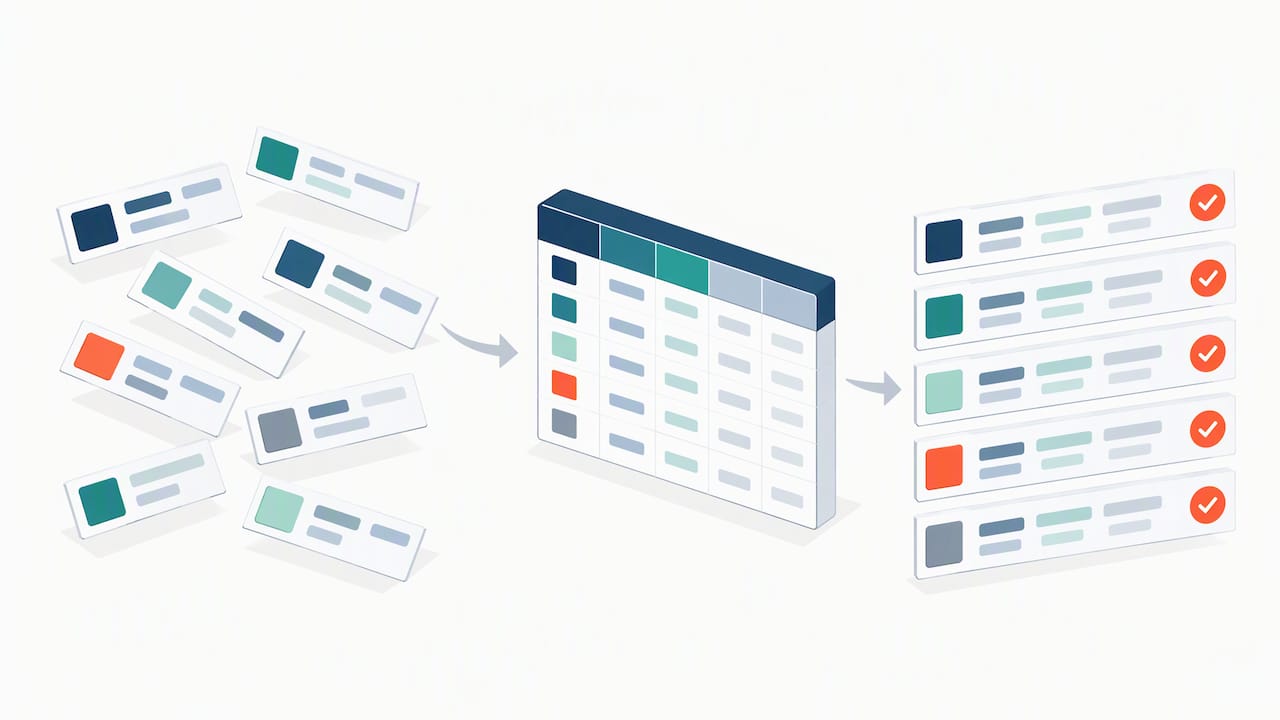
Nobody should be hand-typing UTM strings into a URL bar. Every manually typed tag is a chance for someone to write “Email” instead of “email” or “Spring_Sale” instead of “spring_sale,” and that one typo fragments your reporting for the life of the campaign.
Build consistency into the process instead of relying on memory:
- Use Google’s Campaign URL Builder or an equivalent internal tool so parameters get generated the same way every time, pulling from a dropdown rather than free text.
- Lean on dynamic tokens or macros inside your ad platform (Facebook’s
{{campaign.name}}, Google Ads’{campaignid}) so values populate automatically instead of being retyped per ad. - Keep one version-controlled mapping table as the single source of truth for every campaign ID, utm value, and owner, a practice IAB’s 2025 guidance on modernizing measurement recommends specifically to avoid fragmented UTM values across team members.
- Use a link shortener or redirect only when the destination URL is unwieldy or shared externally, and always point the shortener at the final tagged URL, never the other way around.
Pro Tip: Store your mapping table in a tool with version history, like Google Sheets with revision tracking or a shared database, so you can trace exactly who changed a utm_medium value and when.
This matters more than it sounds. IAB’s practitioner guidance notes that teams who moved from ad-hoc, spreadsheet-built UTMs to a version-controlled mapping table saw far fewer split campaign rows and faster audits when something did go wrong, which is the entire point of doing this work up front instead of untangling it three months later.
5. Test Every Tag Before You Spend a Dollar on It
Building the link correctly is half the job. Verifying it lands correctly in Analytics is the other half, and skipping it is how a campaign runs for two weeks before anyone notices the data never showed up.
Run these checks every time, not just when something looks wrong:
- Click-test the finished URL before launch and watch the address bar to confirm every parameter survived any redirects or link shorteners intact.
- Open GA4’s Realtime report immediately after clicking the link and confirm the session shows the correct source, medium, and campaign values rather than generic defaults.
- Use DebugView for a closer look at individual event parameters when Realtime isn’t specific enough, especially for e-commerce or lead-gen events tied to the campaign.
- Diagnose “(not set)” immediately rather than letting it accumulate; it almost always traces back to a missing utm_source, utm_medium, or utm_campaign, exactly the failure Ohio University’s guidance warns causes reduced attribution accuracy.
- Set a recurring audit cadence, weekly for high-spend campaigns and monthly for steady-state ones, checking the same fields every time: source, medium, campaign naming consistency, and any custom parameters you’ve registered.
Highly cited GA4 guidance confirms that custom parameters must be registered as custom dimensions or metrics before they’re usable in standard reports, according to Google’s developer documentation on GA4 event parameters, meaning the data can be collected and still invisible in your dashboards until that registration step happens. That’s a quiet failure mode worth checking for specifically, because nothing in the interface flags it as an error.
6. Build Governance That Survives More Than One Marketer Touching It
Tagging rules only work if someone owns them. Without a named person responsible for the standard, every new hire, freelancer, and agency partner invents their own version of “close enough,” and within a quarter your campaign list looks like three different naming systems stitched together.
A workable governance setup needs a few fixed pieces:
- A named data steward who owns the naming convention, approves exceptions, and maintains the master document, a role IAB’s 2025 best-practices guidance calls out specifically as necessary for consistent cross-channel standards.
- A mapping table with fixed columns: campaign ID, utm_source, utm_medium, utm_campaign, utm_content, owner, launch date, and a notes field for anything non-standard.
- A single authoritative repository, not five copies floating around in email threads, so there’s never a question of which version is current.
- Change control on edits, meaning updates to live campaign tags get logged with who made the change and why, not silently overwritten.
- A short onboarding note for anyone new touching campaign links, pointing straight at the mapping table and the naming template rather than asking them to reverse-engineer the pattern from old campaigns.
Standardization isn’t just tidiness for its own sake. IAB’s guidance frames consistent tagging as a prerequisite for reliable marketing mix modeling, and treats disagreements between channel data as a signal to run a targeted test rather than something to shrug off.
7. Copy-Paste Templates and a Launch Checklist
Here are three ready-to-adapt examples following the naming template from earlier, one per common channel type:
- Email:
https://example.com/spring-sale?utm_source=newsletter&utm_medium=email&utm_campaign=spring-sale_2026q1 - Paid social:
https://example.com/spring-sale?utm_source=facebook&utm_medium=paid-social&utm_campaign=spring-sale_2026q1 - Partner referral:
https://example.com/spring-sale?utm_source=partnersite&utm_medium=referral&utm_campaign=spring-sale_2026q1
Before any campaign goes live, run through six steps: build the URL from the template, click-test it, verify it in GA4 Realtime, log it in the mapping table, deploy it to the platform, and check it again 24 hours after launch.
| Field | Example value |
|---|---|
| Campaign ID | 2026-q1-spring |
| utm_source | newsletter |
| utm_medium | |
| utm_campaign | spring-sale_2026q1 |
| Owner | marketing lead |
| Launch date | 2026 |
8. How We Build UTM Governance Into Client Campaigns
We set up a centralized mapping table the moment campaign tracking starts, so there’s one place holding the truth about what each link is tagged with. Weekly audits catch drift before it shows up as a reporting gap, and our reporting cadence means you see the mapping table alongside the results, not just a dashboard with no context behind the numbers.
Our process typically includes:
- A documented naming convention enforced through automated checks, not just a shared document nobody opens.
- Periodic QA passes that verify tags in GA4 DebugView and Realtime before and after launch.
- Deliverables you keep: a mapping table, a launch checklist, and a recurring audit report tied to your campaign measurement goals.
Fixing Tagging Fast Without Ignoring the Long Game
Most teams don’t need a six-month overhaul, they need to stop the bleeding this week. Short-term triage means auditing your five highest-spend campaigns for missing core parameters and fixing those links today. Minimum viable governance means one shared mapping table and one lowercase naming rule, adopted immediately, even before anyone writes formal documentation. The three-month version adds a named steward, a registered custom-dimension setup, and a recurring audit cadence, built gradually instead of all at once, which is the only way it actually sticks.
— Rusty
Let Us Handle Your UTM Governance and Campaign Measurement
Building a mapping table is one thing. Keeping it enforced across every ad platform, partner link, and new hire for the next two years is a different job, and it’s the one we handle for clients running Google Ads management, eCommerce campaign management, and ongoing performance reporting.
A typical engagement starts with an audit of your current tagging, a cleaned-up mapping table, and automated checks so drift gets caught before it fragments a quarter’s worth of reports. If you want campaign data you can actually trust when you’re deciding where next month’s budget goes, see our services.
FAQ
What happens if I forget to add utm_campaign?
Your traffic still gets recorded, but GA4 typically reports the campaign dimension as “(not set),” which Ohio University’s analytics guidance ties directly to reduced attribution accuracy. The session exists in your data, you just can’t tell which initiative drove it.
Should I use UTMs on Google Ads links if auto-tagging is already on?
No, stick with auto-tagging alone for Google Ads. Google’s guidance recommends auto-tagging as the default, and when both methods are present on the same link, auto-tagged values take precedence anyway, so manual tags add risk without adding control.
What’s the difference between utm_medium and utm_source?
utm_source identifies where the traffic came from, like a specific newsletter or ad platform, while utm_medium identifies the delivery method, like email or paid social. Mixing the two up is a common naming mistake that throws off GA4’s default channel groupings.
How often should we audit our UTM tagging?
A weekly check on high-spend, active campaigns and a monthly pass on everything else catches most drift before it compounds. The cadence matters less than consistency, since gaps of several months tend to produce enough fragmented data to make cleanup a real project.
Do we need a mapping table if we only run a handful of campaigns?
Yes, even a small table prevents the naming drift that happens the moment a second person starts creating links. It’s far easier to start with one shared reference document than to reconstruct consistent naming after months of ad-hoc tagging.
Sources
- URL builders: Collect campaign data with custom URLs – Analytics Help
- Modernizing MMM: Best Practices for Marketers (IAB)