Server-side tracking sends measurement events to a server you control before forwarding them to analytics and ad endpoints, instead of letting the browser fire everything directly. It typically means faster pages, tighter data control, and more resilient measurement against browser restrictions. For most teams, it works alongside client-side tags rather than replacing them outright.
Table of Contents
- How server-side tracking actually works
- Why this matters for marketers: performance, control, and data quality
- Privacy and compliance: what server-side changes and what it doesn’t
- Getting started: a practical setup checklist
- Transformations: the real control panel for your data
- How we approach server-side tracking for clients
- Who should pilot server-side tracking now
- Managed tagging and measurement that ties back to ROI
- FAQ
- Sources
How server-side tracking actually works
Picture two worlds: the browser, where your current client-side tags fire directly from the page, and a server container you control, which sits between your website and the platforms you report to. Instead of Meta Pixel or Google Ads tags firing straight from a visitor’s browser, the event travels first to your server container, gets processed, then gets routed onward.
Inside that container, clients act as adapters: they translate incoming requests (from gtag.js, Measurement Protocol, or a webhook) into a standard event format the container can work with. From there, every event follows a predictable path:
- Receive: the server accepts the incoming request from your site or app.
- Claim: a client identifies and takes ownership of that request type.
- Transform: the event gets filtered, enriched, or redacted according to rules you set.
- Fire tags: the processed event triggers whichever tags you’ve configured, Google Ads, GA4, Meta Conversions API, and so on.
- Forward: the final payload goes to its destination, logged and auditable along the way.
On the implementation side, this often means updating your gtag.js snippet to point at a server_container_url instead of Google’s default endpoint, so traffic routes through your container before it ever reaches Google’s servers.
Why this matters for marketers: performance, control, and data quality
Here’s the part that actually moves your dashboards: fewer scripts loaded directly in the browser means less blocking JavaScript, which means better Core Web Vitals and faster load times, something Google’s own ranking signals care about and something your bounce rate cares about even more.
But speed is only half the story. Centralizing event processing means you decide what leaves your server and what doesn’t. That’s a real lever against noisy, duplicated, or incomplete data clogging your reports.
- Cleaner signals: filter bot traffic and duplicate events before they ever hit your ad platforms.
- Protected fields: strip or mask sensitive parameters centrally instead of trusting every downstream tag to behave.
- Browser resilience: Intelligent Tracking Prevention and similar restrictions degrade client-side cookies, and server-side setups using first-party domains tend to hold up longer.
- Stronger bidding signals: value-based bidding and retargeting both improve when conversion events arrive complete and deduplicated, rather than fragmented across browsers that block third-party cookies.
Pro Tip: Start by moving your highest-value conversion event, like a completed purchase or qualified lead, to server-side first. That’s where cleaner data pays off fastest.
Privacy and compliance: what server-side changes and what it doesn’t
Let’s kill a myth early: server-side tracking is not a compliance shortcut. Moving processing to a server you control still means you’re processing personal data, and every consent and legal obligation that applied to client-side tags still applies here. Nothing about routing events through a container exempts you from asking for consent or documenting what you collect.
What changes is your ability to act on that obligation consistently. Transformations let you allow, augment, or exclude event parameters, which means you can redact or hash personally identifiable information before it ever reaches a third-party tag, rather than hoping each individual tag handles it correctly.
- Wire consent signals in: pass consent state into the server container so downstream tags respect it the same way they would client-side.
- Keep an audit trail: log what transformations ran on which events, so you can show your work if asked.
- Loop in legal early: document your data flows before launch, not after a regulator asks.
- Skip fingerprinting: techniques like device fingerprinting raise separate privacy concerns and shouldn’t substitute for consented, first-party measurement.
Getting started: a practical setup checklist
Before you touch a single tag, decide how you’re hosting the container. Google Tag Manager offers automatic provisioning on Google Cloud, recommended only for limited testing traffic, or manual provisioning if you want more control over scaling.
- Provision your server container through automatic GCP setup for testing, or self-host for production-scale traffic.
- Enable the clients you need, typically the Google Analytics client, plus any custom clients for other platforms.
- Map a first-party subdomain to your tagging server; Google’s own guidance ties this directly to more durable, privacy-respecting cookies.
- Test thoroughly in preview mode before flipping to production, where traffic is live and mistakes are expensive.
- Plan for redundancy with multiple instances so a single container failure doesn’t take down your measurement.
On cost: upgraded Cloud Run deployments typically run roughly $30 to $50 per server monthly, plus network charges that scale with your traffic volume. Budget accordingly before you commit a client to the switch.
Transformations: the real control panel for your data
Transformations are where server-side tracking earns its keep. Google’s documentation breaks them into three types: Allow, Augment, and Exclude, and each does a distinct job.
- Allow exposes only the parameters a specific tag actually needs, nothing more.
- Augment enriches events server-side, attaching conversion values or custom fields that didn’t exist in the original request.
- Exclude strips sensitive fields outright, reducing both compliance exposure and storage costs.
Order matters here: transformations run sequentially, so sequence them deliberately and verify the result in preview mode before anything goes live. A misordered exclude rule can quietly erase data you meant to keep.
Pro Tip: Run every new transformation through preview mode on a handful of test events before trusting it with production traffic. Silent data loss is the hardest kind to catch.
How we approach server-side tracking for clients
We don’t push server-side tracking as a default, we treat it as a decision built on traffic volume, how many ad platforms you’re feeding, and how complex your consent setup already is. When a client’s conversion data is getting choppy across browsers or ad platforms, that’s usually the signal to move.
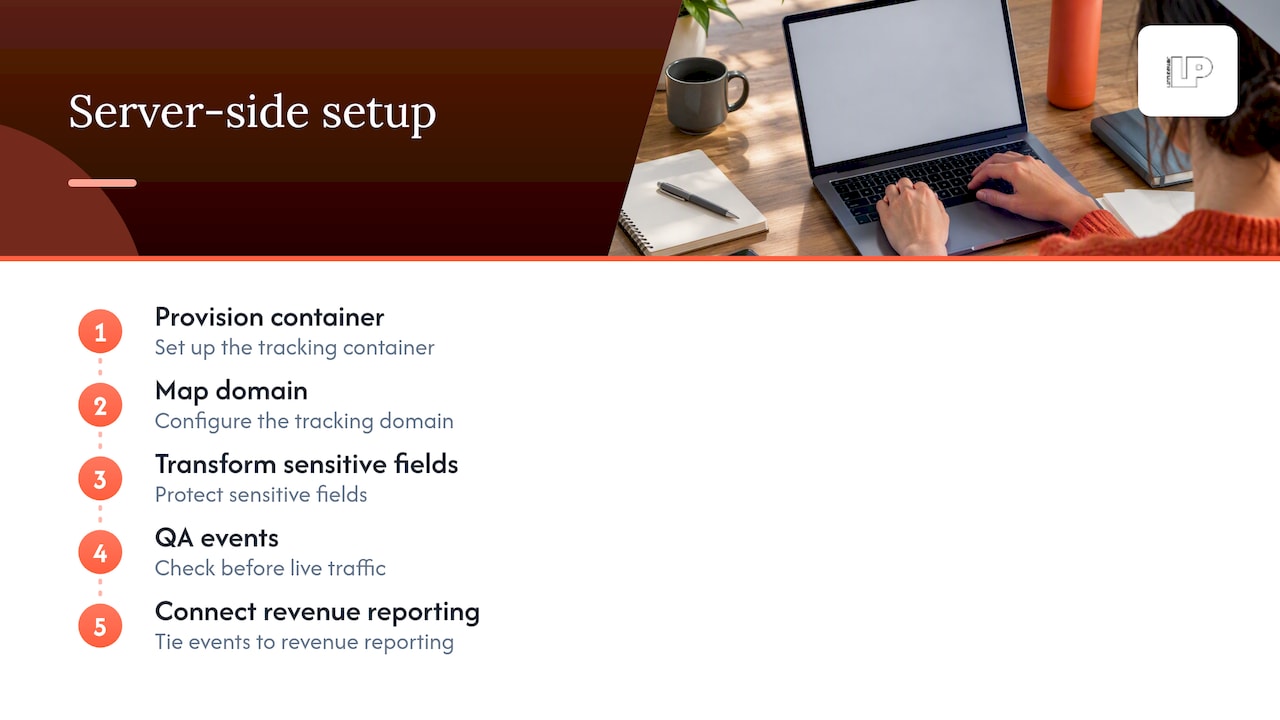
We handle the parts that eat time: provisioning the container, mapping the domain, writing transformations that protect sensitive fields, and QA before anything touches live traffic. From there, we tie server-side events directly into reporting that connects measurement to revenue, so the setup isn’t just technically sound, it’s accountable to results.
Who should pilot server-side tracking now
If you’re running meaningful volume across multiple ad platforms, or consent complexity is making your data messy, it’s worth piloting. Start narrow: move one high-value conversion path first, verify the data, then expand.
If building and maintaining this in-house isn’t realistic for your team, an agency-managed rollout gets you there without the learning curve.
Server-side tracking rewards teams that treat it as infrastructure, not a checkbox. The ones who win are the ones who pilot small, measure what changed, and only then scale it across their stack.
— Rusty
Managed tagging and measurement that ties back to ROI
We build and manage server-side tracking as part of a measurement setup that’s actually accountable to the numbers you care about: leads, sales, and ad spend that earns its keep instead of disappearing into the algorithm.

- Full setup handled: provisioning, domain mapping, and transformations configured and QA’d before launch.
- Connected reporting: server-side events tied directly to campaign performance and value-based bidding signals.
- Ongoing optimization: we monitor data quality and adjust as platforms and consent rules shift.
If your conversion tracking has been unreliable or your Google Ads data looks thinner than it should, our team can audit your current setup and map out what a server-side rollout would actually involve for your traffic and stack.
FAQ
What is a server-side tracking setup?
Server-side tracking routes measurement events through a server container you control before forwarding them to analytics or ad platforms. This gives you a central point to filter, enrich, or redact data rather than letting every browser tag act independently.
What is the server-side tracking process?
The process follows a defined lifecycle: a client receives the incoming event, claims it, applies transformations to adjust or redact parameters, fires the relevant tags, and forwards the processed data to its destination. Each step happens on your server rather than in the visitor’s browser.
Is server-side tracking legal?
Server-side tracking is a method of processing data, not a way around consent or privacy law, so the same legal obligations that apply to client-side tracking still apply. You still need valid consent mechanisms and clear documentation of what data you collect and why.
What is the difference between client-side and server-side tracking?
Client-side tracking fires tags directly from the visitor’s browser, which is simpler to set up but more exposed to browser restrictions like Intelligent Tracking Prevention. Server-side tracking routes that data through a server you control first, giving you more control over performance, data quality, and what gets shared with each platform.
How much does it cost to run a server-side tagging setup?
Costs depend on your hosting choice and traffic volume, but upgraded Cloud Run deployments typically run $30 to $50 per server monthly, plus network costs that scale with volume. Automatic provisioning is available for testing but isn’t recommended for production-level traffic.
Sources
- Server-side tagging | Google Tag Manager – Server-side | Google for Developers
- Intelligent Tracking Prevention | WebKit Blog