Why Business Automation Workflow Knowledge Centers Are Essential for Modern Businesses
A business automation workflow knowledge center is a comprehensive resource for mastering workflow automation, helping organizations streamline operations and boost productivity through detailed documentation, tutorials, and best practices.
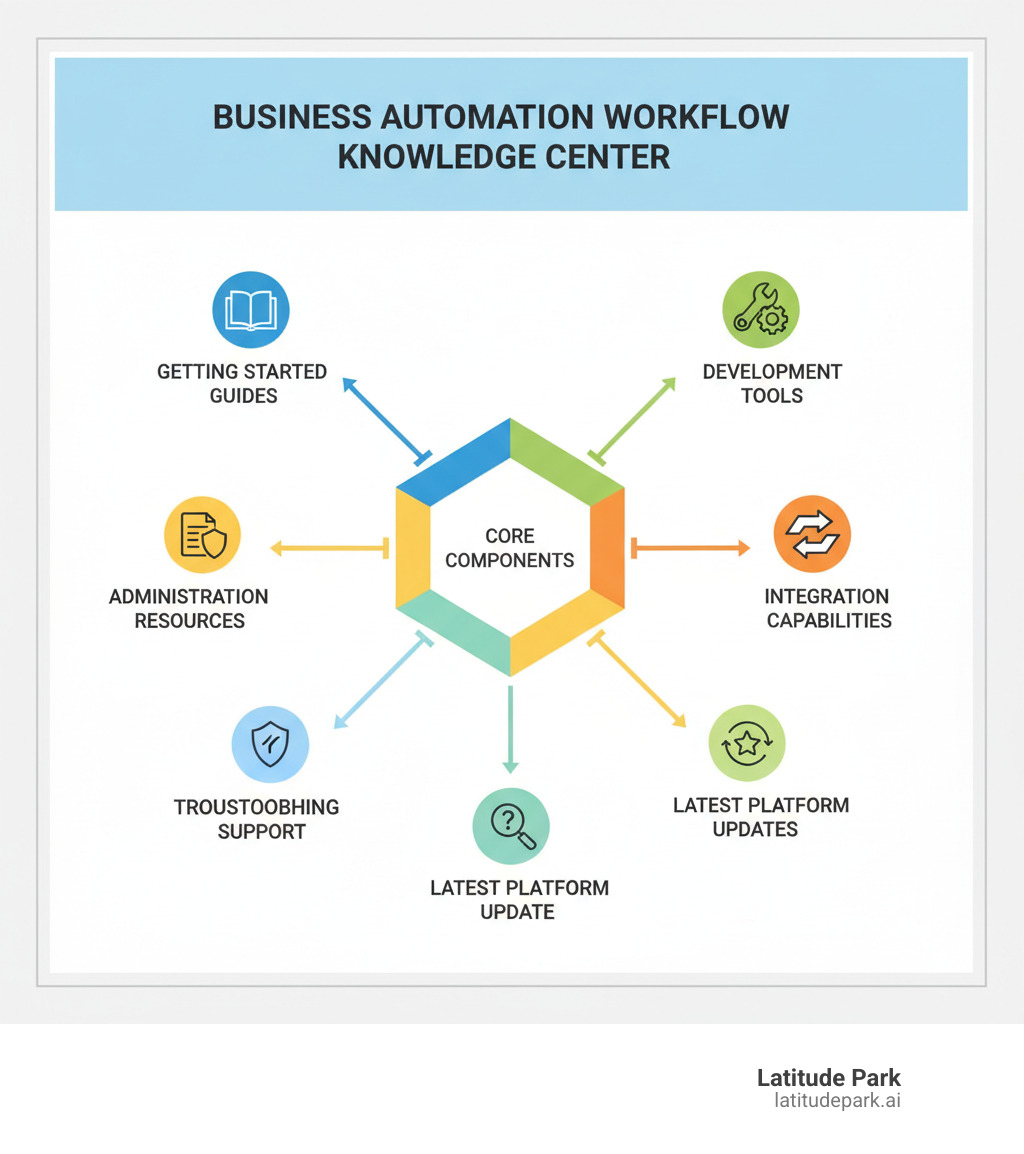
Key components of an effective knowledge center include:
- Getting Started Guides – Step-by-step tutorials for beginners
- Development Documentation – Process and case design resources
- Administration Manuals – User management and system configuration
- Integration Resources – Connecting with third-party applications
- Troubleshooting Support – Problem-solving guides and FAQs
- Latest Updates – New features and version improvements
The knowledge center covers platforms like IBM Business Automation Workflow (BAW), which combines business process management (BPM) and case management. This dual approach handles both structured processes (like invoice approvals) and dynamic scenarios (like customer service cases) in one system.
For franchise marketing managers, this is especially valuable. It allows for automating campaign approvals, standardizing brand messaging, and creating scalable processes. The platform supports routine marketing tasks and the flexible case management needed for unique promotional opportunities or local challenges.
As Rusty Rich, founder of Latitude Park digital marketing agency, I’ve seen how workflow automation transforms multi-location operations. My experience helping franchises build scalable digital strategies shows that a well-structured business automation workflow knowledge center is essential for maintaining consistency while allowing local market flexibility.
Understanding the Foundation: What is Business Automation Workflow?
Before diving into a knowledge center, it’s important to grasp the core technology. A Business Automation Workflow platform integrates two key disciplines: Business Process Management (BPM) and Case Management. BPM is for structured, predictable processes (like invoice approvals), while Case Management handles unstructured, dynamic situations that require human judgment (like a customer complaint). A robust platform combines both, allowing you to model and monitor any workflow for increased efficiency and productivity.
IBM Business Automation Workflow (BAW) is a comprehensive platform designed to help organizations automate and optimize business processes. It empowers users to design, execute, and improve workflows, managing both routine tasks and dynamic, case-based processes.
Core Components and Functionalities
When you explore the business automation workflow knowledge center, you’ll become familiar with these essential building blocks:
- Process Designer: A visual environment for designing and defining business processes.
- Case Designer: Used to develop solutions for dynamic, unstructured work requiring flexible pathways.
- Process Portal: A centralized hub for end-users to interact with tasks and monitor progress.
- Process Server: The engine that executes designed processes and cases.
- Analytics and Reporting: Built-in tools to monitor real-time performance, track KPIs, and generate reports for optimization.
- Task Management: Handles the assignment, tracking, and completion of individual tasks.
- Document Management: Integrates capabilities for managing, storing, and routing documents within a process.
- Collaboration Tools: Features that enable teams to collaborate effectively on workflows.
- Administration Tools: Crucial for managing users, roles, system settings, and ensuring the health of the BAW environment.
Key Benefits for Your Business
Integrating these components translates into tangible benefits:
- Cost Savings: Automating repetitive tasks reduces manual effort and cuts operational costs, freeing employees for higher-value activities.
- Faster Cycle Times: Streamlined processes mean quicker task completion, faster service delivery, and improved market responsiveness.
- Improved Consistency: Automation ensures uniform process execution, reducing human error and guaranteeing consistent quality.
- Better Visibility and Control: Real-time monitoring provides clear workflow insights, allowing for identification of inefficiencies and informed optimization.
- Heightened Employee Engagement: Automating routine tasks frees employees for more strategic and fulfilling work, boosting job satisfaction.
These benefits directly contribute to growth and scalability, much like how effective SEO strategies help businesses expand their online presence. How to Grow Your Business with SEO provides insights into expanding reach, just as BAW expands operational capacity.
Navigating the Business Automation Workflow Knowledge Center
A business automation workflow knowledge center acts as your guide to automation, designed to take you from beginner to expert. It starts with onboarding materials that outline prerequisites, like basic programming concepts, and introduces you to core tools like the Process and Case Designers. The tutorial sections then provide step-by-step instructions for building and deploying your first automated solutions.
While you don’t need to be a programming wizard, a basic understanding of business process and case management concepts is helpful. For deeper customization, some familiarity with JavaScript is beneficial.
Core Learning Pathways
The knowledge center is organized into clear learning pathways. Using a course like “IBM Business Automation Workflow 23.0.2: Introduction to Case Management Solutions” as an example, the structure is clear:
- Introduction to Case Management: Grasp fundamental concepts, architecture, and the benefits of BAW for case solutions.
- Solution Design Principles: Learn to design effective case solutions that meet specific business requirements.
- Building and Deploying Workflows: Get hands-on experience creating, processing, and deploying your first case solution.
- Exporting and Importing Solutions: Master managing case solutions by learning to export, delete, and import them for reuse or migration, which is essential for scaling.
- Managing Cases: Dive into adding documents and runtime activities to ensure comprehensive case handling.
These pathways build the confidence needed to optimize your operations. For a broader perspective on process automation, you might find An Ultimate Guide For Business Process Automation Solutions in 2025 helpful.
Key Sections of the business automation workflow knowledge center
The knowledge center is logically organized to support your journey:
- Getting Started Guides: Perfect for new users, these step-by-step tutorials guide you through setup, the user interface, and creating your first workflow.
- Developer Documentation: Provides in-depth information for designing and building processes and cases, including resources on tools, scripting guides, and best practices.
- Administration Manuals: For system administrators, these manuals cover user management, system configuration, performance monitoring, and backup/recovery strategies.
- Troubleshooting and Support: A lifeline for when things go wrong, this section offers diagnostic tools and solutions for resolving common issues.
- Frequently Asked Questions (FAQs): A quick reference guide with concise answers to common questions about BAW features and usage.
Advanced Development and Administration Tasks
Once you master the basics, the business automation workflow knowledge center helps you tackle more complex challenges. This is where you learn to tailor the platform to your specific business needs, from sophisticated task assignments to deep software integrations. You’ll find guidance on routing work based on team roles or process data, customizing user interfaces, and preparing projects for modern deployment environments.
Mastering Task Assignments and Priorities
The knowledge center teaches you how to get the right tasks to the right people at the right time.
- Team Configuration: The backbone of task assignment. Set up teams based on security groups or create dynamic teams through services for flexibility as your business grows. Part 1: Modeling teams with IBM Process Designer offers excellent insights into this process.
- User Distribution Models: Distribute tasks in several ways: ‘None’ for user-pulled tasks, ‘Last user in lane’ for continuity, and ‘Round Robin’ or ‘Load Balanced’ for even distribution.
- Lane-based Assignment: Assigning tasks to specific lanes in process diagrams clarifies which team or role is responsible for what.
- Data-influenced Routing: Automatically route tasks based on data, such as sending high-value orders to senior approvers. This is achieved through decisions, services, or team filters.
These advanced assignment capabilities work similarly to how targeted marketing ensures the right message reaches the right audience. Just as we help franchises with strategic campaign management, these tools help ensure work flows effectively. The Benefits of Campaign Management Services explores this principle in a marketing context.
Integrating with Your Existing Tech Stack
The knowledge center provides resources for connecting BAW with your existing tools.
- APIs and Connectors: BAW supports standard APIs and provides connectors to common enterprise systems, enabling communication with your CRM, accounting software, and other tools.
- No-code Integration Platforms: Tools like ApiX-Drive simplify connecting BAW with other applications without extensive coding, allowing for automated data syncing or triggered campaigns.
- Automating Data Transfer: Reduce manual data entry and improve accuracy by letting information flow seamlessly between systems.
- Seamless Data Flow: Recent BAW updates improve data flow with new toolkits for systems like files, JMS, and email, plus improved REST service capabilities, making integration easier.
These integration capabilities are essential for a cohesive digital strategy. For more insights into creating unified digital approaches, check out our guide on integrated digital strategies.
Staying Current: Recent Advancements and Troubleshooting
Technology is always evolving, and the business automation workflow knowledge center is the best place to stay informed about the latest features and updates. It highlights advancements like improved containerization support, improved dashboard customization, and new process mining tools. Equally important is the troubleshooting section, which provides a systematic approach to problem-solving by guiding you through checking logs, verifying configurations, and optimizing performance.
A Look at the Modern business automation workflow knowledge center
The knowledge center is constantly updated with new features. Recent versions like BAW 21.0.2 brought significant improvements:
- Workplace Customization: The user-facing Workplace portal now has improved customization. Users can bookmark dashboards and save custom views with specific filters and columns.
- Improved Dashboard Support: Dashboards are more flexible, offering better ways to visualize performance and manage tasks.
- Bulk Task Modification: A time-saver allowing end-users to modify the priority, assignee, or due date of multiple tasks at once.
- Multi-zone Region (MZR) Support: Provides data center resilience for workflow data, ensuring business continuity across geographical zones.
- Containerized Environments: Offers better support for traditional BAW projects in containerized environments, including support for Inbound Web Services.
- Client-Side Human Services (CSHS) Advancements: CSHS now allows for authoring split case pages and using new tree views, creating more intuitive user interfaces.
- Process Federation Server (PFS) and Process Mining: PFS provides a unified user view across BAW environments, while integration with Process Mining tools helps find optimization opportunities.
- Integration Improvements: Simplified certificate management with consistent host name patterns allows a single wildcard certificate for complex deployments.
Effective Troubleshooting Techniques
The knowledge center helps you quickly diagnose and resolve problems.
- Checking System Logs: Your first stop for troubleshooting. Detailed system logs provide crucial information on errors and events to help identify the root cause of issues.
- Verifying Network Connectivity: Many integration problems are caused by network issues. Ensure stable connectivity between BAW components and integrated applications.
- Analyzing Performance Metrics: When workflows slow, analyze performance metrics to identify bottlenecks, optimize resource allocation, and fine-tune processes.
- Resolving Integration Problems: Troubleshoot integration issues methodically by verifying API endpoints, authentication credentials, and data mappings.
Following these systematic approaches helps maintain smooth operations. Effective troubleshooting, much like creating SEO-friendly content, requires a methodical approach. For more on structured content creation, see Creating SEO-Friendly Content: Tips & Best Practices.
Frequently Asked Questions about Business Automation Workflows
Here are answers to common questions about automation workflows.
What’s the difference between Business Process Management (BPM) and Case Management?
Business Process Management (BPM) is for structured, repeatable processes with predictable steps, like processing a purchase order. The path is predefined from start to finish.
Case Management is for unstructured, unpredictable situations that require human judgment, like resolving a complex customer complaint. The path to resolution evolves as new information becomes available.
For franchise marketing, you might use BPM for standard campaign approvals but switch to Case Management for a unique promotional opportunity requiring input from multiple departments.
Can these platforms handle both simple and complex, unpredictable processes?
Yes. A key strength of modern platforms like IBM BAW is handling both. The business automation workflow knowledge center shows how one platform can manage simple, structured workflows (BPM) and complex, adaptive processes (Case Management). This unified approach is valuable for franchises needing both brand consistency and local market flexibility.
What skills are needed to start with workflow automation?
You don’t need to be a tech wizard. The most important skill is understanding your own business processes—identifying bottlenecks, errors, and opportunities for automation. A grasp of logical thinking helps, and many platforms offer low-code environments.
As you advance, technical skills like JavaScript, APIs, and database concepts become valuable for customization and integration. The business automation workflow knowledge center is designed to guide users of all skill levels.
Conclusion: Open uping Your Business’s Full Potential
A business automation workflow knowledge center is more than a collection of documents; it’s a strategic partner for revolutionizing your business operations. It meets you wherever you are on your automation journey, with resources for beginners and experts alike.
As your confidence grows, you can move from simple process automation to handling complex situations that require human judgment. For franchise businesses, this is a game-changer. Standardized marketing workflows ensure brand consistency, while flexibility allows for local market adaptation. At Latitude Park, we’ve seen this principle transform digital marketing. Automating routine tasks frees your team to focus on creative strategy and relationship building.
The knowledge center empowers you to build systems that grow with you, leading to reduced costs, improved consistency, and a more agile, scalable business. By automating mundane tasks, you free up your people to focus on high-impact work like strategic planning and innovation.
Ready to explore how automation can transform your business? Find practical solutions in our comprehensive guide on small business automation tools.