LinkedIn Matched Audiences lets advertisers target people or companies already in their systems, using four methods: account/company lists, contact lists, website retargeting through the Insight Tag, and engagement retargeting off ads, Lead Gen Forms, your Company Page, or Events. If you’re setting one up today, go to Campaign Manager, click Audiences, and either upload a list or deploy the Insight Tag first.
TL;DR:
- Match rates improve significantly when using company page URLs over domains or company names for account lists, and including all available identifiers enhances overall matching.
- Uploading lists twice to four times your target size accounts for privacy opt-outs, unmatched data, and list shrinkage between upload and activation.
- Using streaming APIs or Conversions API for list syncs yields better results for ongoing ABM campaigns than manual CSV uploads.
- Audience delivery typically requires a minimum of 1,000 matched companies or 1,500 contacts for reliable reach, with audiences below 300 being practically untargetable.
- Combining multiple Matched Audience types, such as account and contact lists or retargeting, boosts campaign effectiveness over reliance on a single method.
Table of Contents
- What Is LinkedIn Matched Audiences, and What Are the Four Types?
- How Do You Create a Matched Audience on LinkedIn?
- How Do You Improve LinkedIn Matched Audience Match Rates?
- What Campaign Strategies Work Best With Matched Audiences?
- What Permissions and API Access Does Matched Audiences Require?
- Why Is My LinkedIn Matched Audience Too Small or Not Delivering?
- How Latitudepark Approaches Matched Audiences Setup
- Get Your Matched Audiences Set Up Right the First Time
- Sources
- FAQ
What Is LinkedIn Matched Audiences, and What Are the Four Types?
Each of the four Matched Audiences types solves a different targeting problem, and picking the wrong one is the most common reason campaigns underdeliver.
- Account (company) lists target by company domain or LinkedIn Company Page URL. URLs generally produce the highest match rates, with clean domains as the next-best identifier.
- Contact lists work best with first name, last name, company, title, and email fields populated. Sales teams lean on this for follow-up sequences and reviving closed-lost deals.
- Website retargeting runs through the Insight Tag, LinkedIn’s site pixel. Build page sets around specific URLs (pricing page, blog category, product line) and message accordingly for middle-funnel nurturing.
- Engagement retargeting pulls audiences from people who interacted with your ads, filled out a Lead Gen Form, followed your Company Page, or registered for a LinkedIn Event.
Serious ABM programs layer company lists with contact overlays. That combination narrows delivery to the right accounts while still reaching the individual buyers who actually influence the purchase.
How Do You Create a Matched Audience on LinkedIn?
Before uploading anything, confirm you have the right ad account role (Campaign Manager admin or higher) and a realistic list size. Small lists rarely clear activation thresholds once LinkedIn matches them against real profiles.
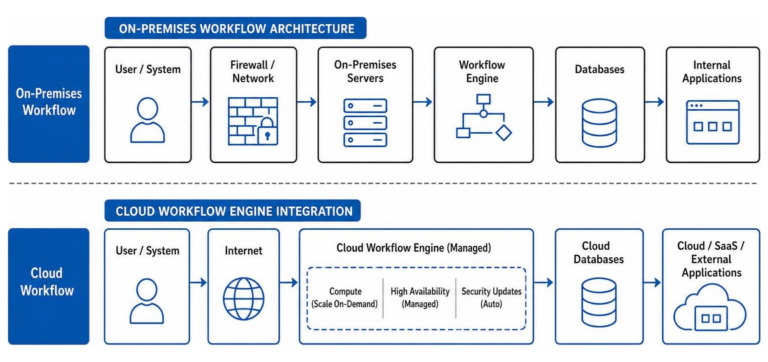
- Choose your upload method. CSV works for one-off, static lists. The Streaming API is the better call for anything tied to a CRM, since it syncs continuously instead of requiring manual re-uploads every time your list changes.
- Format your CSV carefully. Use the column headers LinkedIn specifies, strip formatting artifacts from spreadsheet exports, and avoid mixing personal and work emails in the wrong column. This is where most upload failures happen.
- Set up Streaming or DMP Segment sync if you’re running ongoing ABM. This requires API access and keeps segments updated in near real time as accounts move through your pipeline.
- Install the Insight Tag on every page you want to track, verify it fires correctly using LinkedIn’s tag helper, then build page sets for retargeting.
- Check audience status. New audiences typically take a day or two to process. Confirm the segment shows READY in Campaign Manager before you assume the campaign is live.
Pro Tip: Don’t launch a campaign the moment you upload a list. Give it the full processing window and check status first. Launching against a BUILDING segment wastes budget on a fraction of your intended audience.
How Do You Improve LinkedIn Matched Audience Match Rates?
Match rate is the gap between the list you upload and the audience LinkedIn can actually target, and that gap is bigger than most advertisers expect.
Field quality drives almost everything here. For company lists, a LinkedIn Company Page URL outperforms a domain, and a domain outperforms a plain company name. For contact lists, pack in every identifying field you have.
- Include both personal and work email addresses when your data allows it. More identifiers mean more chances to match.
- Prioritize company page URLs first, root domains second, company names as a last resort.
- Clean domains before upload: strip “www,” remove trailing slashes, and add subsidiary domains for large enterprise accounts.
- Deduplicate contact and company lists so you’re not diluting the file with redundant rows.
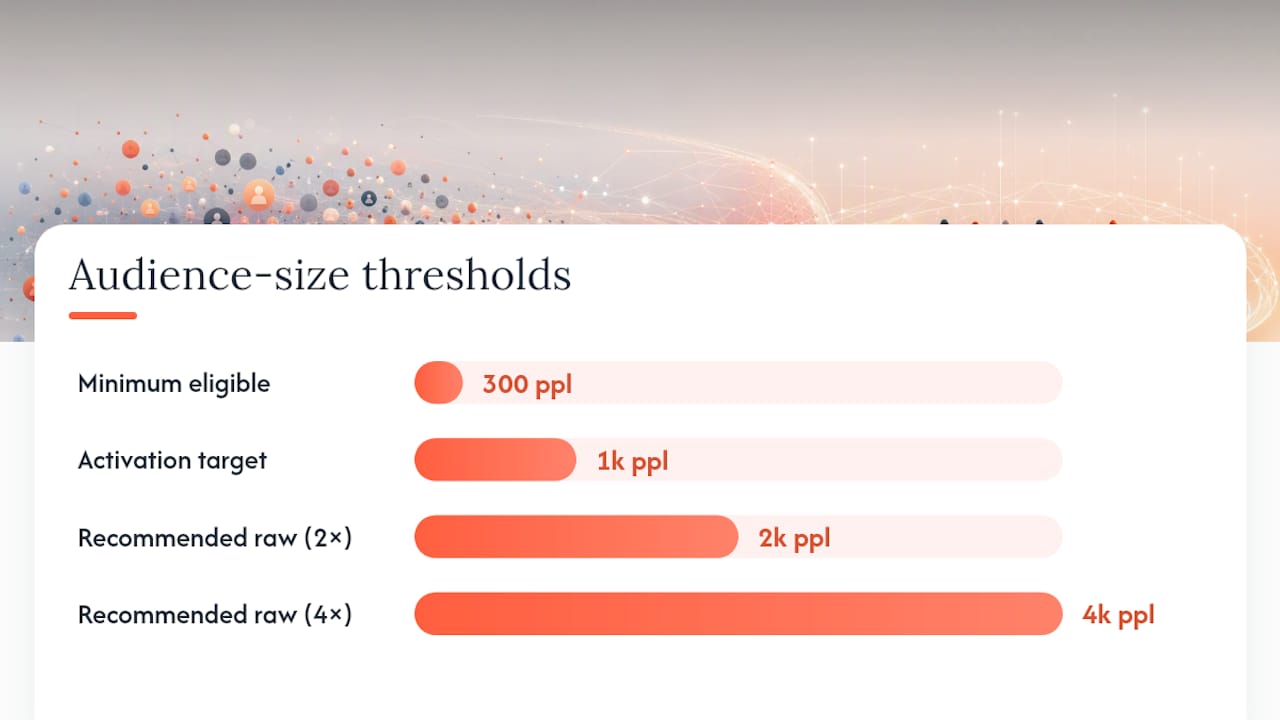
Advertisers should plan for uploaded lists to shrink once LinkedIn applies member privacy preferences, so build raw lists at two to four times your activation target rather than uploading exactly what you need.
If your funnel depends on real-time conversion signals, the Conversions API is worth the migration. Server-to-server tracking survives browser restrictions that increasingly break pixel-only measurement.
What Campaign Strategies Work Best With Matched Audiences?
The tactics that actually move pipeline usually combine two or three Matched Audience types rather than relying on one in isolation.
- ABM core plus overlay: Build your account list as the targeting foundation, then layer contact lists of known buying-committee members on top so ads reach the right people at the right companies.
- Lifecycle-based contact retargeting: Segment contacts by funnel stage (MQL, opportunity, closed-lost) and message each group differently, suppressing closed-won accounts so you’re not wasting spend on existing customers.
- Middle-funnel content retargeting: Use Insight Tag page sets to catch visitors who read a pricing page or a specific content marketing resource, then serve them a more direct offer.
- Event and Lead Gen Form follow-up: Anyone who registered for an Event or submitted a Lead Gen Form becomes a warm retargeting pool for fast follow-up, often within days of the original touch.
For measurement, run audience-based lift tests comparing matched segments against a holdout, and give conversion windows enough runway (typically 30 days for B2B sales cycles) before judging results.
What Permissions and API Access Does Matched Audiences Require?
Anyone building Matched Audiences programmatically instead of through the Campaign Manager UI needs to clear a few technical gates first.
- Permissions:
rw_dmp_segmentsandrw_adsscopes are required to create or manage segments through the API, and these are granted based on ad account role, not just app-level access. - AdSegment lifecycle: Segments move through BUILDING, READY, UPDATING, FAILED, ARCHIVED, and EXPIRED states. A FAILED status almost always traces back to a malformed file or missing required fields.
- API versioning: LinkedIn periodically deprecates older Marketing API versions. Teams running custom integrations should track the current version and migrate proactively rather than getting caught by a sunset date.
- Streaming versus CSV: Streaming avoids the FAILED/re-upload cycle entirely for lists that change often, which is why most ABM programs eventually move off manual CSV workflows.
Why Is My LinkedIn Matched Audience Too Small or Not Delivering?
LinkedIn requires a minimum of 300 matched members before an audience becomes targetable, but 300 is a floor, not a healthy operating number. Practical delivery usually needs 1,000+ matched companies or 1,500+ matched contacts.
- Shrinkage causes: privacy opt-outs, unmatched emails, malformed domains, and duplicate records all quietly erode your list between upload and activation.
- Processing delays: budget 24 to 72 hours before assuming a segment is stuck, and re-upload only after confirming the original file’s status.
- Facet logic errors: stacking too many AND conditions across facets can accidentally exclude nearly everyone. Review your targeting logic before blaming the audience itself.
Pro Tip: If a segment sits in BUILDING for more than three days, don’t just wait it out. Re-check your CSV for encoding issues or missing headers. That’s the fix in most stalled uploads.
How Latitudepark Approaches Matched Audiences Setup
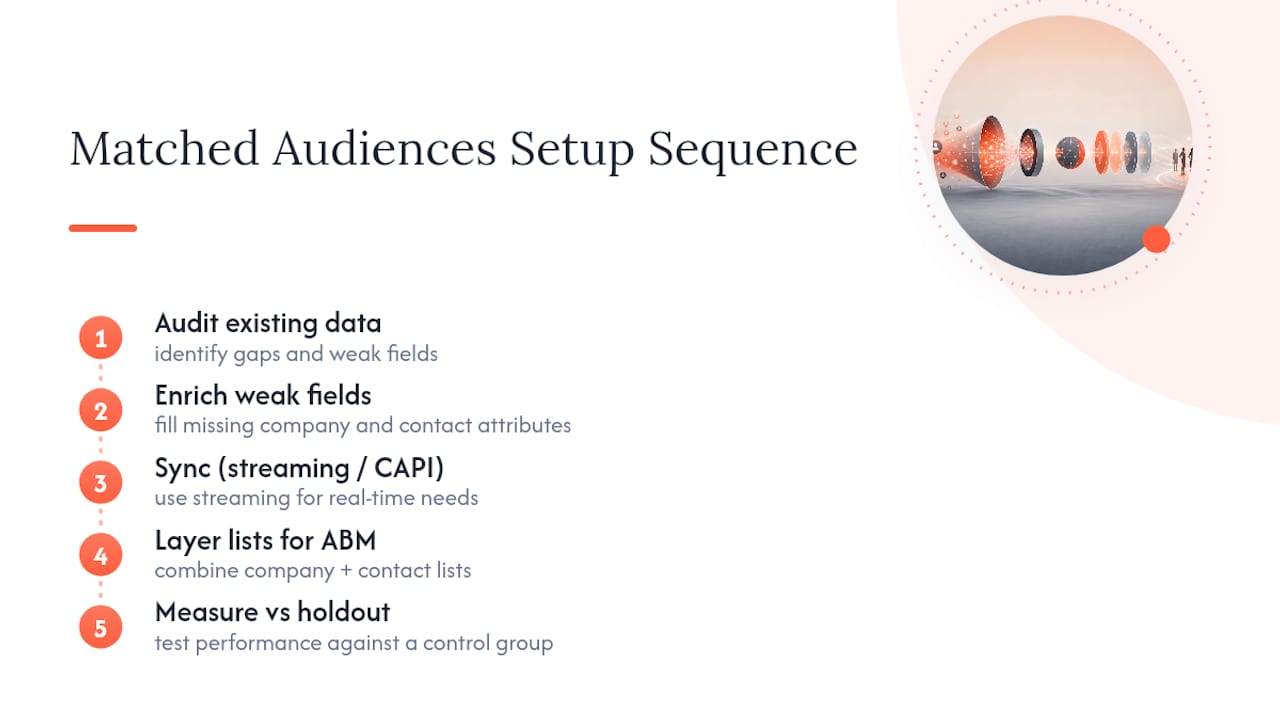
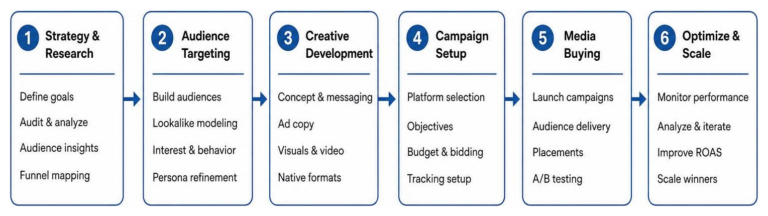
We run the same sequence on every account: audit the existing data, enrich weak fields, sync through streaming or Conversions API where real-time matters, layer company and contact lists for ABM coverage, then measure against a holdout.
The checklist rarely changes. Clean domains before anything gets uploaded. Push every identifying field you have, not just the minimum required. Schedule streaming sync instead of manual re-uploads for anything tied to sales activity. Watch AdSegment statuses instead of assuming a list is live the moment it’s submitted. It’s unglamorous work, but it’s the difference between a Matched Audience that quietly underdelivers and one that actually finds the accounts you’re trying to reach.
— Rusty
Get Your Matched Audiences Set Up Right the First Time
Most teams lose weeks fighting FAILED uploads, guessing at match rates, or watching a promising ABM list deliver to a fraction of its intended accounts. Some agencies offer audience audit, data hygiene, CAPI or streaming setup, and ongoing match-rate optimization to help campaigns launch clean the first time.
A data-driven and AI-powered approach can help uncover gaps that may be missed by in-house teams, focusing recommendations on measurable lead and pipeline growth instead of vanity impressions. If your Matched Audiences are underdelivering or you’re launching LinkedIn ads for the first time, get a full campaign audit and setup review from our team and see exactly where your current targeting is leaving reach on the table.
FAQ
What Is the Minimum Audience Size for LinkedIn Matched Audiences?
LinkedIn requires a minimum of 300 matched members before an audience can be activated for targeting. In practice, most advertisers aim for at least 1,000 matched companies or 1,500 matched contacts to see consistent delivery.
What Are the Four Types of LinkedIn Matched Audiences?
The four types are account/company lists, contact lists, website retargeting through the Insight Tag, and engagement retargeting from ads, Lead Gen Forms, your Company Page, or Events. Each targets a different stage of the buyer’s relationship with your brand, from cold accounts to warm engaged leads.
Is LinkedIn’s Audience Network Worth Using?
That depends on your goals. It extends your ad delivery beyond LinkedIn itself to boost reach and frequency, but Matched Audiences campaigns focused on precision targeting often see stronger relevance staying on-platform, so test it against a LinkedIn-only version before committing budget.
What Are LinkedIn’s Main User Demographics?
LinkedIn’s user base skews toward working professionals, managers, and decision-makers across white-collar industries rather than a broad consumer audience. That professional concentration is exactly why Matched Audiences, built around company and contact data, tends to outperform generic demographic targeting for B2B campaigns.
Why Is My Uploaded List Smaller Than My Matched Audience?
The gap comes from members opting out of personalized advertising, plus unmatched emails and malformed domains in your original file. Uploading a raw list two to four times larger than your activation target helps absorb that expected shrinkage.