A Google Ads audit is a structured review of your account, in a fixed order: tracking first, then goals and budget, structure, keywords and search terms, ads and assets, placements, landing pages, policy status, and finally the reporting you use to judge all of it. Do it in that order, because every later check depends on the earlier ones. If your conversion data is wrong, the rest of the audit is spreadsheet cosplay.
This checklist is written for small business owners, ecommerce brands and in-house marketers who run Google Ads in the US and suspect they are leaking money. You can finish the first pass in an afternoon. Where something needs a specialist, we say so.
Table of Contents
- Before you open the account
- Check 1: Conversion tracking
- Check 2: Goals, budget and bidding
- Check 3: Account and campaign structure
- Check 4: Keywords, match types and search terms
- Check 5: Ads, assets and automation settings
- Check 6: Placements and where your ads actually appear
- Check 7: Landing pages and the post-click experience
- Check 8: Policy status, disapproved ads and appeals
- Check 9: Reporting you can trust
- The one-page checklist
- What we think after looking inside a lot of accounts
- When to get a second pair of eyes
- FAQ
- Sources
Before you open the account
An audit without a question just produces a long list of nitpicks. Settle three things first.
- The goal in dollars. What is a lead or a sale worth to you, and what can you afford to pay for one? If you cannot answer, every metric in the account is decoration.
- Your access level. You need admin access to Google Ads and, ideally, edit access to the linked Google Analytics property. Google’s own guidance on importing conversions lists admin access in Google Ads and edit access in Analytics as requirements, so sort permissions before you start.
- A date range that means something. Pick at least a full buying cycle and compare it to the previous period. Do not audit the week after a big change, which brings us to the first trap.
Respect conversion lag
Conversion data arrives late. Google notes that after changes it can take up to seven days for full data to appear, so judging a campaign right after an edit means judging incomplete numbers. Use the “Conversions (by conversion time)” columns for a truer picture, as described in Google’s data discrepancies documentation. Wait, then audit.
Check 1: Conversion tracking
This is the check that decides whether the other eight are worth doing. Smart bidding optimizes toward whatever you tell it counts as a win. Tell it that a page view is a win and it will happily buy you page views.
What to verify:
- Every real business outcome is tracked. Purchases, form submissions, calls, booked appointments. Google’s conversion tracking troubleshooter walks you through confirming that actions such as website purchases or phone calls are actually being recorded.
- Primary versus secondary is set deliberately. Primary actions feed bidding. Secondary actions such as page views or add to cart should be observation only, so they do not inflate reported conversions and value. Google describes this split in its data discrepancies help page.
- Nothing is counted twice. A thank-you page that fires on reload, or both an imported Analytics goal and a native Google Ads tag counting the same sale, will make your cost per conversion look better than reality.
- Values are real. For ecommerce, pass actual order value. For lead generation, assign a value that reflects close rate, not a round number someone typed in 2022.
- Enhanced conversions and consent are in order. Google’s help center covers how enhanced conversions work and notes that modeling improvements can take up to a month to show in reports and bidding, so do not panic if the lift is not instant.
If you want the longer version of this check, we wrote a dedicated guide on fixing Google Ads conversion tracking, and another on why tracking comes before bids.
Check 2: Goals, budget and bidding
Now that the data can be trusted, ask whether the account is set up to chase the right thing with the right money.
- Does the bid strategy match your data volume? Automated bidding needs signal. Below a certain conversion volume, the algorithm is guessing, and guessing with your money.
- Is the budget spread sensibly? A common leak is a branded campaign and a generic campaign sharing a budget, with the brand terms quietly eating most of it because they are cheap and convert well.
- Is brand protected on purpose? Search Engine Land’s guide for small advertisers suggests that SMBs with roughly $3,000 a month should favor manual bidding or CPC caps on branded campaigns, to avoid overpaying for brand searches. Whether you follow that or not, make it a decision, not an accident.
- Are the goals consistent? If one campaign is optimizing for leads, another for traffic, and a third for “conversions” that include newsletter signups, you have three strategies and no strategy.
If you are unsure what a sensible spend looks like, our breakdown of Google Ads management pricing explains the two costs US firms need to budget for: the media and the management.
Check 3: Account and campaign structure
Structure is how you keep control. A messy account hides problems; a tidy one exposes them.
- Themes, not chaos. Each campaign should have a clear job: brand, a product or service line, a location group. Ad groups inside should share intent.
- Location targeting. In campaign settings, confirm you are targeting people in or regularly in the areas you serve, not people merely interested in them, unless that is intentional. A plumber in Tampa does not need clicks from someone idly researching Florida.
- Devices, schedules and languages. Check them against when and how your customers actually buy. If calls are your outcome and nobody answers after 6 p.m., the evening schedule is a donation.
- Network settings. Confirm Search campaigns are not quietly opted into the Display or search partner networks unless you chose that.
- Too many campaigns for too little budget. Splitting $2,000 a month across eight campaigns starves all of them of conversions, and starved campaigns cannot learn.
Check 4: Keywords, match types and search terms
The search terms report is where your account tells the truth about what it is really buying.
- Open the search terms report and sort by cost. Read the top 50 by spend, not by clicks.
- Mark the junk. Job seekers, free-stuff hunters, competitors’ customers looking for support, wrong geographies, wrong products.
- Add negatives at the right level: campaign-wide for universal junk, ad group level when a term belongs in a different campaign.
- Check match types. Broad match can work, but only with enough conversion data and strong negatives. Search Engine Land’s coverage of audits in low-data conditions warns that hidden search term data means the terms you can still see are especially valuable for judging intent, so read them carefully.
- Look for cannibalization. Two campaigns bidding on the same query with different budgets and goals will fight each other.
For more on seeing what rivals bid on, see our piece on Google Ads competitive analysis.
Check 5: Ads, assets and automation settings
- Ad strength is a hint, not a grade. Judge ads by conversion rate and cost per conversion, not by the strength badge alone.
- Every ad group has fresh variations. At least a few responsive search ad headlines that say different things: price, proof, speed, guarantee, location.
- Extensions and assets. Sitelinks, callouts, call assets, location assets, structured snippets. Free real estate, and half of small accounts leave it empty.
- Auto-apply recommendations. This is the one we tell every new client to look at on day one. Search Engine Land’s audit coverage warns that auto-applied recommendations can behave like a caffeinated raccoon in your account, making fast, unrequested changes that muddy your data and nudge costs up. Open the Recommendations area, review what is switched on, and turn off anything you did not choose.
Auditing Performance Max
Performance Max is a black box, so you audit what goes into the box. Search Engine Land’s strategic approach puts it plainly: the inputs, meaning conversion quality and audience signals, decide the output. Feed it low-quality or low-volume conversion data and no bid strategy will rescue it. For a small account, that means:
- Confirm only high-quality primary conversions feed it.
- Check that brand traffic is not flattering the results. A campaign that looks like a hero because it captures people already searching your name is not a growth engine.
- Review the assets and the audience signals you supplied, and replace anything generic.
- Compare its results against your Search campaigns, not against its own history alone.
Check 6: Placements and where your ads actually appear
Placement reports are often a hidden goldmine of savings. Where your campaigns can show on Display, YouTube or partner inventory, review the sites and channels receiving your budget. Search Engine Land’s audit guidance suggests excluding low-performing and questionable placements, including channels aimed at children and junk domains. Otherwise you are donating money to the algorithm, and it does not send thank-you notes.
If the numbers look suspicious, such as a surge of clicks with no engagement, read our guide on click fraud in Google Ads before you blame the traffic. It covers checking GCLIDs and server logs first.
Check 7: Landing pages and the post-click experience
You can have a flawless account and still lose, because the click lands on a page that loads slowly, buries the offer or asks for twelve form fields.
- Message match. The headline should echo the ad and the query.
- One clear action above the fold, visible on a phone.
- Speed and mobile layout. Test on a real phone, on mobile data, not only on office Wi-Fi.
- Trust signals. Reviews, licenses, guarantees, real photos, a real address for local businesses.
- Tracking on the thank-you step. Submit your own form and watch the conversion record.
If the page is the weak link, that is a web design problem, not an ad problem, and no bid change will fix it.
Check 8: Policy status, disapproved ads and appeals
This is the part many checklists skip, and it can quietly shrink your reach. A disapproved ad does not run until the violation is fixed and the ad is reviewed again, according to Google’s guide to fixing a disapproved ad.
Find the reason
In Google Ads, open Ads or Ad groups, then hover over the “Disapproved” status in the Status column to see why and read the policy. You can also add the “Policy details” column from the Attributes section of the columns menu, or follow the “View and fix policy issues” link in the notification email. All three routes are laid out in Google’s disapproval help page.
Fix first, appeal second
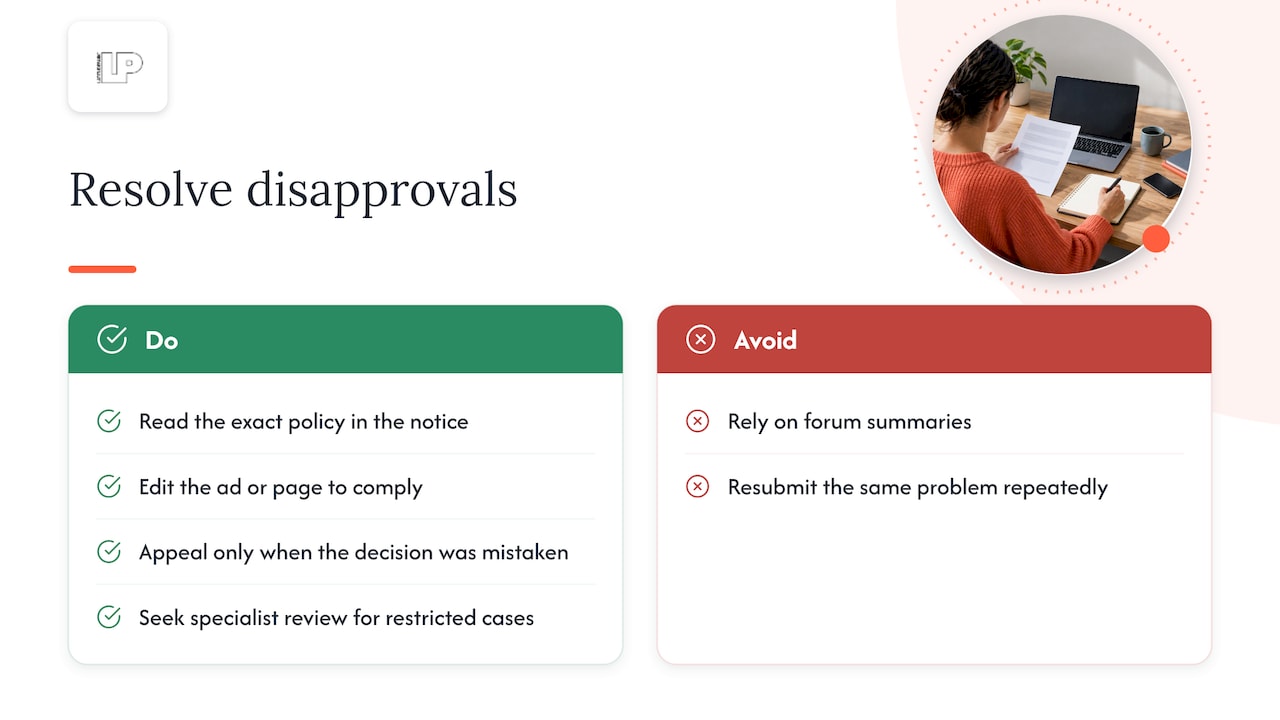
Most disapprovals are cheapest to resolve by editing the ad, asset or landing page so it complies, and then letting it be reviewed again. Appeal only when you are confident the decision was a mistake, for example the page does not contain what the policy describes. Before you do either, read the exact policy named in the notice, not a forum summary of it. Policies change, and Google states that the English version is the official one used to enforce them.
If you sell in a restricted category such as health, financial services, or alcohol, or you have repeated violations, ask a specialist to review the account before you resubmit. Repeated resubmission of the same problem is how small advertisers turn a fixable ad issue into a larger account problem.
Keep a policy log
Write down each disapproval: date, ad, policy, what you changed, outcome. After a quarter you will see patterns, such as one landing page or one product line causing most of the trouble.
Check 9: Reporting you can trust
The last check is whether the numbers you look at every week answer the question you set at the start.
- Reports tie to revenue. Cost per conversion is nice. Revenue, profit and customer value are better.
- Google Ads versus Analytics versus your CRM. Small gaps are normal. Google explains that large discrepancies between platforms have a variety of causes, so reconcile one source of truth for decisions.
- Local businesses should confirm call tracking and map interactions are measured. Our guide to Google Analytics for local business ads shows how to connect the dots.
- A rhythm. Check weekly for anomalies, monthly for trends, and run the full audit quarterly or after any big change in budget, offer or website.
When results slide, why Google Ads performance is dropping is a good diagnostic companion, and our walkthrough of Google Ads data analysis shows what to do with the numbers once they are clean.
The one-page checklist
| Area | The question | Red flag |
|---|---|---|
| Tracking | Does every real outcome record once? | Page views set as primary conversions |
| Goals and bidding | Does the strategy fit your data volume? | Smart bidding on a handful of conversions |
| Structure | Does each campaign have one job? | Eight campaigns sharing a thin budget |
| Search terms | What did the top spenders really search? | Cost piling up on irrelevant queries |
| Ads and automation | Did you choose every change? | Auto-apply switched on, nobody remembers why |
| Placements | Where did the money land? | Junk domains and kids’ channels in reports |
| Landing pages | Does the page deliver the ad’s promise? | Slow, generic, no obvious next step |
| Policy | Any disapproved ads or limited serving? | Old disapprovals never addressed |
| Reporting | Does it tie to revenue? | Platforms disagree and nobody knows why |
What we think after looking inside a lot of accounts
Here is our honest take. Most small accounts do not fail because of exotic settings. They fail because nobody checked what the machine was being told to optimize, and nobody was in the room when it started making decisions on autopilot. Audit the inputs, switch off the helpful-sounding automation you did not ask for, and read your search terms like a detective.

The second thing: an audit is only worth the actions it triggers. A 182-point spreadsheet that nobody works through is a very expensive screensaver. Pick the three fixes with the biggest dollar impact, make them, wait out the conversion lag, and measure. Then do the next three.
The third: reporting should never be a mystery you pay to have explained. Our model is weekly calls, direct access and reporting tied to revenue and ROI, because an agency that cannot show you where the money went has not earned the next invoice.
— Rusty
When to get a second pair of eyes
You can run this checklist yourself. Bring in help when the account spends serious money and the data still will not reconcile, when disapprovals keep recurring, or when you simply do not have the hours to review search terms weekly.
That is what our Google Ads management service is for: AI-assisted analysis to surface missed opportunities, hands-on management of search and shopping campaigns, and transparent reporting tied to leads and sales. Tell us what the account looks like today and we will tell you where we would start.
FAQ
How often should I audit my Google Ads account?
Run a full audit quarterly, and a light weekly check for anomalies in spend, conversions and disapprovals. Do an extra one after big changes to budget, offers, tracking or your website. Always allow for conversion lag before judging the results of a change.
What is the first thing to check in a Google Ads audit?
Conversion tracking. Bidding optimizes toward the actions you mark as primary, so if those are wrong or inflated, every other metric misleads you. Verify that each real outcome records once, with a sensible value.
Why was my Google ad disapproved?
Hover over the Disapproved status in the Ads or Ad groups view to see the reason and the policy behind it. You can also add the Policy details column or use the link in the notification email. Fix the cause and let the ad be reviewed again, as described in Google’s disapproval guide.
Should I appeal a disapproved ad or just edit it?
Edit it when the policy clearly applies, because that is usually the fastest route back to serving. Appeal when you have checked the policy and believe the decision is wrong. For regulated categories or repeated violations, get a specialist to review the account first.
Sources
- Fix a disapproved ad or appeal a policy decision, Advertising Policies Help
- Data discrepancies: Factors and troubleshooting, Google Ads Help
- Set up your web conversions, Google Ads Help
- Conversion Tracking: Troubleshooting conversion tracking status, Google Ads Help
- Enhanced conversions in Google Analytics, Analytics Help
- Google Ads for SMBs: How to maximize paid search success, Search Engine Land
- Auditing and optimizing Google Ads in an age of limited data, Search Engine Land
- Auditing the Performance Max black box: A strategic approach, Search Engine Land