Your Sales Team Is Wasting 70% of Their Day — CRM Automation Fixes That
CRM automation is the use of software to automatically handle repetitive tasks inside your customer relationship management system — things like logging calls, assigning leads, sending follow-up emails, and updating contact records.
Here’s a quick breakdown of what it does and why it matters:
- What it is: Automated workflows, triggers, and AI tools that run inside your CRM without manual input
- What it replaces: Data entry, lead routing, follow-up scheduling, report generation, and pipeline updates
- Who benefits: Sales, marketing, and customer service teams of any size
- Why it matters: Sales reps currently spend only 30% of their time actually selling — the rest goes to admin tasks that automation can handle
- Bottom line: Teams that automate CRM tasks close deals faster, retain more customers, and scale without adding headcount
In short: CRM automation takes the repetitive work off your team’s plate so they can focus on what actually drives revenue — building relationships and closing deals.
It’s not just a nice-to-have. According to recent industry reports, 45% of companies say automation is the number one feature they want in a CRM tool. And businesses that get it right see results like 44,000 hours saved and nearly $7 million in efficiency gains from a single automation initiative.
I’m Rusty Rich, President of Latitude Park, a full-service digital agency where I’ve helped small businesses and growing franchises implement smarter marketing systems — including CRM automation strategies that connect campaigns directly to measurable revenue. Let’s walk through everything you need to know to make it work for your business.
Related content about crm automation:
- Automated customer engagement tools
- Small business sales automation
- automation tools for small businesses
What is CRM Automation and Why Does Your Business Need It?
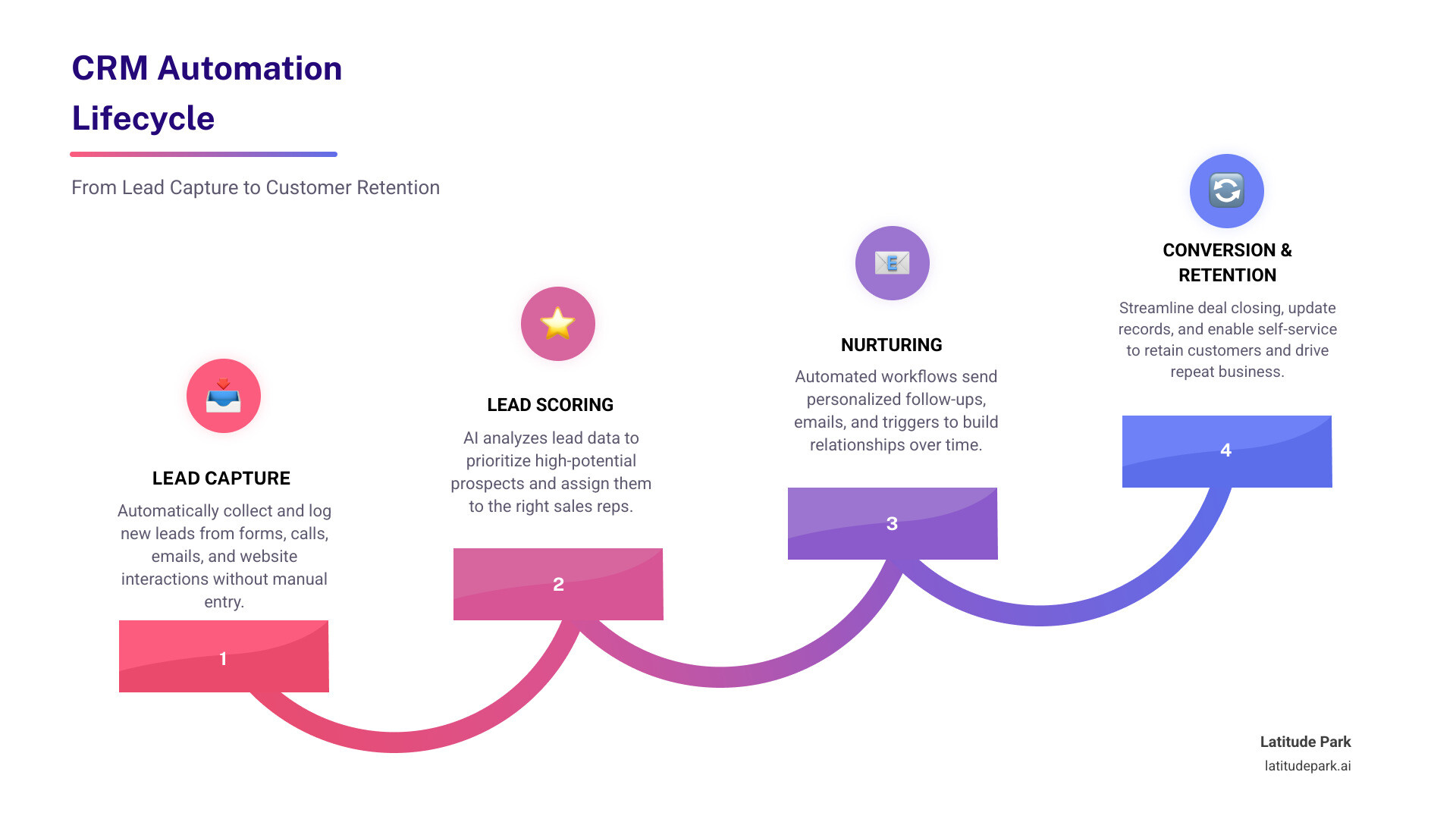
At its simplest, crm automation is the process of using technology to streamline the manual, repetitive tasks that usually clutter a salesperson’s day. A crm (Customer Relationship Management) system is designed to centralize all your customer data—emails, phone numbers, purchase history, and meeting notes—into one place. But without automation, that “one place” becomes a digital filing cabinet that requires constant manual updates.
When you implement a robust Crm Program, you are essentially building a digital engine that manages the entire customer lifecycle. Why do we need this so badly in 2026? Because the modern buyer’s journey is complex. Customers interact with your brand on social media, via email, through your website, and over the phone. Expecting a human to manually track every single one of those touchpoints is a recipe for missed opportunities.
The demand is clear: 45% of companies now cite automation as the most desired feature in their CRM. Businesses need it to:
- Eliminate “Monkey Work”: We often call repetitive data entry “monkey work” because it doesn’t require human intuition. Automation handles the data while humans handle the relationships.
- Scale Without Chaos: As a business grows, the volume of leads increases. Automation ensures that Lead #1,000 gets the same high-quality response as Lead #1.
- Ensure Data Integrity: Humans make typos. Automated systems sync data perfectly between your CRM, accounting software, and marketing tools.
Core Features: How CRM Automation Works in 2026
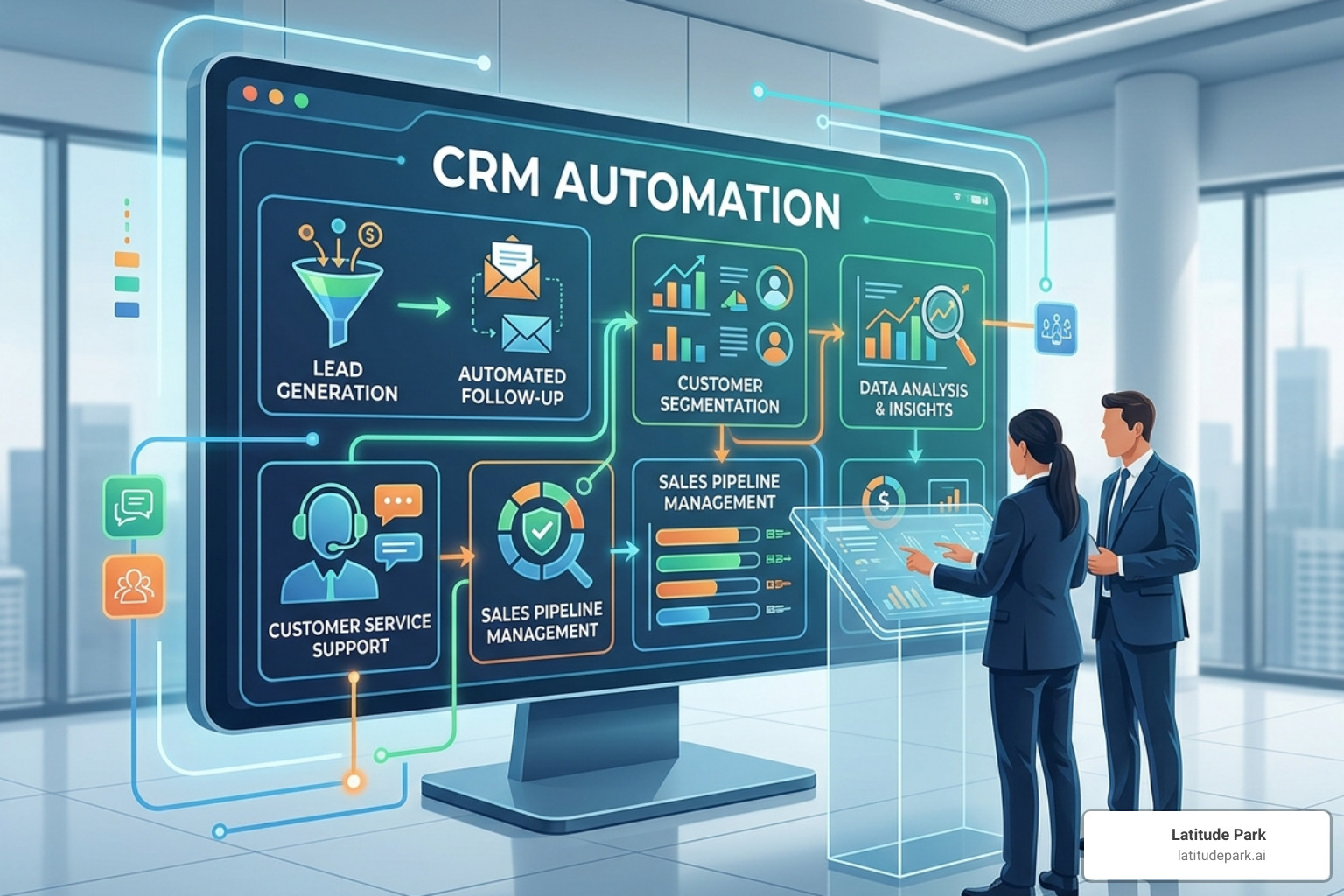
Modern crm automation isn’t just about sending a “Thank You” email anymore. In 2026, it leverages sophisticated AI and multi-layered triggers to move deals forward.
Workflow Automation and Automated Triggers
Think of workflows as “If-This-Then-That” sequences. For example, if a prospect downloads a whitepaper from your website, then the CRM automatically creates a new lead record, assigns it to a specific sales rep based on territory, and schedules a follow-up task for 24 hours later. These automated customer engagement tools keep the momentum going without a single click from your team.
Smart Lead Scoring
Not all leads are created equal. Lead scoring automatically assigns points to prospects based on their behavior. Did they visit your pricing page three times? +20 points. Did they open your last four emails? +10 points. When a lead hits a certain threshold, the CRM flags them as “Sales Ready,” allowing your team to prioritize the hottest opportunities.
AI and Natural Language Processing (NLP)
AI tools now offer predictive analytics, forecasting your monthly revenue with startling accuracy based on historical pipeline data. Perhaps most impressively, Natural Language Processing (NLP) allows for voice-activated data entry. Imagine a sales rep finishing a meeting and telling their phone, “I just met with Sarah at Acme Corp; she’s interested in the premium package, follow up next Tuesday.” The AI parses that sentence, updates the record, and sets the task automatically.
Key Benefits of Implementing CRM Automation
The move from manual to automated isn’t just about convenience; it’s about the bottom line. High-performing companies have seen up to an 8.5x ROI on their automation programs.
Shortened Sales Cycles
Nearly half of all sellers say longer sales cycles are their biggest challenge. CRM automation attacks this by removing the “dead time” between touchpoints. Instead of waiting three days for a rep to find time to send a quote, the system can generate and send it the moment a deal reaches a specific stage.
Talent Retention
Nearly a quarter of sales pros considering leaving their jobs cite overly complex sales cycles and admin drudgery as the reason. By using business automation tools, you allow your best people to do what they love—selling—which keeps them happy and productive.
Data Accuracy and Self-Service
Automation ensures your data stays clean. When a customer updates their address in a portal, it reflects across all systems instantly. Furthermore, over 60% of customers now prefer self-service for basic issues. An automated CRM can power these portals, solving customer problems 24/7 without needing a live agent.
| Feature | Manual Workflow | Automated Workflow |
|---|---|---|
| Lead Entry | Rep types info from a business card | Business card scanner/Web form auto-populates |
| Lead Routing | Manager assigns leads once a day | Instant routing based on load or territory |
| Follow-ups | Rep sets a manual calendar reminder | Triggered email or task created automatically |
| Reporting | 3-4 hours of data pulling/spreadsheets | Real-time dashboards updated instantly |
For more on how to set these up, check out our Small business sales automation guide.
Industry-Specific Impact of CRM Automation
Different industries feel the “manual weight” differently. Here is how crm automation is transforming specific sectors:
- Legal: Attorneys often bill less than one-third of their worked hours because nearly half of their “missing” time is swallowed by administrative tasks. Automation handles document generation and time tracking, reclaiming billable hours.
- Healthcare: Digitization is no longer optional. Automation manages appointment reminders, insurance pre-authorizations, and patient follow-up workflows, ensuring no one falls through the cracks.
- Fitness: The global fitness industry is worth nearly $100 billion. Successful gyms use small business automation tools to manage member renewals, class bookings, and personalized engagement campaigns that keep retention rates high.
- Retail/Ecommerce: From cart abandonment emails to sentiment tracking on social media, automation allows retailers to provide a personalized experience to thousands of customers simultaneously.
Real-World Examples of Clever CRM Automations
Beyond the basics, there are some truly underrated ways to use crm automation that practitioners swear by. These go beyond standard templates to create “wow” moments for customers.
Voice-to-Data Entry
As mentioned earlier, using voice input to update records is a game-changer for field sales. Instead of waiting until they get back to the office (and forgetting half the details), reps can dictate meeting summaries that the CRM parses into structured data.
Marketing Suppression Lists
One of the most annoying things for a prospect is receiving a “10% off” promo email for a product they literally just bought. Clever automation creates suppression lists; the moment a deal is marked “Closed-Won,” the customer is automatically moved from the “Prospect” list to the “Customer Onboarding” list.
Personalized Deal Rooms and Handoffs
When a deal closes, the transition from Sales to Account Management can be rocky. Automation can instantly create a “Personalized Deal Room” (a private web page) for the new client, containing their contract, onboarding videos, and their new account manager’s contact info. At the same time, it can push a summary of all call transcripts and notes to the account manager via an internal tool like Slack.
Accounting and Call Sync
Connecting your CRM to tools like QuickBooks or Xero ensures that when a deal is won, an invoice is generated automatically. Similarly, call recording tools now use AI to transcribe calls, summarize the “Next Steps,” and push those notes directly into the CRM contact record.
Overcoming Challenges in CRM Automation
While the benefits are massive, it isn’t always smooth sailing. Implementing automation tools for every small business owner requires a strategic approach to avoid common pitfalls.
- Data Quality: Automation is only as good as the data it uses. If your CRM is full of duplicate records or “test” entries, your automated emails will go to the wrong people.
- The Risk of Over-Automation: You never want your business to feel like a robot. If every single interaction is a generic automated email, you lose the human touch. The goal is to automate the process, not the relationship.
- Integration Silos: If your CRM doesn’t talk to your email marketing tool or your accounting software, you end up with “islands of data.” Choosing platforms with strong API capabilities is essential.
- User Adoption: If the automation is too complex, sales reps will find workarounds. The best automations are the ones that happen in the background without the user having to change their behavior.
Getting Started: Choosing the Best CRM Automation Platform
If you’re ready to stop the manual madness, you need the right tool. When evaluating platforms, don’t just look at the price tag; look at the “automation maturity” of the software.
Key Features to Look For
- Visual Workflow Builders: You shouldn’t need to be a coder to build an automation. Look for drag-and-drop interfaces that allow you to map out a customer journey visually.
- Omnichannel Support: Your CRM should be able to trigger actions across email, SMS, and social media.
- Lead Management & Scoring: Ensure the platform can handle complex lead routing and behavioral scoring out of the box.
- Mobile Accessibility: For teams on the go, a strong mobile app with voice-to-text capabilities is a must.
- AI Integration: Look for “Native AI” features—tools built directly into the CRM for things like email sentiment analysis and predictive forecasting.
Whether you’re looking for the best CRM for small business or a more enterprise-level CRM software guide, the priority should be ease of use. If your team finds it intuitive, they will use it. If they use it, your data will be accurate. If your data is accurate, your automations will actually work.
For a deeper dive into the tech stack, see our Small business automation tools complete guide.
Future Trends in CRM Automation
As we move further into 2026, expect to see:
- Hyper-Personalization: AI that doesn’t just use a customer’s name, but references their specific industry challenges and recent news in the first line of an automated email.
- IoT Integration: For companies selling physical goods, devices will “talk” to the CRM. A printer might automatically trigger a “low ink” lead for a sales rep when it detects it’s running out of toner.
- AI Agents: We are moving past simple chatbots to “AI Agents” that can actually perform tasks—like rescheduling a meeting or processing a refund—without human intervention.
Frequently Asked Questions about CRM Automation
Is CRM automation the same as marketing automation?
Not exactly, though they overlap. Marketing automation usually focuses on the top of the funnel—generating leads through email campaigns and social media. CRM automation covers the entire lifecycle, with a heavy focus on the sales process (lead routing, deal tracking) and customer service (case management). Most modern platforms now offer both in a hybrid model.
Can small businesses afford CRM automation in 2026?
Absolutely. The “democratization” of AI and cloud computing means that advanced automation is no longer just for Fortune 500 companies. Many platforms offer free-to-paid tiers, allowing small businesses to start with basic lead capture and scale up to complex AI workflows as they grow. The ROI—in terms of hours saved—usually pays for the software within the first few months.
How does AI improve CRM data accuracy?
AI helps in three main ways:
- Automated Data Entry: Pulling info from email signatures or LinkedIn profiles so humans don’t have to type it.
- Deduplication: Automatically identifying and merging duplicate records to keep the database clean.
- Predictive Cleaning: Flagging records that haven’t been touched in six months or identifying email addresses that are likely to bounce.
Conclusion
The era of the “manual CRM” is officially over. When sales reps only spend 30% of their time selling, crm automation isn’t just an efficiency tool—it’s a competitive necessity. By automating the “mind-numbing drudgery” of data entry and follow-up, you empower your team to focus on high-value, intellectual tasks that actually move the needle.
At Latitude Park, we specialize in helping businesses—particularly multi-location franchises—bridge the gap between marketing and sales. We know that a great Meta (Facebook) advertising campaign is only effective if the leads are captured, scored, and nurtured through an automated system. Our tailored strategies ensure that your franchise locations grow consistently by leveraging the best small business automation tools available.
Stop letting leads slip through the cracks and start letting technology do the heavy lifting. Your sales team (and your bottom line) will thank you.