A post purchase upsell is an offer presented after a customer pays but before they see the order confirmation page, and it can lift average order value without adding a single extra click to your checkout. The fastest way to test the concept is simple: turn on one complementary, one-click offer tied to what the customer just bought, then watch your attach rate for two weeks before adding anything else.
Table of Contents
- What makes post purchase upsells different from pre-checkout offers
- Shopify mechanics, platform limits, and a setup checklist
- UX rules that protect conversion and brand trust
- Concrete post-purchase workflows worth testing this week
- Measurement: the KPIs that actually tell you this is working
- What we’d fix first: common mistakes and three quick experiments
- Segmenting post-purchase offers so they feel personal
- Disclosures, consent, and staying on the right side of trust
- Why the “set it and forget it” version of this tactic fails most merchants
- How we help merchants turn this into a repeatable revenue channel
- FAQ
- Sources
What makes post purchase upsells different from pre-checkout offers
The timing is the whole trick. A pre-purchase cross-sell competes with cart abandonment risk: every extra item is one more reason to bail before paying. A post purchase upsell sits in the gap after payment clears but before the thank-you page loads, when the customer has already committed and the psychological friction of “will this cost more than I planned” has mostly evaporated.
On Shopify, this window is a native checkout extension point, not a popup or a redirect. The customer taps “accept,” the item gets added to the order they already paid for, and they move on to confirmation. No new card entry, no new shipping form, no second trip through checkout.
That mechanic depends on order editing, not a second transaction. The original payment authorization gets extended to cover the new item, which is why these offers are called one-click: the “click” is a decision, not a data-entry task.
- Pre-purchase offers interrupt a decision still in progress; post-purchase offers follow a decision already made.
- Pre-purchase cross-sells risk cart abandonment; post-purchase offers carry no abandonment risk since the sale is locked in.
- Post-purchase offers use the existing payment authorization, so there is no second checkout form to fill out.
This distinction matters because the conversion psychology flips. Shoppers browsing a cart are still weighing whether to buy at all. Shoppers on a confirmation screen have already decided to spend, which is why relevant, low-friction add-ons convert at a different rate entirely than anything shown earlier in the funnel.
Shopify mechanics, platform limits, and a setup checklist
Before you build anything, know what Shopify actually allows. Post-purchase product offers only work through the Online Store sales channel, and orders that include the upsell item get a short fulfillment hold while the system confirms the additional charge went through cleanly. That hold typically releases within moments, but it means your fulfillment team should know these orders exist before they start packing.
There are real exclusions. Shopify does not currently support post-purchase offers on orders involving duties or multiple currencies, on orders using local delivery, or below certain minimum order price thresholds. Some post-purchase extension features are still rolling out broadly, so check your plan and app access before promising this to your team as a universal fix.
A practical rollout looks like this:
- Choose a post-purchase app or native checkout extension compatible with your theme and plan.
- Enable post-purchase offers in your checkout settings under the Online Store channel.
- Build and test the offer in a development store first, checking how it renders on mobile.
- Launch to a small percentage of traffic and monitor fulfillment holds for the first week.
Pro Tip: Run your first live test on your lowest-traffic day of the week so a configuration mistake does not cost you your biggest sales window.
UX rules that protect conversion and brand trust
A post purchase offer page has about three seconds to make its case, which means clutter kills it. One product, one clear benefit, one button. Anything more and you are asking a customer who already finished checking out to do homework.
Fake urgency is the fastest way to burn trust in this window. A countdown timer on a page the customer did not expect to see reads as manipulative, not exciting, because they already bought something. Save urgency tactics for pre-purchase moments where they have a job to do.
- Keep the offer to one primary product; Shopify’s own UX guidance caps recommended sequences at three consecutive offers before returns diminish sharply.
- Prioritize relevance over margin: consumables, replenishment items, and accessories tied to what was just bought consistently outperform unrelated high-ticket add-ons.
- Match the upsell’s product title and price exactly to what shows on the product page, so nothing looks like a bait-and-switch.
- Show a transparent price breakdown, including shipping if it changes, rather than a single lump total.
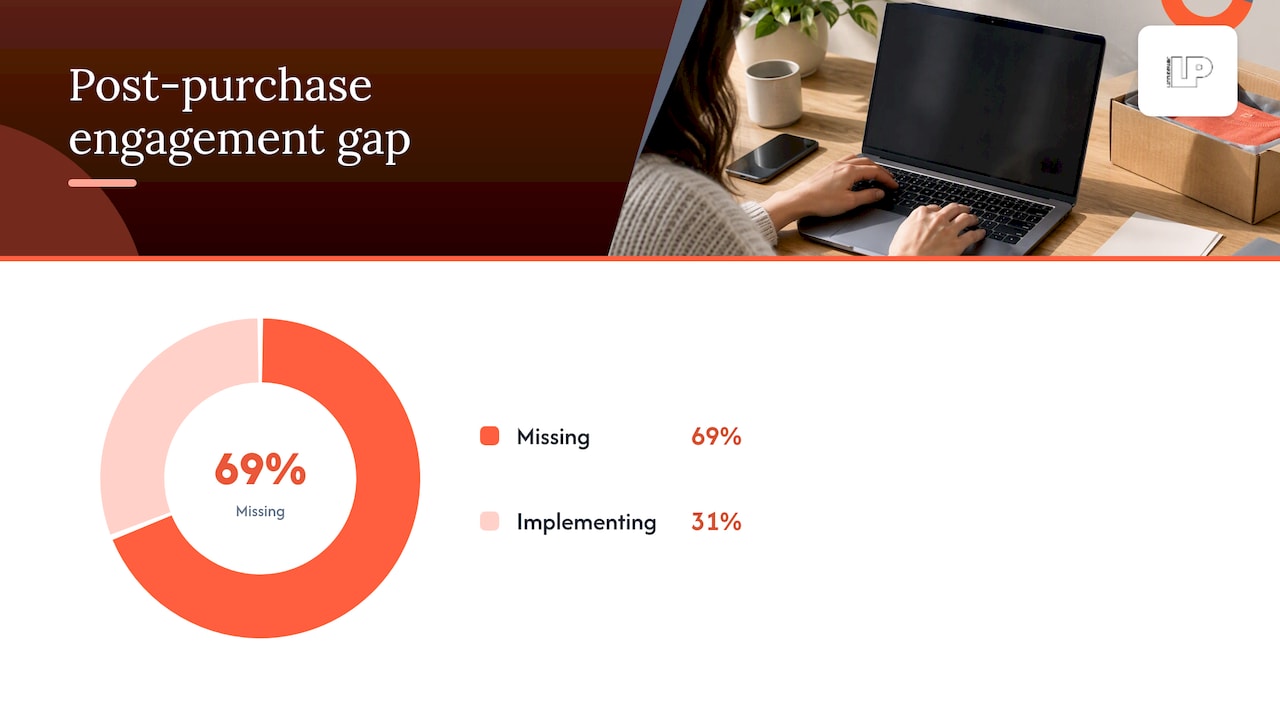
A Baymard Institute study from 2025 found that 69% of e-commerce sites fail to implement the four key post-checkout engagement strategies, which means most of your competitors are leaving this entire window untouched. That gap is the opportunity.
Pricing guidance follows the same relevance logic: price the upsell at a fraction of the original order, frame it as completing the purchase rather than upgrading it, and write CTA copy that names the benefit directly, such as “Add the refill pack” instead of a generic “Yes, add to order.”
Concrete post-purchase workflows worth testing this week
A single offer is a start, not a strategy. The merchants who get real lift from this channel build a short sequence instead of betting everything on one screen.
- Tier 1, on the confirmation page: one complementary consumable or accessory, one-click, no price re-entry.
- Tier 2, for anyone who declines: a bundle or upgrade offer, shown immediately after a decline rather than stacking on top of an acceptance.
- Tier 3, 24 to 72 hours later: a follow-up email or SMS with a modest, time-bound discount on the declined item or a related subscription option.
Email tends to outperform SMS for this follow-up because it can carry more context (product imagery, a short explanation of the benefit), while SMS works better for a tightly scoped, time-sensitive reminder close to the 24-hour mark. Sending both to the same customer within the same window usually just annoys them, so pick one channel per tier and stick with it.
Build an A/B test matrix before you launch rather than improvising. Vary one variable at a time: offer type (consumable versus bundle), price point, CTA copy, product imagery, and send timing for the follow-up message. Testing all five at once tells you nothing useful because you cannot isolate which change moved the number.
Pro Tip: Start your test matrix with price point before copy. A $4 price difference moves attach rate more reliably than a cleverer headline ever will.
Keep each tier’s creative distinct from the others. If Tier 1 and Tier 2 look identical, customers who declined once have no new reason to say yes the second time.
Measurement: the KPIs that actually tell you this is working
Track attach rate first: the percentage of post-purchase offers accepted out of total offers shown. Pair it with revenue per order (RPO) from the upsell channel specifically, not blended into your overall AOV, so you can see the channel’s contribution on its own.
Watch two more numbers over a longer horizon: how many post-purchase upsell acceptances convert into a recurring subscription, and the 30-day lifetime value delta between customers who accepted an offer and those who declined. That delta tells you whether this channel is finding your best customers or just squeezing a few extra dollars from everyone equally.
The attribution mistake we see most often is folding post-purchase revenue into acquisition metrics like ROAS. Post-purchase revenue did not come from an ad, it came from a checkout moment, so blending it into CAC or ROAS calculations inflates your paid media performance and hides what the upsell channel is actually doing.
- Report attach rate and RPO separately from blended AOV so the channel’s contribution is visible on its own.
- Tag post-purchase orders distinctly in your analytics so fulfillment holds and order edits don’t get miscounted as separate transactions.
- Review the 30-day LTV delta monthly rather than daily, since early-decline customers can still convert on a later purchase.
Most Shopify analytics setups will need a tag or metafield to flag post-purchase order edits specifically, since the default order report does not separate them from a standard single-item checkout.
What we’d fix first: common mistakes and three quick experiments
The most common failure we see is re-requesting payment information on the offer screen, which destroys the entire one-click premise and usually tanks attach rate on contact. A close second is showing an unrelated, high-ticket item right after checkout: a customer who just bought a $30 candle does not want a $200 upsell, no matter how good the margin looks on your side of the screen. A third is a tone mismatch, where the upsell page reads like a different brand wrote it.
Three experiments worth running in the next seven days:
- A single complementary one-click offer with a short line of social proof near the CTA.
- A 24-hour follow-up email with a modest, time-bound discount on whatever was declined.
- A price-point test on the same offer at two different price points to see where attach rate holds.
We structure this work the same way for every client: audit the current checkout flow, form a specific hypothesis about what’s costing attach rate, run one test at a time, then implement the winner before testing the next variable.
— Rusty
Segmenting post-purchase offers so they feel personal
A generic upsell shown to every customer leaves money on the table because a first-time buyer and a repeat customer are not making the same decision. Segment by purchase history first: a returning customer sees a replenishment or subscription offer for something they have already bought, while a first-time buyer sees a lower-commitment accessory tied to their current order.
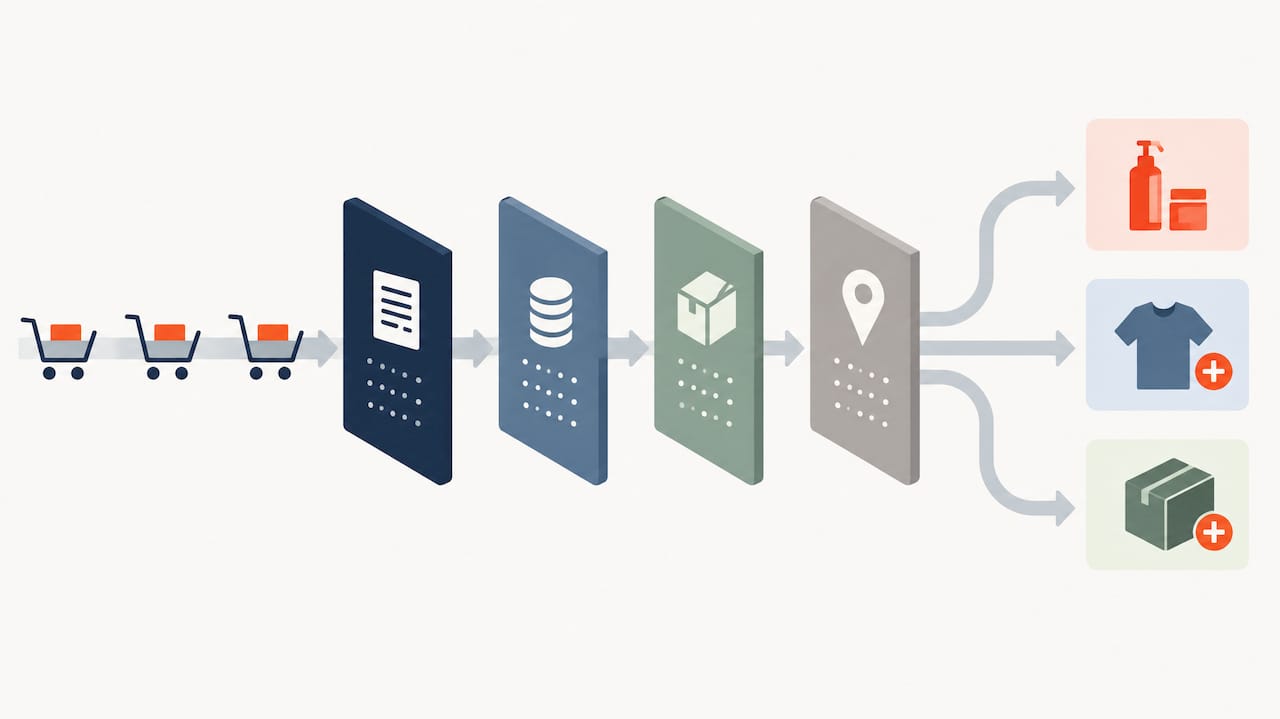
Order value is a second useful lens. A customer who just spent $150 is a different prospect than one who spent $25, and the upsell price point should scale with the order rather than staying fixed. Product category matters too: a skincare buyer and a hardware buyer should never see the same generic “complete your order” template, since relevance is what drives acceptance in this window in the first place.
Geography and fulfillment method can also shape what you show, since certain offers (bundled shipping discounts, for instance) only make sense when the order qualifies for standard shipping rather than local delivery. The deeper you tie the offer to real purchase context rather than a one-size-fits-all template, the more the post-purchase screen reads as a helpful suggestion instead of a sales pitch. Dynamic, data-driven personalization approaches like these extend naturally into broader lifecycle marketing and recommendation logic across the rest of the customer journey.
Disclosures, consent, and staying on the right side of trust
Post-purchase upselling is not a gray area if you build it the way the platform intends: the customer sees a clear price, a clear product, and a clear accept-or-decline choice before anything gets added to their order. The ethical line gets crossed when a merchant hides the true cost, pre-selects the upsell as if it were already part of the order, or uses dark-pattern countdowns that imply a deadline that doesn’t exist.
Transparency is the baseline requirement, not a nice-to-have. The offer page should show the exact product, the exact price including any shipping change, and a visible way to decline that doesn’t require hunting for a tiny link in gray text. Consent is implicit in the explicit click: because the customer is actively accepting a specific, visible offer rather than having an item silently added, there’s no separate disclosure form needed beyond clear presentation.
Where this gets more sensitive is subscription upsells. If a one-click accept enrolls a customer into a recurring charge, that needs to be stated plainly on the offer screen, not buried in terms linked below the fold, since recurring billing disclosure expectations are generally stricter than a one-time add-on. When in doubt, show the price, the frequency, and the cancellation path before the click, not after.
Why the “set it and forget it” version of this tactic fails most merchants
The conventional advice treats post-purchase upselling as a feature you turn on once and let run. That’s the part we’d push back on hardest. The merchants getting real lift treat it as an ongoing test, not a checkbox, because a single offer that worked in March can flatten out by June as the same customers see the same page repeatedly.
The overrated piece of advice is chasing a bigger upsell. We see merchants reach for higher-ticket add-ons to inflate RPO, when the data consistently favors relevance over price. A $6 consumable that fits the original purchase will usually out-convert a $60 unrelated accessory, every time.
What deserves priority in the next seven days is not the cleverest offer; it’s the cleanest one. Get the one-click mechanic working without re-requesting payment, get the product and price consistent with the product page, and get a single fallback tier live for decliners. Sophistication is worth adding once the basics convert reliably, not before.
How we help merchants turn this into a repeatable revenue channel
We treat post-purchase upselling the same way we treat the rest of a store’s conversion funnel: as a channel that needs a hypothesis, a test, and a measurement plan, not a guess. We cover audits to find where attach rate leaks, help plan tests on which variable to change first, assist with implementation within Shopify’s checkout extension rules, and support reporting that separates post-purchase revenue from acquisition numbers so you know what’s actually working.

A simple engagement typically starts with a short audit of your current checkout and post-purchase setup, a prioritized list of tests based on what we find, and a weekly check-in so you’re never waiting on a report to know what’s happening. If you want a second set of eyes on your post-purchase flow, get in touch through our main site and we’ll walk you through what to test first.
FAQ
What are some good upselling examples?
A phone case offer right after someone buys a new phone, a bag of coffee filters added after a coffee maker purchase, or a 90-day supply upgrade on a supplement order are all strong examples because each one completes a purchase the customer already made. The common thread is relevance: the add-on makes the original item more useful rather than competing with it for attention.
What does post-purchase mean?
Post-purchase refers to anything that happens after a customer completes payment, including the order confirmation screen, shipping updates, and any offers shown before that confirmation loads. In upselling specifically, it describes an offer presented in that narrow window after checkout but before the thank-you page.
What is an example of an upsell?
An upsell is an offer to buy a better or larger version of something already in the cart, such as upgrading a standard print to a larger canvas print at checkout. It differs from a cross-sell, which offers a separate but related item like a frame to go with that print.
What is the best way to upsell products?
The most reliable approach pairs the upsell with the original purchase by relevance rather than margin, keeps the offer to a single product with one clear call to action, and avoids re-requesting payment details so the accept click stays frictionless. Shopify’s own technical guidance recommends using order-edit APIs specifically so the original payment authorization covers the new item without a second checkout.