Why Instagram Advertising Is Now Independent
You can advertise on Instagram without Facebook starting today. Here’s how:
Yes, it’s possible to run Instagram ads without a Facebook account. Since summer 2020, Instagram has allowed businesses to boost posts directly from a professional account without connecting to a Facebook Page or Meta Ad Account. You can:
- Convert your profile to a professional account
- Select any post, Reel, or Story to promote
- Tap the “Boost” button
- Set your goal, audience, and budget
- Launch your ad campaign
This method works entirely within the Instagram app and requires no Facebook integration for new advertisers.
Why this matters: With over a billion monthly users and high engagement (a third of the most-viewed stories are from businesses), Instagram offers a massive audience. You can now tap into it without navigating Facebook’s complex ad system.
This shift allows small businesses and franchises to reach customers without managing two social media presences or learning Meta Ads Manager. Your Instagram professional account becomes a self-contained advertising hub.
The challenge: Direct boosting is simple but limited. It lacks advanced targeting, saved audiences, and comprehensive management tools. For franchise managers, knowing when to use this method versus graduating to Meta Ads Manager is critical.
I’m Rusty Rich, founder of Latitude Park, an agency helping businesses with social media advertising since 2009. I’ve learned when to effectively advertise on Instagram without Facebook and when it’s time to expand your approach.
This guide covers everything about standalone Instagram advertising—from setup and costs to best practices that drive real results.
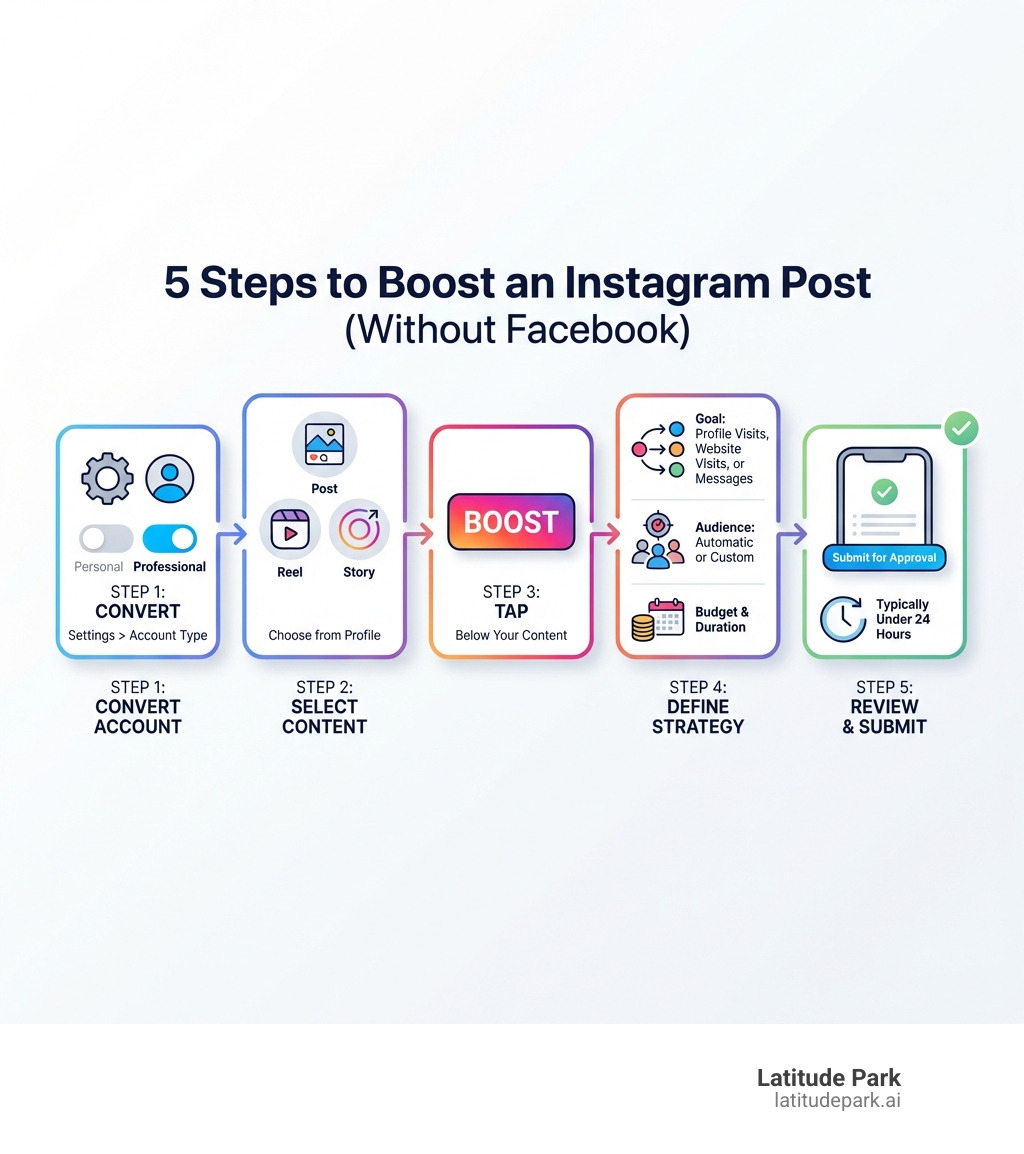
Advertise on instagram without facebook glossary:
The Foundation: Setting Up Your Instagram for Advertising
Before you can run ads, your Instagram profile needs a makeover. To advertise on Instagram without Facebook directly from the app, you need a Professional Account.
Why you need a Professional Account
A Professional Account isn’t just a label; it’s your gateway to Instagram’s business tools, open uping features essential for advertising and audience analysis.
Benefits of a business profile:
- Access to Insights: Instagram’s analytics dashboard shows you follower demographics, top-performing content, and peak activity times. Without it, you’re flying blind.
- Contact buttons: Convert profile visitors into customers with buttons like “Email,” “Call,” or “Directions.”
- Ad creation: This is the most crucial benefit, enabling the “Boost Post” option to turn organic content into paid ads.
Step-by-step guide to switch:
To convert your profile:
- Go to your profile and tap the hamburger icon (three horizontal lines) in the top right.
- Tap “Settings and privacy,” then “Account type and tools.”
- Select “Switch to Professional Account.”
- Choose the category that best describes your business (e.g., “Product/Service,” “Blogger”). This helps Instagram understand your niche.
- Select “Business” (usually the best fit for advertising) or “Creator.”
- Fill in your contact information if prompted.
For a more detailed guide, see Instagram’s official help page: Convert your profile to a professional account.
Is it really possible to advertise on Instagram without Facebook?
The answer is a resounding yes. Since summer 2020, Instagram has allowed content promotion directly from the app without requiring a linked Facebook Page or Meta Ad Account. This was a game-changer for businesses focused on Instagram.
First-time boosting: When you boost a post for the first time from your professional account, you won’t be required to connect a Meta Ad Account or Facebook Page. This creates a seamless entry for new advertisers, who can enter payment info directly in the app.
Skipping the Facebook Page connection: If prompted to connect a Facebook account during setup, you can often “Skip” this step. It won’t reappear for future boosts, maintaining the separation.
Limitations of this method: While convenient, direct boosting has limitations compared to Meta Ads Manager. You won’t get advanced targeting, saved audiences from a Meta Ad Account, or granular control over campaign objectives. It’s perfect for simple promotions, but complex strategies require Meta Ads Manager.
The Advantages of Advertising on Instagram
Instagram advertising offers several key advantages for businesses.
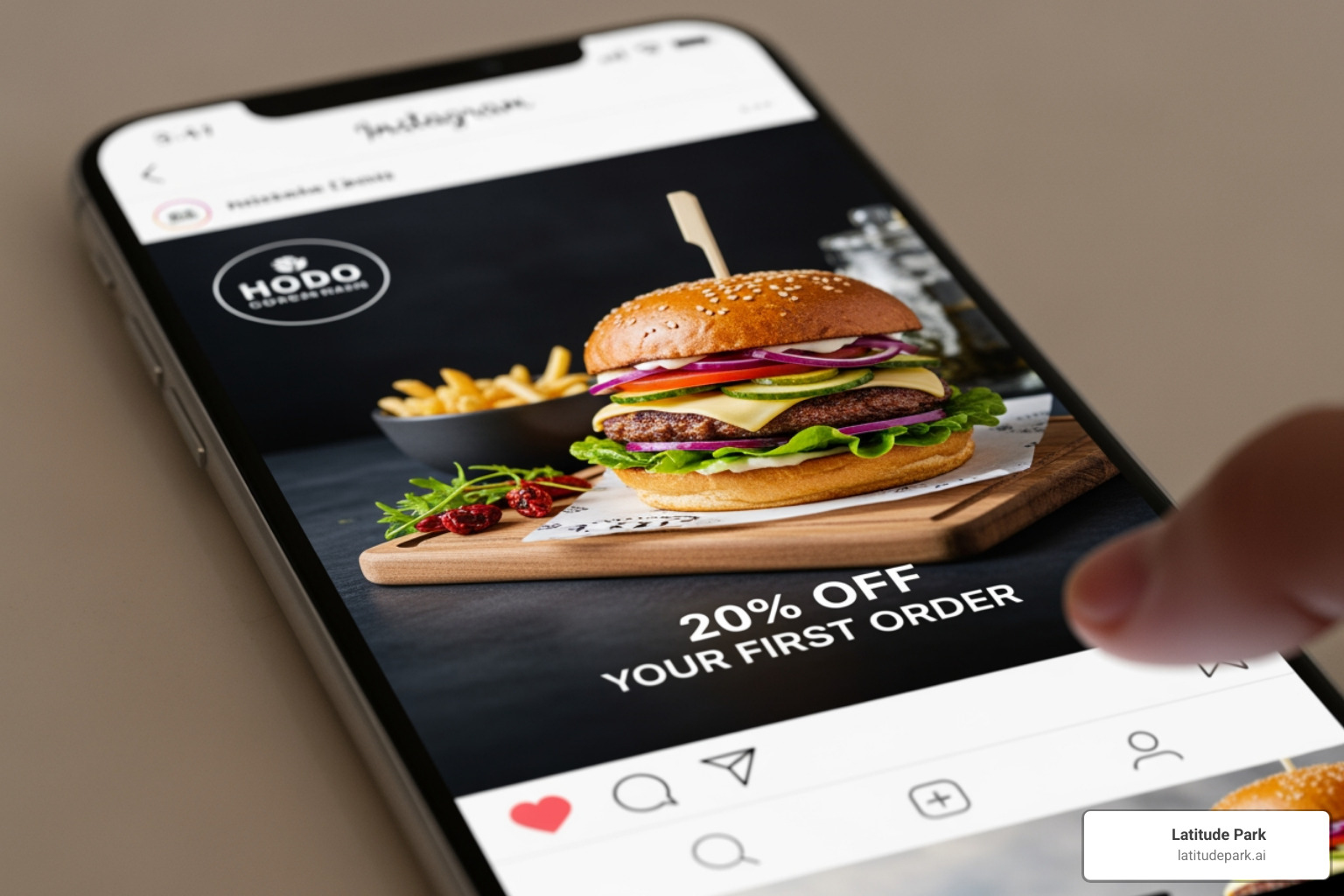
Wide reach: With over a billion monthly users, Instagram provides an immense audience for any business, from local shops to global franchises.
High user engagement: Users are highly engaged and receptive to new brands, often using the platform for inspiration. A third of the most-viewed Stories come from businesses, proving this engagement.
Effective targeting: Even with direct boosting, Instagram offers robust targeting by demographics, interests, and behaviors, ensuring your ads reach genuinely interested people.
Visually-driven platform: As a visual platform, Instagram is perfect for showcasing products with high-quality images and videos, which often drives higher engagement than text-heavy ads.
Building brand awareness: Consistently showing your brand to a relevant audience makes Instagram ads excellent for increasing recognition.
Driving website traffic: Clear call-to-action buttons like “Shop Now” or “Learn More” effectively funnel users to your website or product pages.
Generating messages: Ads can be optimized to drive messages to your Instagram Direct inbox, fostering one-on-one conversations and lead generation.
Instagram is a powerhouse for visual marketing. Its large user base and precise targeting make it an indispensable tool for expanding your digital footprint.
How to Advertise on Instagram Without Facebook: The Direct Boost Method
The direct boost method is the simplest way to run Instagram ads, turning your best organic content into paid promotions in a few taps. You can boost various content types from your professional account:
- Feed posts
- Reels
- Stories
This means your best photos, videos, and Stories can all get an extra push to reach a wider audience.
Step 1: Choose the Post, Reel, or Story to Promote
- Go to your profile: Open the Instagram app and steer to your profile.
- Select high-performing content: Choose content that already performs well organically (high likes, comments, etc.), as it’s more likely to succeed as an ad.
- Tap the “Boost” or “Promote” button: For feed posts, the “Boost Post” button is below the image. For Reels and Stories, tap the three dots (…) and select “Promote” or “Boost.”
For more details, Instagram’s help center is a great resource: How to boost Instagram posts.
Step 2: Select Your Goal
Next, select a goal. This is crucial for telling Instagram’s algorithm how to optimize your ad. The three main objectives are:
- More Profile Visits: Ideal for increasing followers, showcasing your brand, or encouraging profile exploration.
- More Website Visits: Perfect for driving traffic to your online store, a product page, or a blog. You’ll provide a URL and choose a call-to-action like “Shop Now” or “Learn More.”
- More Messages: Best for direct engagement or lead generation, this goal encourages users to send you a direct message.
Aligning goal with business objective: Align your goal with your business objective: ‘More Website Visits’ for sales, ‘More Profile Visits’ for community building, or ‘More Messages’ for lead generation.
Step 3: Define Your Audience, Budget, and Duration
Here, you’ll define who to reach and how much to spend.
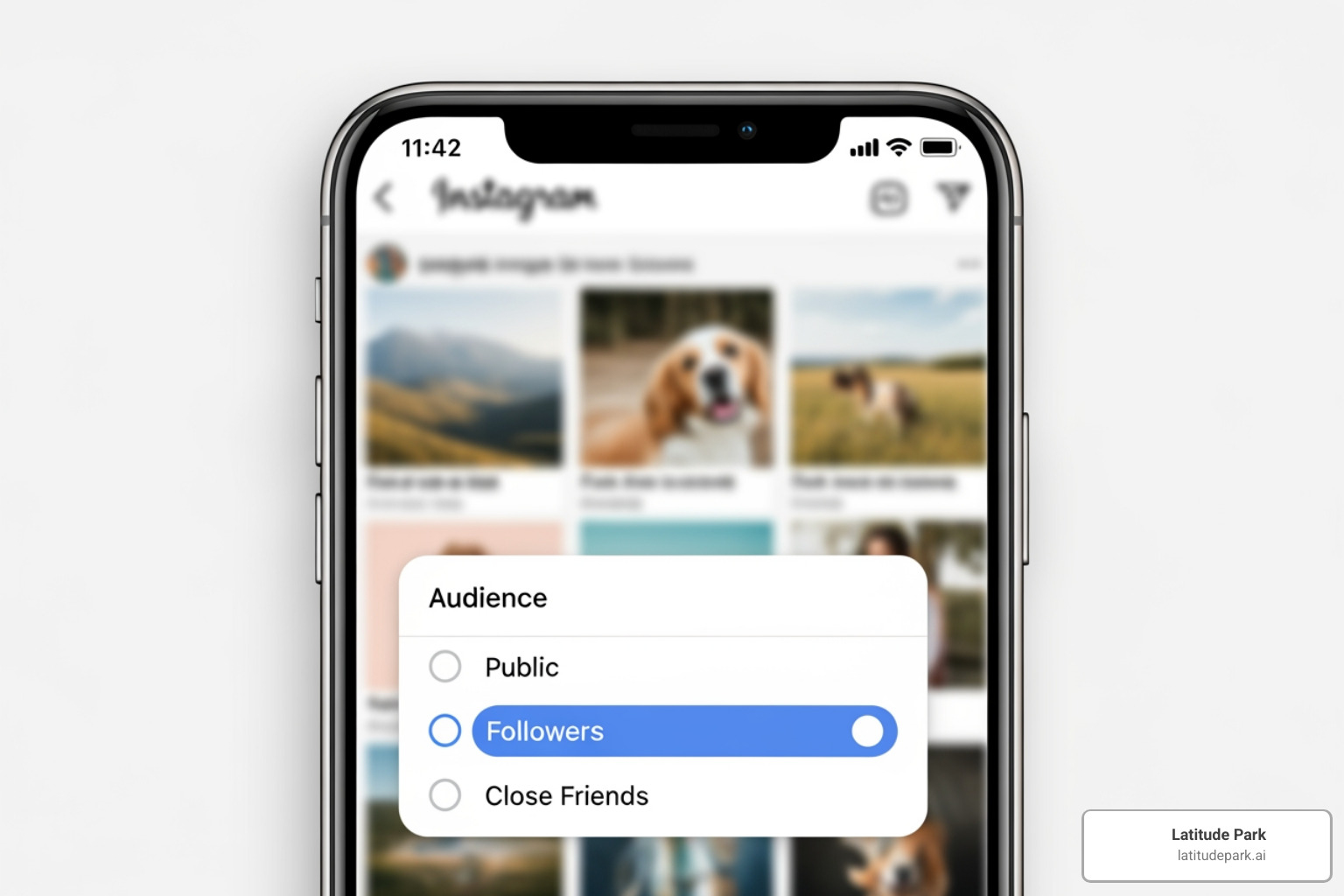
Define Your Audience:
You have two main options:
- Automatic targeting: Instagram targets people similar to your existing followers. This is a great starting point.
- Create Your Own audience: This gives you more control. You can define your audience based on:
- Location targeting: Target specific countries, regions, cities, or a local radius (e.g., 1 to 30 km from your business). This is valuable for local businesses.
- Interest targeting: Select interests relevant to your product. For yoga mats, you might target people interested in “yoga” or “fitness.”
- Age & Gender: Refine your audience by age and gender.
Setting a daily budget: You control your spending by setting a daily budget (e.g., €1-€1,000). Costs vary based on your audience and ad format, but you always define the maximum spend.
Choosing ad duration: Set your ad’s duration (1-30 days). A longer run can improve optimization, but start with a duration that fits your goals and budget.
Step 4: Review and Launch Your Ad
- Reviewing your selections: Double-check your content, goal, audience, budget, and duration to avoid costly mistakes.
- Adding payment information: If it’s your first time boosting without a Meta Ad Account, you’ll enter payment details directly in the app.
- Submitting the ad for review: Tap “Create Promotion” or “Boost Post” to send your ad to Instagram for review against their advertising policies.
- Ad approval process: Ads are usually approved within 24 hours, but it can be as fast as 60 minutes. To avoid delays, ensure your ad adheres to Instagram’s Ad policies.
Crafting a Winning Ad: Best Practices for Direct Boosting
Boosting a post is just the first step. To ensure your investment pays off, apply these best practices. Even when you advertise on Instagram without Facebook, strategy is key.
- Monitoring performance: Regularly check how your boosted post is performing. Are you getting the profile visits, website clicks, or messages you aimed for?
- Using Instagram Insights: Your professional account’s Insights tab provides data on reach, engagement, and audience demographics to help you understand what’s working.
- A/B testing elements: While direct boosting has limited A/B testing, you can still experiment. Try boosting two slightly different posts (e.g., different captions or CTAs) to see which performs better.
- Clear call-to-action (CTA): Every ad needs a clear instruction. Tell your audience exactly what to do: “Shop Now,” “Learn More,” “Sign Up.” Don’t make them guess.
- High-quality visuals: Instagram is a visual platform. Blurry images or poorly edited videos won’t work. Invest in high-resolution, eye-catching creative that stands out.
Designing Appealing Instagram Ad Creatives
Your ad creative is your digital storefront. Make it inviting.
- High-resolution images and videos: Crisp, clear, and professional-looking visuals are paramount. Leverage Instagram’s visual nature.
- Brand consistency: Ensure your ad creative aligns with your brand’s overall aesthetic and messaging to build recognition and trust.
- Keep ad text concise: While visuals grab attention, your copy seals the deal. Keep it short, punchy, and persuasive, highlighting the user benefit.
- Mobile-first design: Most users are on their phones. Design ads to look great on a small screen, with legible text and clear details.
- Using native features in Stories: For Stories ads, interactive elements like the “Link” sticker or polls can boost engagement and make your ad feel more native.
What to Do If Your Instagram Advertising Isn’t Working
If your ad campaign isn’t performing, don’t panic. Use this troubleshooting guide:
- Analyze your metrics: Head back to Instagram Insights. Look at reach, impressions, engagement rate, and clicks. Are people seeing the ad but not interacting?
- Re-evaluate your target audience: Is your audience too broad or too narrow? Use Insights to see if you’re reaching the right demographic. Maybe your targeting is slightly off.
- Test different creative: Your visual might be the issue. Try a different image, video, or ad copy. Small tweaks can make a big difference.
- Adjust your CTA: Is your call-to-action clear and compelling? Changing “Learn More” to “Get Your Free Quote” can significantly impact conversions.
- Check for ad rejection reasons: If your ad was rejected, Instagram usually provides a reason. Address any policy violations immediately to avoid delays.
Advertising is an iterative process of learning, adapting, and optimizing.
Key considerations for a successful campaign to advertise on Instagram without Facebook
To ensure your efforts are fruitful, keep these points in mind:
- Clear objectives: Know if you want followers, sales, or messages to guide your strategy.
- Audience understanding: Know your audience’s demographics and interests to create compelling, targeted messages.
- Compelling creative: High-quality visuals are non-negotiable on Instagram for grabbing attention.
- Sufficient budget: A budget that’s too low may not give your ad enough time to optimize and perform well.
- Continuous optimization: Regularly monitor performance and adjust your audience, creative, or budget based on data.
Direct Boosting vs. Meta Ads Manager: What’s the Difference?
While the ability to advertise on Instagram without Facebook directly from the app is incredibly convenient, it’s important to understand where it stands in relation to Meta Ads Manager (Facebook Ads Manager). Think of direct boosting as a powerful, easy-to-use slingshot, and Ads Manager as a sophisticated, multi-functional cannon. Both can hit targets, but one offers far more precision and power.
| Feature | Direct Boosting on Instagram (Without Meta Ad Account) | Meta Ads Manager (for Instagram Ads) |
|---|---|---|
| Ease of Use | Very simple, done within the Instagram app | More complex, steeper learning curve |
| Setup Time | Minutes | Can take longer for initial setup |
| Targeting Options | Basic (location, interests, age, gender, automatic) | Advanced (detailed demographics, behaviors, custom audiences, lookalike audiences) |
| Ad Format Availability | Feed posts, Reels, Stories (as boosts) | All Instagram ad formats (image, video, carousel, collection, Explore, Shopping), plus all Facebook formats |
| Placement Control | Limited (Instagram feed, Stories, Explore) | Granular control over all Instagram and Facebook placements |
| Campaign Objectives | Simple (profile visits, website visits, messages) | Comprehensive (brand awareness, reach, traffic, engagement, lead generation, app installs, sales, store traffic) |
| Bidding Strategies | Automatic | Manual, lowest cost, bid cap, cost cap |
| Reporting & Analytics | Basic insights within Instagram app | Detailed, customizable reports, attribution modeling |
| A/B Testing | Limited, manual comparison | Built-in A/B testing tools |
| Payment Management | Direct entry on Instagram | Linked to a central Meta Ad Account payment method |
| Scalability | Best for small, quick campaigns | Essential for large-scale, complex, multi-location campaigns |
When to use each method:
-
Direct Boosting on Instagram (without Meta Ad Account): This method is ideal for small businesses, individual creators, or franchises looking to quickly promote a single piece of content to a general audience. It’s perfect for testing the waters, boosting a popular post, or promoting a local event without needing to dive deep into complex ad platforms. It empowers you to advertise on Instagram without Facebook with minimal hassle.
-
Meta Ads Manager (for Instagram Ads): This is our go-to recommendation for businesses serious about scaling their advertising, especially for multi-location franchises. Ads Manager provides the comprehensive tools needed for sophisticated targeting, diverse ad formats, precise budget control, and in-depth performance analysis. While it requires a Facebook account and a steeper learning curve, the benefits in terms of optimization and ROI are substantial for larger, more strategic campaigns.
Frequently Asked Questions about Instagram Ads
We often get asked about the practicalities of advertising on Instagram. Here are some common questions, whether you choose to advertise on Instagram without Facebook or integrate fully.
How much does Instagram advertising cost?
The cost of Instagram advertising is not fixed; it’s a dynamic auction that varies based on several factors:
- Target audience: Highly competitive audiences (e.g., niche industries) tend to be more expensive.
- Ad format: Video ads might have different cost structures than static images.
- Bidding strategy: When direct boosting, Instagram optimizes for the lowest cost. Ads Manager offers more control.
- Competition: More advertisers bidding for the same audience increases costs.
- Ad quality and relevance: High-quality, engaging ads can lower your costs because Instagram’s algorithm rewards relevant content.
You have full control over your budget by setting a daily spend and total duration. Instagram tracks costs based on interactions (e.g., cost per click).
Apple service fee on iOS: Since February 2024, an Apple service fee of 30% of your total ad payment (before taxes) may apply when boosting ads from the Instagram iOS app. This fee is retained by Apple.
How long does it take for an Instagram ad to be approved?
Instagram ad approval is generally fast, usually within 24 hours. For direct boosts, it can be as quick as 60 minutes.
However, delays can occur due to:
- Compliance with ad policies: Ads that don’t meet Instagram’s guidelines will be rejected or take longer to review. Always check the Ad policies before submitting.
- High volume of submissions: Review times might be longer during peak advertising periods.
- Complex content: Ads on sensitive topics may require more scrutiny.
Our advice: plan ahead and submit ads with ample time to ensure they adhere to all guidelines.
How does Instagram decide which ads to show users?
Instagram uses a sophisticated ad auction to show the most relevant ads to users, not just the highest bidder. The algorithm considers three main factors:
- Your bid amount: How much you’re willing to pay for an action. A higher bid increases your chances but isn’t the only factor.
- Ad quality and relevance: Instagram assesses how engaging your ad is to the target audience. High-quality, relevant ads are rewarded with better placement and lower costs.
- Estimated action rates: Instagram’s prediction of how likely a user is to take your desired action (e.g., click a link). The higher the rate, the more likely your ad is to be shown.
These factors create a “Total Value” for each ad, and the ad with the highest value wins the auction. This system ensures a better user experience and a more efficient ad ecosystem.
Conclusion: Take Your First Step into Instagram Advertising
The ability to advertise on Instagram without Facebook is a significant milestone for businesses. We’ve shown how direct boosting turns your best content into powerful promotions with just a few taps.
This method empowers small businesses to start paid advertising without the complexity of Meta Ads Manager. It’s an excellent way to test strategies, boost visibility, and drive actions like website visits or messages, reaching Instagram’s massive user base efficiently.
However, as your business grows, you’ll likely explore the advanced capabilities of Meta Ads Manager. For multi-location franchises, where granular targeting and custom campaigns are essential, tools like Ads Manager become indispensable.
Whether you’re just starting with Instagram ads or looking to scale, understanding both direct boosting and the broader Meta ecosystem is crucial. At Latitude Park, we specialize in helping businesses, especially multi-location franchises, steer these complexities to create custom, effective digital advertising strategies.
Ready to take your Instagram advertising to the next level?
Get expert help with your Facebook & Instagram Ads campaigns