Why Facebook Local Awareness Ads Are a Game-Changer for Local Businesses
Facebook local awareness ads are a hyper-local advertising tool that shows your ads to Facebook users who are physically near your business location. Here’s a quick overview:
- What they are: Location-based ads that target people within a set radius of your store (as small as 1 mile)
- How they work: Facebook uses mobile GPS data to identify nearby users, then serves them your ad
- Who they’re for: Any business with a physical location — restaurants, retail shops, franchises, service businesses
- Key CTAs available: Get Directions, Call Now, Send Message, Learn More
- Current name: Now called Reach Ads (renamed from Local Awareness Ads in April 2017)
- Why they work: 18% of local searches result in a purchase, vs. just 7% of non-local searches
For franchise marketers, these ads offer a scalable way to drive real foot traffic to each location — without sacrificing local relevance.
Local businesses have always faced a tough challenge: how do you reach the right customer at the right moment? Traditional advertising casts too wide a net. Facebook local awareness ads solve that by targeting people who are already nearby — people who could walk through your door today.
I’m Rusty Rich, President of Latitude Park, and I’ve spent over 15 years helping small businesses and growing franchises build smarter digital ad strategies — including hands-on experience running Facebook local awareness ads across multi-location campaigns. In this guide, I’ll walk you through everything you need to know to make these ads work for your business.
Relevant articles related to Facebook local awareness ads:
- Developing and executing a multi-location marketing
- Multi site marketing
- What you need to know about multi-location marketing
What are Facebook Local Awareness Ads?
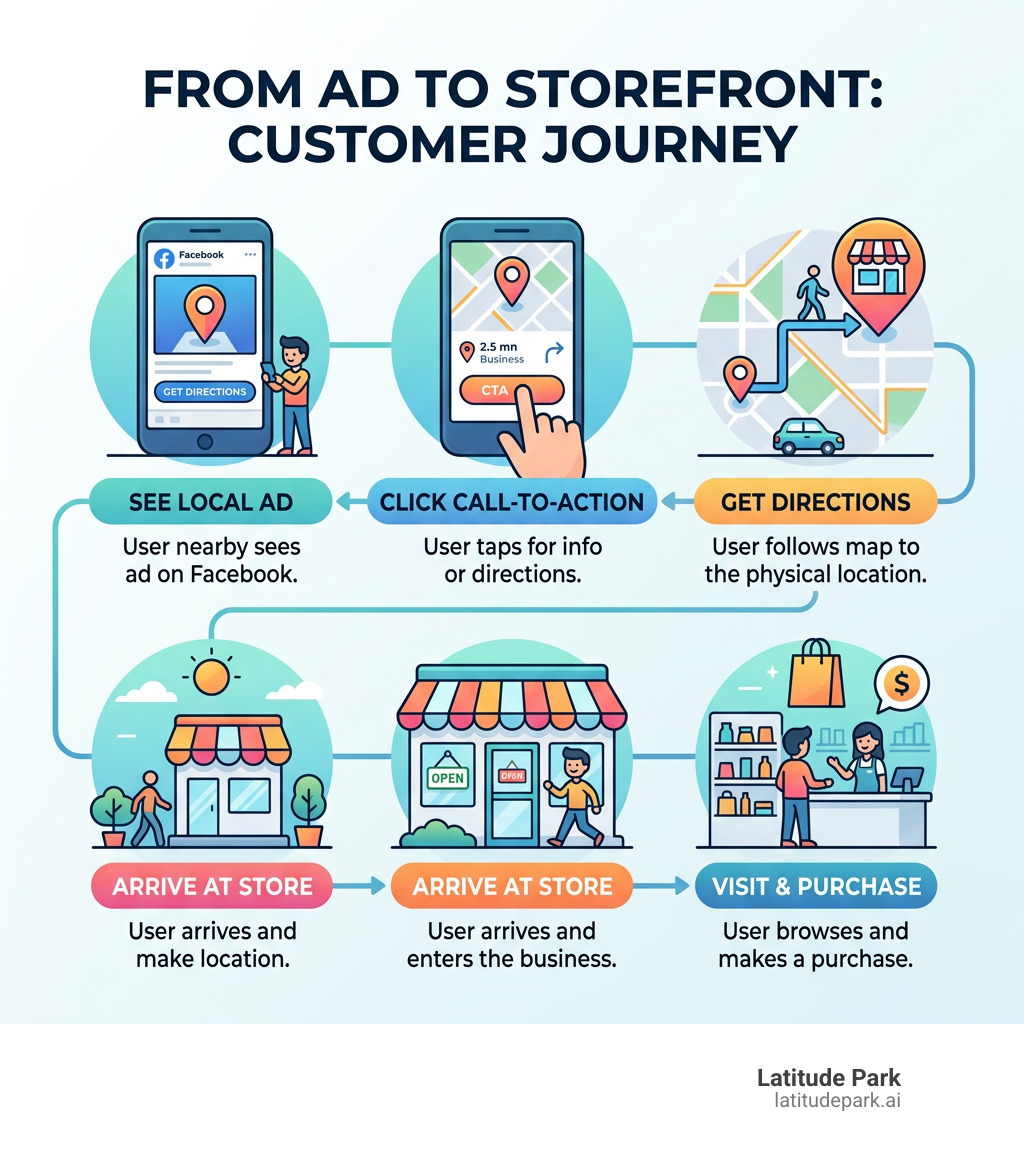
At their core, Facebook local awareness ads (now officially part of the “Reach” or “Store Traffic” objectives) are designed to help local businesses find customers who are literally steps away. Think of them as a high-tech digital billboard. While a physical billboard sits on a highway hoping the right person drives by, these ads “follow” the right person onto their smartphone based on their real-time location.
Facebook introduced these ads back in October 2014 to simplify the process for brick-and-mortar owners. Before this, you had to navigate complex interest-based targeting. With local awareness, the primary filter is proximity. If someone is within a specific distance from your front door, they see your ad. This is powered by Meta’s sophisticated location services, which you can learn more about in the Meta About Center.
The Evolution from Local Awareness to Reach Ads
In April 2017, Facebook underwent a bit of a rebranding. They renamed the standalone “Local Awareness” objective to Reach Ads. Why the change? Meta wanted to maximize the number of people reached while giving advertisers more control over frequency capping—basically, how often a single person sees your ad.
While the name changed, the goal remained the same: drive awareness and foot traffic. Unlike “Engagement” ads that focus on likes or comments, Reach ads prioritize getting your message in front of as many unique local eyes as possible. For a local pizza shop or a boutique, a thousand people seeing a “2-for-1” deal is often more valuable than ten people “liking” a photo of a pepperoni slice.
How Facebook Local Awareness Ads Target Users
The magic happens through mobile GPS data. When a user has location services enabled on their phone, Facebook knows when they enter your “zone.”
We can set a radius as small as 1 mile around your business address. This makes Facebook local awareness ads incredibly powerful for urban businesses where a one-mile radius might contain thousands of potential customers. You can further refine this by:
- Age and Gender: Ensuring your boutique ad isn’t being shown to people outside your target demographic.
- Real-time Location: Targeting people who “live in” or were “recently in” the area.
- Mobile-First Focus: Since 88% of users access Facebook on mobile devices, these ads are optimized for the “on-the-go” consumer.
By using geo-targeted Facebook ads, we ensure your budget isn’t wasted on someone living 50 miles away who has no intention of visiting your physical store.
Key Features and Ad Specifications
What makes these ads different from a standard post is their functionality. They aren’t just pictures; they are interactive tools designed to bridge the gap between a digital screen and a physical storefront.
For businesses with multiple locations, Meta allows for dynamic copy. This means if you have a franchise with locations in both Austin and Dallas, the ad can automatically show “Visit our Austin store” to users in Austin and “Visit our Dallas store” to users in Dallas. This level of local service advertising ensures your message always feels personal and local.
Choosing the Best CTA for Facebook Local Awareness Ads
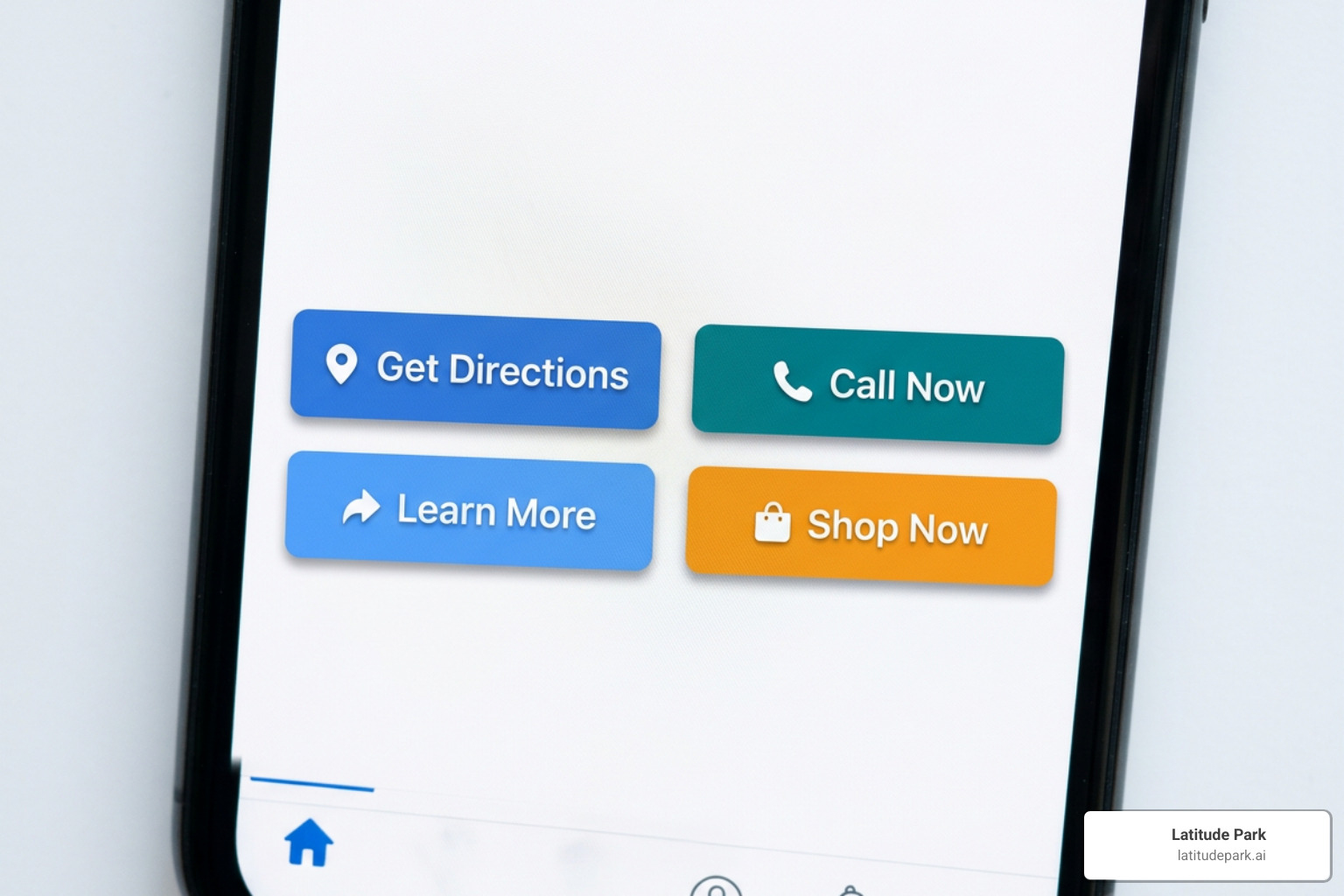
The four CTA buttons available are the “secret sauce” of this ad format. Here is how we break them down:
| CTA Button | Best Use Case | User Action |
|---|---|---|
| Get Directions | Driving immediate foot traffic | Opens the phone’s native map app with a route to your door. |
| Call Now | Booking appointments or inquiries | Initiates a phone call to your business with one tap. |
| Send Message | Customer service or lead gen | Opens a Facebook Messenger chat with your business page. |
| Learn More | Detailed offers or menus | Directs users to a specific landing page or your website. |
For most of our franchise clients, “Get Directions” is the top performer. It removes all friction. A hungry person sees a restaurant ad, clicks a button, and their phone tells them exactly how to get there.
Recommended Specs and Budgeting for Facebook Local Awareness Ads
To ensure your ads look professional and perform well, you need to stick to the technical specs.
- Image Size: 1200 x 628 pixels is the gold standard.
- Aspect Ratio: 1.91:1.
- Text Limits: Keep your primary text to 125 characters or less. Facebook used to have a strict “20% text” rule for images; while they’ve relaxed it, ads with minimal text on the image still perform significantly better.
- Budgeting: Industry research suggests allocating $20–$35 per ad set daily to test multiple variations.
The average cost per click for lead campaigns is $1.88, but for reach-based local ads, you’re often looking at a much lower cost per thousand impressions (CPM) because your target area is so concentrated.
Setting Up Your Campaign for Success
Setting up Facebook local awareness ads is straightforward, but doing it effectively requires a bit of strategy. You’ll start in the Facebook Ads Manager and typically select the “Store Traffic” or “Reach” objective.
When setting your radius, consider your environment. In a dense city like New York, a 1-mile radius is huge. In a rural area, you might need to expand that to 10 or 15 miles. You can also use Facebook lead generation tactics by scheduling your ads to only appear during business hours. There’s no point in running a “Get Directions” ad for a coffee shop at 11 PM when you’re closed!
For those looking for a broader local strategy, comparing these to local Google Ads can help you understand where your customers are searching versus where they are “discovering.”
Best Practices for Copy and Visuals
Your ad needs to “scream local.” If someone is scrolling through their feed, they should immediately recognize that your business is in their neighborhood.
- Use Local Landmarks: If your shop is near a famous park or statue, include it in the background of your photo.
- Authentic Video: Authentic video content often outperforms polished commercials. A quick “behind the scenes” video of your team preparing a meal or setting up a display feels more human.
- Leverage Reels: Reels outperformed all other post types recently, with an average engagement rate of 0.23%. Using the Reels placement for local ads can capture a younger, highly engaged audience.
- Urgency: Use phrases like “Today Only,” “Flash Sale,” or “Lunch Special” to encourage immediate action.
Managing Multi-Location and Franchise Campaigns
This is where we at Latitude Park really shine. Managing ads for one store is easy; managing them for 500 stores is a massive undertaking.
By using Facebook Locations, we can manage all your store Pages from one central hub. This allows us to:
- Localize Automatically: Use dynamic tags so the ad copy pulls the specific city or street name for each branch.
- Store-Specific Reporting: See which locations are driving the most “Get Directions” clicks and adjust budgets accordingly.
- Centralized Branding: Ensure the brand voice stays consistent while the offer remains local.
Our Facebook advertising guide for franchisors goes deeper into these structures, but the key takeaway is that you don’t have to create 500 separate ads manually. Meta’s tools for franchise Facebook ads allow for sophisticated, automated scaling.
Measuring Success and Performance Metrics
You can’t manage what you don’t measure. After running a campaign, you need to track its performance using the specific metrics that matter for local growth.
- Reach: The total number of unique people who saw your ad.
- Frequency: How many times, on average, each person saw your ad. (Aim for 2-3 for brand recall).
- Cost per 1,000 People Reached: This tells you how efficiently you are spending your budget.
- Button Clicks: Specifically, how many people clicked “Get Directions” or “Call Now.”
While 54% of marketers say Facebook ads are ‘very effective’ in generating sales, local businesses should also look at “Local Insights” in their Page Insights. This tool shows the percentage of people nearby who have seen your ad and provides aggregate demographics of people near your store, even if they didn’t interact with the ad.
Frequently Asked Questions about Local Ads
What is the minimum radius for local targeting?
The minimum radius is 1 mile. This is perfect for hyper-local targeting in busy city centers. However, for suburban or rural areas, we usually recommend a 3-5 mile radius to ensure your audience size is large enough for the Facebook algorithm to optimize properly.
Do these ads work on Instagram?
Yes! When you set up Facebook local awareness ads, you can (and should) select Instagram as a placement. Your ad will appear in the Instagram Feed, Stories, and Reels. Since Instagram is a highly visual platform, this is often where restaurants and retail shops see their highest engagement.
How does Facebook protect user privacy?
Privacy is a top priority for Meta. All data provided to advertisers is anonymized and aggregated. As an advertiser, you cannot see who specifically was near your store; you only see percentages and trends (e.g., “25% of the people who saw your ad were women aged 25-34”). Users also have full control over their location services and can opt-out at any time through their device settings or the Meta Privacy Center.
Conclusion
Mastering Facebook local awareness ads is one of the fastest ways to turn digital impressions into physical foot traffic. Whether you are a single boutique or a massive franchise network, the ability to reach a customer when they are just a mile away is a competitive advantage you can’t ignore.
At Latitude Park, we specialize in the complex needs of multi-location marketing. We understand that a franchise needs more than just “likes”—it needs a strategy that scales across dozens or hundreds of locations while remaining deeply rooted in the local community.
Ready to see how Facebook local awareness ads can transform your local customer acquisition? Let’s build a campaign that puts your business on the map—literally. Reach out to us today to start driving more foot traffic and maximizing your ROI.