Why Every Local Business Needs to Know How to Set Up Local Search Ads in 2026
Knowing how to set up local search ads is one of the most valuable skills a local or multi-location business can have right now. Nearly half of all Google searches have local intent — and 72% of consumers turn to Google to find local businesses, with 80% doing it at least once a week.
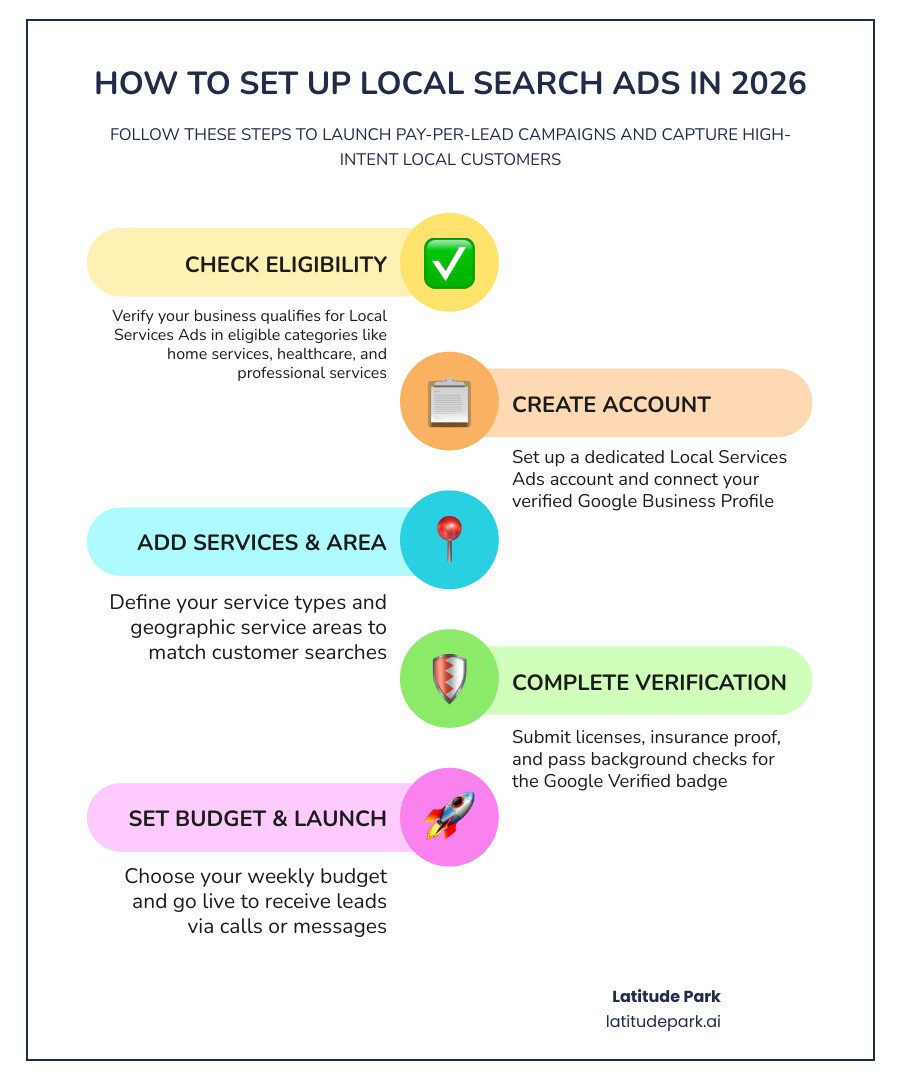
How to set up local search ads — quick steps:
- Check your business eligibility at the Google Local Services Ads portal
- Create your Local Services Ads account (separate from Google Ads)
- Add your business name, service types, and service area
- Complete verification — including licenses, insurance, and background checks
- Set your weekly budget
- Go live and start receiving leads via calls or messages
The stakes are high for franchise marketers in particular. You’re not just running one campaign — you’re coordinating consistent messaging across dozens or hundreds of locations, each competing for local customers at the exact moment they’re ready to hire.
The good news? Google’s Local Services Ads (LSAs) were built precisely for this kind of high-intent, location-specific search. Unlike traditional pay-per-click ads, LSAs charge you only when a customer contacts you directly — not just when someone clicks. That’s a meaningful shift in how your ad budget works.
And with voice search now accounting for over 20% of all searches — many of them hyper-local and urgent — the window to capture ready-to-buy customers is wide open.
I’m Rusty Rich, founder of Latitude Park, a full-service digital advertising agency based in St. Petersburg, Florida, and I’ve spent over 15 years helping local businesses and franchise brands build scalable ad strategies — including guiding clients through exactly how to set up local search ads that generate real, measurable results. In this guide, I’ll walk you through everything you need to know, from eligibility and verification to budgeting and optimization.
Basic how to set up local search ads glossary:
Understanding Google Local Services Ads vs. Traditional Search Ads
Google Local Services Ads are a special ad format for eligible service businesses. They usually appear at the very top of search results, above standard paid search ads and often above organic listings too. They are built to generate direct leads, not just website visits.
Traditional Google Search Ads work differently. They run on a pay-per-click model, which means you pay when someone clicks your ad, whether that person becomes a customer or not.

Here is the simplest way to think about it:
| Feature | Local Services Ads | Traditional Search Ads |
|---|---|---|
| Payment model | Pay per lead | Pay per click |
| Placement | Top of local search results | Standard sponsored results |
| Eligibility | Only certain service categories | Almost any business |
| Verification | Required for badge status | Not part of setup |
| Website needed | Helpful, but not always essential | Usually essential |
| Main actions | Call, message, booking | Click through to website |
LSAs are designed for local intent. When someone searches for a provider near them, Google uses the searcher’s physical location and the location named in the query to decide whether your ad is relevant. That matters because 78% of local users expect the ad to reflect their exact location or need before they click.
Traditional Search Ads still matter. They give you more control over keywords, copy, landing pages, and bidding. If you want a broader local ad strategy, combining LSAs with standard search can work very well. We cover that broader mix in Local Business Google Ads and this helpful outside reference: Paid Search Advertising For Local Business: Guide 2026.
Key Benefits for Local Service Providers
For the right business, LSAs can be a very efficient growth channel.
Main benefits include:
- You pay for actual leads, not just clicks
- Your ads appear in a high-visibility position
- The Google verification badge adds trust
- Leads come from high-intent local searches
- Customers can call or message directly from the ad
Trust is a huge piece of the puzzle. Since 97% of consumers read reviews before choosing a local business, and 41% do so every single time, LSAs give you an advantage when your profile shows strong ratings and verification.
Lead quality is another plus. About 60% of local service contacts start with a phone call, which is exactly why LSAs work so well for urgent, service-driven businesses. Someone searching for help now usually does not want to read a 2,000-word homepage. They want a reliable provider and a phone number. Fair enough.
For a deeper look, see Unlock Local Growth: A Comprehensive Look at Local Service Ads.
Eligible Business Categories and Service Areas
Not every business can run LSAs. Google limits them to approved service categories. Based on current guidance, eligible verticals include many businesses in:
- Home services
- Business services
- Healthcare
- Learning services
- Care services
- Wellness services
- Beauty services
- Automotive services
Eligibility is category-specific, not just business-specific. In other words, two local businesses may both serve the same city, but only one may qualify if its category is supported.
Service area setup is equally important. Google lets you define where you want leads from using cities, counties, or zip/postal areas depending on the category. You can also exclude sections you do not want. This is useful if part of your market is too far away, unprofitable, or outside your staffing capacity.
Google’s own guidance on service coverage and targeting is here: About reaching customers with your Local Services Ads – Local Services Help.
How to Set Up Local Search Ads for Your Business
If you are looking for the practical version of how to set up local search ads, here it is: eligibility first, profile second, verification third, budget fourth, optimization forever. Marketing would be much easier if step five were “go relax on a beach,” but unfortunately Google likes dashboards.
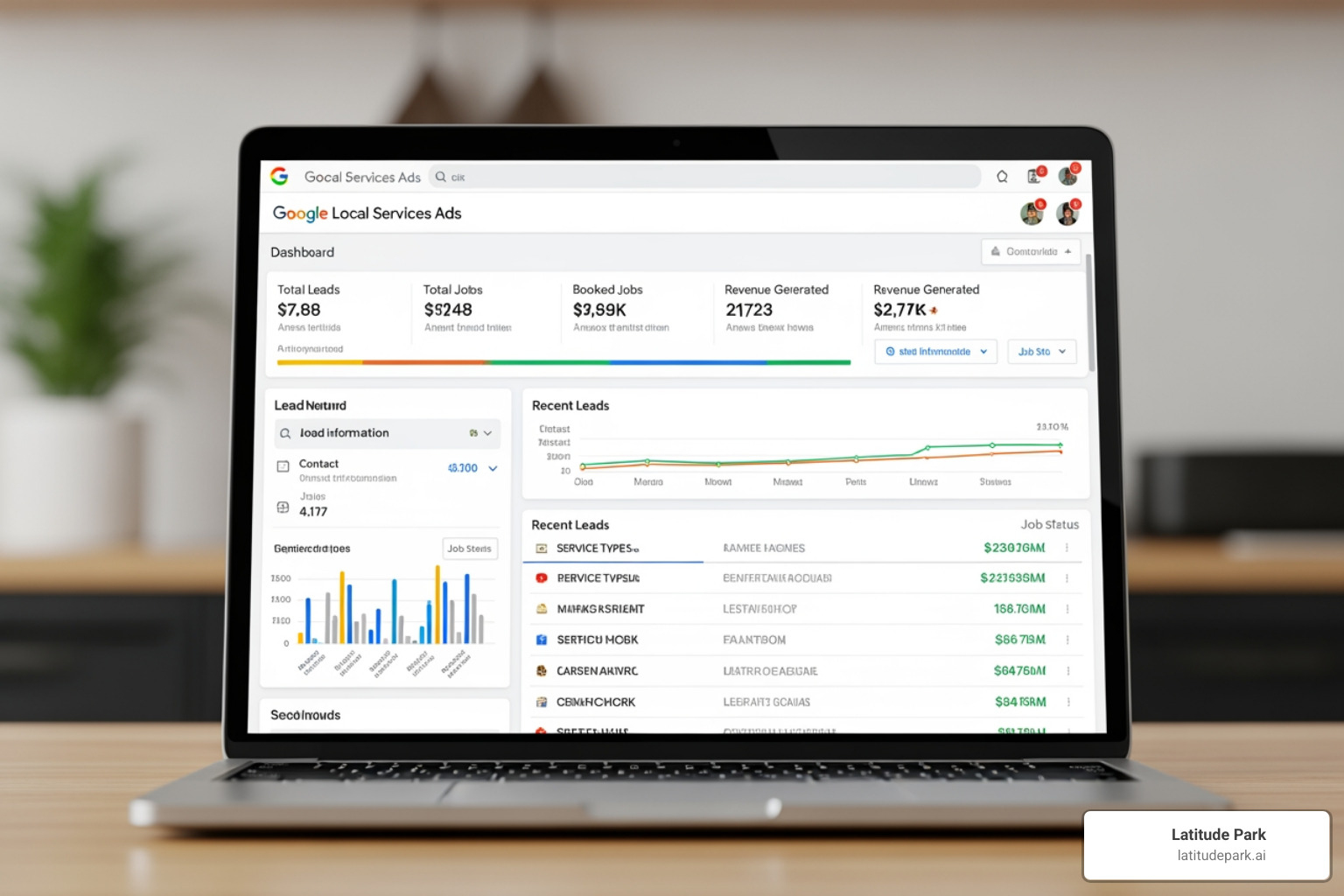
Before you launch, make sure your business information is accurate and consistent everywhere, especially your business name, phone number, hours, and service area. Your Google Business Profile also matters because LSAs and local visibility increasingly work together.
If you want a companion read after this guide, see Google Ads For Local Services: Complete Setup Guide and our own Local Service Google Ads Complete Guide.
Step 1: Initial Requirements for How to Set Up Local Search Ads
Start with these foundational tasks:
- Check category eligibility
- Create your Local Services Ads account
- Enter core business details
- Define your job types and service areas
- Connect or confirm your Google Business Profile
- Set billing and initial budget
When setting up your profile, you will typically need:
- Legal business name
- Business phone number
- Service category
- Service area
- Business hours
- Owner or manager details
- Proof of licensing or registration if required
Your service type setup matters more than many businesses realize. Select specific services that reflect the actual jobs you want. If you choose categories too broadly, lead quality can slip. If you are too narrow, you may miss valuable searches.
Your location settings matter just as much. Google may show LSAs based on both:
- The user’s estimated physical location
- The location mentioned in the search query
That means a person outside your city can still see your ad if they are searching for service in your city. Useful when relevant, wasteful when sloppy.
For more local advertising strategy context, visit Google Ads for Local Businesses.
Step 2: Advanced Configurations for How to Set Up Local Search Ads on Google Maps
LSAs and Google Maps ads are related, but they are not the same thing.
LSAs are lead-generation ads for specific service categories. Google Maps ads are usually part of regular Google Ads search campaigns using location assets. These can appear as:
- Promoted pins
- Map search ads
- Map suggest ads
This distinction matters because many businesses searching for how to set up local search ads actually need both:
- LSAs for direct lead generation
- Search campaigns with location assets for Maps visibility
Use Maps-oriented search ads when you want stronger local discovery beyond LSA inventory. This is especially helpful for businesses with physical locations, or brands that want to support branded and non-branded local searches across multiple markets.
Best practices for Maps-related local ad setup:
- Enable location assets in Google Ads
- Link your Google Business Profile
- Use location-specific keywords
- Target only your real service area
- Track calls, directions, and location-detail clicks
For more on this approach, see Search Local Ads.
Navigating Verification and the Google Verified Badge
One of the biggest differences between LSAs and standard search ads is screening. To run fully verified LSAs, businesses usually need to complete a verification process that may include business registration checks, license validation, insurance review, and background checks.
The verification badge is not just decorative. It is a trust signal shown on your provider profile, and trust drives clicks, calls, and conversions.
As of current guidance, Google also allows some businesses to run pre-badge ads after passing preliminary checks while they complete the rest of onboarding. These typically appear below fully verified providers.
You can learn more about the format in Google Local Service Ad.
Managing Background Checks and Licensing
Verification requirements vary by category, but common items include:
- Business registration or legal entity confirmation
- Professional licenses
- Proof of insurance
- Background checks for owners or field staff
- Certifications where applicable
A few practical tips:
- Use your exact legal business name
- Upload current, readable documents
- Watch expiration dates on licenses and certificates
- Keep insurance information current
- Complete screening for everyone Google requires, not just leadership
If a required document expires, your ad visibility can suffer or your account can pause. That is a brutal way to discover your insurance renewal got buried in someone’s inbox.
Good profile hygiene also matters:
- Keep hours accurate
- Add quality photos where available
- Maintain review flow
- Make sure your business details match across your website and Google properties
For related setup discipline, see Google Ads for Local Businesses: Get Customers Without Wasting Budget.
Understanding Pre-Badge Ads and Onboarding
Pre-badge ads are a middle stage in the onboarding process for some categories. They let approved businesses begin receiving leads while finishing final requirements.
Important differences between pre-badge and fully verified ads:
- Pre-badge ads generally rank below fully verified providers
- Badge status may not be displayed the same way
- Some industries do not allow pre-badge participation
- Full onboarding still needs to be completed
This means pre-badge ads can help you start faster, but they are not the finish line. Full verification tends to support better placement and stronger customer confidence.
A related point: response behavior affects visibility. Google has made clear that answering leads quickly and consistently matters for performance. If you go live before your team is ready to answer calls or messages, you can hurt rankings and waste budget.
For more category-specific context, see Google Local Services Ads for Home Services.
Optimizing Your Local Campaigns for Maximum ROI
Getting approved is only half the game. The real work starts after launch.
To improve ROI, focus on three things:
- Lead quality
- Response speed
- Review strength
If your leads are weak, revisit service types and service area targeting. If lead volume is fine but close rate is poor, check your intake process. And if your rankings are soft, look at reviews, hours, and responsiveness before blaming the algorithm. The algorithm might still deserve some blame, but not all of it.
For broader optimization support, see Local Search Ad Campaigns.
Strategic Budgeting and Lead Management
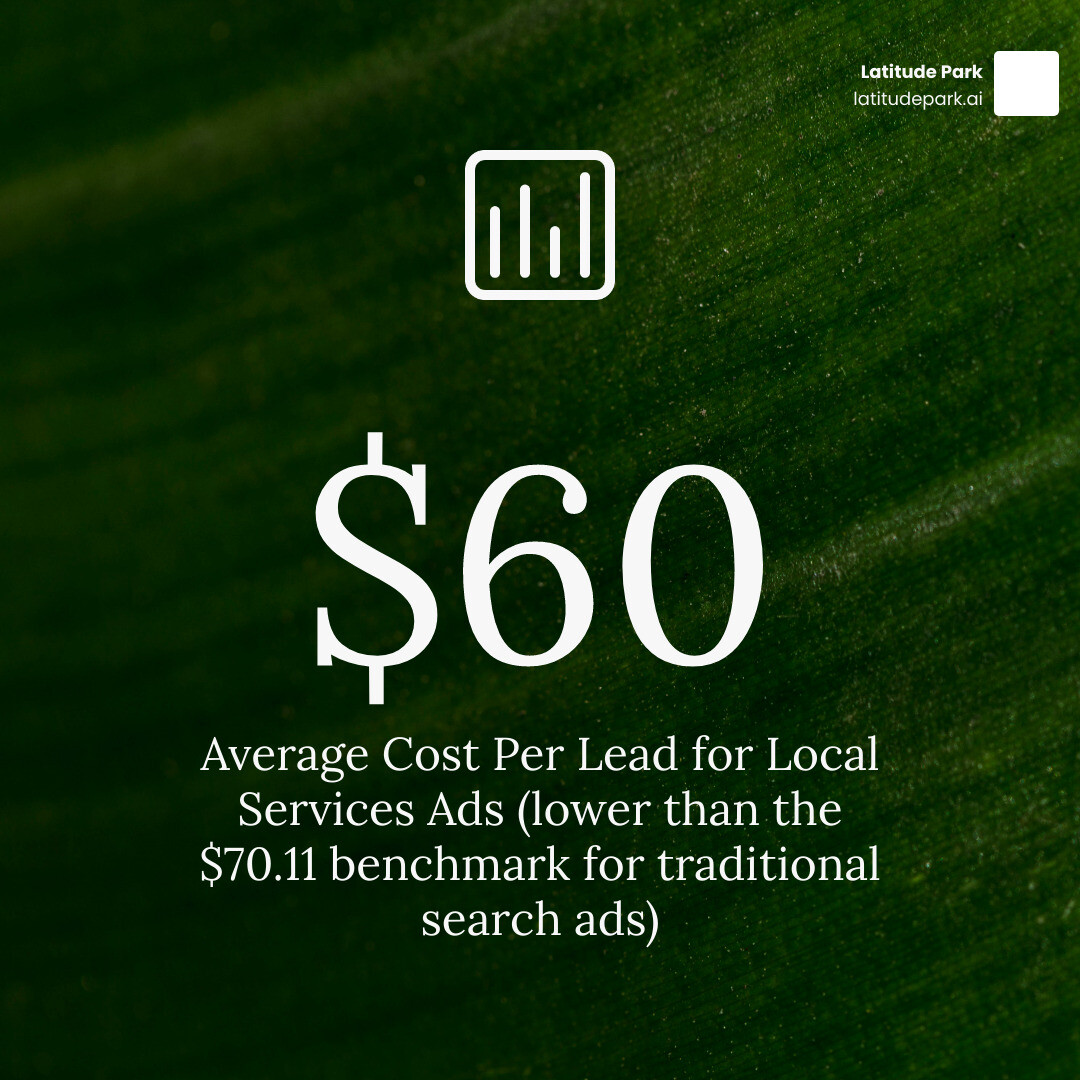
LSAs use a weekly budget model, and the average cost per lead is about $60 based on the research. That is lower than the benchmark search ad cost per lead of $70.11, though actual costs vary by category and market.
A smart starting approach:
- Estimate how many leads your team can actually handle
- Multiply that by your expected cost per lead
- Set a weekly budget that supports enough data without overwhelming operations
If you want 20 leads per week and your average cost per lead is near $60, you would plan around $1,200 weekly. If that feels high, reduce service area or focus on your most profitable job types first.
Lead management best practices:
- Answer calls live whenever possible
- Respond to messages fast
- Mark booked, completed, or unqualified leads properly
- Dispute invalid leads when eligible
- Review lead quality weekly
Google generally allows disputes for certain invalid leads, such as spam or leads that do not match your listed services. That makes lead review a real financial task, not just admin work.
Also consider message leads where available. Research indicates message leads can cost less than phone leads in some cases, though phone calls still dominate local service intent.
For more strategic context, see Ads for Local.
Ranking Factors and Performance Tracking
LSA ranking is not driven by keywords in the same way standard search campaigns are. Instead, Google weighs factors such as:
- Review count and rating
- Responsiveness to leads
- Proximity to the searcher or searched location
- Business hours and availability
- Verification status
- Budget competitiveness
This is why reviews are not just reputation assets. They are performance assets.
Track at least these core metrics:
- Leads by type: calls, messages, bookings
- Cost per lead
- Lead dispute rate
- Lead-to-customer close rate
- Revenue per booked job
- Cost per customer
- Response time
- Missed call rate
If you are also running standard search campaigns, layer in:
- Conversion tracking for calls and forms
- Location assets
- Google Business Profile linkage
- Search terms review
- AI-assisted search testing where appropriate
In 2026, Google continues pushing automation across search. Research shows search campaigns using AI Max saw an average 14% lift in conversions at the same CPA or ROAS, and pairing it with Smart Bidding Exploration increased unique query coverage and overall conversions further. That applies to standard Search campaigns, not LSAs directly, but it matters if you are building a full local acquisition system around LSAs.
For location relevance and visibility strategy, visit The Where Am I Guide to Local Search Ads.
Frequently Asked Questions about Local Search Ads
What is the average cost per lead for LSAs in 2026?
A commonly cited average is about $60 per lead. Actual cost depends on your category, competition, service area, and lead type. Some markets will be cheaper, some definitely will not be feeling generous.
How do Local Services Ads differ from Google Maps ads?
LSAs are a separate Google product for eligible service businesses and are billed per lead. Google Maps ads are usually powered through standard Google Ads campaigns with location assets and are billed per click or other campaign-based pricing. LSAs focus on direct contact. Maps ads focus on discovery and local visibility.
Can I dispute fraudulent or mismatched leads?
Yes, in many cases. If a lead is spam, irrelevant, or outside your service scope, Google may let you dispute the charge. The key is to review leads promptly and keep your service types and service area accurate so you have a clean case.
Conclusion
If you have been wondering how to set up local search ads, the path is pretty clear: confirm eligibility, build an accurate profile, complete verification, define your service area carefully, set a realistic budget, and then optimize relentlessly.
For local and multi-location brands, that process gets more complex fast. Consistency across locations, review quality, response workflows, and budget allocation all affect performance. That is especially true in franchise environments, where one sloppy listing can create ten headaches.
At Latitude Park, we help brands build scalable local growth systems, from search visibility to multi-location campaign strategy. While we are known for franchise marketing and tailored paid social structures, we also understand how local ad channels fit together to drive real demand.
If you want help putting all the moving parts in one place, start here: Put Your Business on the Map with Local Search Ads.