Customer Match lets us upload hashed first-party data so Google Ads can find those same people across Search, YouTube, Gmail, Display, and the Shopping tab, then bid toward them with far more precision than broad targeting allows. It works only on signed-in Google accounts, so the payoff depends on clean data and consistent refresh. Before uploading anything, check your privacy policy language and consent setup, then prepare a properly formatted CSV.
Table of Contents
- How Customer Match works and where it applies
- Create and format a Customer Match list (step-by-step)
- Policy, consent, and eligibility: what to check before uploading
- Keep lists healthy: membership durations, refresh strategies, and automation
- Match rates, diagnostics, and troubleshooting common upload errors
- Activate and optimize: using Customer Match with Smart Bidding and campaign tactics
- Practical best-practices checklist
- Privacy policies and compliance with data protection regulations beyond consent
- Limitations and restrictions on Customer Match use cases
- Measuring performance outcomes and metrics specific to Customer Match campaigns
- Alternatives and complements to Customer Match for audience targeting
- Updates and recent changes to Customer Match policies and features
- Publisher perspective: what we’ve learned running Customer Match day to day
- How Latitude Park keeps your Customer Match lists working
- FAQ
- Sources
How Customer Match works and where it applies
Customer Match takes the email addresses, phone numbers, or mailing addresses you already have, hashes them, and checks them against signed-in Google accounts. When a match happens, that person becomes addressable inside your campaigns, not as a name on a spreadsheet but as a real bidding signal.
The list works across Search, YouTube, Gmail, Display, and the Shopping tab, which means a single upload can power remarketing on YouTube and a “welcome back” push in Gmail at the same time. That cross-surface reach is the real advantage over cookie-based remarketing, which never had a foothold on Gmail or much of YouTube to begin with.
Not every customer is signed into a Google account on the device you’re trying to reach, and data quality problems (typos, outdated emails, inconsistent formatting) quietly tank your results before you even notice. Treat this as a tool that rewards maintenance, not a one-and-done upload.
Create and format a Customer Match list (step-by-step)
Getting rejected on upload almost always traces back to formatting, not strategy. Here’s the sequence that avoids most of the pain:
- Export your customer data with the exact column headers Google expects (Email, Phone, First Name, Last Name, Country, Zip), saved as a plain CSV in ASCII or UTF-8 encoding, per Google’s file requirements.
- Format phone numbers in E.164 (country code plus number, no spaces or dashes) and make sure address fields include country and ZIP for mailing-address matches.
- Decide how you’ll hash sensitive fields: hash email, phone, and name data with SHA256 yourself before upload, or let Google hash unhashed fields automatically on ingestion. Country and ZIP are never hashed.
- Go to Audience Manager, create a new Customer list, upload your file, confirm the data-collection consent checkbox, and set your membership duration.
Pro Tip: Lowercase every email address and strip extra whitespace before hashing. SHA256 is case-sensitive, so “John@Email.com” and “john@email.com” hash to different strings and silently fail to match.
Google will walk you through the consent declaration during upload, and skipping it is the fastest way to get your list rejected outright.
Policy, consent, and eligibility: what to check before uploading
Customer Match only accepts first-party data you collected directly, meaning no purchased lists, no scraped contacts, and no data passed along from a partner without clear rights to use it. Your privacy policy needs to disclose that you may share customer data with third parties for advertising, and you need a real mechanism for getting that consent, not just a buried clause nobody reads.
If you serve customers in the EEA, Google requires consent signals to be passed along with the data, whether you’re uploading manually, syncing through the API, or working with a partner integration. Missing that signal can mean the EEA portion of your list simply won’t activate, even if the upload technically succeeds.
Google also screens the account itself. Newer accounts, accounts with limited spend history, or accounts with past policy violations may find Customer Match features gated or delayed until they build a track record.
Keep lists healthy: membership durations, refresh strategies, and automation
Every Customer Match list now has a maximum membership duration of 540 days, and individual members expire once they’ve sat untouched past that window, a 2025 policy tightening that pushed the entire industry toward automation. Alongside the duration cap, Google requires that a list have at least 100 members added or updated within the trailing 540-day period to stay eligible, according to Google’s troubleshooting guidance. Let a list go stale past that threshold and it can quietly stop serving, often without an alert loud enough to catch your attention.
The fix is automation, and you have real options:
- The Data Manager API lets you push refreshed customer data directly from your CRM on a schedule instead of relying on manual exports.
- Verified Customer Match upload partners handle the technical sync so your list updates without someone remembering to log in every week.
- CRM integrations and Zapier workflows can trigger incremental uploads whenever a customer record changes, keeping lists current without manual intervention.
Google itself recommends automating these workflows through Data Manager or verified partners, specifically because manual refresh cycles are where most lists quietly die.
Match rates, diagnostics, and troubleshooting common upload errors
Match rate tells you what percentage of your uploaded contacts were successfully matched to a signed-in Google account, and it’s a diagnostic of data quality, not a performance metric you should chase for its own sake. Most advertisers land somewhere between roughly 29% and 62%, according to Google’s best-practices guidance, so a 35% match rate isn’t automatically a failure.
To push that number higher:
- Upload multiple match keys per customer (email and phone together) rather than relying on a single identifier.
- Lowercase emails and strip dots from the username portion of Gmail addresses before hashing, since Gmail treats dotted and non-dotted versions as identical.
- Remove obviously dead or bounced addresses before upload instead of carrying dead weight year after year.
Pro Tip: When an upload fails outright, check encoding first. A file saved in anything other than ASCII or UTF-8 is the single most common reason Google rejects a Customer Match file before it even reaches the matching stage, per Google’s fix-it guide.
Other frequent culprits include missing required headers, files that exceed the size limit, and hashed values that don’t match Google’s expected SHA256 format because of inconsistent casing or whitespace.
Activate and optimize: using Customer Match with Smart Bidding and campaign tactics
Once a list is live, Smart Bidding and optimized targeting treat Customer Match as a signal, not just a static audience to bid the same way on everyone. The algorithm learns from who in that list converts and extends its reach to similar signed-in users, which is where a lot of the real value shows up.
Practical activations worth building around:
- Retention and win-back campaigns that target existing customers with different messaging than cold prospects.
- Cross-sell pushes based on purchase history, served through Gmail or YouTube rather than generic display inventory.
- Acquisition campaigns using a customer-match-informed “similar audience” signal layered into a broader customer acquisition goal.
Combine Customer Match with enhanced conversions where possible, since the two together give Smart Bidding a cleaner read on who actually converted, and exclude existing customers from pure-acquisition campaigns so you’re not paying to re-convince people who already bought.
Practical best-practices checklist
Most of what separates a healthy Customer Match program from a neglected one comes down to a short list of habits:
- Confirm consent language and collection mechanisms before your first upload.
- Unify customer identifiers across your CRM, email platform, and point-of-sale so the same person isn’t fragmented into three partial records.
- Include at least two match keys per customer row whenever the data exists.
- Automate refresh cycles instead of relying on someone remembering a recurring calendar reminder.
- Monitor match rate monthly as a data-quality signal, not a vanity metric.
- Layer Smart Bidding on top of your lists once match rate stabilizes.
| Team size | Refresh approach | Cadence |
|---|---|---|
| Small team | Manual CSV export and upload | Weekly |
| Enterprise | Data Manager API or CRM sync | Daily |
Privacy policies and compliance with data protection regulations beyond consent
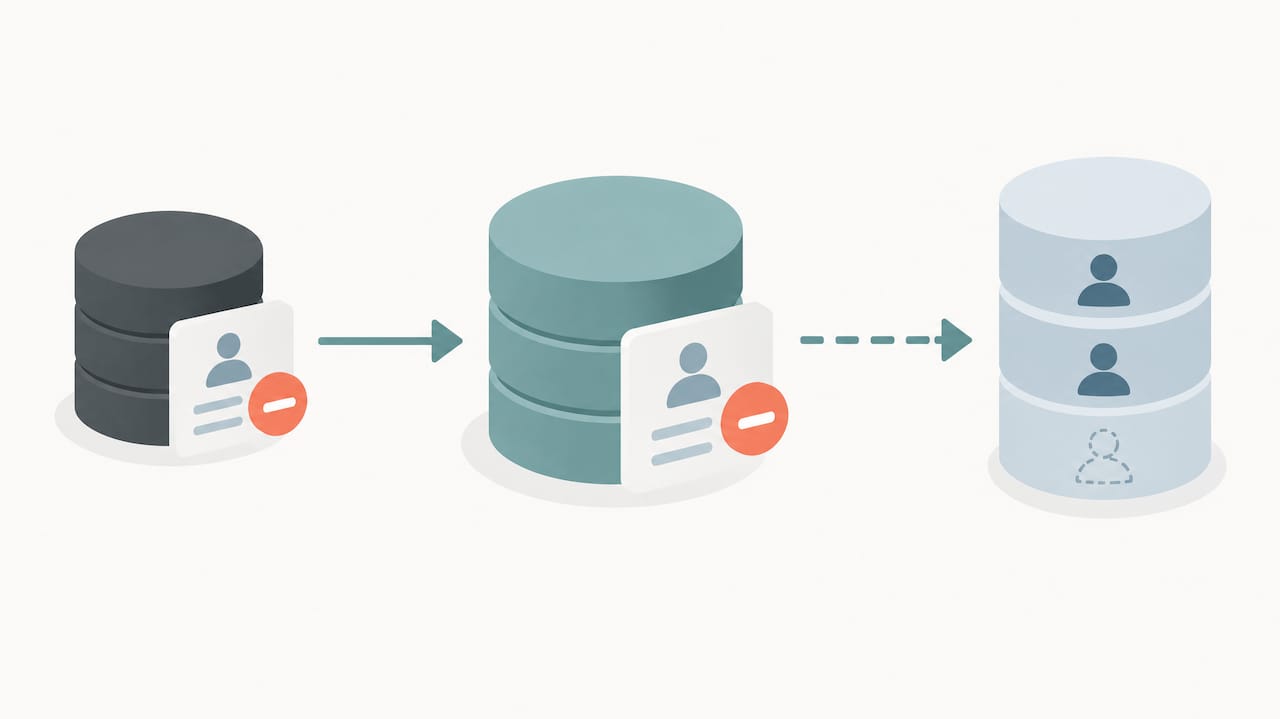
Consent at upload is the starting line, not the finish. Under frameworks like the California Consumer Privacy Act and the EU’s General Data Protection Regulation, customers retain ongoing rights, including the right to request deletion or opt out of having their data used for targeted advertising after the fact.
That means your Customer Match program needs a process for honoring deletion requests that actually removes the contact from your uploaded lists, not just your internal database. If someone opts out through your website and you keep feeding their email into Google Ads every week through an automated sync, you’ve created a compliance gap that consent language alone won’t cover.
Your privacy policy should spell out, in plain language, that customer data may be shared with Google for advertising purposes, how long you retain it, and how someone can request removal. For EEA residents specifically, Google requires consent signals to travel with the data itself, whether through the API, a partner integration, or a manual upload declaration, and lists without that signal may simply fail to activate for that segment.
None of this replaces legal counsel. Data protection rules vary by jurisdiction and change often enough that a policy written two years ago may already be out of date, so treat this as the operational baseline and have your own privacy policy reviewed against current requirements for the regions where your customers actually live.
Limitations and restrictions on Customer Match use cases
Customer Match isn’t available for every kind of advertiser or every kind of data. Google restricts its use around sensitive categories, meaning advertisers dealing in health conditions, sexual orientation, criminal history, or other personal attributes that could expose someone to harm face tighter scrutiny or outright prohibition on using that data to build audiences.
Political advertisers and certain regulated industries, like some financial services and housing-related campaigns, also run into additional restrictions tied to fair-advertising rules, since targeting people based on sensitive inferred characteristics can violate both platform policy and, in some cases, actual law.
There’s also a practical limitation worth naming: Customer Match only works on people who are signed into a Google account. A business whose customers rarely use Gmail, YouTube while logged in, or a Google account on their phone will see a structurally lower ceiling on match rate no matter how clean the data is. That’s not a formatting problem to fix, it’s a reality of the audience itself.
Account-level eligibility adds another layer. Newer accounts or those without sufficient spend and compliance history may find Customer Match features limited or delayed, which is worth knowing before you build an entire targeting strategy around a feature your account isn’t yet cleared to use at full capacity.
Measuring performance outcomes and metrics specific to Customer Match campaigns
Match rate tells you about data quality, but it’s not the metric that tells you whether the campaign is working. For that, look at conversion rate and cost per conversion within Customer Match audiences specifically, compared against your broader campaign averages, since a well-built list should consistently outperform cold targeting.
Return on ad spend broken out by audience segment matters more here than almost anywhere else in Google Ads, because Customer Match audiences are often small, high-intent slices rather than broad reach plays. A retention list of past purchasers should be judged on repeat-purchase rate and revenue per contact, not impressions or click-through rate alone.
Segment your reporting by list type (retention, cross-sell, lookalike-adjacent acquisition) rather than lumping every Customer Match audience into one bucket, since a win-back list and an upsell list have completely different success benchmarks. Also track how performance shifts as lists age toward the 540-day expiration window, since a list quietly losing members will show gradually declining reach even if conversion rate per matched user stays steady, a pattern that’s easy to miss if you’re only checking campaign totals.
Alternatives and complements to Customer Match for audience targeting
Customer Match isn’t the only lever, and it works best alongside other signals rather than as a replacement for them. Google’s own first-party alternatives include website remarketing lists built from tags and enhanced conversions, which help fill in the gaps where Customer Match coverage runs thin because a customer was never signed in.
Similar audiences and broader optimized targeting let Smart Bidding extend reach beyond your uploaded list to people who resemble your best customers, which matters since Customer Match alone caps out at the people you already know. Contextual and in-market audiences remain useful for acquisition campaigns where you have no existing customer data at all, since Customer Match has nothing to work with until a relationship already exists.
For the social side of the funnel, platforms like Meta offer their own first-party matching tools that work similarly in principle, which is worth knowing if your audience strategy spans both ecosystems rather than living entirely inside Google Ads. None of these replace Customer Match outright, they fill the coverage gaps it leaves behind.
Updates and recent changes to Customer Match policies and features
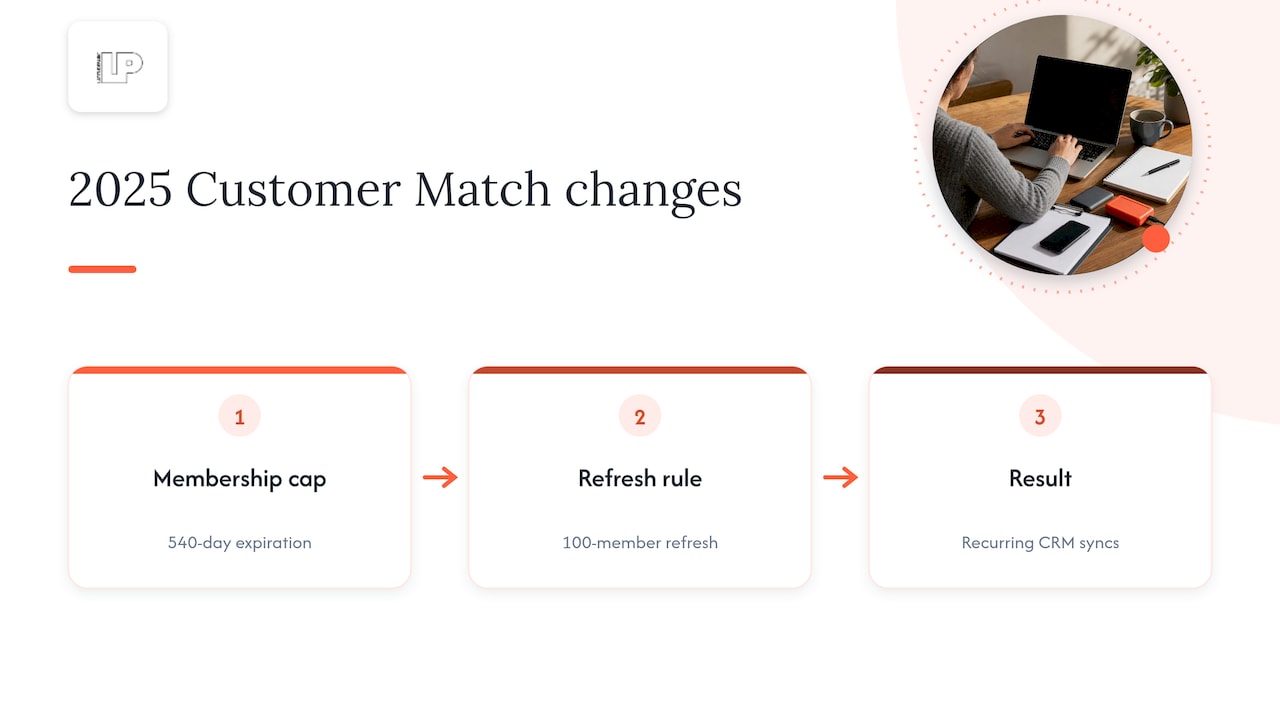
The most consequential recent change is the 540-day membership cap introduced in a 2025 policy update, which replaced looser retention rules with a hard expiration that forces advertisers to actively maintain lists or watch them shrink. Pair that with the 100-member refresh requirement and it’s clear Google is steering the whole feature toward automated, living data pipelines rather than static one-time uploads.
Separately, Google lowered the minimum audience size for Search campaigns from 1,000 to 100 users in 2025, opening the door for smaller advertisers who previously couldn’t hit the old threshold to use Customer Match in Search at all. That change alone meaningfully expands who this feature is actually useful for.
Enhanced conversions have also grown more tightly integrated with Customer Match, with the ability to auto-generate and update customer lists based on conversion goals, reducing the manual work of keeping lists synced to actual purchase behavior. If you haven’t revisited your Customer Match setup since before 2025, the eligibility thresholds, duration rules, and automation options have all shifted enough to be worth a fresh look.
Publisher perspective: what we’ve learned running Customer Match day to day
The marketers who win with Customer Match treat it as a maintenance habit, not a campaign launch checklist item. Automated refresh and multiple match keys consistently beat manual, one-time uploads, which is where we focus our attention when we build these systems for clients.
— Rusty
How Latitude Park keeps your Customer Match lists working
Building a Customer Match list once is easy. Keeping it fresh, compliant, and actually tied to revenue every single week is the part most internal teams don’t have bandwidth for, which is exactly where we step in.

We set up automated CRM syncs so your lists refresh before they hit the 540-day cliff, handle the consent and privacy-policy details so uploads don’t get rejected, and connect match-rate and conversion data back to clear reporting. Clients typically see fresher lists that never silently expire mid-campaign, higher usable match rates from properly formatted, deduplicated data, and reporting that ties Customer Match performance directly to revenue, not just impressions.
If your team would rather hand off the upload-and-refresh cycle entirely, our Google Ads Management services cover exactly this kind of ongoing audience maintenance. Reach out and we’ll show you what your current list health actually looks like.
FAQ
How does Customer Match work in Google Ads?
Customer Match hashes the email, phone, or address data you upload and compares it against signed-in Google accounts to build an addressable audience. Once matched, that audience can be targeted or excluded across Search, YouTube, Gmail, Display, and the Shopping tab.
How do I create a Customer Match list in Google Ads?
In Audience Manager, create a new Customer list, upload a properly formatted CSV with the required headers, confirm the consent declaration, and set a membership duration up to the 540-day maximum, per Google’s upload instructions. Hash sensitive fields with SHA256 yourself or let Google hash them automatically on upload.
Is $10 a day enough for Google Ads?
A modest daily budget can work for very narrow, low-competition campaigns, but it rarely generates enough data for Smart Bidding to optimize effectively around a Customer Match audience. Most advertisers need a larger daily spend to see meaningful conversion volume from targeted audience campaigns.
What are the requirements to use Google Customer Match?
You need first-party data collected directly from customers, a privacy policy disclosing that data may be shared with Google for advertising, and an account with sufficient history and spend to qualify for audience features. For Search campaigns, the minimum list size is now 100 users, following a 2025 policy change, down from the previous 1,000-user threshold.
Sources
- Create a Customer Match list by uploading a data file – Google Ads Help
- Customer Match Best Practises – Google Ads Help (Business.Google Accelerate)
- Google tightens Customer Match data rules in major privacy update