A Facebook carousel ad is one ad unit that holds two to ten swipeable cards, each with its own image or video, headline, link and call to action. Used well, it works as a mini-funnel inside a single placement. Used badly, it is a slideshow that donates money to the algorithm. This guide covers the current specs, a card-by-card structure that holds attention, examples by business type, and the mistakes that quietly drain budgets.
Table of Contents
- What a carousel ad is, and when it beats a single image
- Facebook carousel ad specs for 2026
- Build the carousel as a funnel, not a gallery
- Carousel ad examples by business type
- Set it up in Ads Manager
- Mistakes that burn budget
- Our perspective: the swipe is the metric
- Want a team to run this for you?
- Frequently asked questions
- Sources
What a carousel ad is, and when it beats a single image
Meta’s design specifications for carousel ads set the frame: a minimum of 2 cards, a maximum of 10, and every card can point to its own destination. That last part matters more than most advertisers admit. A single-image ad gets one shot at one message and one landing page. A carousel gets several, and the viewer chooses which to pursue.
Use a carousel when you have a reason to show more than one thing:
- Several products from one catalog, such as a spring collection or a bestsellers lineup.
- One product, several angles: features, use cases, sizes, before and after.
- A sequence: steps, a story, a process, a customer journey.
- Several services for a local business that does more than one thing well.
Skip it when you have one offer and one message. A tight single image or short video will usually do that job with less production effort, and you can test the carousel against it later.
There is real money behind the format when it fits the goal. Meta’s own published case study on the homeware retailer CASA reports a 6X return on ad spend using carousel ads to showcase lifestyle products. That is one advertiser’s result, not a promise, but it shows what happens when the format matches the merchandise.
Facebook carousel ad specs for 2026
Get these wrong and you spend your first hour in Ads Manager fighting rejected or cropped creative. Here is what Meta’s help center lists:
| Element | Spec |
|---|---|
| Number of cards | 2 to 10 |
| Recommended aspect ratio | 1:1 (square) |
| Recommended resolution | 1080 x 1080 px |
| Other ratios | 4:5 (only for Advantage+ catalog ads using catalog images) and 9:16 |
| Image formats | JPG and PNG |
| Maximum image size | 30 MB |
| Video length | Up to 240 minutes (15 seconds recommended) |
| Text on Facebook | 125 characters |
| Headline | 40 characters |
| Link description | 25 characters |
Two details trip people up. First, all cards in one carousel must share the same aspect ratio, so you cannot mix a square product shot with a tall lifestyle image. Second, the character counts above are maximums. Meta’s recommendation for performance is shorter: 80 characters of primary text, 20 for headlines and 18 for descriptions, and mobile feeds truncate long copy anyway. Write to the recommendation, not the limit.
If you want the broader picture across placements, our guide to the best image size for Facebook and Instagram ads covers the rest of the formats.
Keep logos and prices inside the safe zone
Meta may dynamically crop or overlay elements even on approved ads. The practical rule from AdsCreator’s spec guide is to keep logos, prices and faces out of the outer 10 percent of each card. Do that and your branding survives on small phones. Ignore it and your price tag gets clipped, which is a hard way to learn about margins.
Build the carousel as a funnel, not a gallery
The most common failure is a carousel where every card repeats the same hero image and the same line of copy. The AdLibrary carousel guide frames each swipe as a decision the viewer makes about whether to keep going, and reports that identical cards can cause a 38% drop-off after the first swipe. Treat that figure as one practitioner’s observation rather than an industry benchmark, but the logic holds: if card two says what card one said, the viewer has no reason to stay.
A sequence that works for many five-card ads:
- Card 1, the hook. A clear benefit, a bold visual or a question. This card decides whether anyone swipes at all.
- Cards 2 and 3, proof. Reviews, ratings, numbers, results, a recognizable customer type.
- Card 4, the mechanism. How the product or service actually works, in one picture.
- Card 5, the call to action. A direct ask with a specific next step.
That structure comes from the same guide. Adapt it. A restaurant does not need a mechanism card; a SaaS trial does.
How many cards should you use?
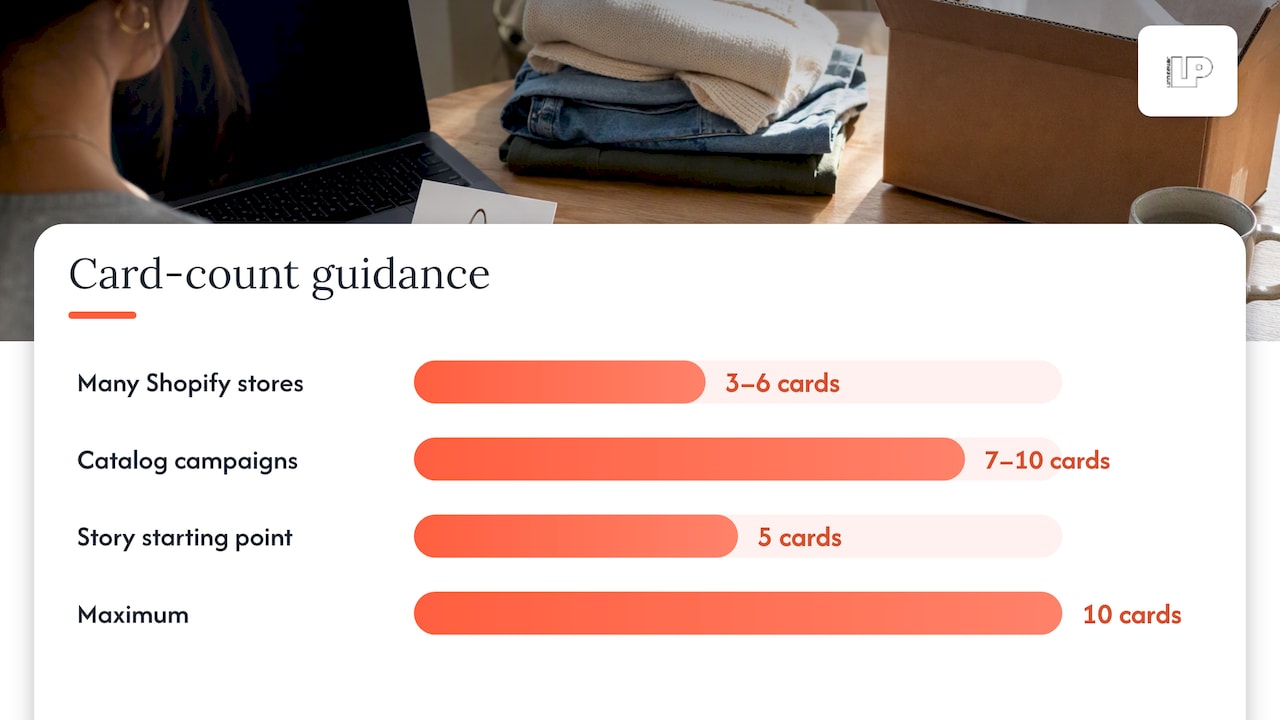
Ten is the limit, not the target. Per the same source, carousel performance often peaks at 3 to 6 cards for many Shopify-based stores, while catalog-driven campaigns can justify 7 to 10 so the algorithm has product variety to work with. Our rule of thumb: start with five for a story, go wider only for a product catalog, and let your own data overrule us.
Make every card earn its swipe
Each card needs its own headline and its own visual. Every card also needs a working, unique link: Meta’s guidance flags missing or broken card links as a cause of delivery trouble. Send cards to the page that matches what the card shows. A card with a blue sweater should land on the blue sweater, not the homepage.
Carousel ad examples by business type
The format flexes across very different businesses. These are patterns you can copy, not case studies.
Ecommerce store with a catalog. Sync your product feed so images, prices and links pull automatically. Catalog integration cuts manual work and keeps the ad accurate when stock or pricing changes. Lead with the bestseller, follow with products a shopper who liked it would also want, and finish with a collection card. For retargeting those who already viewed a product, see our dynamic product ads guide.
Local service business. A plumber, dentist or salon can use one card per service, each linking to its booking or service page. Add a card with a real customer review and a final card with the phone number or booking link.
One product, many features. Use each card for a single feature with a short headline. A skincare brand might do: ingredient, texture, routine, results, offer.
Storytelling. A founder story, a before-and-after, or a five-step how-to. Each card should make sense alone and pull the viewer to the next.
B2B and startups. One card for the problem, one for the product screenshot, one for a customer outcome, one for the demo or trial offer. Budgets are tighter here, so test two versions rather than six.
One caution on borrowing examples from other brands: their creative worked on their audience, offer and price point. Use examples to find a structure, then test your own content.
Set it up in Ads Manager
The mechanics are quick. The thinking is the hard part.
- Pick the objective. Sales or leads for most small businesses. Traffic only if you have no tracking in place, and fix that first.
- Choose the carousel format at the ad level and add your cards, or connect a catalog for product ads.
- Set the ratio first, usually 1:1 at 1080 x 1080, then upload every card at that size.
- Write each headline and description to the shorter recommended lengths above.
- Add a unique URL per card and confirm each one loads on mobile.
- Check placements. Preview in feed, Stories and Instagram so nothing is cropped.
- Launch with variations, not one fixed set.
On that last point, agency practitioners note that with Meta’s newer creative-first tools, advertisers should test multiple card variations and let the platform learn which perform best, rather than locking in a single static set. That fits our experience that rigid, set-and-forget structures age fast. For the broader mechanics of running and tuning campaigns, see our Facebook ad campaign optimization guide.
Mistakes that burn budget
- Redundant cards. Same image, same copy, five times. Viewers leave.
- Mixed or wrong ratios. Cropped products and rejected ads.
- Buried key elements. Logos and prices in the outer 10 percent.
- One link for everything. Card-level destinations exist for a reason.
- No tracking. If your Meta Pixel and conversion events are not firing correctly, you are guessing which card sold anything. Attribution first, creative second.
- Judging too early. Give the algorithm enough data before you kill a variation.
- Weak card one. If the first card does not stop the scroll, cards two through ten do not exist.
If an existing campaign is underperforming, our walkthrough on troubleshooting Facebook ad performance is a good place to start, and our ad creative best practices cover the visual side.
Our perspective: the swipe is the metric
We look at carousels differently from most guides. The format is not a way to cram more into one ad. It is a way to script the decision a viewer makes with their thumb, one card at a time.
Most accounts we see fail in one of three places. The creative is redundant, so the swipe has no payoff. The tracking is thin, so nobody can tell which card moved revenue. Or the carousel is judged on clicks and engagement rather than leads and sales. Engagement without revenue is spreadsheet cosplay: it looks great in a report and does nothing for the bank balance.
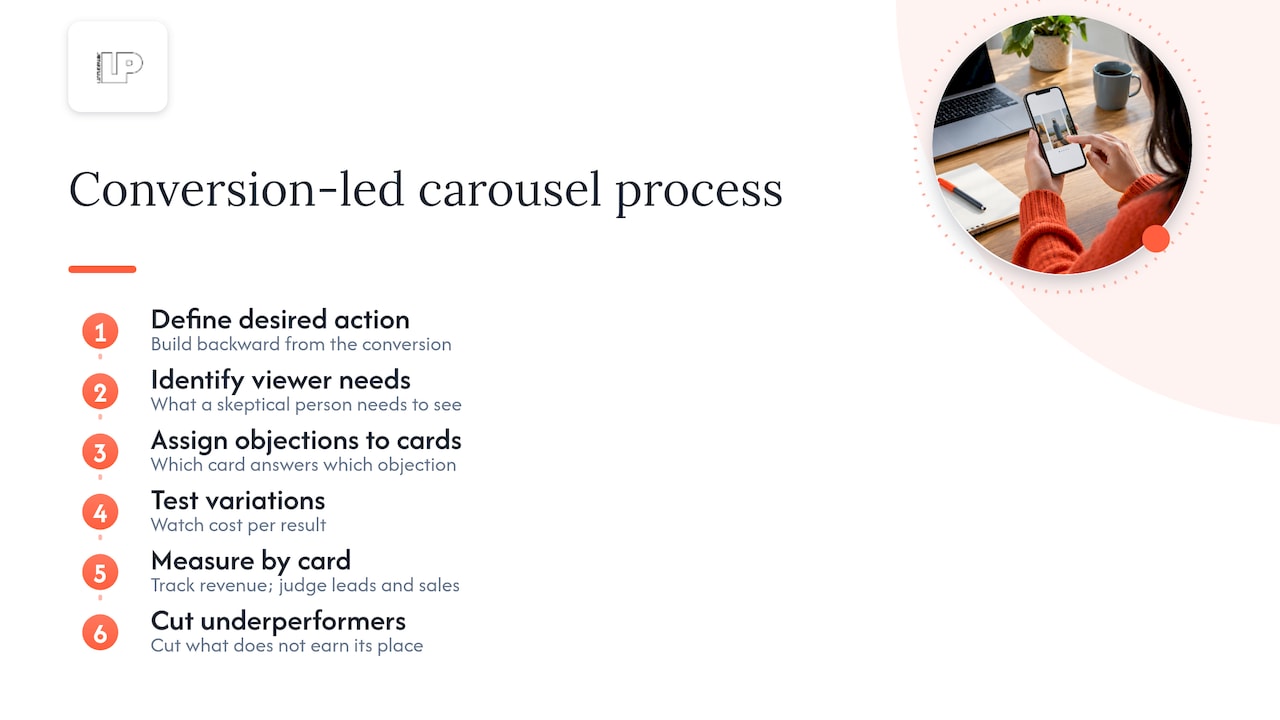
So we build carousels backward from the conversion. What is the one action we want? What does a skeptical person need to see before taking it? Which card answers which objection? Then we test variations, watch cost per result and revenue by card, and cut what does not earn its place. Our clients get weekly calls and direct access, so when a card underperforms we talk about it that week, not at the end of the quarter.
The format is forgiving to people who respect the viewer’s attention and brutal to those who do not.
— Rusty
Want a team to run this for you?
If you would rather have carousels built, tracked and tuned by people who live in Ads Manager, that is what our Facebook and Instagram advertising service is for. We combine AI-driven analysis with transparent reporting tied to revenue, and we look for the missed opportunities your current setup hides. Ecommerce brands can also see how we handle ecommerce campaign management.
Frequently asked questions
How many cards can a Facebook carousel ad have?
Between 2 and 10, according to Meta’s design specifications. More is not automatically better. Many stores see their best results with 3 to 6 cards, while catalog campaigns can benefit from 7 to 10.
What size should Facebook carousel images be?
The recommended size is 1080 x 1080 pixels at a 1:1 ratio, in JPG or PNG up to 30 MB, per Meta’s help center. Every card in a carousel must use the same aspect ratio. Keep logos and prices away from the outer edges so cropping does not cut them off.
Can I use videos in a carousel ad?
Yes. Cards can be images or videos, and Meta lists video length up to 240 minutes on Facebook, though 15 seconds is the recommendation. Short clips work best because the viewer is mid-scroll and mid-swipe.
Do carousel ads work better than single-image ads?
It depends on your goal and your creative. Carousels shine when you have multiple products, features or a story to tell, and a case like CASA’s 6X return on ad spend shows the upside. For a single simple offer, a single image or video can win, so test both against your own numbers.
Sources
- Design specifications for carousel ads, Meta Business Help Center
- Facebook Carousel Ad Specs and Sizes for 2026, AdsCreator
- Carousel Ads 2026: Specs, Script, Workflow, AdLibrary
- CASA achieves 6X return on ad spend with Facebook Carousel Ads, CaseStudies.com
- Best Way to Make Instagram Carousel Ad for Shopify, Coinis
- Facebook Ads Case Study, Underbelly