Why Automation Services for Growing Businesses Are No Longer Optional
Automation services for growing businesses are tools and systems that replace manual, repetitive tasks with intelligent workflows — freeing your team to focus on work that actually drives revenue.
Here’s a quick snapshot of what they cover:
| Business Area | What Gets Automated |
|---|---|
| Sales & Marketing | Lead follow-up, email sequences, CRM updates |
| Operations | Data entry, reporting, inventory tracking |
| Finance | Invoicing, payment reminders, expense tracking |
| Customer Service | Chatbots, ticket routing, appointment booking |
| Compliance | Document processing, audit trails, approvals |
The business case is hard to ignore. Over 40% of workers spend at least a quarter of their workweek on manual, repetitive tasks, according to research on workplace automation. That’s time not spent on strategy, customers, or growth.
For franchise marketing managers especially, the pressure is real. You’re coordinating campaigns across multiple locations, trying to keep brand messaging consistent, and managing more moving parts than your current systems can handle.
More hustle isn’t the answer. Better systems are.
I’m Rusty Rich, President of Latitude Park — a full-service digital advertising agency that has helped small businesses and growing franchises build scalable, performance-driven operations since 2009. My hands-on work with automation services for growing businesses has shown me how the right systems turn operational chaos into measurable, repeatable growth.
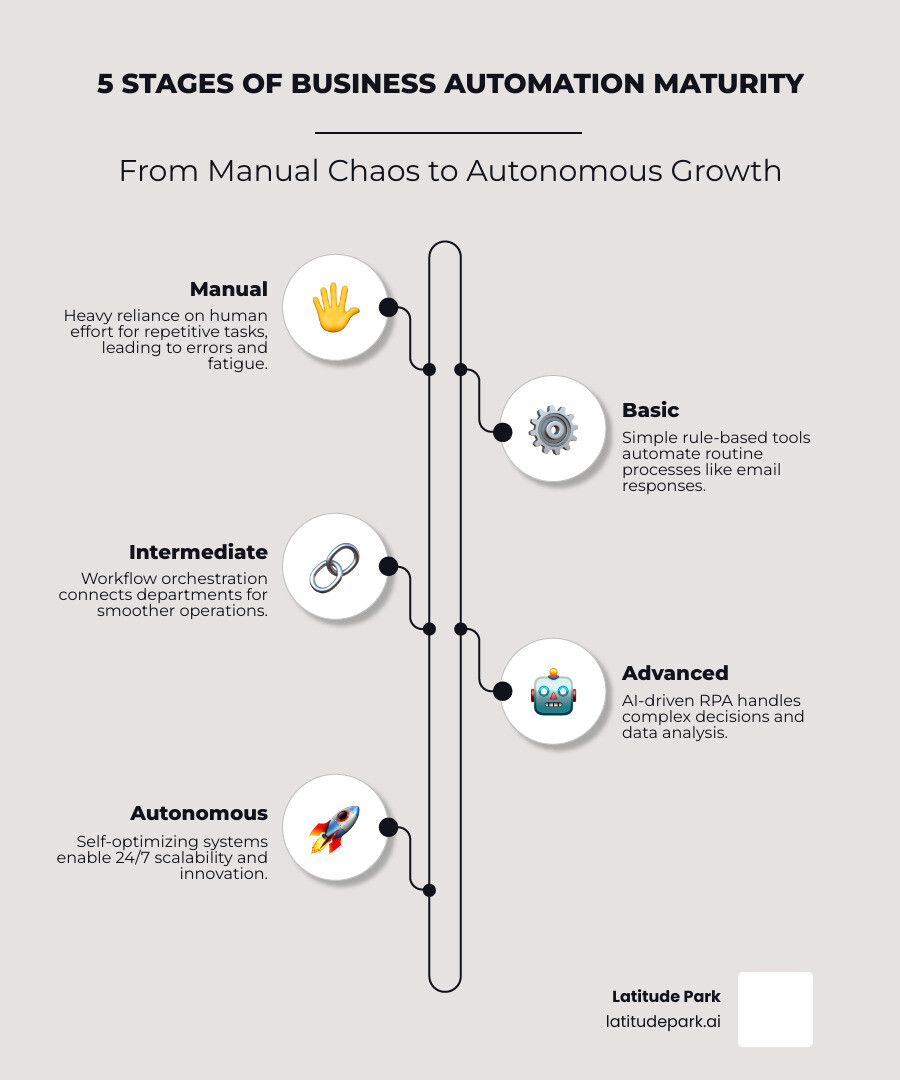
Automation services for growing businesses vocab explained:
Understanding Automation Services for Growing Businesses
When we talk about automation services for growing businesses, we aren’t just talking about a single piece of software. We are talking about a holistic ecosystem designed to handle the “grunt work” so your humans can do “head work.”
Business Process Automation (BPA) vs. Robotic Process Automation (RPA)
It is easy to get lost in the alphabet soup of tech jargon. Think of Business Process Automation (BPA) as the architect. It looks at your entire workflow—like how a lead moves from a Facebook ad to a signed contract—and streamlines the whole journey.
Robotic Process Automation (RPA), on the other hand, is the tireless worker. RPA uses software “bots” to mimic human actions, like logging into a legacy web portal, scraping data, and pasting it into a spreadsheet. When you combine these with Small Business Automation Tools, you create a system that doesn’t just work faster; it works smarter.
Intelligent Routing and Workflow Orchestration
Modern services now include intelligent routing. Imagine a customer inquiry comes in at 11 PM. Instead of waiting for a manual review at 9 AM, an AI-driven system classifies the intent, checks the urgency, and routes it to the correct department or answers it instantly.
This is part of workflow orchestration, which connects your disconnected tools. For many growing businesses, data is trapped in silos—your sales team uses one tool, your operations team another, and your billing department a third. Automation acts as the “glue,” using cloud-based infrastructure and custom APIs to ensure data flows seamlessly between systems without manual intervention.
AI-Driven RPA and Legacy Integration
The biggest hurdle for many growing companies is “legacy systems”—that old software you can’t live without but which doesn’t talk to anything else. Modern AI-driven RPA solutions use transformer-based engines to “see” the user interface of old Windows or Citrix applications, allowing you to automate them even if they don’t have a modern API. This ensures a scalable architecture that grows with you, rather than holding you back.
Key Benefits of Implementing Automation in SMEs
Why are so many middle-market companies ranking automation as their second most critical technology initiative, just behind data analytics? Because the impact on the bottom line is immediate and measurable.
Cost Reduction and Error Elimination
Manual data entry is a silent profit killer. Not only does it take time, but it is also prone to “fat-finger” errors that can lead to shipping mistakes, billing disputes, or compliance risks. Automation provides 100% data integrity. By replacing manual tasks, businesses often see a 40% reduction in operational costs and can save over 15 hours per week per team member.
24/7 Operations and Customer Expectations
In 2025, customers don’t want to wait six hours for a reply; they want it in six seconds. In fact, 79% of customers expect consistent interactions across all departments. Automation allows your business to stay “open” while you sleep. Whether it’s a lead-capture bot or an automated quote generator, you can provide enterprise-grade service on a small business budget.
Employee Retention and Resource Reallocation
Nobody goes to college to spend four hours a day copy-pasting data from one screen to another. By removing mundane tasks, you improve employee satisfaction and retention. You can reallocate your most talented (and highest-paid) people to high-value activities, like closing deals or improving the customer experience.
Manual Labor vs. Automated ROI
To put the financial benefit in perspective, consider this comparison:
| Metric | Manual Process | Automated System |
|---|---|---|
| Weekly Hours Spent | 20+ hours | < 2 hours |
| Error Rate | 3-5% (Human error) | < 0.1% |
| Response Time | 6 – 24 hours | Instant – 2.4 seconds |
| Scalability | Requires new hires | Elastic (No extra staff) |
| Estimated Annual Labor Cost | $36,400 per employee | $4,000 – $12,000 (License/Maint) |
As shown in this Small Business Sales Automation Ultimate Guide, the competitive advantage goes to the business that can scale its output without proportionally scaling its headcount.
Essential Business Processes to Automate for Maximum Impact
If you try to automate everything at once, you’ll likely end up with a mess. The secret is to identify “revenue leaks”—places where money is falling through the cracks because of human delay.
Lead Nurturing and Sales Follow-Up
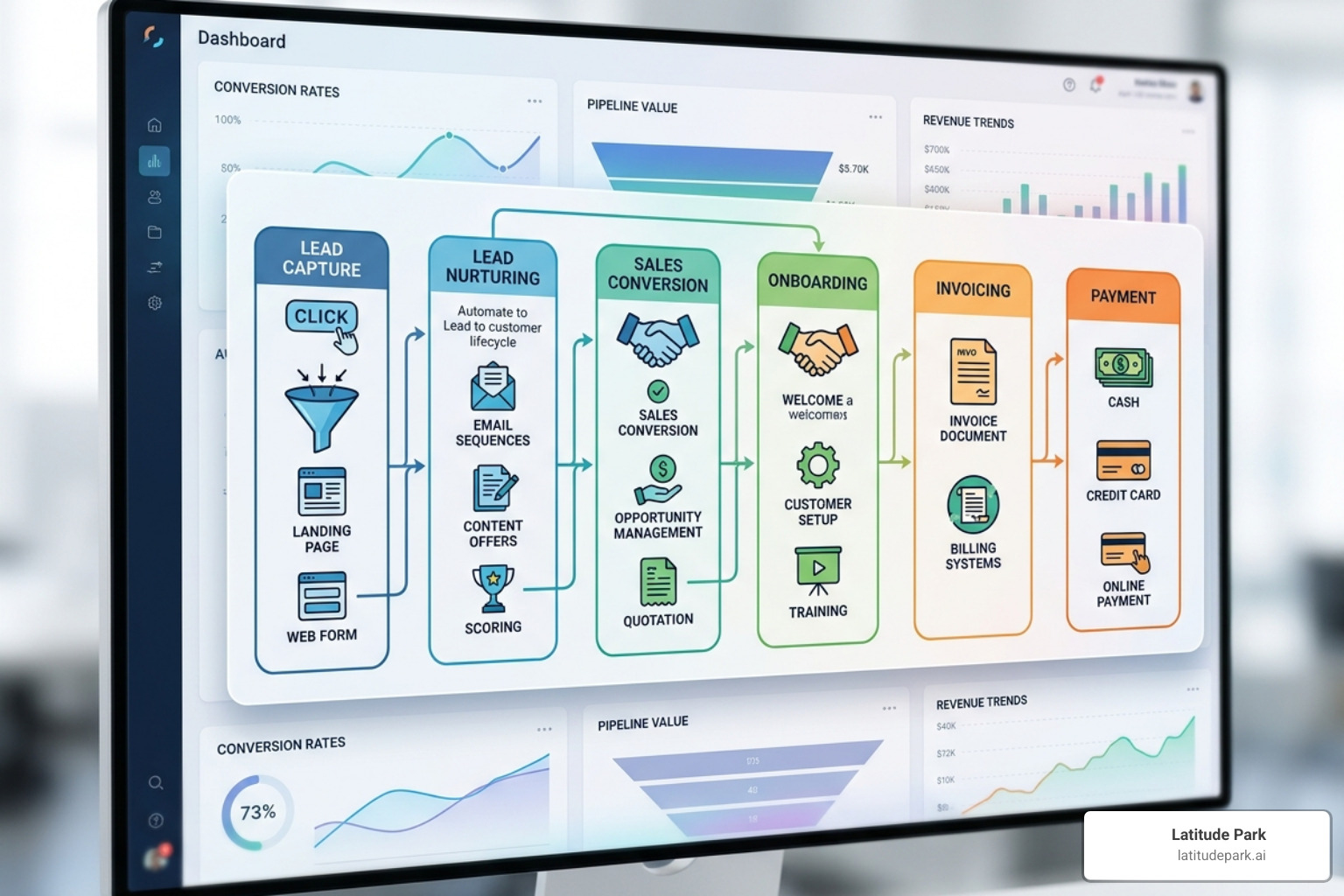
Did you know that leads contacted within five minutes are 21 times more likely to convert? If you are waiting for a salesperson to manually check their inbox, you are losing money. By using Sales Automation Software, you can trigger instant SMS and email follow-ups the second a form is submitted.
Client Onboarding and Invoicing
Onboarding should be a “wow” moment for a new client, not a week of back-and-forth emails. Automated onboarding workflows can send contracts, collect initial data, and set up project folders in minutes. Pair this with automated invoicing—which triggers reminders and categorizes expenses—and you can reduce your billing time by up to 90%.
Data Entry and CRM Management
Your Crm Program is only useful if the data inside it is accurate. Instead of asking sales reps to log every call and email, automation services can sync this data in real-time. This ensures your pipeline management is based on facts, not guesses.
Customer Support and Scheduling
Stop the “calendar dance.” Using automated appointment scheduling allows prospects to book directly into your team’s availability. For routine questions, AI chatbots can handle 60-80% of inquiries, only routing the complex ones to your human staff with the full context of the conversation already provided.
Sales and Marketing Automation Services for Growing Businesses
For businesses running Meta (Facebook) ads, integration is key. We often see franchises struggle to track which ads actually lead to revenue across 50 different locations. Automation services for growing businesses solve this by:
- Lead Scoring: Prioritizing prospects based on their engagement with your ads.
- Personalized Campaigns: Using AI to tailor email content based on what the user clicked.
- Revenue Attribution: Connecting a specific ad click to a final sale in your Best Crm For Small Business.
Operational Automation Services for Growing Businesses
Beyond sales, operations are where the heavy lifting happens. This Business Automation Tools Ultimate Guide highlights how real-time reporting can replace manual spreadsheet updates. Other operational wins include:
- Inventory Management: Automatically reordering stock when levels hit a threshold.
- Document Processing: Using AI to read invoices or contracts and extract key data points.
- Compliance Monitoring: Ensuring every file has the required signatures and audit trails.
How to Choose and Implement the Right Automation Strategy
The graveyard of digital transformation is filled with companies that tried to do too much, too fast. We recommend a “crawl, walk, run” approach.
- Process Mining: Before you automate, you must understand. Use screen recordings or SOPs to map out exactly how a task is done. Don’t automate a broken process; fix it first.
- Identify Fast Wins: Look for high-volume, low-complexity tasks. Data entry and lead follow-ups are usually the best places to start.
- Phased Rollout: Implement one workflow at a time. This allows your team to adapt and ensures you can measure the ROI of each step.
- Select the Right Partner: Look for services that offer “no-code” or “low-code” interfaces. You want a system that integrates with your existing apps without proprietary lock-in.
As we discuss in our guide on how AI tools can automate your business tasks, the goal is to make the technology feel invisible.
Implementation Roadmap (The First 90 Days)
- Day 1-30: Audit workflows, identify bottlenecks, and select your first automation pilot.
- Day 31-60: Build and test the automation in a “sandbox” environment. Train your core team.
- Day 61-90: Go live, monitor for errors, and measure the time/cost savings. Use these “wins” to get buy-in for the next phase.
Frequently Asked Questions about Business Automation
How long does it take to see ROI from automation services?
Most growing businesses see measurable time savings within 30 days and full financial ROI within 2 to 4 months, depending on the complexity of the workflows automated. For example, automating lead follow-up can result in immediate revenue increases by preventing “dead quotes.”
Do I need a technical team to manage these services?
Modern automation services are designed for non-technical users, offering “no-code” interfaces and fully managed support so business owners can focus on strategy rather than code. If you can use a drag-and-drop interface, you can manage modern automation.
Can automation integrate with my existing CRM and ERP?
Yes, leading automation providers use custom APIs and transformer-based engines to ensure seamless data exchange between your existing tech stack and new automated workflows. This prevents data silos and ensures your entire organization is working from a “single source of truth.”
Conclusion: Future-Proofing Your Growth
The gap between businesses that automate and those that don’t is widening. By 2027, Gartner predicts that 40% of enterprise work will be orchestrated by autonomous AI agents. For growing businesses and franchises, automation isn’t just about saving a few hours; it’s about building a foundation that can handle 10x the volume without 10x the stress.
At Latitude Park, we specialize in helping franchises navigate this digital transformation. Whether it’s through tailored Meta advertising strategies or streamlining multi-location marketing, we focus on the systems that fuel growth.
Don’t let manual tasks hold your vision hostage. Start small, pick a bottleneck, and turn it into a competitive advantage. For a deeper dive into the specific platforms available today, check out our Small Business Automation Tools Complete Guide.
Ready to move from chaos to control? The tools are ready when you are.