A Step-by-Step Guide to Google Analytics for Local Ads
Understanding Local Ad Formats and Eligibility Requirements
Before you start measuring campaign success inside Google Analytics, you need to understand what you’re tracking. Google provides several advertising avenues for local businesses, each serving a distinct purpose in the buyer’s journey. If you want a complete breakdown of local setup basics, check out our Practical Guide to Google Ads for Local Business.
Differences Between Local Services Ads, Local Ads, and Search Ads
Choosing the right format depends heavily on your business model, whether you rely on immediate incoming calls or direct foot traffic.
- Local Services Ads (LSAs): These sit at the absolute top of the search engine results page. LSAs operate on a pay-per-lead pricing structure, meaning you only pay when a customer calls or messages you directly through the ad. They showcase the Google Verified Badge (or Google Guaranteed / Google Screened), which acts as a major trust builder for home services, legal practices, and healthcare providers.
- Local Ads: Built specifically to drive foot traffic, these display across Google Search, Google Maps, and Waze (available via Performance Max for store goals). They use standard pay-per-click (PPC) billing for interactions like direction requests, click-to-calls, or website visits, or CPM pricing for branded logo pins on Maps. For full details on how these placements function, review the About Local Ads Help Center.
- Standard Search Ads: Keyword-targeted ads that appear on search results pages. These charge on a traditional PPC basis and drive traffic directly to landing pages or specified web URLs.
Eligibility for Tracking Store Visits and Offline Actions
Not every business can immediately measure physical foot traffic. Google enforces strict privacy protections and data thresholds before unlocking store visit conversions.
To qualify for store visit measurement in Google Ads and Analytics, your business must satisfy these strict requirements:
- Maintain an active, 100% verified Google Business Profile linked to your Google Ads account.
- Enable and maintain active location assets across your campaigns.
- Pass minimum ad click and foot traffic volume thresholds (Google requires sufficient traffic to aggregate data anonymously).
- Operate in a non-sensitive vertical. (Categories involving healthcare, addiction treatment, religion, or children are strictly excluded to preserve user privacy).
Google calculates store visits using aggregated, privacy-safe statistical models supported by location history data and direct survey responses from a panel of over 10 million Google Opinion Rewards volunteers. For complete compliance requirements, consult the About store visit conversions guide.
Setting Up Google Analytics for Ads Local Business Ads
Connecting your local marketing engine to google analytics for ads local business ads allows you to move beyond basic vanity metrics like ad impressions. To learn more about structuring local campaigns, read our guide on Local Search Ad Campaigns.
Linking GA4 with Google Ads for Local Campaigns
To analyze local ads inside Google Analytics, you must link your accounts properly:
- In Google Analytics (desktop), click Admin (gear icon) in the bottom left.
- Under Property settings, open Product Links and select Google Ads Links.
- Click Link, select your Google Ads account, and confirm.
- Ensure Auto-tagging is enabled in your Google Ads account settings. Auto-tagging automatically appends GCLID (Google Click Identifier) parameters to your destination URLs, allowing GA4 to capture cost, clicks, CPC, and ad group dimensions seamlessly.
Configuring Local Action Conversion Tracking in Google Analytics for Ads Local Business Ads
Google automatically generates local action conversion goals once location assets are active in your ad account and receive interactions. These local action conversions include:
- Clicks-to-call: Phone dials initiated from ad extensions or profile cards.
- Directions requested: Users clicking ‘Get Directions’ to navigate to your physical location.
- Website visits & Menu views: Engagements driven specifically from local profile listings.
To reflect these interactions within GA4:
- Navigate to Admin > Data display > Events in GA4.
- Ensure custom click-to-call or location-click events are being collected.
- Toggle the switch next to these events to Mark as key event.
- In Google Ads, review your conversion goals to ensure campaign bidding maps accurately to these key events. Review the About local actions conversions documentation for additional bulk setup tips.
Measuring Offline Impact and Key Reports in Google Analytics
Once your accounts are linked, you can evaluate real-world foot traffic and inbound lead volume alongside website analytics.

Evaluating Performance Metrics for Local Campaigns
To evaluate performance inside Google Analytics, head to Advertising > Key event performance > Google Ads. This report brings your critical ad metrics together in one place:
- Ads clicks & Ads cost: Track total budget consumption across individual geographic locations.
- Ads CPC: Keep cost-per-click reasonable across competitive local keywords.
- Key events & Key event rate: Track the percentage of ad traffic taking local actions (e.g., booking form fills or call clicks).
- Return on Ad Spend (ROAS): Evaluate financial efficiency by comparing recorded revenue against ad cost.
For step-by-step guidance on reading this data, review the Google Ads campaigns performance report guide.
Optimizing Ad Budgets Using Store Reports and Foot Traffic Data
To prevent burning budget on poor-performing store locations, you must cross-reference your Analytics insights with Google Ads Store Reports. If you’re struggling with wasted spend, read Stop Wasting Cash and Start Running Local Google Ads the Right Way.
- In Google Ads, go to Insights and reports > Stores.
- Customize your columns to show Store visits, Local reach impressions, and Call clicks.
- Identify top-performing physical stores and shift ad dollars toward those locations.
- For lower-performing stores, adjust geographic target radii or inspect your Google Business Profile details for accuracy. Check the official View the store report instructions to ensure your reporting columns are configured correctly.
Maximizing ROAS with Data-Driven Attribution in Google Analytics for Ads Local Business Ads
Attribution determines which touchpoint gets credit for a conversion. Choosing the right attribution model ensures you aren’t underfunding top-of-funnel local discovery ads.
Impact of Attribution Models on Local Ad Reporting in Google Analytics for Ads Local Business Ads
| Features & Capabilities | Last-Click Attribution | Data-Driven Attribution (DDA) |
|---|---|---|
| Credit Distribution | Gives 100% conversion credit to the final clicked ad | Distributes credit across multiple touchpoints using machine learning |
| Local Search Ad Evaluation | Ignores initial Map views or direction lookups if a direct search ad click followed later | Accurately rewards mid-funnel Map views and initial local discovery interactions |
| Local Action Conversions | Default for standard store reports and basic local action conversions | Recommended for Google Ads Smart Bidding optimization across omnichannel campaigns |
| ROAS Accuracy | Can overvalue branded search campaigns while ignoring local awareness ads | Provides a realistic, holistic view of total ad influence on offline visits |
Switching to Data-Driven Attribution helps you see the real value of early touchpoints—like a user viewing your listing on Maps before calling your business two days later. To dive deeper into attribution mechanics, explore our Google Ads Data Analysis Ultimate Guide.
Combining Ads Data and Analytics to Boost Local ROAS
By bringing together GA4 key events and Google Ads Smart Bidding, local campaigns can optimize automatically based on real value:
- Set up value-based rules: Assign an average monetary value to store visits or direction requests (e.g., if 1 in 10 store visits results in a $100 purchase, a store visit is worth $10).
- Use Smart Bidding strategies like Maximize conversion value or Target ROAS inside Performance Max for store goals campaigns.
- Expand asset coverage: Incorporate call, location, and structured snippet extensions across all local campaigns. To optimize these elements, check out our guide on the Best Google Ad Extensions for Local Business Clients.
Frequently Asked Questions About Local Business Google Ads
What is the primary difference between Local Services Ads and standard Google Ads?
Local Services Ads operate on a pay-per-lead model where you only pay for valid inquiries or phone calls, featuring the Google Verified Badge at the very top of search results. Standard Google Ads rely on a pay-per-click (PPC) model to drive users to landing pages, Google Maps, or custom URLs.
How does Google Analytics track offline phone calls and directions?
Google Analytics captures phone calls and direction requests by linking location assets and Google Business Profile interactions from Google Ads. When auto-tagging is enabled, these interactions are recorded as local action events, which you can mark as key events in GA4.
Why are store visits not showing up in my Google Analytics reports?
Store visits may be missing if your business fails to meet minimum ad impression or physical foot traffic thresholds required for privacy-safe modeling. Additionally, unverified Google Business Profiles, inactive location assets, or operating within sensitive business verticals (such as healthcare) will disable store visit reporting.
Conclusion
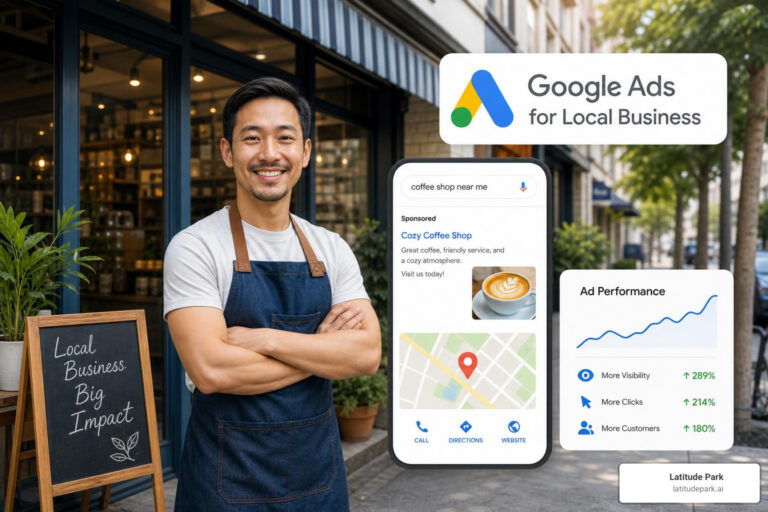
Connecting google analytics for ads local business ads removes the guesswork from local marketing. By linking your GA4 property to Google Ads, enabling auto-tagging, tracking local action key events, and reviewing Store Reports, you can make smarter spend decisions that directly increase foot traffic and phone calls.
Managing local ad tracking across multiple locations can get complex fast. If you’re looking to scale your advertising operations and maximize your offline ROAS, the team at Latitude Park can help. Visit our Latitude Park Google and YouTube Ads Management page to discover how we build scalable, high-converting ad strategies tailored for growing franchise networks and local businesses.