Stop Wasting Cash and Start Running Local Google Ads the Right Way
Local Services Ads (LSA) vs. Standard Google Ads: Which is Best?
Learning how to run google ads for local business is the fastest way to get your phones ringing and drive physical foot traffic to your storefronts.
To launch a successful local campaign, you must bypass complex national settings and focus on a few high-impact steps:
- Link your Google Business Profile to your Google Ads account to unlock location assets and map-based ads.
- Set your location targeting strictly to “Presence” (people physically in your area) rather than “Presence or interest” to avoid paying for out-of-town clicks.
- Build tightly themed Search ad groups focused on high-intent, localized keywords (e.g., “plumber near me” or “[city] AC repair”).
- Implement robust call tracking to measure every phone call lasting over 60 seconds as a conversion.
- Add negative keywords from day one to block non-buyer searches like “DIY,” “jobs,” or “salary.”
A massive 76% of people who search for something nearby on their smartphone visit a business within 24 hours, and 28% of those searches result in a purchase. Because Google is a demand-capture platform, your ads place your business directly in front of local buyers at the exact moment they are ready to purchase.
I’m Rusty Rich, President and founder of Latitude Park. Since 2009, I have helped multi-location franchises and small businesses scale their growth by mastering how to run google ads for local business without wasting ad spend.
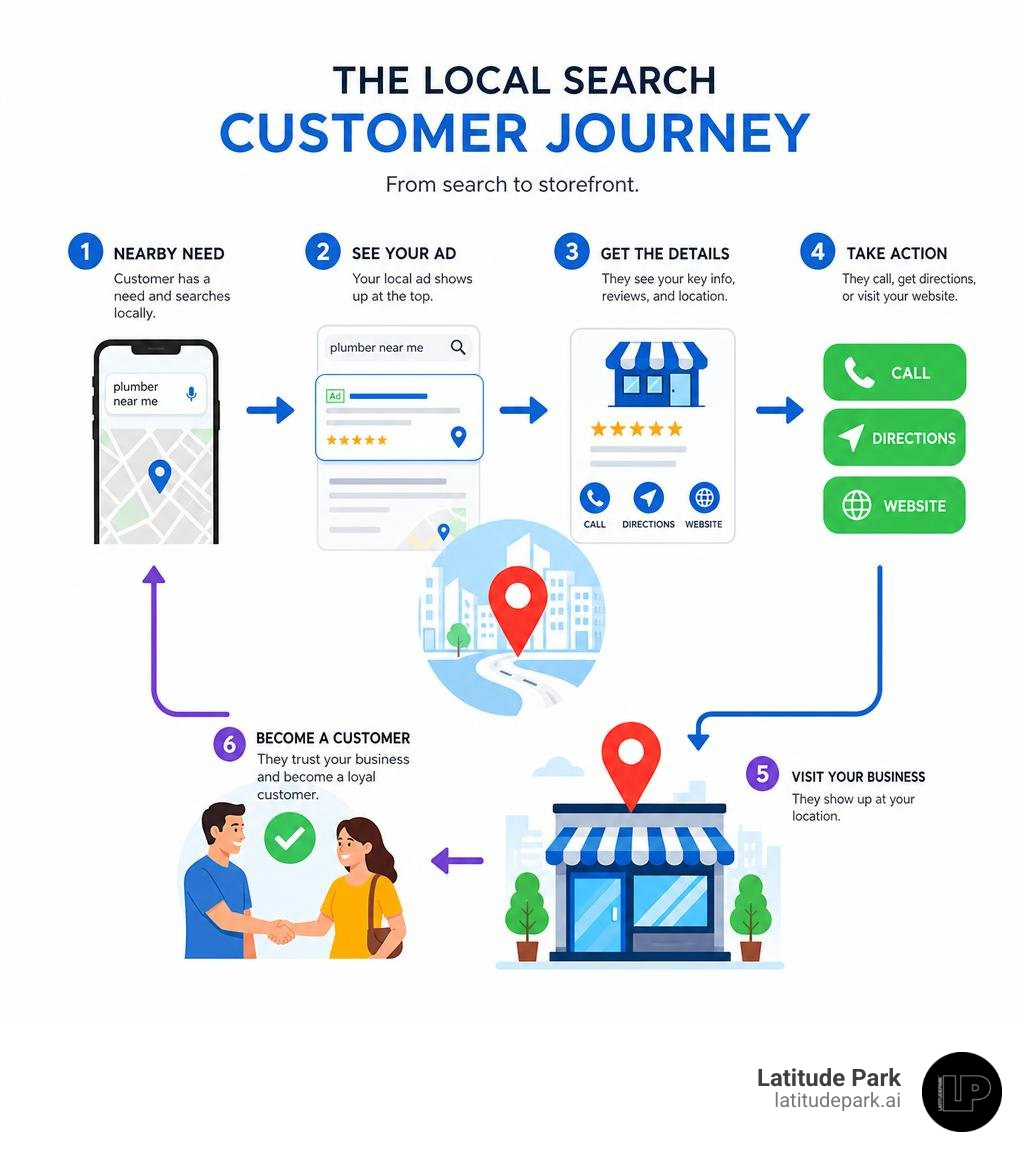
Simple guide to how to run google ads for local business terms:
When figuring out how to run google ads for local business campaigns, the first major decision you will face is choosing between Local Services Ads (LSA) and standard Google Ads.
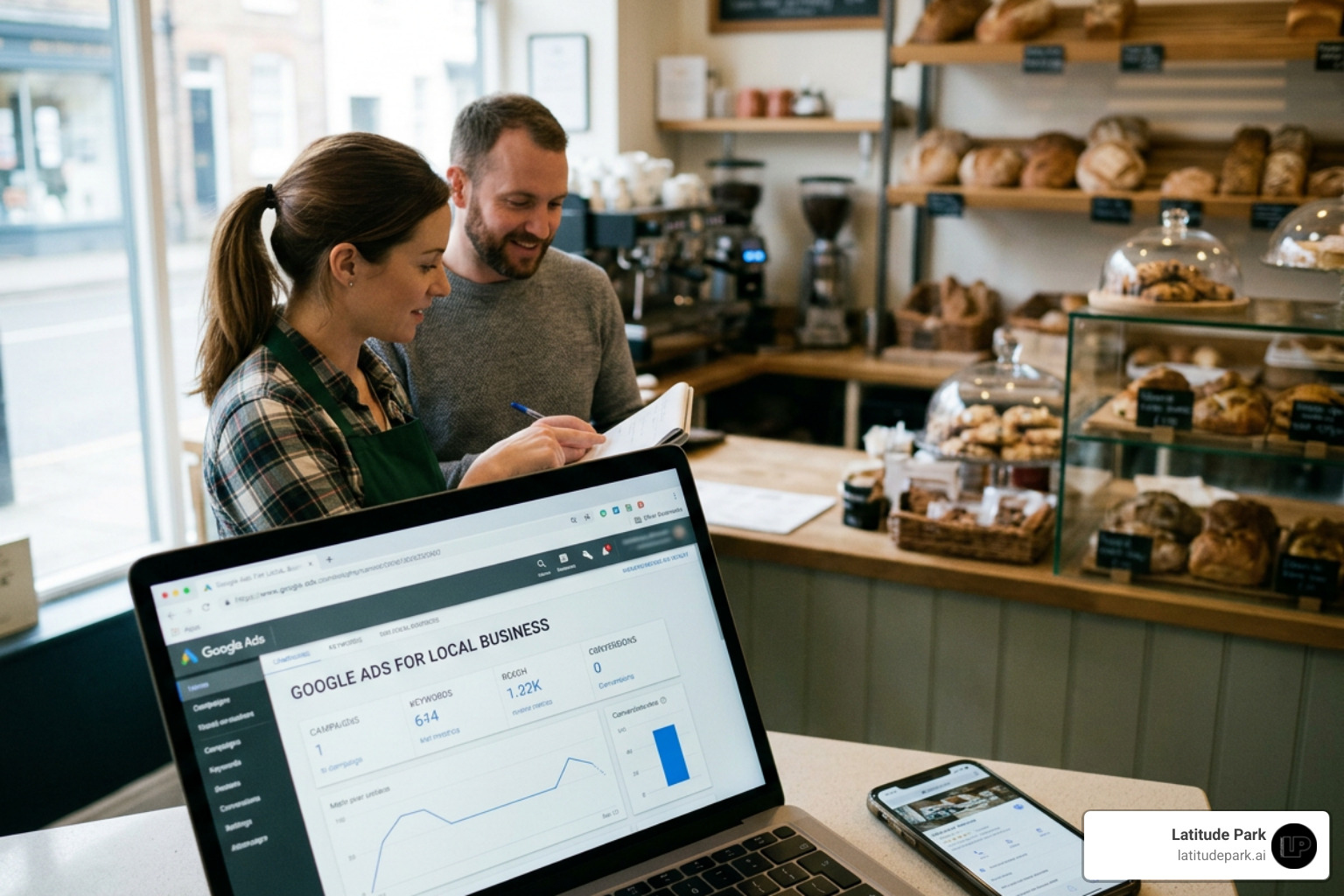
Local Services Ads sit at the very top of the Google search results page, even above traditional search ads. They operate on a pay-per-lead model rather than a pay-per-click (PPC) model. This means you do not pay when someone merely clicks on your ad; you only pay when a prospect actually calls, messages, or books a service through the platform.
Furthermore, LSAs display the coveted Google Verified badge (which consolidated the Google Guaranteed and Google Screened badges into a single trusted trust signal). This badge builds instant consumer confidence because Google background-checks your business, licenses, and insurance.
Standard Google Ads, on the other hand, operate on the traditional pay-per-click model. You pay for every click that lands a user on your website or landing page, regardless of whether they contact you. While this sounds riskier, standard Google Ads offer unparalleled customization, allowing you to write your own ad copy, target highly specific long-tail keywords, build custom landing pages, and control your brand messaging completely.
Here is a quick breakdown to help you choose:
| Feature | Local Services Ads (LSA) | Standard Google Ads |
|---|---|---|
| Payment Model | Pay-per-lead (calls, messages) | Pay-per-click (website visits) |
| Ad Placement | Absolute top of search results | Top and bottom of search, Maps, YouTube |
| Trust Signals | “Google Verified” badge displayed | Sitelinks, reviews, and call assets |
| Landing Page | Google-hosted business profile | Your own custom website/landing page |
| Lead Types | Phone calls & message leads | Form fills, calls, bookings, store visits |
| Control | Highly automated; low copy control | Complete control over copy and keywords |
For most local service providers, the ultimate strategy is not choosing one over the other, but running them together. You can read more about this dual-threat approach in our Local Service Google Ads Complete Guide.
How to Run Google Ads for Local Business: A Step-by-Step Setup Guide
Setting up your account correctly from day one is the difference between booking new clients and burning through your marketing budget.
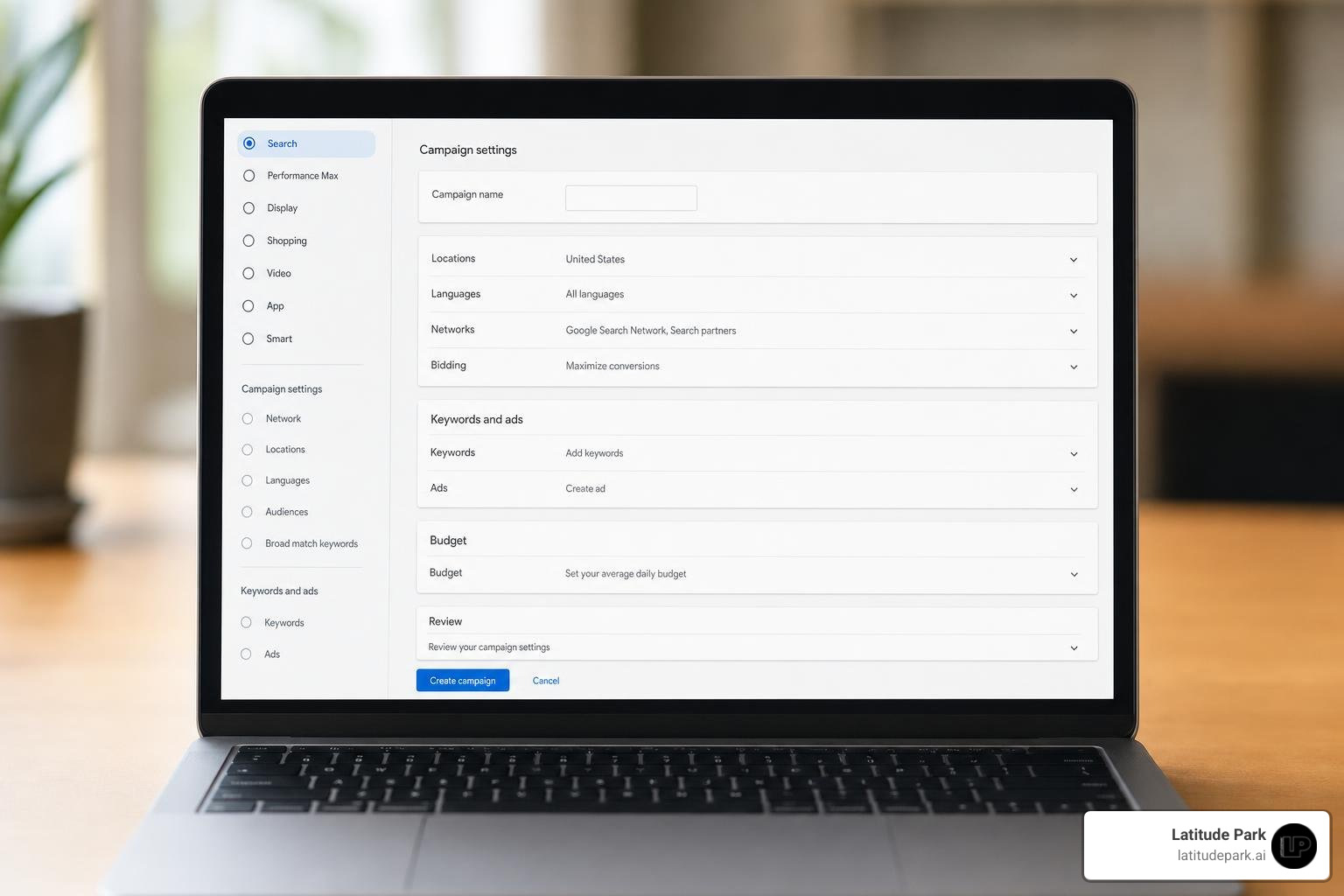
To get started, head over to Google Ads and create your account. Google will try to steer you into “Smart Mode” (formerly AdWords Express). Do not take the bait. Smart campaigns are highly automated and frequently waste budget on broad, low-intent search queries. Instead, look for the small link at the bottom of the screen that says “Switch to Expert Mode.” This unlocks the full suite of targeting, bidding, and keyword controls you need to run a profitable local campaign.
Once in Expert Mode, your first priority is linking your Google Business Profile (GBP) to your Google Ads account. This simple step unlocks location assets, allowing your business address, phone number, hours, and star ratings to display directly within your search ads and on Google Maps.
For a complete breakdown of the initial steps, you can refer to the official Google Help Guide on Campaign Creation and our own A Practical Guide to Google Ads for Local Business.
Choosing the Right Campaign Types: How to Run Google Ads for Local Business Successfully
Once your account is ready, you must choose your campaign type. For local businesses, we recommend starting with a traditional Search Campaign. Search campaigns target users who are actively typing in high-intent phrases like “emergency roof repair” or “dentist near me.” This is pure demand capture.
Once you have established solid conversion data (ideally 30+ conversions per month), you can look into Performance Max (PMax) Campaigns. Performance Max is Google’s AI-driven campaign type that serves ads across Search, YouTube, Display, Gmail, Discover, and Google Maps. Advertisers using Performance Max see an average 18% increase in conversions at a similar cost per action compared to standard campaigns.
For brick-and-mortar storefronts, PMax for Store Goals is highly effective. It even integrates directly with Waze, displaying “Promoted Places in Navigation” pins to drivers nearby. However, because PMax is heavily automated, starting with a controlled Search campaign is always the safest way to build your baseline data. Learn more about choosing your starting point in our guide on Local Search Ad Campaigns.
Step-by-Step Account Setup and Conversion Tracking
If you cannot measure your results, you should not be advertising. Before you enable any campaign, you must configure robust conversion tracking.
For local businesses, conversions generally fall into three categories:
- Phone Calls: This includes clicks on call assets, clicks on call-only ads, and calls made from your website. We highly recommend using a call-tracking software (like CallRail) or Google’s native forwarding numbers. Set your call conversion threshold to 60 seconds. This filters out wrong numbers and telemarketers, ensuring you only optimize your bids for genuine leads.
- Form Fills: Track when someone submits a contact form or requests a quote on your website. Ensure your conversion tag triggers on the “Thank You” page rather than the form submission button to prevent tracking errors.
- Direct Bookings: If you use scheduling software, integrate it with Google Ads and Google Analytics 4 (GA4) to track completed appointments.
Geographic and Audience Targeting That Actually Works
Too many local businesses target an entire metropolitan area because they want “more reach.” This is a fast track to a drained budget.
Instead, use radius targeting or zip code targeting. If you are a neighborhood coffee shop, a 3-mile radius might be your sweet spot. If you are a specialized medical clinic, you might expand to 15 or 20 miles.
Most importantly, navigate to your Campaign Settings, open the Location Options, and change the target from the default “Presence or interest” to “Presence: People in or regularly in your targeted locations.”
If you leave it on the default, Google will show your ads to people who live in other states but happen to be searching for information about your city. A user in California searching for “Chicago plumbing tips” is of no use to a plumber based in Chicago who needs same-day jobs.
Additionally, use location exclusions to block neighborhoods or suburbs outside your service range, and set up ad scheduling so your ads only run during hours when your team is available to answer the phone. For a deeper dive into geographic settings, check out The Where Am I Guide to Local Search Ads.
Building a High-Intent Keyword and Ad Copy Strategy
The secret to writing great local ads is matching high-intent keywords with ad copy that acts as a filter. You do not want everyone to click your ad; you only want your ideal, paying customers to click.
Keyword Strategy: How to Run Google Ads for Local Business Without Wasting Budget
When picking keywords, focus heavily on commercial intent. Avoid generic terms like “plumbing” or “roofing.” Instead, target terms like “emergency plumber near me,” “local roofing contractor,” or “AC repair cost [city].”
Understand your match types:
- Exact Match
[keyword]: Shows your ad only when the search matches your keyword exactly. This is highly precise and excellent for tight budgets. - Phrase Match
"keyword": Shows your ad for searches that include the meaning of your keyword. It offers a great balance of control and reach. - Broad Match
keyword: Shows your ad on related searches. While 62% of advertisers using Smart Bidding use broad match as their primary match type, we strongly advise local businesses with smaller budgets to avoid broad match initially. It requires massive amounts of conversion data and a huge negative keyword list to prevent wasted spend.
From day one, build an aggressive negative keyword list. Add terms like “jobs,” “salary,” “DIY,” “free,” and “classes.” This prevents your ads from showing to job seekers or people looking to fix their own problems. Regularly review your Search Terms Report to find and block irrelevant queries before they cost you money. For more keyword tips, read our article on how to Stop Being Invisible with Local Google Advertising.
Writing Ad Copy and Leveraging Assets to Drive Calls
Your Responsive Search Ads (RSAs) should feature local trust signals and clear calls-to-action. Google allows you to input up to 15 headlines and 4 descriptions, which its AI will test in various combinations.
To stand out:
- Include your location: Use headlines like “Top-Rated [City] Plumber” or “Serving [Neighborhood] Since 2010.”
- Call out your ideal client: If you only do commercial work, say “Commercial HVAC Only — No Residential.” This filters out unqualified clicks.
- Use trust signals: Mention your Google reviews, certifications, or transparent pricing (e.g., “Over 500 5-Star Reviews”).
- Leverage assets (extensions): Always enable call assets, location assets, sitelinks, and callout assets. Ads with extensions have an average 10-15% higher click-through rate (CTR).
Note on Call-Only Ads: Traditional Call-Only Ads are set to sunset entirely by February 2027. If you currently rely on them, start migrating to Responsive Search Ads with prominent call assets to maintain your call volume without disruption. To optimize your extensions, refer to our guide on the Best Google Ad Extensions for Local Business Clients.
Setting Budgets, Bidding Strategies, and Optimizing for Scale
Setting the right budget and bidding strategy ensures your campaign has enough breathing room to gather data and generate a strong return on investment (ROI). On average, businesses make $8 for every $1 spent on Google Ads, but achieving this requires a structured approach to scaling.
Choosing Bidding Strategies and Setting Realistic Budgets
For most local service businesses, we recommend starting with a daily budget of $20 to $50 (roughly $600 to $1,500 per month). In highly competitive niches like legal services or high-end home remodeling, you may need $75 to $100 per day to secure enough clicks to generate meaningful conversion data.
When starting a brand-new campaign, use the Maximize Clicks bidding strategy. This tells Google’s algorithm to get as much traffic as possible within your budget, which helps you gather initial data quickly.
Once your campaign has recorded 15 to 30 conversions, switch to Maximize Conversions (Smart Bidding). Once performance stabilizes, you can apply a Target CPA (Cost Per Action) to tell Google exactly how much you are willing to pay for a lead, allowing the AI to optimize your bids automatically. For advanced bidding insights, check out The Where Am I Guide to Local Search Ads.
Monitoring, Scaling, and Avoiding Common Local Ad Mistakes
Google Ads is not a “set it and forget it” tool. Establish a weekly optimization routine:
- Review the Search Terms Report: Add irrelevant terms to your negative keyword list.
- Analyze Device Performance: Mobile devices often drive 70% to 80% of local service calls. If desktop clicks are not converting, lower your desktop bids.
- A/B Test Landing Pages: Never send ad traffic to your homepage. Your homepage is designed for general browsing. Instead, send traffic to a dedicated, mobile-friendly landing page that matches the exact offer in your ad. If your ad is about “water heater repair,” your landing page should focus exclusively on water heater repair, featuring a prominent phone number and a simple booking form.
- Scale Gradually: When scaling a successful campaign, increase your budget by only 15% to 20% at a time. Massive, sudden budget jumps can throw Google’s algorithm back into the “learning phase,” temporarily hurting your performance.
If you notice your campaign’s performance slipping, read our troubleshooting guide on Google Ads Performance Dropping.
Frequently Asked Questions about Local Google Ads
What is the minimum budget for local Google Ads?
While Google does not enforce a strict minimum budget, starting with less than $20 to $30 per day makes it incredibly difficult to gather enough conversion data for the algorithm to optimize. In competitive markets, a practical floor of $50 per day is recommended to get through the initial 30-day learning period successfully.
Why am I getting clicks from outside my service area?
This is almost always caused by leaving your location targeting on the default setting: “Presence or interest.” To fix this, go to your campaign settings, expand the Location Options, and select “Presence: People in or regularly in your targeted locations.” Additionally, make sure to add negative locations for surrounding cities or states you do not service.
How long does it take to see results from local campaigns?
You can start receiving clicks and phone calls within days of launching your campaign. However, the first 2 to 4 weeks are a data-collection phase. It typically takes 30 to 60 days of consistent optimization and conversion history for the algorithm to stabilize and deliver a highly predictable cost-per-lead.
Conclusion
Mastering how to run google ads for local business takes patience, precise targeting, and a refusal to rely blindly on Google’s default automated settings. By linking your Google Business Profile, keeping your geographic targeting tight, and tracking every single call and form fill, you will build a local lead generation engine that outpaces your competitors.
At Latitude Park, we specialize in helping businesses navigate the complexities of digital advertising. While we are experts in managing complex, multi-location structures and franchise marketing through tailored Meta (Facebook) advertising strategies, we know that a truly dominant local marketing strategy captures demand wherever it lives.
Ready to stop wasting cash and start driving real revenue? Grow your local business with expert Google Ads management and let our team build a high-performing system tailored to your unique market.