To improve your Map Pack ranking, complete and optimize your Google Business Profile now: prioritize your primary category, accurate hours, address, and a steady stream of recent reviews. Map Pack ranking runs on three levers Google spells out itself: relevance, distance, and prominence. Get those right and the rest follows. If the checklist below feels like a lot to manage on top of running your business, an agency like Latitude Park can sequence it for you.
Table of Contents
- 1. What the Map Pack is and why it decides local visibility
- 2. Relevance, distance, and prominence, translated into action
- 3. The Google Business Profile checklist that moves the needle
- 4. Why review recency beats a perfect star average
- 5. Citations, NAP consistency, and directory cleanup
- 6. On-site signals that back up your Google Business Profile
- 7. What to check first when your ranking suddenly drops
- Why most Map Pack advice skips the sequencing problem
- Managed Map Pack support without the guesswork of doing it solo
- Where to verify this guidance yourself
- Sources
- FAQ
1. What the Map Pack is and why it decides local visibility
The Map Pack, sometimes called the 3-Pack, is the block of three business listings that appears above organic results for local searches, showing each business’s rating, hours, address, and a map pin. It’s the fastest path a customer takes from “I need a plumber” to a phone call, and it sits above the organic listings your website is fighting to rank in.
That positioning is exactly why owners obsess over it: a strong organic ranking means nothing if a competitor’s map pin gets the click first. The two systems share some DNA (backlinks and site content still matter) but the Map Pack weighs different signals more heavily.
- The 3-Pack shows rating, review count, hours, distance, and a “call” or “directions” button, often before a searcher scrolls to organic results.
- Organic results reward content depth and backlinks; the Map Pack rewards profile completeness, proximity, and review activity.
- A business can rank on page one organically and still miss the Map Pack entirely if its Google Business Profile is thin.
2. Relevance, distance, and prominence, translated into action
Google says local ranking comes down to three factors: relevance, distance, and prominence, and that a complete, accurate Business Profile improves your odds on all three. Here’s what each one actually asks of you.
Relevance means Google can tell what you do and match it to the search. Pick the most specific primary category available (not “store,” but the exact type of store), list every relevant service in your profile, and keep your website copy talking about the same services in the same language.
Distance measures how close your pin is to the searcher, and it works differently depending on your setup. Storefronts are ranked against a fixed address, while service-area businesses are ranked against the zones they’ve defined, so an inaccurate service radius quietly costs you visibility in the areas you actually want to serve.
Prominence covers everything that makes you look trustworthy and active: review volume, review recency, backlinks, citations, and behavioral signals like clicks and calls.
- Relevance: category precision and service-list alignment with your site.
- Distance: accurate pin placement and, for service-area businesses, a realistic coverage radius.
- Prominence: review flow, citations, links, and whether you’re open right now.
Whitespark’s practitioner research places GBP signals, category selection, and proximity among the most influential Local Pack factors, and its 2026 Local Search Ranking Factors report weighs these against organic signals so you know where to spend your time first. One factor worth watching closely: being open at the moment someone searches has become a bigger swing factor than most owners realize.
3. The Google Business Profile checklist that moves the needle
Everything else you do local depends on this profile being right. Work through it in order.
- Claim and verify your Google Business Profile if you haven’t already, since an unverified listing rarely surfaces in the Map Pack at all.
- Set the single most specific primary category your business qualifies for, then add secondary categories only where they’re genuinely accurate.
- Confirm your address matches your storefront exactly and check that your map pin sits on the correct building, not the block.
- Enter standard hours and special hours for holidays: a listing that shows “closed” when you’re open is one of the fastest ways to lose a click.
- Add every applicable service, product, and attribute so Google (and searchers) can see the full scope of what you offer.
- Upload current photos of your storefront, team, and work, and add booking or appointment links if you take them.
- Link your profile to the specific page on your website that matches your primary category or location, not your homepage.
Pro Tip: Revisit your GBP fields quarterly. Hours, services, and photos drift out of date faster than owners expect, and Google notices stale profiles.
4. Why review recency beats a perfect star average
A five-year-old batch of five-star reviews does less for your Map Pack ranking than a steady trickle of new ones this month. Google’s own community threads confirm that gaining reviews alone doesn’t guarantee a ranking jump if categories, hours, or website alignment fall out of sync elsewhere, so reviews work best as one part of a maintained profile, not a standalone fix.
- Ask for reviews at the moment of highest satisfaction: right after service, delivery, or a resolved issue.
- Use light automation (a text or e-mail follow-up) to prompt reviews, but never gate or filter who gets asked based on expected rating.
- Respond to every review, good or bad, since responses themselves are a signal of an active, attentive business.
Pro Tip: Track new reviews per month, not just your overall star average. A flat count is a bigger red flag than a rating dip.
More on structuring this into a repeatable habit lives in our review strategies for local prominence guide.
5. Citations, NAP consistency, and directory cleanup
Your name, address, and phone number (NAP) need to match, word for word, everywhere they appear online. A mismatched suite number or an old phone line on a directory can quietly confuse Google about which listing is really you.
- Audit your legal business name, address format, phone number, website URL, and category listing across your top directories.
- Check the major aggregators and directories first: they feed dozens of smaller sites and fixing them there cascades outward.
- Manage citations manually if you have fewer than a handful of locations; use a listings service once you’re managing citations across multiple sites or locations at once, since the manual version stops scaling fast.
6. On-site signals that back up your Google Business Profile
Your website doesn’t rank in the Map Pack directly, but it feeds the relevance signal Google uses to confirm what your GBP claims. Build a page for each service or location that mirrors your profile’s categories and service names, word for word where it makes sense.
- Create a dedicated page per service or location instead of one page trying to cover everything.
- Add LocalBusiness or ProfessionalService schema markup and check it with the schema validator before publishing.
- Place local keywords naturally in titles, H1s, and service descriptions rather than repeating a city name until it reads awkwardly.
| Signal | Where it lives | What it tells Google |
|---|---|---|
| LocalBusiness schema | Site code | Confirms business type, address, hours |
| Service or location page | Website | Matches GBP category and service list |
| Title tag and H1 | Page metadata and header | Reinforces relevance for the search term |
Multi-location brands have their own version of this problem, covered in local SEO for multiple locations and on-page tactics for multi-location brands.
7. What to check first when your ranking suddenly drops
A ranking that falls overnight usually has a specific, findable cause rather than a mysterious algorithm shift. Work through the obvious culprits before assuming the worst.
- Check for a profile suspension or a flag from Google, which can happen after a bulk edit or a reported duplicate.
- Confirm your hours haven’t reverted to “closed” or defaulted incorrectly after a recent edit.
- Look for map pin drift, since a pin that’s moved even slightly can push you outside a searcher’s expected radius.
- Search your business name to see if a duplicate or an old, unclaimed listing has resurfaced and split your signals.
- Review your click and call activity for the same period. Practitioner testing shows that being open at the moment of search and pin accuracy have grown in importance, so a drop tied to hours or pin placement is increasingly common.
Most fixes resolve within a few weeks once corrected, though Google’s own re-crawl and re-index timing varies. If none of the above explains it, log the issue through Google’s support channels or flag it in the Business Profile community, where Local Guides and Google staff sometimes weigh in on edge cases.
Why most Map Pack advice skips the sequencing problem
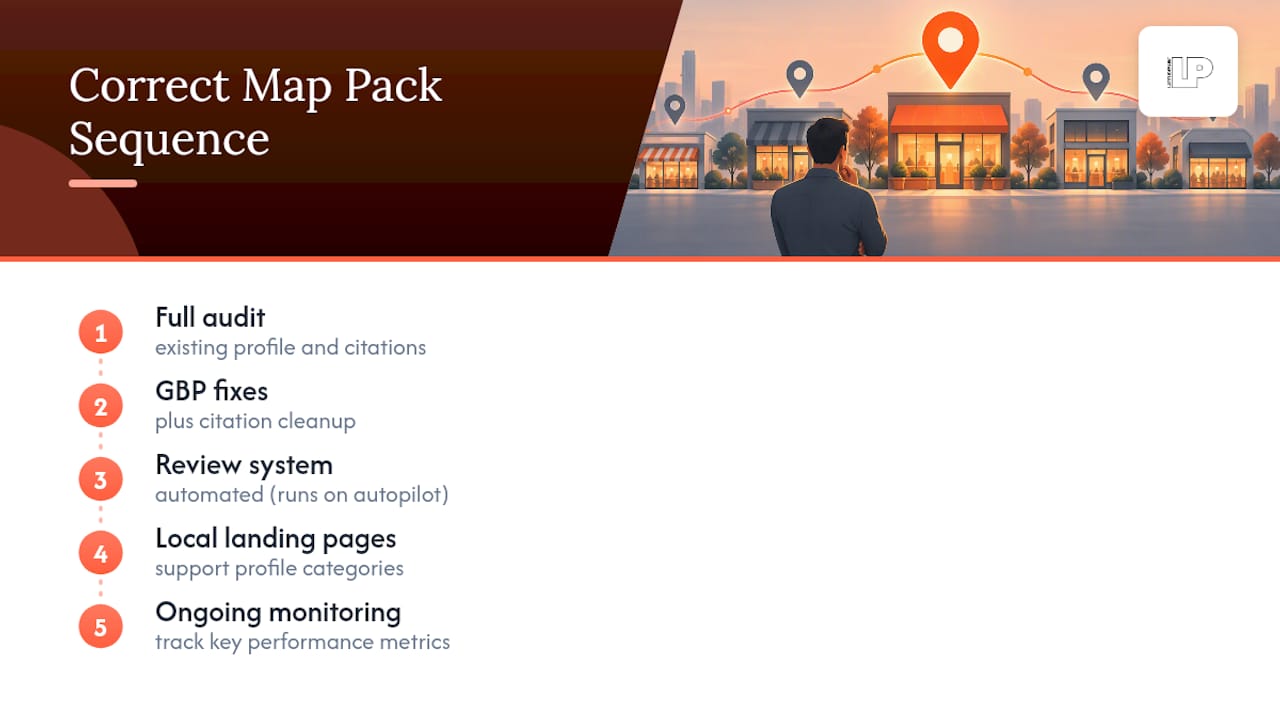
We sequence Map Pack work the same way for every local client, because doing it out of order wastes weeks. First comes a full audit of the existing profile and citations, then GBP fixes and citation cleanup, then a review system that runs on autopilot, then local landing pages that back up the categories on the profile, then ongoing monitoring.
We track a handful of numbers that actually predict revenue: GBP impressions, direction requests, phone calls, and conversions from the landing pages tied to the profile. Star ratings are a vanity metric next to those four.
— Rusty
Managed Map Pack support without the guesswork of doing it solo
Running through this checklist once is manageable. Running it every month, across categories, hours, citations, reviews, and landing pages, is where most owners quietly fall behind, especially once a slow season or a busy week eats the time they meant to spend on it.

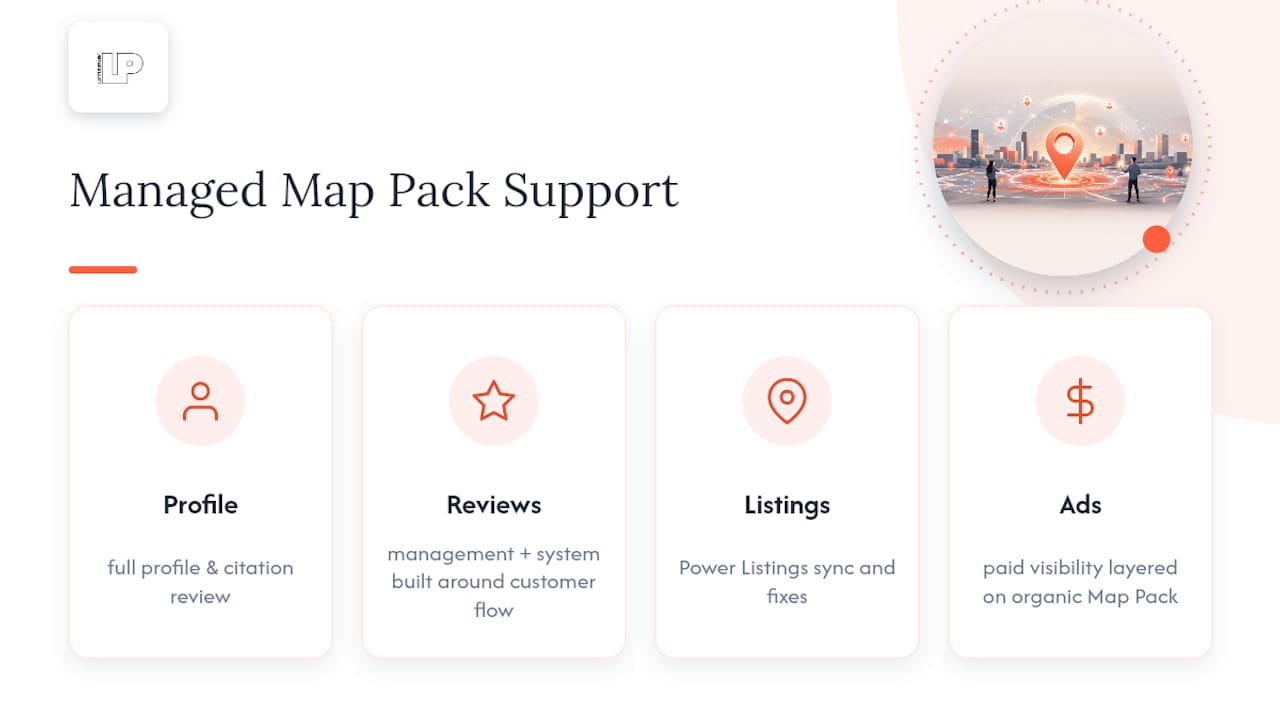
Latitude Park handles the pieces that move Map Pack rankings fastest: Google Profile Optimization, Reviews Management, and Power Listings alongside Google Business Ads for businesses that want paid visibility layered on top of organic Map Pack presence. An audit engagement typically starts with a full profile and citation review, a prioritized fix list, and a review system built around your actual customer flow, not a generic template.
If you’d rather have someone else run the checklist while you run the business, see the full range of Latitude Park’s services and get a plan built around your specific category, location, and competitors.
Where to verify this guidance yourself
For the source guidance behind this checklist, see Google’s own local ranking tips, the Local Guides program details, and Whitespark’s ranking factors report. Use the schema.org validator to check any structured data before publishing.
Sources
- Tips to improve your local ranking on Google – Google Business Profile Help
- Whitespark’s Official 2026 Local Search Ranking Factors Report: Your ultimate guide to local SEO success in 2026!
- 2026 Local SEO Ranking Factors – Overview of Whitespark’s 2026 Local Search Ranking Factors Report – Sam Bretzmann
FAQ
What is map pack ranking?
Map pack ranking is a business’s position within the three listings Google shows for local searches, based mainly on relevance, distance, and prominence as Google itself explains. A higher position means more visibility, calls, and direction requests without the searcher ever reaching organic results.
How to rank higher on Google Map Pack?
Complete every field on your Google Business Profile, choose the most specific primary category available, keep hours and address accurate, and build a steady flow of recent reviews. Citations, on-site local pages, and consistent NAP details across directories support those core signals.
Is 75 a good SEO score?
This depends entirely on which tool produced the score and what it measures, since there’s no single universal SEO scoring standard across platforms. Treat any score as a rough internal benchmark to track improvement over time rather than a fixed target to compare against other businesses.
How many level 10 Google guides are there?
Google does not publish a public count of Local Guides at specific levels, and the Local Guides program describes levels and badges based on points from reviews, photos, and edits rather than a leaderboard total. Reaching higher levels reflects sustained contribution activity, not a fixed or published population figure.