Product feed optimization is the process of improving the accuracy, completeness, and structure of your product data so Shopping ads and free listings show the right product to the right search and convert more often. Done well, it means fewer disapprovals, more relevant impressions, and ad creative that actually matches what you sell. If you do nothing else this week, run a high-level audit on your top-selling SKUs.
Table of Contents
- Why product feed optimization matters for Shopping ads and free listings
- Core feed attributes to optimize and why each matters
- How to align landing pages and structured data with your feed
- Feed formats, delivery methods, promotions, and 2026 Merchant Center updates
- Prioritization and an audit workflow to scale feed fixes
- Testing, measurement, and common feed errors to monitor
- Latitude Park’s operational approach to product feed optimization
- Author Rusty’s perspective: mistakes, priorities, and one pragmatic rule
- Get a feed audit that’s built around your revenue, not your spreadsheet
- Sources
- FAQ
Why product feed optimization matters for Shopping ads and free listings
Google doesn’t read your product pages like a human does. It reads your feed, and it uses those attributes, title, description, category, images, price, to decide which queries your product matches and what the resulting ad or free listing actually looks like. A vague title is not a style choice. It’s a missed match.
This is where feed quality stops being a back-office chore and starts being a revenue lever. Google’s own guidance is blunt about this: high-quality product data shapes how your ads and free listings behave across Google surfaces, and accurate, complete attributes paired with strong images directly affect performance and your disapproval rate. Skip that work, and you’re not being scrappy, you’re donating impressions to a competitor with a cleaner feed.
The downstream effects show up fast:
- Fewer qualified impressions: thin or generic titles mean Google can’t confidently match your product to a specific search.
- Lower CTR and conversion rate: a listing that doesn’t match the landing page erodes trust the moment a shopper clicks through.
- Wasted spend and lower ROAS: budget keeps flowing to Shopping campaigns even when the underlying feed is sabotaging match quality.
- Disapprovals and suppressed products: missing identifiers or mismatched attributes can pull SKUs out of rotation entirely, sometimes without anyone noticing for weeks.
A feed with some incorrect data still means several products have errors, and in Shopping campaigns, these errors often affect bestsellers, such as those with typos in the GTIN field.
Core feed attributes to optimize and why each matters
Treat your feed as a set of individually tunable levers, not one block of data to populate once and forget. Google’s product data specification lays out what’s required and how formatting mistakes, especially around category and GTIN, trigger disapprovals or garbled displays.
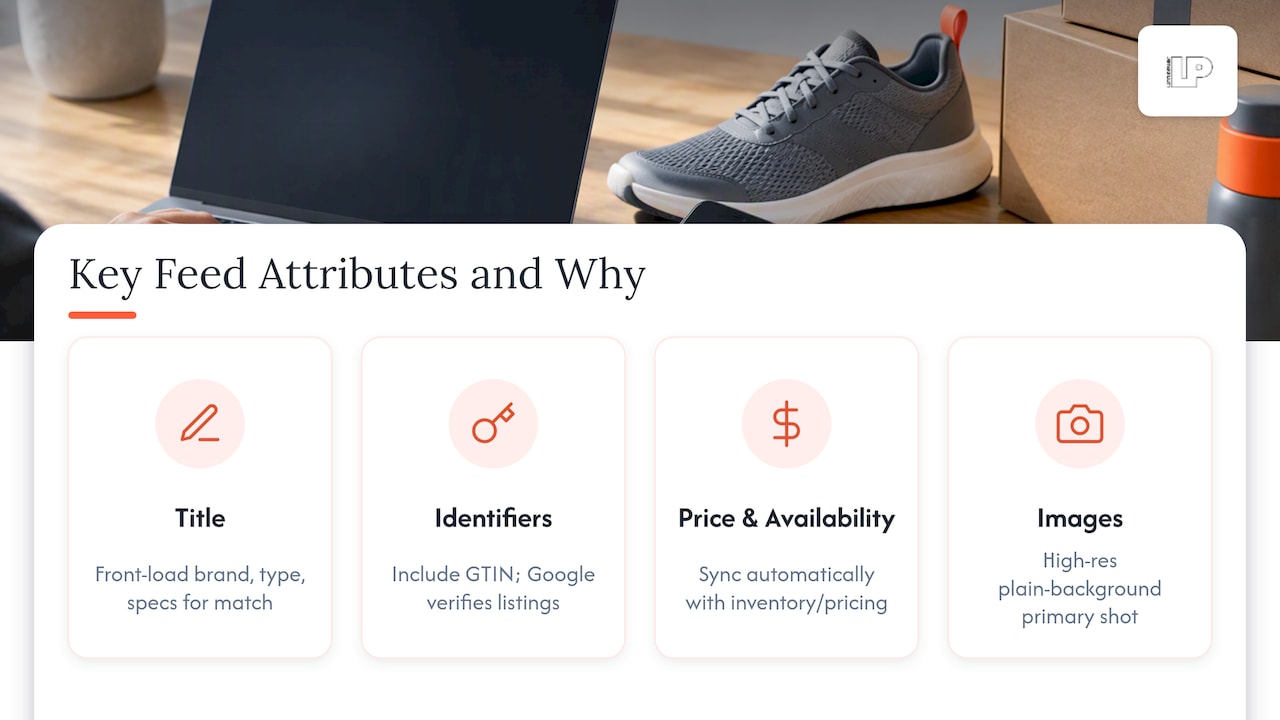
Title: this is the single highest-leverage field. Front-load the attributes shoppers actually search for: brand, product type, key specs, size, color. A title like “Women’s Running Shoes, Nike Air Zoom Pegasus 40, Size 8, Black” beats “Pegasus 40 Shoe” because it gives Google more to match against and gives the shopper more reason to trust the listing.
Description: structure it so the first sentence carries the core value proposition, then layer in specs, materials, and use cases. Keep it consistent with what’s actually on the product detail page. A feed description that oversells and a PDP that undersells creates the kind of mismatch that erodes trust and invites manual review.
Identifiers (GTIN, MPN, brand): include GTIN whenever the product has one. It’s how Google verifies your listing against its broader product catalog, and missing identifiers on branded goods are a common, avoidable cause of limited impressions.
Price, availability, and condition: these three fields need to be synced automatically with your actual inventory and pricing systems, not updated by hand on a schedule. A stale “in stock” flag on a sold-out item is how you earn a disapproval and an annoyed customer in the same afternoon.
Images: use clean, high-resolution product shots on a plain background as your primary image, then add lifestyle or in-use images as additional images where the format allows. Low-resolution images are one of the most common and most fixable rejection reasons in any feed.
Variants and item_group_id: when a product comes in multiple colors or sizes, each variant needs its own listing, tied together with a shared item_group_id so Google understands they’re the same core product. Get this wrong and you either flood the auction with redundant listings or lose variant-specific matching entirely.
Custom labels, product_type, and google_product_category: these fields don’t change what the shopper sees, but they’re how you’ll segment campaigns later for bidding strategy, so populate them with intent, not as an afterthought.
Pro Tip: Audit your top 50 SKUs by revenue first. If the title, images, and identifiers are clean there, you’ve protected the bulk of your Shopping budget before touching the long tail.
How to align landing pages and structured data with your feed
Your feed and your product landing page need to tell the same story, in the same words, down to the color name and the price. Google checks for this consistency, and a mismatch between what the feed says and what the page shows is a frequent, silent cause of disapprovals.
Google’s guidance on rich product description pages explains that comprehensive, structured product information on the PDP helps shoppers and allows Merchant Center to enrich listings shown across Google surfaces. The structured data layer is how you make that information machine-readable.
Use schema.org markup, specifically JSON-LD, to encode:
- price and priceCurrency: matched exactly to what’s live on the page, not a cached or rounded figure.
- availability: reflecting real-time stock status, not a static default.
- condition, sku, and gtin: mirrored character for character against your feed values.
One rule matters more than the others here: structured data must be present in the server response itself, not injected after the page loads, and it has to match the values a shopper actually sees, according to Google’s own schema.org guidance. A JSON-LD block that shows a price your JavaScript later overwrites is worse than no markup at all.
Before pushing automatic item updates live, test your schema with a staging URL and confirm the scraped values match your feed exactly. This is also the moment to think about your broader on-page strategy, since structured product information and SEO work together to improve discoverability well beyond Shopping ads alone.
Feed formats, delivery methods, promotions, and 2026 Merchant Center updates
How you deliver your feed matters almost as much as what’s in it. Each method trades off control, speed, and maintenance effort differently.
- Google Sheets: fine for small catalogs or early testing, but manual edits don’t scale and error risk climbs with every added row.
- Scheduled fetch (FTP/SFTP or hosted URL): the standard for most mid-sized catalogs, refreshing on a set interval, usually daily.
- Content API: the right choice once you need intraday updates, price changes that reflect in minutes rather than hours, or automation tied directly into your inventory system.
- Promotions data source: lets you submit sale pricing and offers at scale rather than editing individual listings, including newer attributes like subscribe_and_save and redemption_restriction, which Google’s promotions guidance notes can lift clicks and conversions when used well.
Two 2026 changes deserve a spot on your calendar. Google’s Merchant Center update introduces a new video_link attribute and a raise of the minimum image resolution requirement to 500×500 pixels, with warnings beginning April 14, 2026, and enforcement starting January 31, 2027. If your image pipeline hasn’t been audited against that threshold, now is the time.
One formatting detail trips up more international sellers than it should: attribute values need to be submitted in the language and format Merchant Center supports for your target country, English included, rather than left in a mixed or localized format that the parser can’t reliably read.
Prioritization and an audit workflow to scale feed fixes
You can’t fix every attribute on every SKU simultaneously, and you shouldn’t try. Prioritize by what actually moves revenue: rank products by recent sales, impression volume, and strategic importance, then work that list top to bottom rather than alphabetically or by category.
A practical audit checklist looks like this:
- Required attributes present: title, description, GTIN, price, availability, image link, and category all populated and correctly formatted.
- Image quality verified: resolution, background, and count checked against current spec.
- Identifiers validated: GTINs matched against manufacturer data, not guessed or recycled from a similar SKU.
- PDP consistency confirmed: price, color, and availability match between feed and landing page.
- Disapproval types reviewed: patterns in your diagnostics tab checked for recurring causes rather than one-off fixes.
Automating the repetitive parts pays off fast. Feed rules, validation scripts, and scheduled diagnostics catch regressions before they spread, and the Content API lets you push a fix the moment it’s confirmed rather than waiting for the next scheduled crawl.
Pro Tip: Before rolling a fix out to your entire catalog, test it on a small, limited batch of SKUs and check the diagnostics tab 24 to 48 hours later. A rule that looks right in a spreadsheet can still break formatting at scale.
Testing, measurement, and common feed errors to monitor
Track feed health the same way you’d track any paid channel: impressions, clicks, CTR, conversion rate, ROAS, and disapproval rate, reviewed on a recurring schedule rather than only when something breaks.
Google’s own guidance on optimizing product data ties high-quality attributes and images directly to better performance and fewer disapprovals across both paid and free listings.
When you want to test a change, isolate one variable, a new title format, a different image, and compare performance on a matched set of SKUs before rolling it out catalog-wide. Watch for these recurring culprits:
- Invalid or missing GTINs: often the single biggest cause of suppressed impressions on branded products.
- Price or availability mismatches: between feed and PDP, usually caused by a sync delay rather than a data entry error.
- Low-resolution images: especially relevant now with the 2026 minimum size change on the horizon.
The diagnostics tab in Merchant Center surfaces these issues by severity, so start remediation with anything flagged as disapproving rather than merely demoting.
Latitude Park’s operational approach to product feed optimization
Product feed optimization work typically follows a cycle: audit, normalize, automate, and report. The audit identifies attribute gaps and mismatches across the catalog, normalization applies consistent templating to titles and descriptions, and automation keeps price, availability, and identifiers synced without manual intervention. AI tooling supports this by flagging attribute anomalies and inconsistent variant data faster than a manual spreadsheet review would catch them.
Reporting ties feed changes back to revenue and conversion metrics, with reporting cadences designed to be actionable. This approach suits large catalogs where manual upkeep becomes a bottleneck, making a managed audit beneficial.
Author Rusty’s perspective: mistakes, priorities, and one pragmatic rule
The mistake I see most often isn’t a missing GTIN, it’s inconsistent variant messaging: a feed that lists “Navy” while the PDP says “Midnight Blue,” repeated across dozens of SKUs because nobody owns the naming convention.
My rule of thumb: fix the roughly 20% of SKUs driving most of your impressions and sales before touching anything else. Everything past that is maintenance, not triage, and maintenance belongs on a calendar, not a to-do list you revisit only after a disapproval email lands.
— Rusty
Get a feed audit that’s built around your revenue, not your spreadsheet
Fixing a feed manually across a few hundred SKUs is a time-consuming task. Across thousands, it can become an ongoing challenge that requires an efficient, AI-driven approach to eCommerce campaign management to address effectively.

Our work on product feeds typically includes:
- Feed audits that flag disapprovals, mismatched attributes, and image issues before they cost you impressions.
- Content API integrations for catalogs that need price and availability updates faster than a scheduled fetch allows.
- Shopping campaign support that connects feed quality directly to bidding strategy and reporting.
If your catalog has grown past the point where manual fixes keep up, request a feed audit from Latitude Park and see what’s actually costing you impressions.
FAQ
What is product feed optimization?
Product feed optimization is the ongoing process of improving product data accuracy and completeness, titles, descriptions, images, identifiers, and pricing, so Shopping ads and free listings match the right searches. It reduces disapprovals and improves how often and how well your products appear.
Which product feed attributes matter most for Google Shopping?
Title, description, GTIN, price, availability, and images carry the most weight, since Google’s product data specification flags these as common sources of disapproval when missing or formatted incorrectly. Getting these right on your top-selling SKUs first delivers the fastest improvement.
How often should I audit my product feed?
Run a full audit on a recurring schedule, monthly at minimum for active catalogs, rather than waiting for a disapproval notice to prompt a review. Pairing scheduled audits with automated validation rules catches most issues before they affect live listings.
What’s changing in Merchant Center for 2026?
Google is introducing a new video_link attribute and raising the minimum product image resolution to 500×500 pixels, with warnings starting April 14, 2026, and enforcement beginning January 31, 2027, according to Google’s update notes. Sellers should check their image pipeline against this threshold well before enforcement begins.
Does product feed optimization help beyond Google Shopping?
Yes, platforms like Facebook, Instagram, and Bing Shopping rely on similarly structured product feeds, so cleaner titles, images, and identifiers tend to improve matching and reduce rejections across channels too. The core principles, accuracy, completeness, and consistency with your landing pages, carry over regardless of platform.