Why Conversion API Setup is Critical for Modern Marketing
Conversion API setup is the process of creating a direct, server-to-server connection between your website and advertising platforms like Meta, bypassing browser-based tracking limitations. Here’s what you need to get started:
Quick Setup Overview:
- Prerequisites: Meta Business Manager account, Pixel ID, and Access Token
- Choose Method: Partner integration (easiest), API Gateway (balanced), or Manual setup (most control)
- Implementation: Follow platform-specific instructions or custom development
- Verification: Test events and monitor data quality in Events Manager
- Optimization: Set up event deduplication and monitor performance metrics
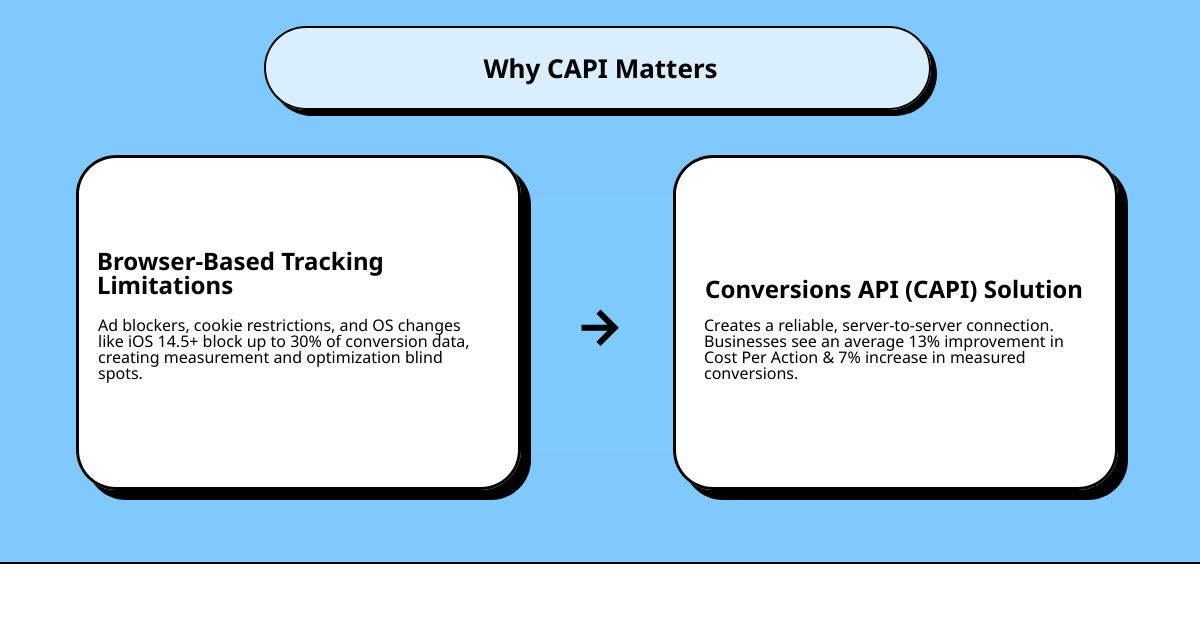
In today’s privacy-focused digital landscape, relying solely on browser-based tracking puts your ad campaigns at serious risk. Ad blockers, cookie restrictions, and operating system changes like iOS 14.5+ can block up to 30% of your conversion data. This creates blind spots that hurt your ability to measure results and optimize campaigns effectively.
The Conversions API solves this problem by creating a reliable, server-side connection that captures conversion data regardless of browser restrictions. Studies show that businesses implementing CAPI see an average 13% improvement in cost per action and a 7% increase in measured conversions.
For franchise marketing managers juggling campaigns across multiple locations, this technology is game-changing. It provides the consistent, accurate data needed to scale advertising efforts while maintaining brand consistency.
I’m Rusty Rich, President and founder of Latitude Park, where I’ve helped countless businesses implement Conversion API setup strategies that drive measurable growth across their digital advertising efforts. Over the past 15 years, I’ve seen how server-side tracking transforms campaign performance for multi-location businesses.
Why the Conversions API is a Game-Changer for Advertisers
Picture this: you’re running a successful franchise with locations across multiple cities. Your Meta ads are driving traffic, but you’re only seeing about 70% of your actual conversions in your reports. The other 30%? Lost to ad blockers, browser restrictions, and privacy updates that have turned digital tracking into a guessing game.
This is the reality most advertisers face today. The Meta Pixel, our longtime companion for tracking customer actions, still works hard from its post in the user’s browser. But it’s fighting an uphill battle against ad blockers, cookie restrictions, and operating system changes that can block crucial conversion data.
Enter the Conversions API – your secret weapon for complete visibility.
The Conversions API setup creates a direct server-to-server connection that works alongside your Meta Pixel, not instead of it. Think of it as having two security cameras instead of one. Your Pixel watches from the front door (the browser), while CAPI monitors from inside your store (your server). When one camera gets blocked, the other keeps recording.
This partnership delivers something powerful: more accurate data, better ad personalization, and improved campaign outcomes. Studies show businesses see an average cost per action improvement of 13% after implementation – and that’s just the beginning.
Here’s how the Meta Pixel stacks up against the Conversions API:
| Feature | Meta Pixel (Browser-side) | Conversions API (Server-side) |
|---|---|---|
| Reliability | Affected by ad blockers and browser changes | Bypasses browser limitations completely |
| Data Tracked | Website events like page views and clicks | Website events, offline conversions, and CRM data |
| Resilience | Vulnerable to privacy updates | Future-proof against browser restrictions |
The Core Benefits of Using CAPI
When you implement a solid Conversion API setup, you’re not just improving your tracking – you’re changing your entire advertising strategy.
Lower cost-per-lead becomes the immediate reward. With more reliable data flowing to Meta’s algorithms, your ads get delivered to people who are genuinely more likely to convert. The numbers tell the story: median cost-per-lead for advertisers using CAPI dropped from $74.99 to $48.29 – that’s a 36% improvement that goes straight to your bottom line.
Improved ad targeting happens naturally when Meta’s systems have complete information about your customers. Instead of making educated guesses based on incomplete browser data, the platform can identify patterns in your full customer journey. This means your franchise locations get ads delivered to prospects who are actually ready to visit or purchase.
Full-funnel visibility might be the most exciting benefit for franchise marketers. CAPI tracks actions that happen offline or later in the customer journey – like when someone sees your ad online but visits your store location three days later. This complete view helps you understand which campaigns truly drive business growth across all your locations.
Future-proofing your marketing efforts becomes critical as privacy regulations continue evolving. While browser-based tracking faces more restrictions each year, server-side tracking through CAPI remains stable and reliable. You’re building your advertising strategy on solid ground that won’t shift with the next iOS update.
For franchise businesses juggling multiple locations and complex customer journeys, these benefits compound. Better data leads to more effective campaigns, which drive more qualified leads to your locations – exactly what you need for sustainable growth. This foundation supports the kind of High Performance Meta Ads that scale successfully across franchise networks.
Preparing for Your Conversion API Setup
Think of setting up the Conversion API setup like preparing for a road trip. You wouldn’t just hop in your car and start driving without checking your gas tank, grabbing your license, and plotting your route, right? The same principle applies here. Having the right prerequisites in place will save you from getting stuck halfway through the process.
The good news is that you probably already have some of these pieces in place if you’re currently running Meta ads. Let’s walk through what you’ll need to gather before we dive into the actual setup.
Essential Prerequisites
Getting your Conversion API setup ready requires three essential components that work together like a well-oiled machine. Each one plays a specific role in creating that secure, reliable connection between your server and Meta’s advertising platform.
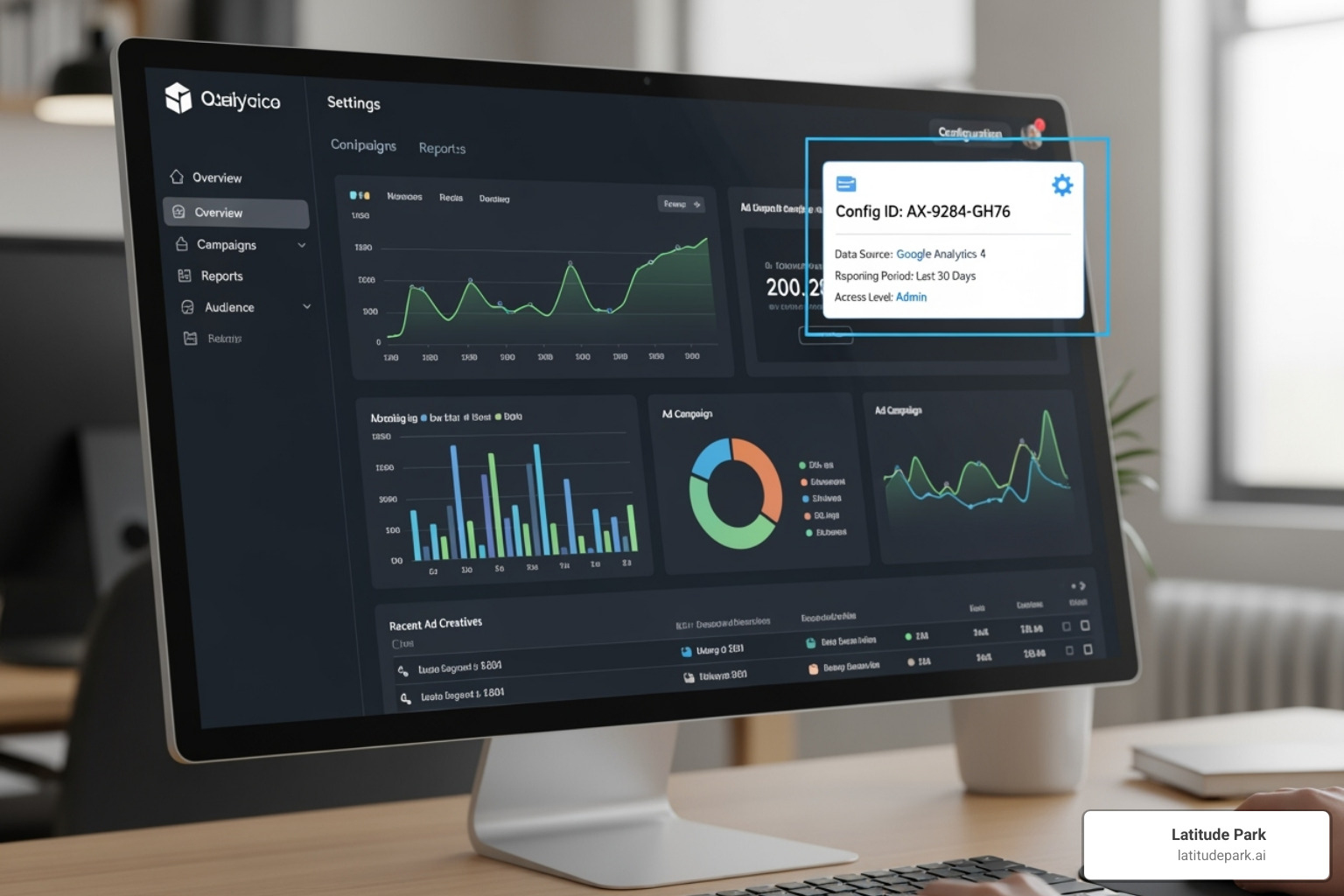
First up is your Meta Business Manager account. This is your mission control center for everything Meta advertising-related. If you’re already running Facebook or Instagram ads, you’ve got this covered. Business Manager is where all your advertising assets live and breathe together. It’s the hub that connects your ad accounts, pages, and pixels under one roof, making it easier to manage everything and collaborate with team members or external partners.
Next, you’ll need your Meta Pixel ID. Here’s where things get interesting: if you already have a Meta Pixel installed on your website, you’ll want to use that same Pixel ID for your Conversions API. This isn’t just a suggestion—it’s crucial for preventing double-counting of your conversions. When both your browser pixel and server events use the same ID, Meta can properly deduplicate events and give you accurate reporting.
The final piece of the puzzle is your Access Token. Think of this as your VIP pass that allows your server to securely communicate with Meta. It’s like having the right credentials to enter a secure building—without it, your server can’t send data to your pixel.
Generating your Access Token is surprisingly straightforward. The easiest method is through Events Manager itself. Simply steer to your Pixel’s settings, look for the “Conversions API” section, and click “Generate access token.” This method creates tokens that work with all available Graph API versions starting with v12.0, giving you maximum flexibility.
If you prefer more control or have a custom setup, you can also generate your token through Business Manager. Head to your Business Settings, assign your Pixel to a system user (you can create one if needed), then select that system user to generate the token. This approach gives you more granular control over permissions and access.
Once you’ve gathered these three components, you’re ready to move forward with confidence. The implementation process becomes much smoother when you have all your ducks in a row from the start.
A Step-by-Step Guide to Implementing the Conversions API
Now comes the exciting part—getting your data flowing smoothly from your server to Meta! There are several paths you can take for your Conversion API setup, each with different levels of technical complexity and control. The beauty is that there’s no one-size-fits-all solution here. Your choice depends on your website platform, technical resources, and specific business needs.
Think of it like choosing how to get to your destination: you could take the express train (partner integration), drive yourself with GPS guidance (API Gateway), or steer the scenic route with complete control over every turn (manual setup). Let’s explore each approach so you can pick the one that fits your situation best.
Method 1: Partner Integration (The Easiest Start)

This is the no-code setup dream come true. If your website runs on popular platforms like Shopify, WordPress, WooCommerce, or BigCommerce, you’re in luck. These platforms have pre-built partner integrations that handle all the heavy lifting for you—no developer required.
The process is refreshingly straightforward. Head to your Meta Events Manager, click on “Data Sources,” and select your Pixel. Steer to the “Settings” tab and scroll down to find the “Conversions API” section. Click “Choose a Partner” and select your platform from the list. From there, you’ll follow step-by-step instructions that are surprisingly user-friendly.
For WordPress users, the “Meta Pixel for WordPress” plugin is a popular choice. Once you’ve installed it and set up your pixel with events, simply check the box to “Send website events to Meta using Conversions API.” Here’s where patience becomes a virtue—events may take several hours or even up to a day to appear in Events Manager. Don’t panic if you don’t see immediate results; the system just needs time to process everything.
You can find a comprehensive overview of all available setup options in this article from Meta’s help center. This method is perfect if you want to get started quickly without diving into technical complexities.
Method 2: Conversions API Gateway (The Balanced Approach)
The CAPI Gateway strikes a perfect balance between simplicity and control. It’s like having a managed solution that does the technical work while giving you more flexibility than a basic plugin. This approach involves setting up a dedicated server instance, often through cloud services, that acts as a bridge between your website and Meta.
Think of the gateway as your personal data translator. It receives information from your website (often through your existing Pixel) and then securely forwards it to Meta’s servers in the exact format they need. This low maintenance solution is particularly attractive for agencies managing multiple Facebook Ad accounts or businesses that want more control without building everything from scratch.
The gateway approach shines in its scalability. You can manage multiple Pixels across different websites efficiently, making it ideal for franchise businesses with various locations. Some providers offer competitive pricing, like $10 per month for each Pixel handling up to 10 million events, with custom plans available for larger operations.
What makes this method especially appealing is that it often requires minimal ongoing maintenance once it’s set up. The gateway handles the technical complexities while you focus on what matters most—growing your business and optimizing your ad performance.
Method 3: Manual Conversion API Setup (For Maximum Control)
For businesses that need complete control over their data flow, the manual approach is the gold standard. This method requires developer resources and involves writing custom code to send conversion events directly from your server to Meta’s Graph API. While it’s the most technically demanding option, it offers best flexibility and precision.
Your developer will craft custom code that handles three critical components. First, they’ll work with your access token—that secure key we discussed earlier. Second, they’ll format your event data according to Meta’s specifications, including parameters like event names, timestamps, hashed customer information, and custom data such as purchase values and currency. Finally, they’ll manage the API requests, sending POST requests to Meta’s endpoint for each conversion event.
This approach is ideal for businesses with custom-built websites, complex data pipelines, or unique tracking requirements that standard solutions can’t handle. It’s particularly valuable when you need to send offline event data from your CRM or integrate with sophisticated business systems.
The manual method also allows for the most sophisticated integrations, enabling you to create a truly unified digital ecosystem. For businesses looking to connect all their marketing touchpoints seamlessly, this level of control aligns perfectly with comprehensive Integrated Digital Strategies.
While this path requires more upfront investment in development time, it pays dividends in the long run through precise data control and the ability to adapt quickly as your business needs evolve.
Best Practices for a Flawless Implementation
Getting your Conversion API setup running is just the beginning of your journey. Think of it like planting a garden—once the seeds are in the ground, you need to tend to them regularly to ensure they flourish. The same principle applies here: following best practices for data quality, deduplication, and monitoring is what transforms a basic implementation into a powerhouse that drives real results.
Without proper maintenance, even the most technically perfect setup can deliver disappointing results. You might find yourself scratching your head, wondering why your ad performance isn’t improving despite having the latest tracking technology. The secret sauce lies in the details we’re about to explore.
Ensuring Data Accuracy with Event Deduplication
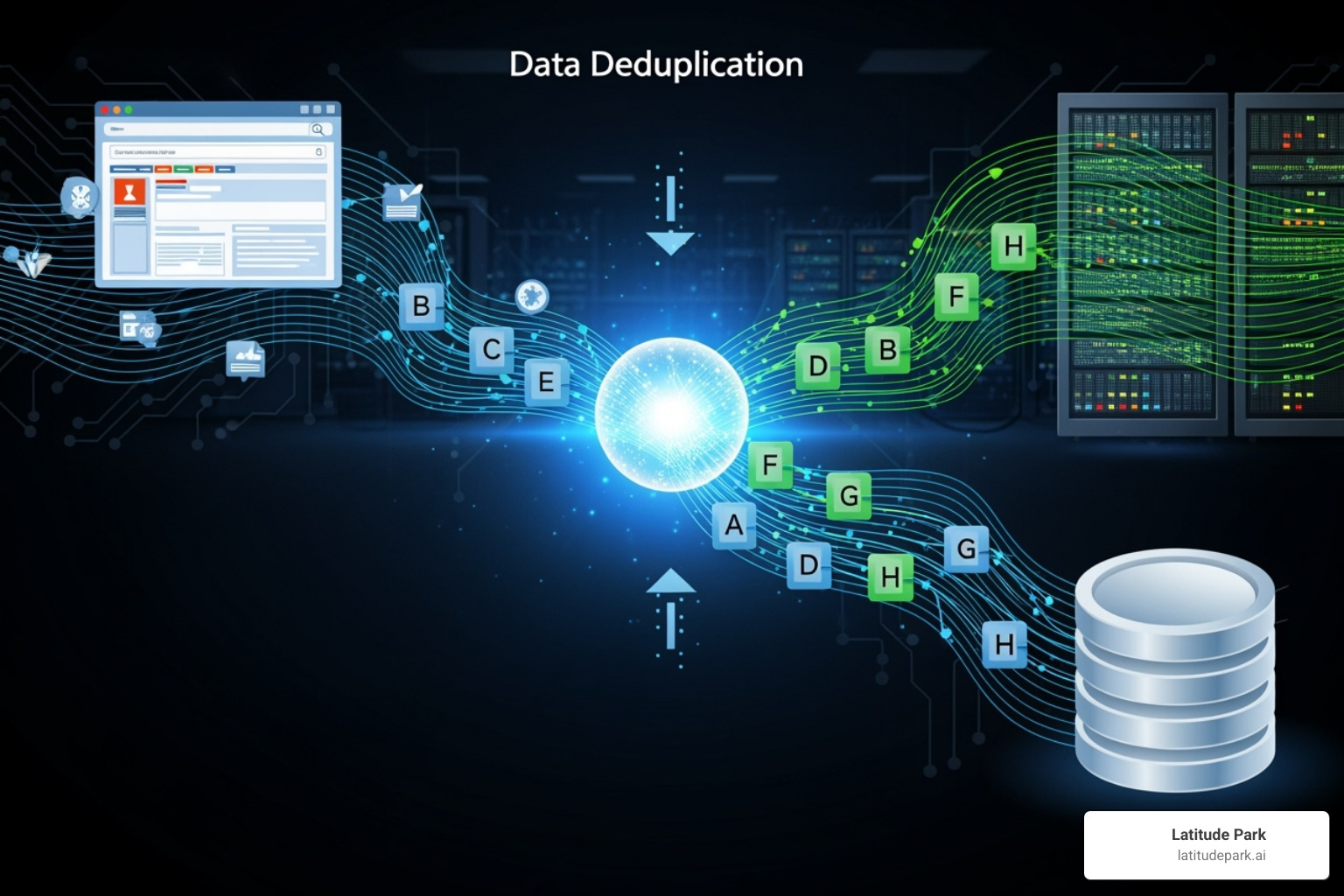
Picture this scenario: a customer browses your website, adds items to their cart, and completes a purchase. Your Meta Pixel dutifully records this conversion from the browser, while your newly implemented Conversions API also captures the same purchase from your server. Without proper deduplication, Meta sees two purchases instead of one—suddenly, your conversion numbers are inflated, and your ad optimization is working with skewed data.
This is where event deduplication becomes your best friend. The solution is neatly simple: include a unique event_id parameter with each conversion event you send. When Meta receives two events with identical event_id and event_name parameters within a 48-hour window, its system automatically recognizes them as duplicates and keeps only one.
Beyond deduplication, enriching your events with quality customer information makes a tremendous difference. Hashed email addresses, phone numbers, and IP addresses help Meta match your server events to specific user profiles more accurately. This improves your Event Match Quality score, which directly translates to better ad targeting and performance.
Remember to always hash sensitive customer data using SHA256 without salt before sending it to Meta. This protects customer privacy while still providing the platform with the information it needs to optimize your campaigns effectively.
Verifying and Monitoring Your Conversion API Setup
Once your Conversion API setup is live, the real work begins. Like a pilot who doesn’t just take off but continuously monitors instruments throughout the flight, you need to keep a watchful eye on your implementation to ensure everything operates smoothly.
Start with Meta’s Test Events tool in Events Manager. This real-time feedback system is invaluable for immediate verification. After completing your setup, trigger a test conversion on your website—make a test purchase or complete a form submission. You should see these events appear in the Test Events tool within moments, confirming your server-to-server connection is working properly.
The Diagnostics tab in Events Manager serves as your early warning system. Check it regularly for any red flags, such as missing parameters, formatting errors, or deduplication issues. Addressing these problems quickly prevents small hiccups from becoming major data quality issues that could impact your campaign performance.
Your Event Match Quality score deserves special attention. Found within Events Manager, this metric reveals how effectively Meta can match your server events to user profiles. A higher score means better data utilization for ad optimization. Consistently sending rich, properly hashed customer information with your events helps you achieve and maintain a “Good” or “Excellent” rating.
If you’re running both the Meta Pixel and Conversions API simultaneously (which we strongly recommend), compare the conversion numbers from both sources regularly. While they won’t match exactly—CAPI often captures conversions that browser-based tracking misses—they should be reasonably aligned. Significant discrepancies might signal a setup issue that needs attention.
This ongoing vigilance ensures your advertising campaigns operate on the most accurate and comprehensive data available. It’s this attention to detail that separates successful implementations from those that merely exist. When you invest time in proper monitoring, you’re setting the foundation for truly understanding how to measure digital marketing success and continuously improving your advertising performance.
Frequently Asked Questions about Conversions API
Setting up server-side tracking can feel overwhelming at first, especially if you’re juggling campaigns across multiple franchise locations. That’s completely normal! We’ve helped countless businesses steer their Conversion API setup, and these are the questions that come up time and again.
Can I use the Conversions API without the Meta Pixel?
Absolutely, you can send server events without the Meta Pixel. The beauty of the Conversions API is that it creates a direct server-to-server connection, completely independent of any browser-based tracking.
But here’s the thing—just because you can doesn’t mean you should. Meta strongly recommends using both tools together, and there’s solid reasoning behind this advice. Think of the Pixel and CAPI as a dynamic duo rather than competitors.
The Pixel captures valuable browser data that your server simply can’t see—things like how users interact with your website, their browsing patterns, and real-time engagement signals. When you combine this with the rock-solid conversion data from your Conversion API setup, you get the most comprehensive picture possible of your customer journey.
This dual approach is especially powerful for franchise businesses managing multiple locations. You’ll have reliable conversion tracking plus rich behavioral insights that help Meta’s algorithms understand your diverse customer base across different markets.
Will the Conversions API slow down my website?
Not even a little bit! This is actually one of the biggest advantages of implementing a proper Conversion API setup.
Unlike browser-based scripts that can sometimes bog down your website (we’ve all experienced those frustratingly slow-loading pages), CAPI runs entirely on your server. Your website visitors never interact with it directly, which means zero impact on their browsing experience.
Think of it like this: the Meta Pixel is like having a busy cashier at your storefront who has to process every customer interaction in real-time. The Conversions API, on the other hand, is like having a dedicated back-office team that handles all the paperwork behind the scenes. Your customers get faster service, and you still get all the data you need.
This is particularly important for franchise websites that need to maintain fast loading speeds across multiple locations while still capturing detailed conversion data.
How long does it take for server events to appear in Events Manager?
This depends on what you’re looking at and when you’re looking for it.
When you’re actively testing your setup using the “Test Events” tool in Events Manager, you’ll see events pop up almost immediately—usually within seconds. This real-time feedback is incredibly helpful when you’re fine-tuning your Conversion API setup and want to confirm everything is working correctly.
For your regular reporting dashboards in Events Manager and Ads Manager, patience is key. The data typically takes several hours to be fully processed and appear in your reports. Sometimes it can take up to a day for everything to populate, especially if you’ve just completed your initial setup.
Don’t panic if you don’t see historical events immediately after implementation. Meta’s systems need time to process and organize all that incoming data. Give it 24 hours, and you should see your conversion data flowing nicely into your reporting dashboards.
This processing time is normal and doesn’t affect the real-time optimization of your ad campaigns—Meta’s algorithms start using your server event data for optimization much faster than it appears in reporting.
Conclusion
Setting up the Conversion API setup isn’t just another tech project to check off your list—it’s become the foundation of smart advertising in our privacy-first world. Think of it as building a bridge that connects your business directly to your advertising platforms, bypassing all the roadblocks that browser-based tracking keeps hitting.
The numbers don’t lie. Businesses implementing CAPI are seeing real improvements: 13% better cost per action and significantly more complete data about their customers’ journeys. When you’re spending thousands on advertising each month, those improvements add up fast.
For franchise owners and multi-location businesses, this technology is especially powerful. Imagine having consistent, accurate tracking across all your locations—no more wondering if that campaign in Denver is actually working, or why your Phoenix location’s data looks incomplete. A properly configured Conversion API setup gives you that clarity and confidence in your advertising decisions.
The best part? You don’t have to figure this out alone. Whether you choose the simple partner integration route, go with a balanced API Gateway approach, or need a fully custom solution, there’s a path that fits your technical comfort level and business needs.
At Latitude Park, we’ve helped countless franchise businesses steer these technical waters and turn better data into better results. We understand that behind every conversion event and API call is a real customer making a real decision about your business. That’s why we focus on making these powerful tools work seamlessly for your unique franchise structure.
Ready to stop losing valuable conversion data and start seeing the full picture of your advertising performance? Our Digital Ads Management services are designed specifically for businesses like yours—where accurate tracking across multiple locations isn’t just nice to have, it’s essential for growth.
Your customers are out there making purchasing decisions every day. Make sure you’re capturing every single one of them.