Knowing where your website ranks on Google is the first step toward any real business growth. This isn't just about stroking your ego; your rank is a direct line to visibility, traffic, and ultimately, revenue.
Even a tiny shift in your search position can make a huge difference in your click-through rate and overall success. For example, moving from position 6 to position 3 on page one can often double your clicks. It’s the difference between being found and being invisible.
Think of your rank as a GPS for your marketing. It shows you exactly where you are, where your competitors are camping out, and helps you map the fastest route to your destination: page one.
This guide will give you a clear roadmap for checking your rank, covering everything from Google’s own tools to sophisticated SEO software. We're framing rank tracking as a core business activity, not just another technical chore. And to really get a handle on your site's position, you first need to understand how to track keyword rankings the right way.
The Undeniable Link Between Rankings and Visibility
Let's be blunt: higher rankings mean more organic traffic. But the competition is brutal.
Statistically, only about 40% of websites ever make it to the first page of search results, which is where almost all the clicks happen. Backlinks are a massive part of this equation. For instance, a staggering 96% of websites ranking in the top 10 on Google have over 1,000 links pointing to them from unique domains.
The takeaway here is simple. If you aren't visible, you don't exist to potential customers. For instance, if you're a local plumber, ranking on page one for "emergency plumbing services" means you get the call when a pipe bursts. Ranking on page three means you might as well not have a website.
Monitoring your rank is how you measure that visibility and figure out why you might be falling short. Once you know where you stand, you can start making the right moves to climb higher. For some actionable next steps, check out our guide on how to rank higher on Google.
Using Google Search Console for Free Rank Insights
Think of Google Search Console (GSC) as your direct line to Google. It’s the raw, unfiltered data straight from the source, making it hands-down the most reliable free tool for checking your website's rankings. It cuts through all the guesswork and shows you exactly what the search engine sees.
To get started, you'll want to live inside the 'Performance' report. This is the heart of GSC, where you can see the actual search queries bringing people to your site. Forget what you think you rank for; this is what you actually rank for.
Considering Google dominates about 89.54% of the global search market, its data is the gold standard for understanding your organic performance. Using GSC is like getting SEO intel directly from the mothership. You can find more fascinating stats like this in these top website statistics from Digital Silk.
Navigating the Performance Report
Once you're in the Performance report, you'll see four main metrics: total clicks, total impressions, average click-through rate (CTR), and average position. That average position is what you’re hunting for. It tells you your typical rank for a specific keyword over a certain timeframe.
The main dashboard, shown below, gives you a quick snapshot of your site's health. It’s your starting point.

This overview is nice, but the real power comes from digging into the details. By default, the report shows data from the last three months, but you can adjust that range to track how your rankings have shifted over time—perfect for seeing if your SEO efforts are paying off. For example, after publishing a new blog series, you can set the date range to the following month to see if it generated new keyword impressions.
Pro Tip: Don't get hung up on your site's overall average position. That number is practically useless. The real insights come from filtering the report to see which specific queries are driving impressions to individual pages. A page-level view is far more actionable.
Finding Your Low-Hanging Fruit
One of the best ways I use GSC is to spot "low-hanging fruit." These are the keywords where you’re already ranking on the second or third page of Google—somewhere in the 11-30 position range.
Here’s a simple, practical way to find them:
- Head to the Performance report and make sure the Average Position metric is turned on.
- Set up a filter to only show positions greater than 10.
- Now, sort the results by Impressions, from high to low.
This simple filter uncovers keywords that people are already searching for and seeing your site for, but they aren't clicking because you're stuck on page two.
Imagine you find your local business ranks at position 12 for a key service term that gets thousands of impressions a month. You’re so close. A few targeted on-page SEO tweaks, like adding the keyword to a sub-heading or building a couple of internal links to that page, could be all it takes to bump it onto the first page. That’s how you turn those impressions into clicks and, ultimately, new customers.
Automating Rank Tracking With SEO Platforms
While Google Search Console gives you a solid rearview mirror, dedicated SEO platforms are your forward-facing radar. Tools like Ahrefs, Semrush, or Moz shift rank tracking from a reactive chore to a proactive strategy, giving you the automated, precise, and competitive insights you need to get ahead.
These platforms move way beyond simple average positions, letting you monitor ranking changes daily. That level of detail is a game-changer. For example, you can see if a rank drop occurred immediately after a competitor launched a new product page, giving you a direct cause-and-effect insight. This automation turns raw data into a powerful defense system for your most valuable keywords.
Setting Up Your First Rank Tracking Campaign
Getting started is usually pretty straightforward. On any platform, your first move is to create a "project" and plug in your website's domain. After that comes the real work: choosing which keywords to monitor.
Don't just dump in every keyword you can think of. Be strategic. Focus on the terms that actually drive revenue and conversions. For an e-commerce store, this means tracking specific product keywords like "men's leather messenger bag" instead of broad, high-volume terms like "bags."
Let's say you run a bakery in a super-competitive area like Brooklyn. You’d set up a campaign to track keywords like:
- 'best sourdough in Brooklyn'
- 'artisan bakery near me'
- 'custom wedding cakes Brooklyn'
By setting up alerts, the platform can shoot you an email the moment a competitor jumps ahead of you for "best sourdough in Brooklyn." This means you can react instantly to defend your spot, analyze what the competitor changed, and tweak your own strategy before the drop hits your bottom line.
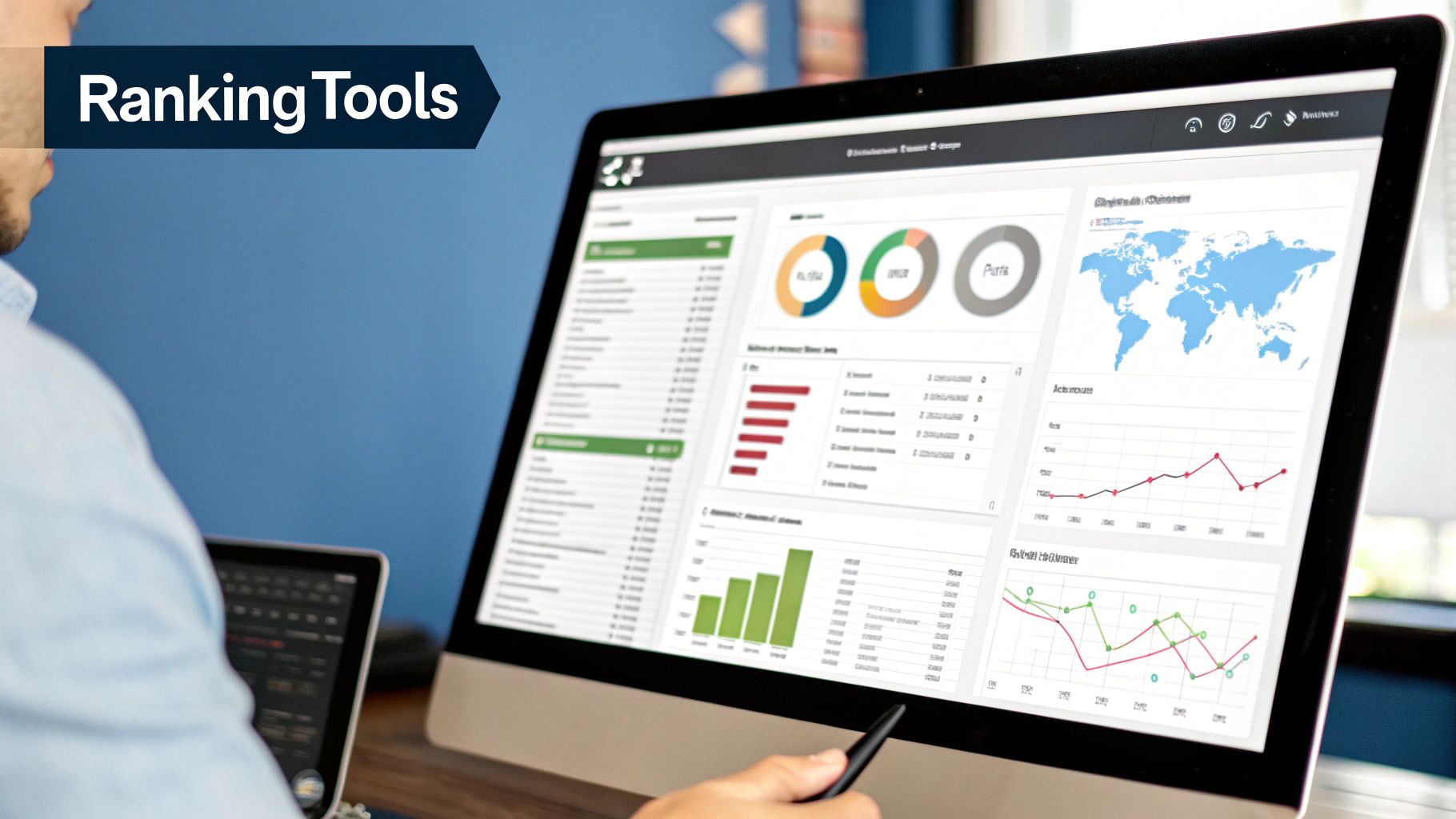
This dashboard from Ahrefs' Rank Tracker shows exactly how you can visualize your keyword positions over time.
The graph makes it dead simple to spot sudden drops or steady gains, connecting your SEO efforts directly to ranking outcomes.
Visualizing Your Performance Metrics
To really understand how to check the ranking of my website, you need to look at more than just a list of keyword positions. The best platforms pull in multiple data points to give you a complete picture of your site's health.
The infographic below compares three essential metrics side-by-side to drive this point home.
This visual shows how traffic, authority, and average position are all connected. It's a great reminder that a strong ranking is often the result of improvements across several different areas of your SEO. A practical insight here is that if your average position is high but your traffic is low, it could mean you're ranking for keywords nobody is searching for.
For those looking to streamline their SEO work without breaking the bank, here's a quick comparison of some popular tools that offer automated rank tracking.
Comparing Popular SEO Rank Tracking Tools
| Tool | Key Feature | Ideal User | Starting Price |
|---|---|---|---|
| Ahrefs | Deep backlink data integrated with rank tracking. | SEO professionals and agencies. | ~$99/month |
| Semrush | All-in-one suite with extensive keyword research tools. | Businesses of all sizes needing a comprehensive toolkit. | ~$129/month |
| Moz Pro | Strong focus on local SEO and Domain Authority metric. | Small to medium-sized businesses and local SEOs. | ~$99/month |
| SE Ranking | Affordable and feature-rich, great for smaller teams. | Solopreneurs, startups, and small agencies. | ~$55/month |
While each tool has its strengths, the goal is the same: to give you the data you need to make smarter, faster decisions.
A key takeaway here is that these platforms aren't just for tracking; they're for strategy. Seeing your rank next to a competitor’s for a specific keyword allows you to click through and analyze their page. You can see what they're doing differently—better content, more backlinks, or superior on-page SEO—and use that intelligence to inform your next move. To further explore options for streamlining your SEO efforts, you can review the best SEO tools for small businesses.
How to Do a Manual Rank Check the Right Way
Look, sometimes you just need a quick, down-and-dirty spot-check without firing up your big SEO platform. The temptation is to just pop your keyword into Google, but that’s one of the biggest mistakes you can make. It gives you a completely biased, personalized result.
Google knows you. It knows your search history, your location, and even what you've clicked on before. If you've visited your own site a hundred times, Google is more likely to show it to you higher in the results. All that data skews what you see, making it totally useless for any real analysis.
To get an honest look at where you actually rank, you have to start with a clean slate. Every single time you do a manual check, it must be in an incognito or private browser window. Seriously, this is non-negotiable.
An incognito window tells Google to forget who you are, preventing it from using your personal data to influence the search results. This gives you a much more objective picture of your true standing.
Simulating Different Locations for Real-World Results
Even when you're in incognito mode, there’s another catch: Google still uses your physical location to serve up local results. This can be a huge blind spot, especially for businesses that serve a wider area.
Think about a plumber based in downtown Chicago. They need to know how they rank for a potential customer searching from a suburb like Naperville, not just from their own office. Their rank might be #1 downtown but #15 in the suburbs where most of their target customers live.
Thankfully, you can trick Google into thinking you're somewhere else, right from the search results page.
Here’s the simple way to do it:
- First, open that incognito window and run your search.
- Scroll all the way to the bottom of the results page. You'll see your current location listed.
- Just click on it to update your location. You can type in any city, zip code, or even a specific address to see the search results exactly as if you were standing there.
This little trick is a game-changer for any local business, from restaurants and retail shops to contractors and service providers. It’s crucial for understanding your visibility across all the different neighborhoods you serve.
By simulating the location of your target customer, you move from seeing a vanity ranking to viewing the same results your potential clients see. This is the difference between guessing and knowing.
Using this technique gives you an objective, actionable look at your true performance. You might find out you’re crushing it on page one in your immediate area but are completely invisible just a few miles down the road. That's powerful insight. It helps you pinpoint exactly where to focus your local SEO efforts, making sure your marketing budget is being spent where it will actually make a difference. It's a fast, free way to gather some seriously valuable intel.
Turning Ranking Data Into an Actionable SEO Strategy
Knowing your numbers is one thing; turning them into a winning game plan is what separates the pros from the pack. The real power of checking your website's rankings comes from what you do after you have the data.
Think of your ranking data as a diagnostic tool. When you see a sudden drop, it’s just a symptom, not the disease itself. Your job is to play detective and figure out the root cause. For example, did your rank for a key service page just plummet from #5 to #25 overnight? Time to investigate.
Diagnosing the Cause of a Rank Drop
Before you hit the panic button, work through a logical checklist. A ranking fluctuation isn't always a catastrophe; sometimes, it’s just a signal that you need to pivot your strategy.
Your first move should be to analyze the SERP itself. Go look at the search results page in incognito mode. Has a competitor published a far more comprehensive guide on the topic? Did they just land a high-authority backlink you don't have? The answer is often hiding in plain sight.
The goal isn't just to see what changed but to understand why it changed. A competitor's new strategy, a Google algorithm update, or a technical issue on your site are all common culprits. A calm, systematic investigation will always beat a reactive panic.
Next, dig into these potential causes:
- Algorithm Updates: Check the usual SEO news sites or Twitter to see if a major Google update rolled out that lines up with your drop. The August 2023 Core Update, for instance, heavily impacted sites with thin or unhelpful content.
- Technical SEO Issues: Did a recent site change accidentally add a "noindex" tag or block Googlebot from crawling an important page? It happens more than you'd think.
- Lost Backlinks: Fire up your favorite SEO tool and check if you recently lost a valuable backlink that was propping up your page's authority.
Building Your SEO Roadmap
Once you've diagnosed the likely cause, you can build an informed response. If a competitor outmaneuvered you with better content, your next move is to update your page to be even more thorough and valuable. If you lost a critical backlink from a major industry blog, it's time to launch a targeted outreach campaign to replace it, perhaps by contacting other similar blogs.
This process transforms raw data into a clear SEO roadmap. For more insights on building a powerful plan, explore these effective SEO techniques to improve your website's search ranking. Ultimately, consistent monitoring and thoughtful analysis are what drive sustained growth in the SERPs.
Common Questions About Checking Website Rankings

Even with the best tools at your fingertips, a few common questions always seem to surface once you get serious about tracking your website’s performance. Let's clear up some of that confusion so you can get the most out of your data.
One of the first things people notice is a mismatch between what an SEO tool reports and what they see when they Google themselves. This happens because your personal search results are biased by your location, search history, and even the device you're using. SEO tools, on the other hand, pull data from neutral servers to give you an objective, unbiased picture—which is exactly what you need for making smart strategic decisions.
How Often Should I Check My Rankings?
There’s no magic number here; the right frequency really depends on your industry and your goals. For most businesses, a weekly check-in is the sweet spot. It's often enough to catch issues early but not so frequent that you're reacting to the normal, minor daily fluctuations Google is known for.
That said, some situations demand a closer watch:
- In a Cutthroat Market: If you're an e-commerce store selling a trendy product, daily tracking might be what it takes to protect your turf against new competitors.
- After a Big Website Change: Following a site redesign or migration, you'll want to monitor rankings daily to make sure everything went off without a hitch.
- During a New SEO Push: When you're actively targeting new keywords, checking more often helps you see what's working and what's not, allowing for quick adjustments.
The real key is consistency. Pick a schedule and stick with it. This creates a reliable performance baseline, making it way easier to spot a significant drop or a sudden gain that needs your attention. A steady rhythm turns rank tracking from a chore into a proactive strategy.
What Should I Do If My Ranking Drops?
First thing's first: don't panic. Seeing a drop is always a little jarring, but a methodical approach will help you figure out what's going on.
Your first stop should always be Google Search Console. Check for any manual action notifications or security issues—these are the big red flags you need to rule out immediately.
Next, do a quick search for industry news. Is everyone talking about a recent Google algorithm update? If the timing lines up with your drop, you've likely found the culprit. Finally, take a hard look at your top competitors for the keywords that took a hit. Did one of them just launch a massive new piece of content or score some high-authority backlinks? Figuring this out is crucial for planning your comeback and is just one of many effective digital marketing tips for businesses.