How to Dominate Your Neighborhood with Local Services Ads by Google
Why Local Services Ads by Google Are a Game-Changer for Local Businesses
Local Services Ads by Google are a pay-per-lead ad format that puts your business at the very top of Google Search — above traditional paid ads and organic results — when nearby customers are actively searching for the services you offer.
Here’s a quick summary of what they are and how they work:
- What they are: Ads that appear at the top of Google Search results for local service queries
- How you pay: Only when a customer contacts you directly through the ad (calls or messages) — not per click
- Trust signal: Eligible businesses earn a Google Verified badge after passing background, license, and insurance checks
- Who they’re for: Service businesses across 80+ categories including home services, legal, healthcare, wellness, and automotive
- How to get started: Add your business details, set a budget, complete Google’s screening process, and go live
For franchise marketing managers, this matters a lot. Running paid campaigns across multiple locations is complex. Coordinating budgets, messaging, and lead quality at scale is a real challenge. Local Services Ads simplify that by focusing spend on actual leads — not just traffic — and by building customer trust automatically through Google’s verification process.
Unlike traditional Google Ads, you’re not bidding on keywords or paying for clicks that may never convert. You’re paying only when someone picks up the phone or sends a message because they found your business and decided to reach out.
That’s a fundamentally different — and often more efficient — way to generate local leads.
I’m Rusty Rich, President of Latitude Park, a full-service digital advertising agency based in St. Petersburg, Florida, and I’ve spent over 15 years helping local businesses and growing franchises build scalable visibility through channels like Local Services Ads by Google. In this guide, I’ll walk you through everything you need to know to launch, manage, and optimize LSAs across your locations.
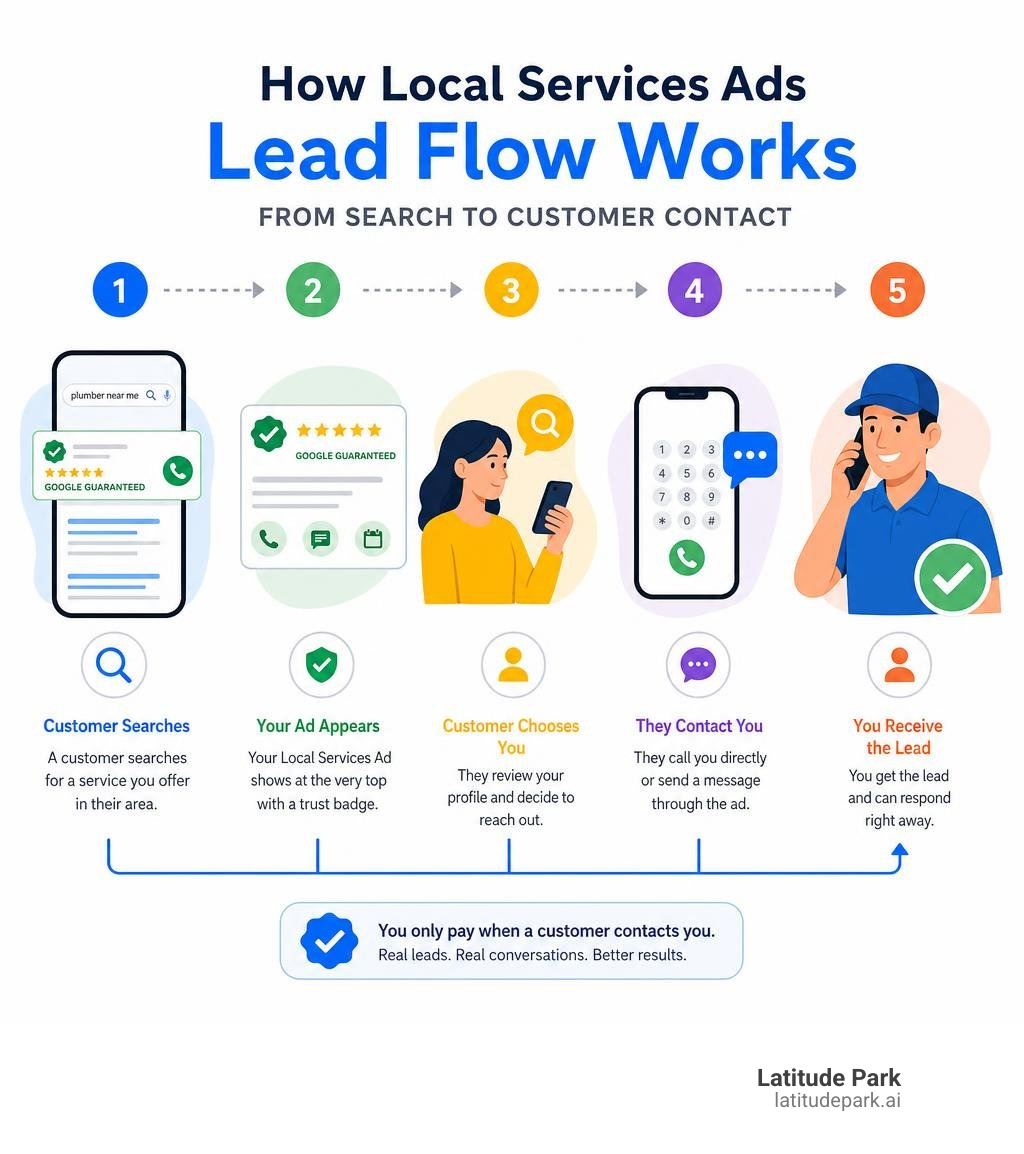
Basic local services ads by google vocab:
What Are Local Services Ads by Google and How Do They Work?
When potential customers search for local help—whether it is an “emergency electrician near me” or an “estate planning lawyer in Tampa”—they want fast, trustworthy results. Google designed local services ads by google to meet this exact need. These ads appear at the very top of the desktop and mobile search engine results pages (SERPs), even higher than traditional pay-per-click (PPC) ads and local map packs.
According to the official Local Services Ads overview, these units are highly visual. They display your business name, star rating (drawn from your customer reviews), operating hours, service area, and a prominent badge indicating you have passed Google’s rigorous screening process.
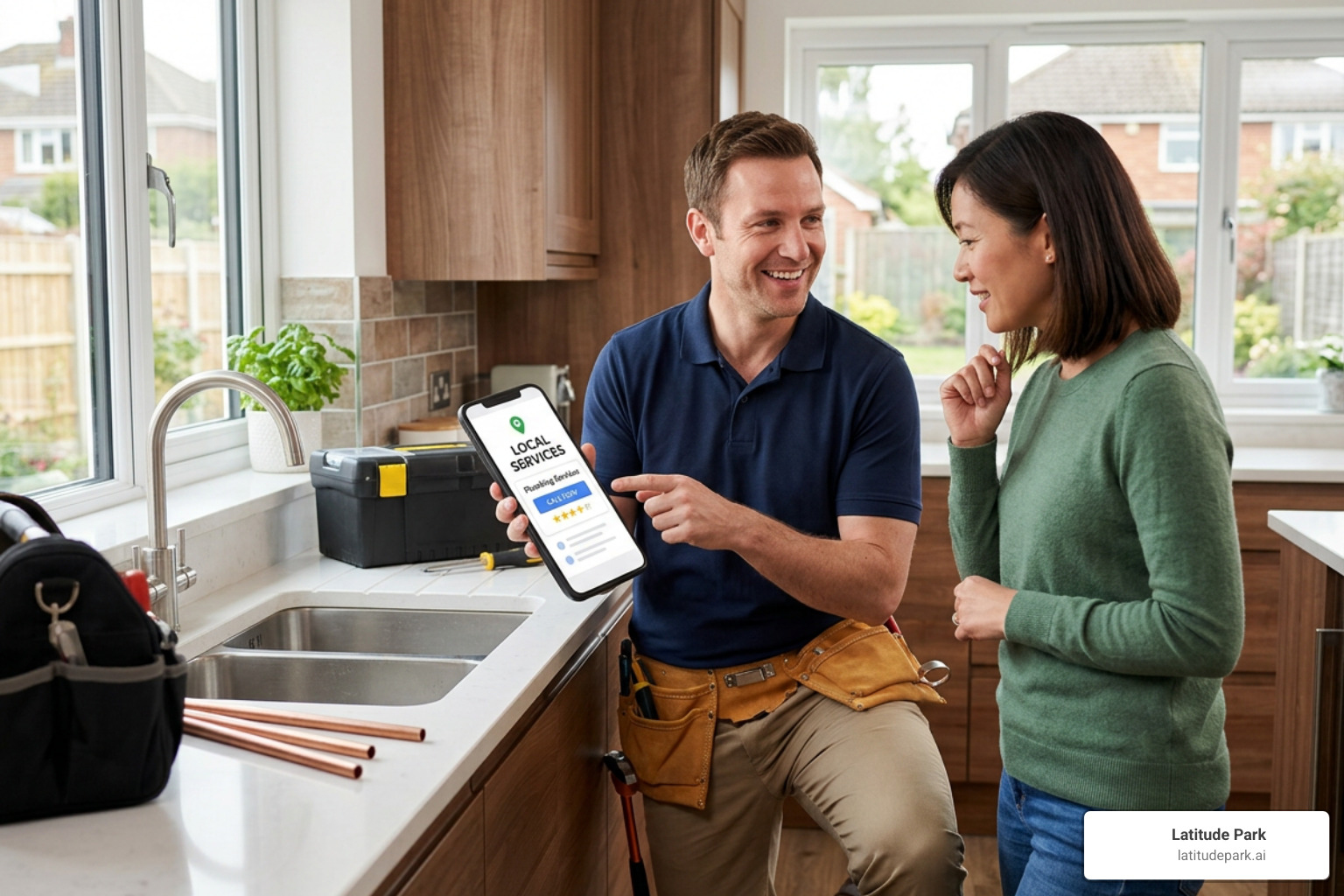
Unlike typical search ads that link to a landing page, clicking an LSA opens a Google-hosted business profile. On this profile, searchers can view your services, business bio, and photos. Most importantly, they can contact you directly by calling the tracking phone number provided or sending a direct message. Google handles the call routing, ensuring you connect with high-intent prospects right when they are ready to book.
Understanding the Pay-Per-Lead Model
The defining feature of local services ads by google is the pay-per-lead pricing model. In traditional PPC advertising, you pay every time someone clicks your ad, regardless of whether they call you, fill out a form, or immediately leave your website. This can sometimes lead to wasted budget on accidental clicks or low-intent window shoppers.
With LSAs, you only pay when a customer contacts you directly through the ad unit. To learn more about how this model boosts profitability, check out our deep dive on how to Unlock Local Growth: A Comprehensive Look at Local Service Ads.
A valid lead generally includes:
- A completed phone call where you speak with a prospect.
- A voicemail left by a potential customer.
- A direct text message or booking request.
If a user clicks your ad, reads your profile, and decides not to call, you do not pay a single cent. This performance-based billing makes LSAs an incredibly low-risk marketing channel for local businesses trying to maximize their return on investment (ROI).
How Local Services Ads by Google Connect You with Customers
LSAs do not rely on complex keyword match types or bidding strategies. Instead, Google matches your ad with searchers based on three primary factors:
- Proximity: How close your business is to the searcher’s physical location.
- Services Offered: The specific job categories you selected during setup (e.g., “clogged drain repair” or “commercial roofing”).
- Response Rate and Reputation: How quickly you answer customer inquiries and the quality of your reviews.
For larger brands and multi-location franchises, managing this at scale can be complex. Google provides technical integration methods, including aggregator feeds and APIs, to help developers programmatically manage large-scale accounts. You can explore these technical capabilities in the Local Services Ads on Google for Developers documentation. This allows us to sync local campaign data across dozens of franchise locations seamlessly, ensuring every neighborhood branch gets its share of local search traffic.
Local Services Ads vs. Traditional Google Ads and Local SEO
To build a balanced digital marketing strategy, we must understand how LSAs fit alongside traditional search engine marketing. LSAs are not a replacement for traditional Google Ads (PPC) or search engine optimization (SEO). Instead, they are a powerful, top-of-funnel multiplier.
| Feature | Local Services Ads (LSAs) | Traditional Google Ads (PPC) | Local SEO (Organic / Maps) |
|---|---|---|---|
| Payment Model | Pay-per-lead | Pay-per-click | Free (Organic sweat equity) |
| Ad Placement | Absolute top of search results | Below LSAs, above organic | Below paid ads, in Map Pack & organic |
| Trust Signals | Google Guaranteed/Screened badge | Ad extensions, copy | Google Business Profile reviews |
| Targeting Method | Service categories & zip codes | Keywords, match types, intent | On-page content, citations, backlinks |
| Management Effort | Low (Profile & lead management) | High (Keyword lists, bidding, landing pages) | Ongoing (Content creation, link building) |
Each of these channels targets users at slightly different stages of intent. To understand how to balance these strategies, read our guide on A Practical Guide to Google Ads for Local Business.
The Difference in Cost and Targeting
Traditional Google Ads require you to bid on specific keywords (like “best plumber in St. Petersburg”). This bidding process can become highly competitive and expensive, especially in industries like legal or emergency home services. Additionally, you must design, test, and optimize custom landing pages to convert those clicks into actual phone calls.
LSAs bypass this complexity. Google handles the ad formatting, targeting, and landing page creation. You do not bid on keywords; you simply select the zip codes you service and the jobs you perform. For a comprehensive comparison of how these budgets interact, check out our resource on Google Ads for Local Businesses.
Using LSAs alongside traditional PPC and local SEO creates a “search engine monopoly” for your brand. When a user searches for your service and sees your business in the LSAs at the top, in the traditional PPC ads right below, and in the organic map pack, your perceived authority skyrockets.
Eligibility and the Google Verified Badge Requirements
Because Google places these ads at the very top of its search engine and backs them with its own brand reputation, not just any business can buy their way into these slots. To participate, businesses must undergo a strict screening and verification process.
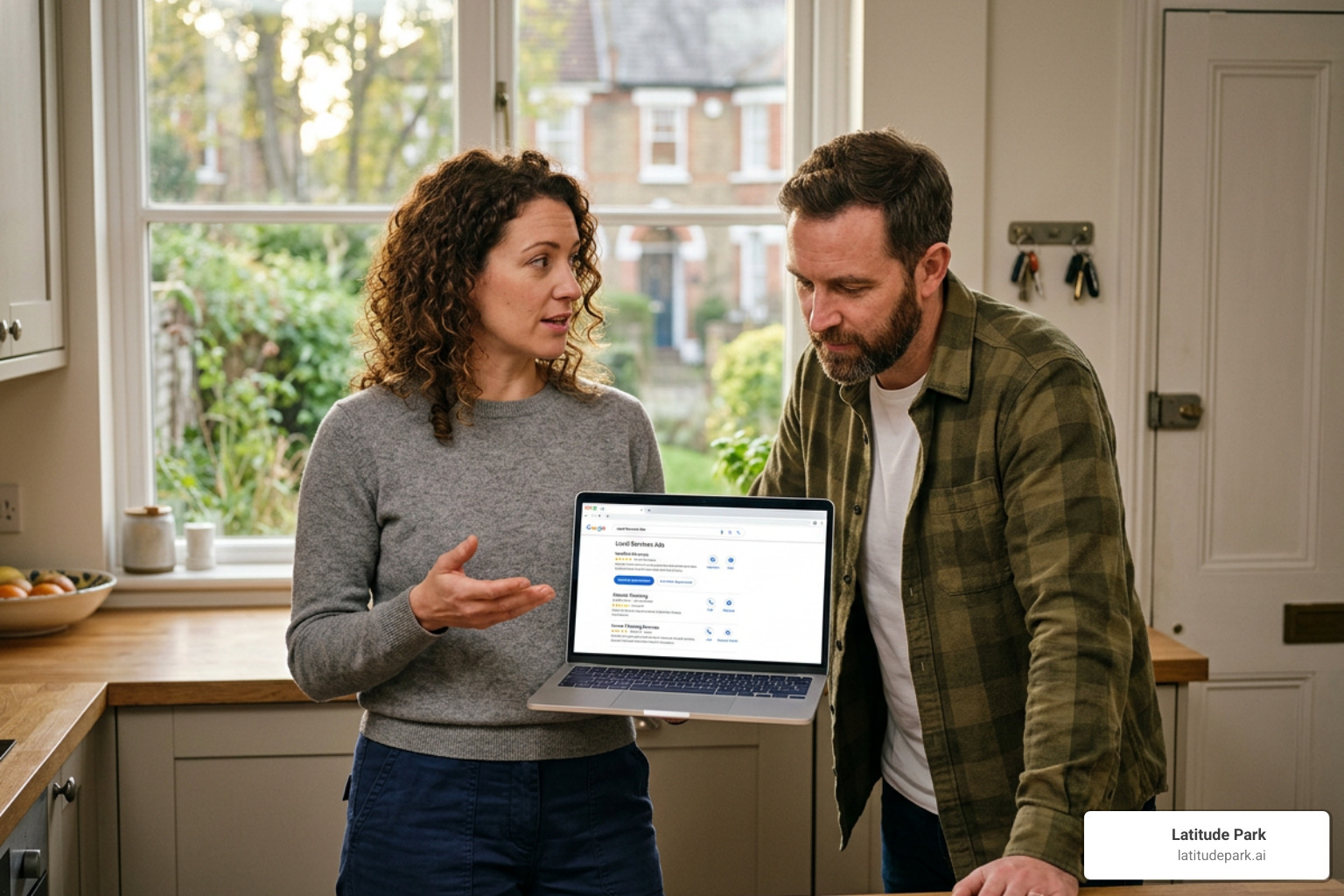
According to the official guide on How providers qualify for Local Services Ads, Google requires direct advertisers to submit business licenses, proof of general liability insurance, and pass background checks. These checks ensure that only legitimate, qualified, and safe service providers are recommended to Google’s users.
Eligible Industries and Service Categories
Currently, LSAs are available for more than 80 service categories. This includes home services (plumbers, HVAC technicians, locksmiths, landscapers), professional services (lawyers, financial planners, real estate agents), wellness, beauty, and automotive care. You can read more about how home service businesses leverage these ads in our guide on Google Local Service Ads for Home Services.
However, there are some important industry restrictions to keep in mind:
- Healthcare Verticals: While some healthcare providers are eligible, they face specific limitations. For example, booking leads are not available for healthcare ads, and they are ineligible for certain trust badges in select regions.
- Dining Exclusions: Local Services Ads are completely unavailable for dining verticals, including Food and Beverage, Restaurants, and Dessert and Coffee categories.
- Onboarding Variations: Pre-badge ads (which let you run ads while completing your final verification steps) are unavailable for high-risk categories like garage door services and locksmiths.
Qualifying for the Google Guaranteed and Screened Badges
Depending on your industry, passing Google’s screening earns you one of two primary trust badges:
- The Google Guaranteed Badge (Green Shield with Checkmark): This is typically awarded to home service and automotive businesses. This badge acts as a powerful trust signal. If a customer is unsatisfied with the quality of work booked through the LSA, Google may reimburse them up to the lifetime limit of the guarantee (usually $2,000 in the US and Canada).
- The Google Screened Badge: This is awarded to professional services like lawyers, financial planners, and real estate agents. It indicates that the business has passed all professional license checks and background screenings, though it does not include the financial reimbursement guarantee.
Earning these badges dramatically increases customer confidence and conversion rates. To learn more about the qualification process, read our Local Service Google Ads Complete Guide.
Step-by-Step Guide to Launching Your First Campaign
Ready to claim your spot at the top of Google? Setting up your first LSA campaign is straightforward, but it requires attention to detail.
To begin, visit the official onboarding portal. You can find country-specific setup steps in Getting started with Local Services Ads in the US.
Here is the general step-by-step process:
- Check Eligibility: Enter your country, state, and job category to confirm LSA availability in your area.
- Create Your Profile: Provide your business name, phone number, website, and physical address.
- Define Your Service Area: Select the specific zip codes or cities you want to target.
- Select Your Job Types: Check off the specific services you offer (and uncheck any you don’t want to receive leads for).
- Submit Documentation: Upload your business license, proof of insurance, and submit details for the owner and field employee background checks.
- Set Your Budget: Choose how many leads you want to receive per week and set your maximum budget limits.
Setting Up Your Profile and Service Areas
When setting up your profile, accuracy is critical. You want to make sure your service area matches where your technicians actually travel. If you target an entire metropolitan area but refuse to drive to the northern suburbs, you will end up paying for leads you cannot service. For multi-location franchises, setting distinct, non-overlapping service boundaries is essential to prevent internal competition.
For strategies on managing geographic targeting across multiple locations, check out The Where-Am-I Guide to Local Search Ads.
Additionally, make sure to upload high-quality, professional photos of your team, vehicles, and completed work. Google’s guidelines state that you should avoid uploading personally identifying photos of customers or sensitive information. Clean, non-identifying photos of your wrapped company trucks or neat equipment setups are perfect for building trust before a customer even calls.
Managing and Optimizing Your Local Services Ads by Google
Once your ads are live, you cannot simply “set it and forget it.” Google ranks LSA advertisers based on several performance metrics, and active management is required to stay at the top. To understand how to keep your ad ranking high, read our guide on Google Local Service Ad.
To optimize your LSA performance, focus on these three pillars:
- Aggressively Manage Reviews: Reviews are the lifeblood of LSAs. Google displays your average star rating directly on the ad. Encourage every satisfied customer to leave a review specifically on your Local Services profile.
- Improve Your Response Rate: Google tracks how quickly you answer phone calls and reply to messages. If you frequently miss calls or let messages sit unanswered, Google will lower your ad ranking and show more responsive competitors instead. Even if you cannot take a job, respond to the lead promptly to mark it as closed.
- Refine Your Job Types: Regularly review the leads you receive. If you find you are getting calls for services you no longer offer, update your profile settings immediately to avoid wasting your budget.
Frequently Asked Questions about Local Services Ads
Managing local ad campaigns always brings up practical questions. Here are the answers to the most common queries we receive from business owners and franchise managers.
How much do Local Services Ads cost?
The cost of local services ads by google varies significantly based on your industry, location, and local competition. Unlike traditional PPC where you pay per click, LSA billing is strictly pay-per-lead.
According to the official Google Ads Lead Generation for Local Businesses portal, you only pay when a customer contacts you directly. A lead can range anywhere from $10 to over $100 depending on how competitive your market is (for example, personal injury law leads in a major city cost significantly more than lawn care leads in a small town).
Fortunately, you have complete control over your budget. You can set a weekly budget based on the average number of leads you want to receive. If you reach your budget limit for the week, your ads will temporarily stop showing, ensuring you never face unexpected advertising bills.
What happens to the mobile app in 2026?
If you have been researching LSAs, you might have heard about the dedicated Local Services Ads mobile app. Google retired the LSA mobile app in January 2025.
Now, in June 2026, all campaign management, lead tracking, and profile optimization are fully integrated into the unified Google Ads platform at ads.google.com/localservices. This change simplified operations, allowing business owners and marketing agencies to manage traditional PPC campaigns and LSAs from a single, centralized dashboard. You can easily track your cost-per-lead, review call recordings, and adjust your budgets on both desktop and mobile web browsers.
How do I dispute invalid leads?
One of the best features of local services ads by google is the ability to dispute invalid leads and receive a credit back to your account. You should not have to pay for inquiries that do not represent genuine business opportunities.
You can dispute a lead if:
- The caller is a solicitor or telemarketer.
- The caller dialed a wrong number.
- The requested service is not on your active services list.
- The job location is completely outside of your designated service area.
- The contact details provided are spam or completely blank.
To dispute a lead, log into your dashboard, select the lead, click “Dispute,” and select the appropriate reason. Google reviews these disputes and, if approved, credits the cost of the lead back to your account.
Conclusion
Dominating your local market requires showing up where your customers are looking. Local Services Ads by Google offer an unmatched opportunity to secure absolute top-of-page visibility, build immediate trust with the Google Guaranteed badge, and pay only for real, high-intent leads.
For multi-location brands and franchises, deploying LSAs across dozens of territories requires a sophisticated approach to budget allocation, regional compliance, and lead tracking. At Latitude Park, we specialize in franchise marketing, helping multi-location businesses scale their digital presence through tailored campaign structures that address these exact complexities.
Ready to put your business at the top of the search results? Let our team of digital advertising experts build, verify, and optimize your local campaigns. Maximize your local reach with Google Ads Management and start winning more neighborhood customers today.