Google Ads conversion tracking records the actions you actually care about (purchases, leads, calls) and feeds that data straight into Google’s bidding algorithms. If your numbers look off or your campaigns feel like they’re guessing, start here: confirm you have a Google tag installed sitewide and at least one active ConversionAction configured in your account. Everything else in this guide builds on that single check.
Table of Contents
- What Counts as a Conversion (and Why Attribution Gets Messy)
- Setting Up Conversion Tracking: The Core Checklist
- Enhanced Conversions and the 2026 Platform Changes
- Consent Mode and How Conversion Modeling Actually Works
- How to Validate and Debug Your Conversion Tracking
- Common Conversion Tracking Problems (and Fast Fixes)
- The Setup Standard We Use for Client Accounts
- Why First-Party Data Is the New Baseline, Not the Upgrade
- Get a Conversion Tracking Audit From a Digital Marketing Agency
- Where to Verify the Technical Details
- FAQ
What Counts as a Conversion (and Why Attribution Gets Messy)
A conversion is any action tied to value: a completed purchase, a submitted lead form, a phone call from an ad, an app install, or an offline sale you import later. Google Ads doesn’t magically know these happened. It stitches them together using a click identifier called a GCLID, which gets attached to a user’s browser the moment they click your ad and travels with them until a conversion event fires.
That’s where attribution windows come in. A conversion counted 3 days after the click looks different from one counted 30 days out, and if you change your attribution window mid campaign, don’t be surprised when historical numbers shift. This isn’t a bug. It’s the system re-crediting conversions based on new rules.
Common conversion types worth tracking:
- Website purchases and add-to-cart events
- Lead form submissions
- Phone calls generated from ads or call extensions
- App installs and in-app actions
- Offline conversions imported from a CRM or sales team
Automated bidding strategies like target ROAS or enhanced CPC are only as good as the conversion data feeding them. Feed Google Ads garbage, and it optimizes toward garbage with total confidence.
Setting Up Conversion Tracking: The Core Checklist
Most broken tracking setups fail at the foundation, not the fancy features. Here’s the order that actually works.
- Install the Google tag sitewide. Every page needs it, not just your thank-you page. A sitewide foundation is what lets enhanced conversions and Consent Mode function correctly later.
- Deploy Conversion Linker across every page, or confirm your Google tag setup already handles it. This tag preserves ad click parameters in gcl* cookies, which is how Google Ads reconnects a conversion back to the original ad click. If a container loads a Google tag on every page, a separate linker tag may not be strictly required, but deploying it anyway is the safer default when visitors can land on multiple entry points after clicking an ad.
- Create your ConversionAction(s) inside Google Ads and choose your tagging method (Google tag, GTM, or app SDK).
- In Google Tag Manager, fire tags in this order: Google tag first, Conversion Linker second, Google Ads Conversion tag third. Pass transaction or order IDs whenever possible to prevent duplicate counting down the line.
- Test before you trust it. Use GTM’s preview mode, run Tag Assistant, and inspect the network request panel to confirm the conversion tag actually fires and sends data.
Pro Tip: Don’t skip the network request check. GTM preview mode can show a tag “firing” green when the actual payload sent to Google is malformed or missing a parameter. Open your browser’s developer tools, filter for “collect” or “conversion,” and look at what’s actually being transmitted.
Enhanced Conversions and the 2026 Platform Changes
Enhanced conversions close a measurement gap that cookie-based tracking alone can’t fix. The method hashes first-party data like email addresses and phone numbers using SHA-256 before sending it to Google, then matches it against signed-in Google accounts to recover conversions that would otherwise go unattributed.
You have several implementation paths:
- Automatic detection through the Google tag, good for broad coverage with minimal setup
- CSS selectors or JavaScript variables, useful when your form fields follow a predictable structure
- A manual code snippet, the most accurate option and the right call for high-value forms where missing data costs real revenue
- Google Tag Manager or the API, for teams managing tracking at scale or importing conversions outside the browser
Mark your calendar: starting in April 2026, Google Ads will accept user-provided data simultaneously from website tags, Data Manager, and API connections under one unified enhanced conversions setting. Then in June 2026, offline conversion imports and enhanced leads uploads migrate entirely to the Data Manager API. If your team currently uploads offline conversions through older API endpoints, this is the year to plan the switch, not the year to discover it broke your pipeline.
Consent Mode and How Conversion Modeling Actually Works
When a visitor declines cookies, Google Ads doesn’t just lose that conversion. Consent Mode lets it model what likely happened instead, based on patterns from consenting users. But Basic and Advanced Consent Mode behave very differently.
| Consent Mode | Tag behavior when consent is denied | Modeling approach |
|---|---|---|
| Basic | Tags don’t load at all until consent is granted | No modeling; conversions are unrecoverable |
| Advanced | Tags load and send consent-aware pings without cookies | Advertiser-specific modeling fills the gap |
Advanced Consent Mode is the one worth implementing. Google reports that advertiser-specific models can show measurable uplift after a period of data collection, rather than relying on a generic, one-size-fits-all model. Pair it with enhanced conversions and you get two independent recovery mechanisms working together: one for consent gaps, one for cross-device and signed-out matching.
The operational catch: your reported conversion numbers will shift as models mature. Don’t panic and start re-optimizing bids on day two. Give it the full week.
How to Validate and Debug Your Conversion Tracking
Broken tracking rarely announces itself loudly. It just quietly under-reports, and you end up making bidding decisions on incomplete data. Run through this sequence whenever something looks off.
- Confirm the Google tag fires on every page, not just the conversion page.
- Check the network payload directly. Look for a request to
googleadservices.com/pagead/conversion/and, for enhanced conversions, anemparameter carrying a hashed value in the payload — that’s your confirmation the enhanced data is actually being sent. - Use GTM preview and Tag Assistant to trace tag firing order and catch sequencing errors before they reach production.
- Check Google Ads tag diagnostics roughly 72 hours after setup. Earlier than that, the data is often too thin to be useful.
- For offline or API imports, monitor upload summaries for successful, failed, and pending counts. A
CLICK_NOT_FOUNDalert usually means the GCLID expired or was never captured in the first place.
Pro Tip: If your API upload summary shows a rising “pending” count that never clears, don’t wait it out. That pattern usually means malformed identifiers, not a processing delay, and it will keep growing until you fix the normalization.
Common Conversion Tracking Problems (and Fast Fixes)
Most tracking issues trace back to one of five root causes:
- No sitewide tag or missing Conversion Linker. Fix: deploy both across every page, not just checkout or contact pages.
- User data isn’t available when the tag fires. Fix: move data capture to the conversion confirmation page, or push it through the dataLayer earlier in the flow.
- Duplicate conversions inflating your numbers. Fix: attach a unique transaction or order ID to every conversion event.
- Consent or cookie blocking silently dropping data. Fix: implement Advanced Consent Mode and layer in enhanced conversions for redundancy.
- API or import failures. Fix: normalize and hash identifiers correctly, and check upload diagnostics regularly rather than assuming silence means success.
If your click-through rate looks healthy but conversions are flat, one of these five is almost always the culprit, not your ad copy or your targeting. For a deeper look at how tracking gaps quietly erode campaign performance, see why your Google Ads performance is dropping.
The Setup Standard We Use for Client Accounts
When a marketing agency configures tracking for a client, the baseline never changes: Google tag plus Conversion Linker deployed sitewide through GTM, no exceptions. From there:
- Enhanced conversions get enabled, with code snippets on key forms
- Advanced Consent Mode goes live, and judgment on modeled uplift is held until day seven
- Offline conversions import with hashed identifiers, order IDs, and click IDs attached
- Diagnostics get checked regularly, tied back to revenue reporting
Pro Tip: Treat your API upload summary status the way you’d treat a server error log. If it’s not sitting at a clean, healthy status, something upstream is silently costing you attributed revenue.
Why First-Party Data Is the New Baseline, Not the Upgrade
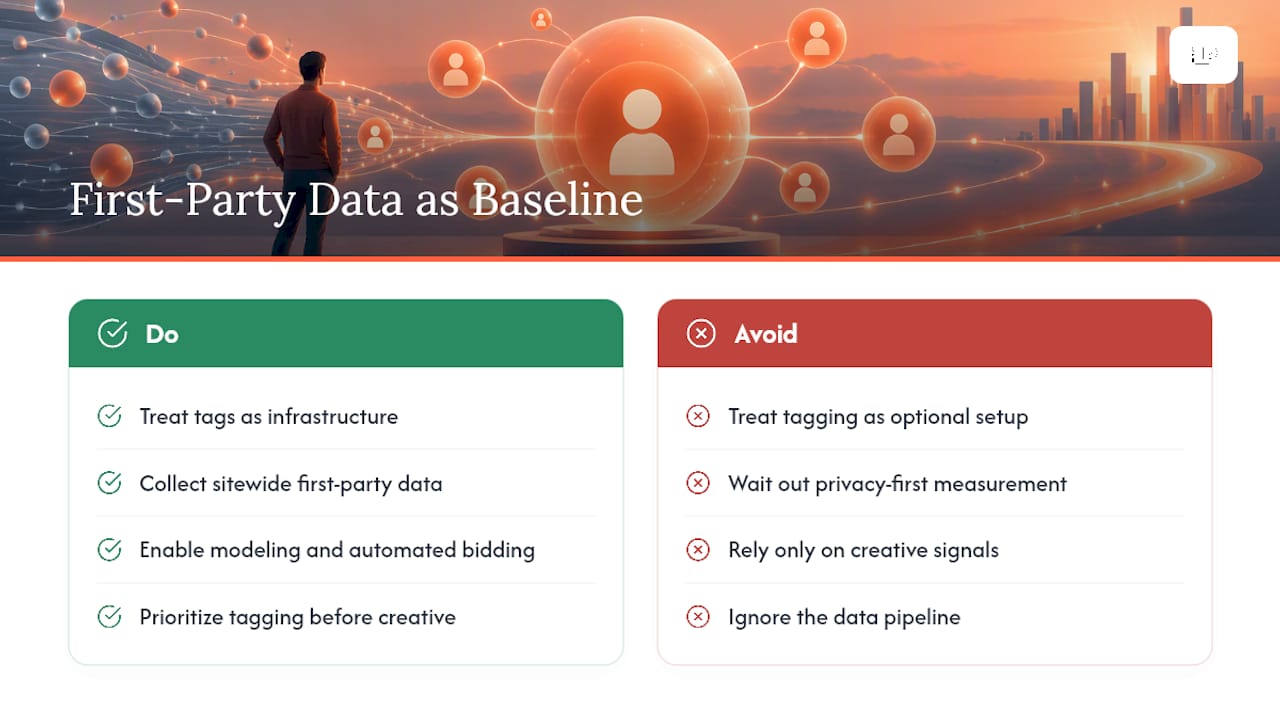
Privacy-first measurement isn’t a phase you wait out. It’s the operating environment now, and it’s not reversing course. Tags aren’t just tracking pixels anymore. They’re the infrastructure that makes modeling and automated bidding possible in the first place.
Marketers who treat sitewide tagging and first-party data collection as optional setup steps are the ones who’ll spend 2026 wondering why their conversion rate optimization efforts stopped moving the needle. The data pipeline usually breaks before the creative does.
— Rusty
Get a Conversion Tracking Audit From a Digital Marketing Agency
Many businesses don’t have a bad ad problem. They have a bad data problem wearing an ad problem’s clothes. Some agencies offer full conversion-tracking audits to catch the gaps costing you attributed revenue and provide remediation plans built around sitewide tagging, enhanced conversions, and Advanced Consent Mode, rather than generic best-practice checklists you have to translate into your own account.

Their teams may pair AI-driven optimization with regular calls and transparent reporting that ties tracking improvements back to revenue, so you’re never left interpreting a dashboard alone. If your conversion numbers have felt unreliable for months, that’s usually a setup issue, not a targeting issue. Request a conversion-tracking audit and find out what’s actually being missed.
Where to Verify the Technical Details
For hands-on implementation, Google’s own documentation is worth bookmarking directly: the enhanced conversions overview, the Consent Mode guide, the Conversion Linker setup instructions, and the 2026 enhanced conversions settings update. Developers managing API uploads should also review the enhanced conversions API overview.
FAQ
How Do I Track Conversions in Google Ads?
Install the Google tag sitewide, add a Conversion Linker tag, and create a ConversionAction in your Google Ads account for each action you want to measure (purchases, leads, calls). Then verify the setup by checking network requests and running Google Ads tag diagnostics after about 72 hours.
How Do I Change Conversion Tracking Settings in Google Ads?
Go to Tools and Settings, then Conversions, where you can edit existing ConversionActions, adjust attribution windows, or add new tracking methods like enhanced conversions. Changes to attribution settings can shift historical reported numbers, so review before adjusting live campaigns.
When Should I Use Conversion Tracking?
Set it up before you launch any paid campaign, not after. Automated bidding strategies like target ROAS depend entirely on conversion data, so tracking needs to be live and validated from day one, not bolted on once you notice performance issues.
How Many Types of Conversion Tracking Are There in Google Ads?
Google Ads supports several conversion sources: website actions, phone calls, app installs, and offline or imported conversions from a CRM. Most accounts also layer in enhanced conversions on top of one or more of these to improve match accuracy.
Does Latitude Park Help With Conversion Tracking Setup?
Yes. Latitude Park configures sitewide tagging, enhanced conversions, and Advanced Consent Mode as part of its Google Ads Management service, backed by weekly reporting calls. Pricing is available directly through the site rather than published as a flat rate.